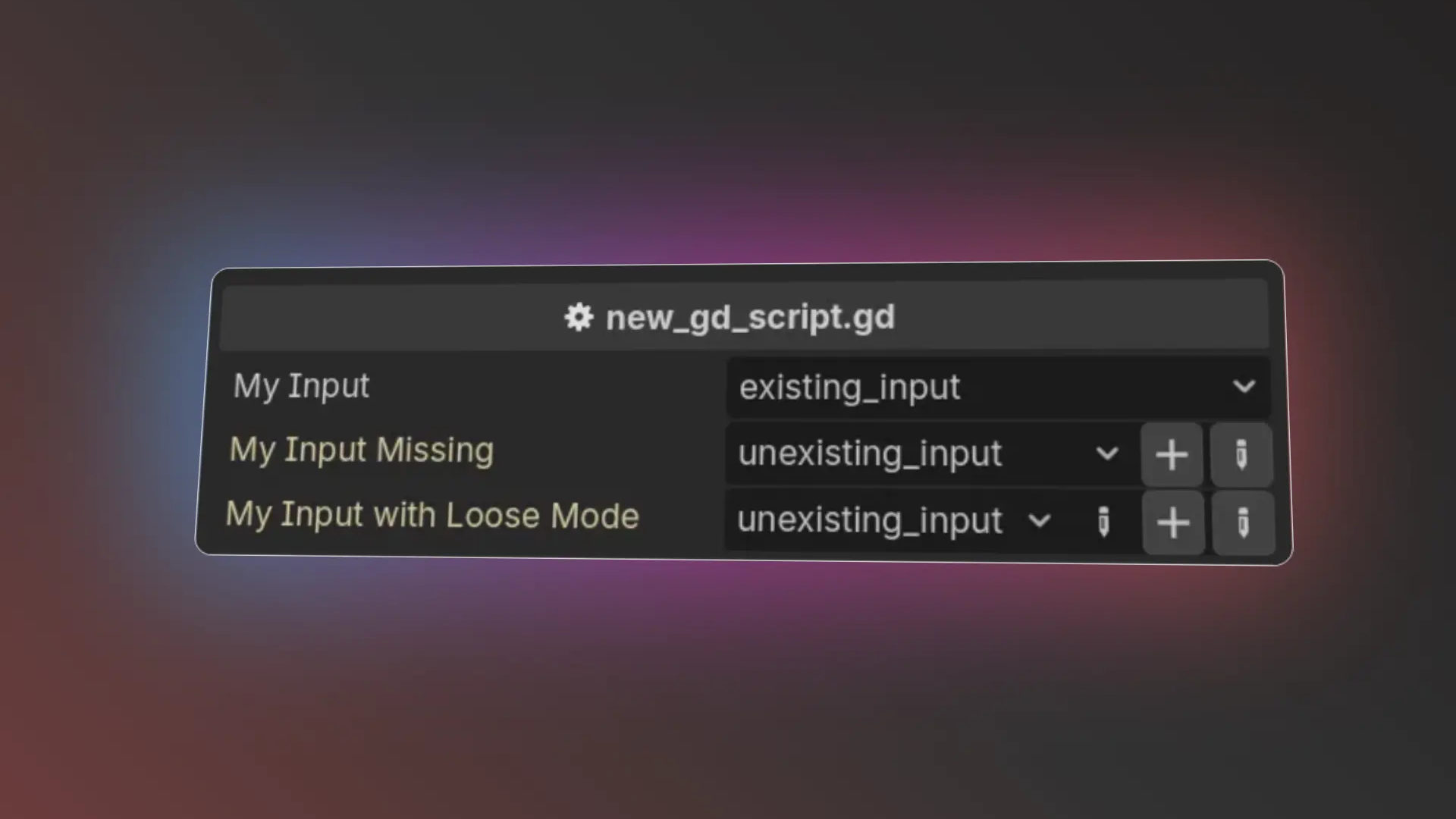
Exported Actions Quick-Add
 0
0
by TigerULTRA | MIT
Add buttons to quickly create missing input actions directly from the inspector
A Godot 4 editor plugin that adds Add and Add & Edit buttons next to properties using the PROPERTY_HINT_INPUT_NAME hint, so you can create missing input actions directly from the inspector. Usage example: # Annotate an exported `String` property with the
Mobile Keyboard Disabler
0
by repechul | MIT
A Toggle Button in the main toolbar to disable the Android virtual keyboard while editing code on the Scripts screen
Mobile Keyboard Disabler A toggle button in the main toolbar to disable Android's virtual keyboard anywhere text can be entered in the editor: the Script editor, Inspector fields, FileSystem search, rename dialogs, SpinBox number entry, and more. Quick
Reactive UI Editor
0
by Yaniv Kalfa | MIT
A full .guitkx editor inside Godot — the authoring companion for Reactive UI: syntax highlighting, live diagnostics, completion, hover, navigation, rename, project search, and the same formatter as the VS Code extension. Ships with the native analyzer
A full .guitkx editor inside the Godot editor — the authoring companion for the "Reactive UI (React for Godot)" addon. Double-click a .guitkx in the FileSystem dock and edit it in a main-screen tab: theme-matched syntax highlighting (embedded GDScript

Reactive UI (React for Godot)
0
by Yaniv Kalfa | MIT
Build Godot UI the React way, in plain GDScript: function components, hooks, and a fiber reconciler — plus .guitkx, a JSX-like markup that compiles to plain .gd, with Fast Refresh hot-reloading your running game while preserving state. VS Code tooling
React-style reactive UI for Godot 4, in plain GDScript: function components, hooks (useState/useEffect/useMemo/…), a fiber reconciler with keyed reconciliation and bailouts, a router, typed styling, and the .guitkx JSX-like markup language with an editor
Guideline Manager
0
by repechul | MIT
A simple Dock editor for creating and managing viewport guide lines in Godot
Guideline Manager A simple Dock editor for creating and managing viewport guide lines in Godot. Compatible with Godot 4.6+ — tested on 4.7 Installation Copy the "guideline_manager" folder into "addons" in your project. Go to Project > Project Settings >

loading more results...