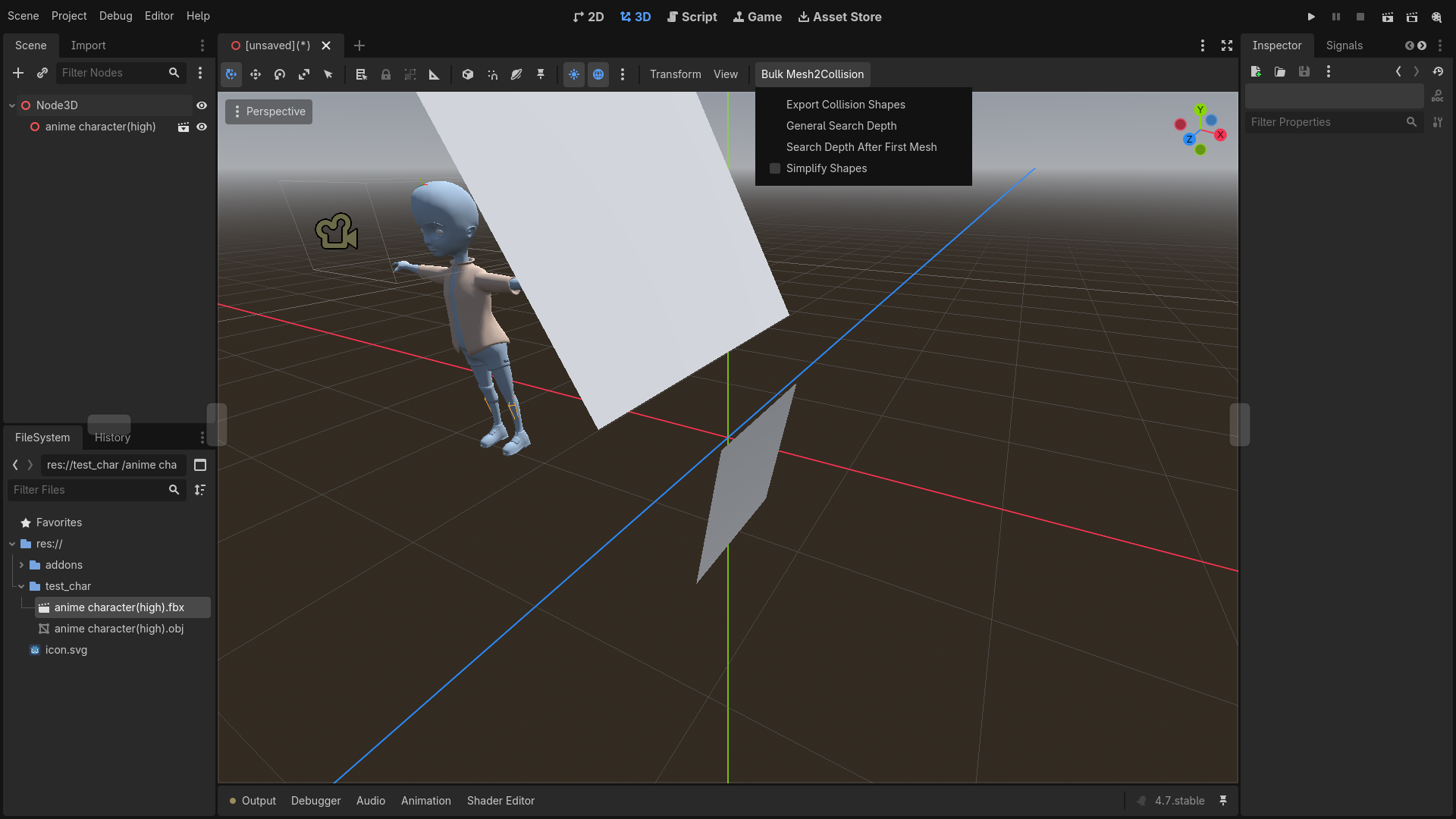
Have you ever tried to add collision to a 3D Object you have imported and were annoyed that you had to click on every single mesh individually to add a Collision Shape? Worry no longer, with this plugin you can mass export every single Collisionshape with just 2 clicks. Easily configure the plugin search depth and other simple export settings. A super basic, polished and simple button to make your 3D Godot workflow much faster.
System Requirements
Tested versions:
- Godot 4.4
- Godot 4.7
There is a decent chance the plugin will work on other versions as well.
Installation
The easiest way to install the plugin will be using Godot's integrated Asset Store. Refer to the Godot Docs for details.
You must also enable the plugin under Project/Project\ Settings/Plugins as explained in the previously linked doc page.
Usage
- Go to the 3D workspace
- Select any node that inherits from
Node3D - In the viewport toolbar there will be a button called
Bulk Mesh2Collision - Upon selecting this button you will be presented with 4 options
Export Collision Shapes
Export the collision shapes with the configured settings. If you don't care about the settings you can just use this without reading the rest of the docs.General Search Depth
Specifies how far away a children can be until it will no longer be included in the export.
__Example__: If this is1the base node and its direct Children will be included in the export. Children of Children will not be included. If this is0only the selected Nodes will be used for the export and not their childrenSearch Depth After Fist Mesh
Specifies how far away a children can be until it will no longer be included in the export only counting Nodes of typeMeshInstance3D.
__Example__: If this is0the first meshes found after the selected Node will be included in the export but not their children. If your selected Node has 3 children which are all Meshes all these 3 children would be included. But if the children are nested (children of 1 another) only the highest level child would be included. If his is1and your selected Node is a Mesh and has any Node which doesn't inherit fromMeshInstance3Dwhich itself has a Meshinstance3D as a child. Both the selected Node and the nestedMeshInstance3Dwould be included in the export despite theMeshinstance3Dnot being a direct child of the selected Node.Simplify Shapes
Toggles thesimplifyparameter of create_convex_collision (Simplifies the generated Collision Shapes for better performance)
Known Bugs
If you installed Godot via Flatpak and did not change the default permission you will be unable to change any settings since Godot is not allowed to create new windows by Flatpak. Since this is a Godot / Flatpak related bug I cannot fix it for this plugin. Honestly I would not recommend installing Godot via Flatpak anyways.
Changelog for version 0.2.2
2026-06-23 01:15:29
No changelog provided for this version.