
Licenses
Uses AI
Order
Advanced Search

Search will generally match any assets that contains all words from the search query. The words can be anywhere in the asset name, description or tags. All search queries are case independent.

To narrow down search results, you can use the following operators:

  • godot | engine
    will match if either "godot" or "engine" are found
  • godot MAYBE engine
    will match if "godot" is found, while ranking items higher that also match "engine"
  • godot -engine (alternative syntax: godot !engine)
    will only match if "godot" is found in an item that does not contain "engine"
  • @name godot @description engine
    will match if "godot" is found in the asset name, and "engine" is found in the asset description
  • =godot
    will match "godot" as a separated word, so it would not match "godotengine" while it will match "godot engine"
  • "godot engine"
    will match the exact string "godot engine" (so it won't match "engine godot")

GodotVim 1

by hmdfrds | MIT

Vim emulation for Godot's built-in script editor

Vim emulation for Godot's built-in script editor. Restart the Editor (required for full initialization) Upgrading from v0.x? See README for migration steps. CORE VIM: Modal Editing: Normal, Insert, Visual, Visual Line/Block, Replace Motions: h/j/k/l, w/b
Vim

VimDot 0

by Enber Studios | MIT

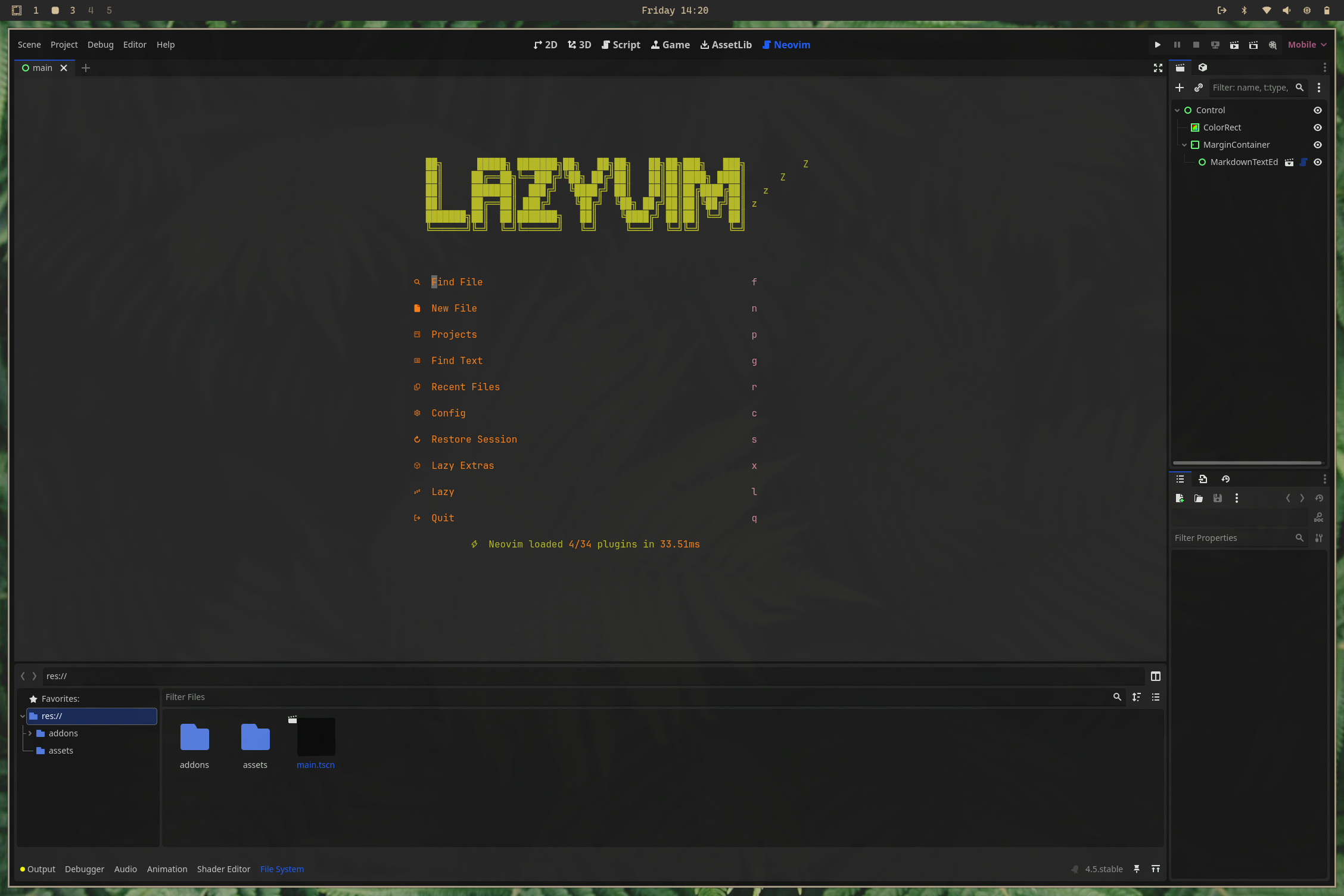
Embed Neovim inside the Godot editor, and control it just like the built-in script panel, complete with project-aware colorschemes, custom menu actions, and optional script-editor replacement

VimDot - Neovim Embed for Godot Bring the full Neovim experience directly into the Godot editor. This addon exposes a main-screen tab that hosts a Neovim session, letting you keep your modal editing habits, plugins, and colorschemes while developing

loading more results...