Licenses
Uses AI
Order
Advanced Search

Search will generally match any assets that contains all words from the search query. The words can be anywhere in the asset name, description or tags. All search queries are case independent.

To narrow down search results, you can use the following operators:

  • godot | engine
    will match if either "godot" or "engine" are found
  • godot MAYBE engine
    will match if "godot" is found, while ranking items higher that also match "engine"
  • godot -engine (alternative syntax: godot !engine)
    will only match if "godot" is found in an item that does not contain "engine"
  • @name godot @description engine
    will match if "godot" is found in the asset name, and "engine" is found in the asset description
  • =godot
    will match "godot" as a separated word, so it would not match "godotengine" while it will match "godot engine"
  • "godot engine"
    will match the exact string "godot engine" (so it won't match "engine godot")

Save Value Viewer 0

by onpont | MIT

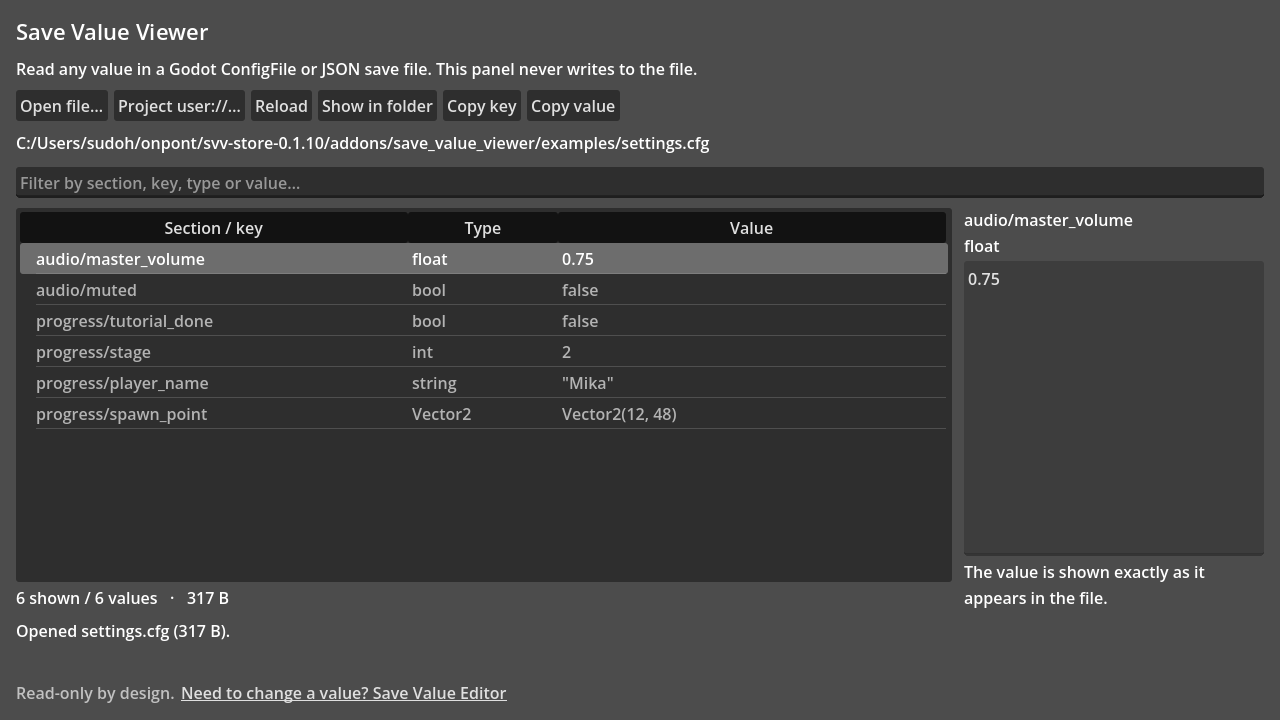
Inspect the values inside a Godot save or settings file without opening it in a text editor. It lists every ConfigFile and JSON value as section/key, type and exact text, filters across all three, and never writes to the file

What it is for You want to know what a save file actually contains: which stage is unlocked, what the volume slider is set to, or why a flag is still false . Until now that meant opening the file in a text editor and reading [progress] blocks by eye, or

loading more results...