What it is for
You want to know what a save file actually contains: which stage is unlocked, what the volume slider is set to, or why a flag is still false. Until now that meant opening the file in a text editor and reading [progress] blocks by eye, or adding a print() to the game and restarting it.
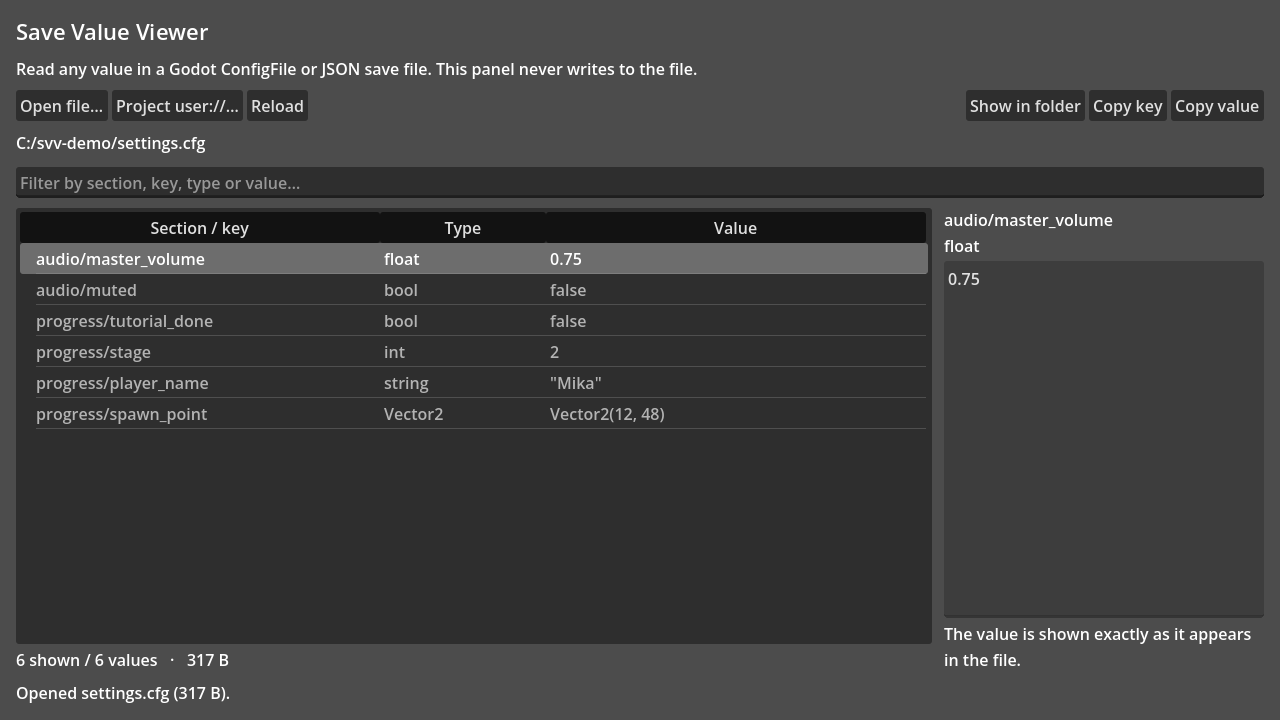
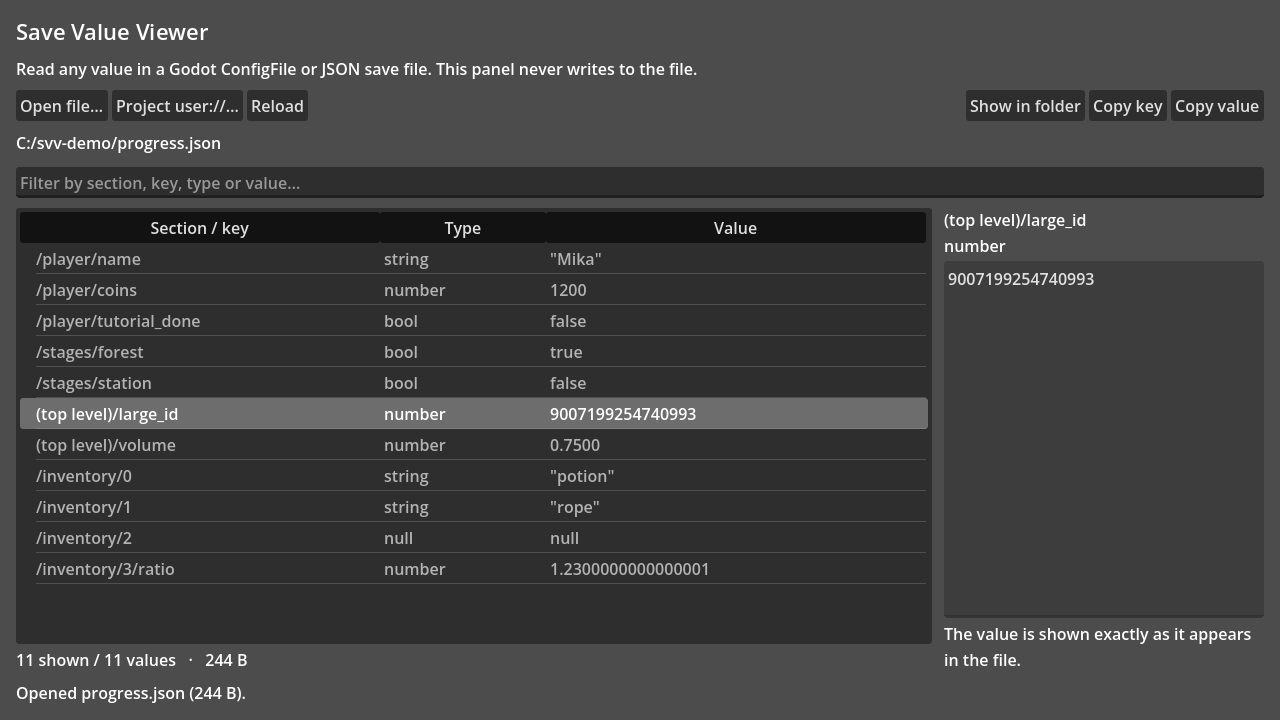
Save Value Viewer adds a Value Viewer tab to the editor. Open a .cfg, .ini or .json file and every value appears as a row of Section / key - Type - Value, with a filter box that matches section, key, type and value. Selecting a row shows the exact text, and Copy value / Copy key put it on the clipboard.
Typical uses:
- Check the state a save file is in before reproducing a bug.
- Read a value the game only writes, without adding logging and replaying the level.
- Copy a key path when you are writing the code that reads it.
Install
- Copy the
addons/save_value_viewer/folder into your project'saddons/folder. - Open Project > Project Settings > Plugins and enable Save Value Viewer.
- A Value Viewer tab appears in the editor's main screen tabs.
To remove it, disable the plugin and delete addons/save_value_viewer/. No autoload or runtime code is installed in your project.
What it reads
- ConfigFile text files (
.cfg,.ini): sections, keys,;comments, booleans, integers, floats, strings, and constructors such asVector2(...)as read-only rows. - JSON files: nested objects and arrays, addressed as
/path/to/value.
Values are shown exactly as they appear in the file. 0.7500 keeps its trailing zeros, 9007199254740993 is not rounded through a float, and strings keep their quotes. The first column reads section/key; a ConfigFile key that sits above the first section (project.godot's config_version) is labelled (top level).
Limits
- Read-only by design: there is no save path in the add-on, so it cannot damage a save file.
- Unsupported: binary, UTF-16, encrypted or compressed saves, files larger than 8 MiB, and files with more than 20,000 values are refused rather than truncated.
- The panel holds a snapshot from the moment you opened or reloaded the file. If the game writes the file afterwards, press Reload.
- Changing a value, reviewing a change set and restoring a backup are not part of this free add-on. That is Save Value Editor, a separate paid tool; the viewer stays read-only on purpose.
Support
Please open an issue on the repository with the file format, the Godot version and what you expected to see. Built and tested with Godot 4.7.2 on Windows 11.
License
MIT. The license text is included in the downloaded archive.
Changelog for version 0.1.11
2026-10-29 09:12:09
No changelog provided for this version.