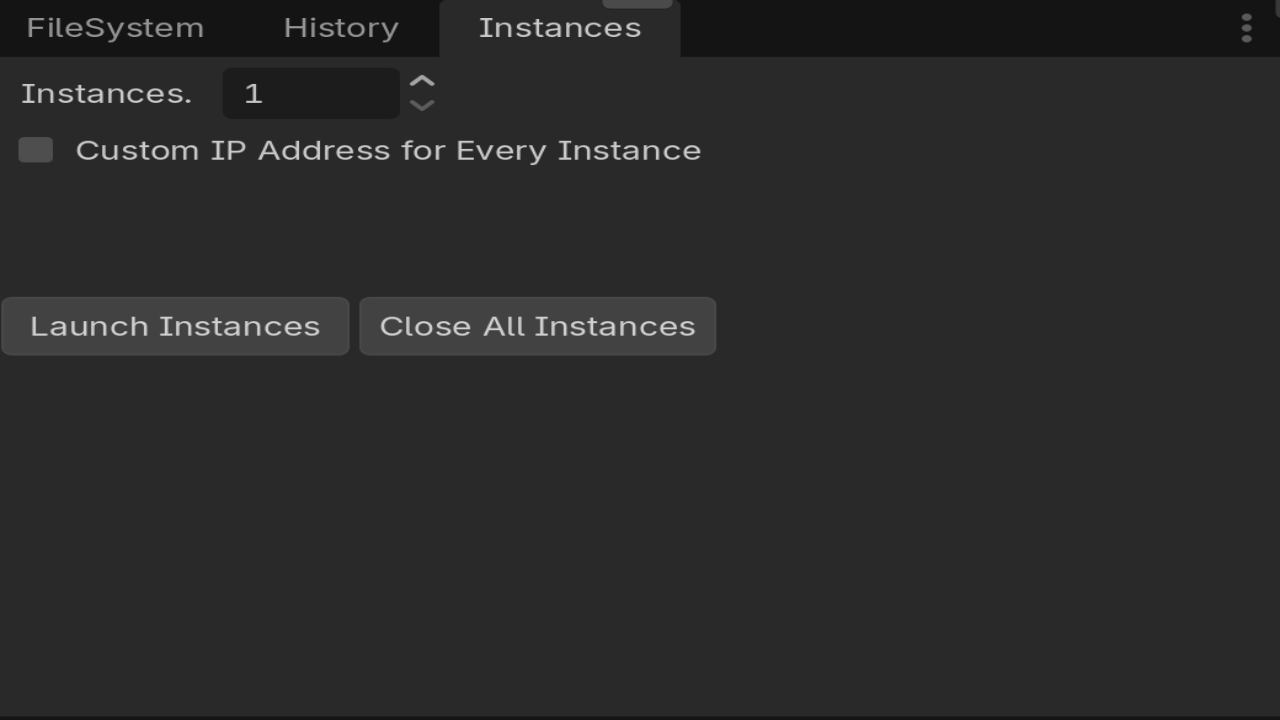
Multi Launcher is a lightweight editor dock plugin for Godot 4 designed to make local multiplayer and multi-client testing fast, simple, and reliable.
It automatically loads your project's configured Main Scene and spawns multiple standalone, fully resizable sub-windows directly inside the editor—no @tool directives required on game scripts and no need to compile standalone builds.
🚀 Key Features:
Instant Multi-Instance Testing: Automatically reads your project's Main Scene setting and launches 1 to 99,999 independent game instances with a single click.
Fully Resizable Windows: Every spawned instance runs inside a flexible, resizable Godot window with minimum size protection to fit any layout or multi-monitor setup.
No @tool Required on Game Scripts: Button presses, UI interaction, and scene transitions inside sub-windows work natively via launcher-side signal delegation.
Per-Instance Custom IP Setup: Assign custom IP addresses dynamically to test local client/server networking, lobbies, or peer-to-peer setups.
Metadata IP Injection: Automatically attaches an assigned_ip metadata key to each window for instant retrieval in your network code (get_window().get_meta("assigned_ip")).
Title Bar Customization: Optionally display assigned IP addresses in window titles for effortless client identification. Auto-Expanding Input Fields: Custom IP text fields automatically stretch to fit text length as you type, keeping the dock layout clean.
One-Click Cleanup: Instantly close all open test instances with a dedicated "Close All Instances" button.
Universal Editor Compatibility: Pure Godot 4 solution—works seamlessly across Windows, macOS, and Linux.
🛠️ Quick Start:
Set your Main Scene under Project -> Project Settings -> Application -> Run -> Main Scene.
Download and enable the plugin under Project Settings -> Plugins.
Open the Multi Launcher panel in your editor dock.
Set your instance count, configure optional custom IPs, and click Launch.
Changelog for version V1.0.0
2026-07-26 13:43:18
No changelog provided for this version.