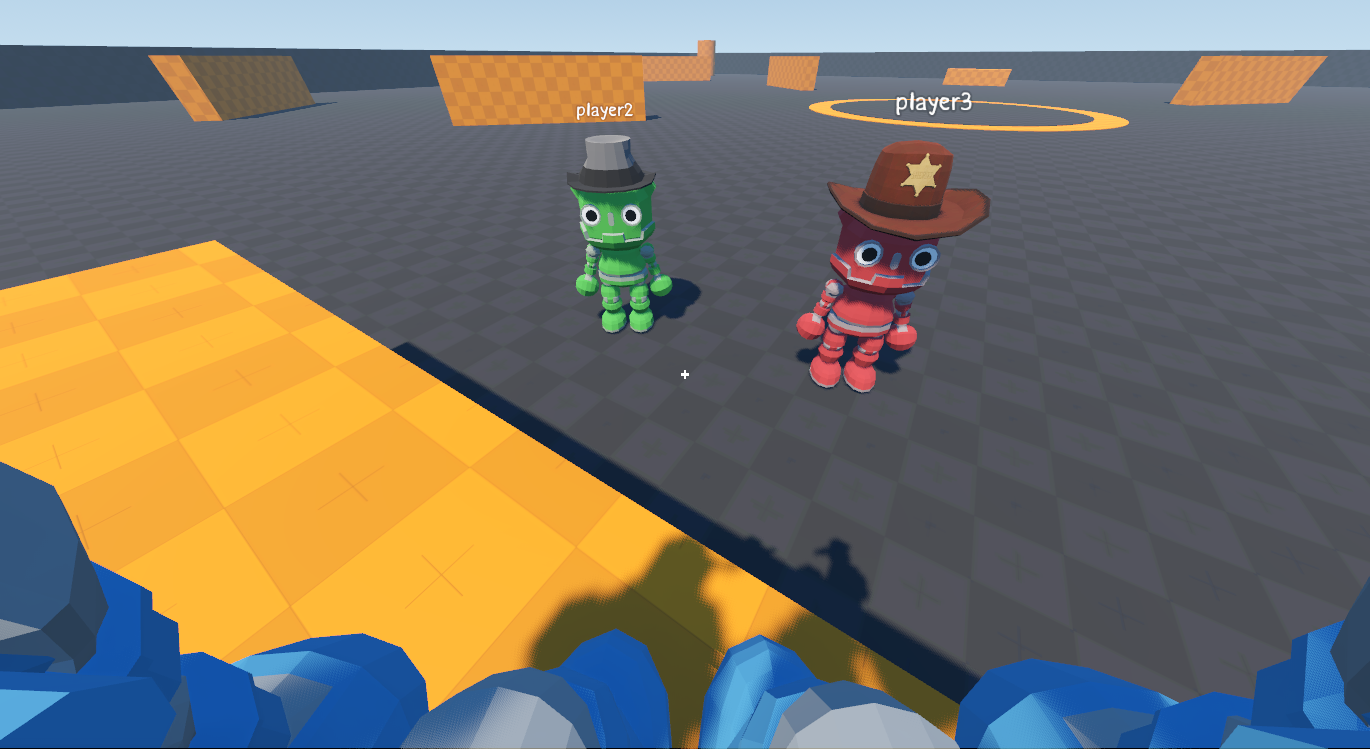
3D Multiplayer Template
Godot 4.7 starter project for building a 3D multiplayer game with player movement, sessions, inventory, equipment, chat, world items, and dedicated-server support.
Key Features
- Multiplayer Sessions: Host, join, test multiple local instances, or run a headless dedicated server with support for up to 10 players.
- Character Controller: Camera-relative movement, sprinting, double jumping, synchronized animations, and switchable first- and third-person views.
- Player Profiles: Four selectable character skins and in-world name tags for every player.
- Chat and Player List: Communicate with connected players and view the current session members.
- Server-Authoritative Inventory: 16 base slots, 4 backpack slots, item stacking, drag and drop, context actions, and server-validated changes.
- Synchronized Equipment: Hats, weapons, and backpacks are synchronized and visible on every player's character.
- World Items: Drop, push, and collect physics-based items.
- Integrated Interfaces: Inventory, chat, player list, multiplayer menu, and pause menu coordinate gameplay input and mouse capture.
Multiplayer
The template supports both player-hosted sessions and headless dedicated servers.
For local multiplayer testing, use Godot's multiple-instance debugging:
Debug > Customize Run Instances
Enable Enable Multiple Instances, choose the desired number of instances, and run the project.
Dedicated Server
A headless dedicated server can be started directly from the project directory:
godot --headless --path .
Then start another project instance, choose Join, and connect to:
127.0.0.1
The server listens on UDP port 8080.
On Linux or macOS, the included helper script can also be used:
./run_headless_server.sh
Inventory and Equipment
The project includes a server-authoritative multiplayer inventory system with:
- 16 base inventory slots.
- 4 additional backpack slots.
- Item stacking.
- Drag-and-drop organization.
- Context actions.
- Server-validated inventory changes.
- Equipment support for hats, weapons, and backpacks.
Equipped items are synchronized and displayed on each player's character.
World Items
Items can exist directly in the multiplayer world as physics-based objects.
Players can collect nearby items, drop inventory items into the environment, and physically push world items.
Player Controller
The included 3D character controller supports:
- Camera-relative movement.
- Sprinting.
- Jumping and double jumping.
- Synchronized animations.
- First-person view.
- Third-person view.
- Runtime switching between camera modes.
Player Profiles
Players can choose between four character skins:
- Blue
- Yellow
- Green
- Red
Each player also has an in-world nickname displayed above their character.
Chat and Player List
The template includes:
- Global multiplayer chat.
- Online-player list.
- Player nicknames.
- Connected-player information.
- Integrated UI behavior for gameplay input and mouse capture.
Controls
- W A S D — Move
- Shift — Run
- Space — Jump / Double Jump
- Left Mouse Button — Attack animation (visual only)
- E — Collect a nearby item
- Esc — Open / close the pause menu
- T — Hide / show chat
- I — Toggle inventory
- Tab — Show the online player list
- V — Switch between first-person and third-person views
- F1 — Add a random test item (debug builds, host only)
- F2 — Print the local inventory (debug)
License
The project source code is available under the MIT License.
Third-party assets are excluded from the project's MIT license and remain available under the terms documented in their respective attribution files.
Changelog for version v2.0.0
2026-09-02 15:47:02
No changelog provided for this version.
