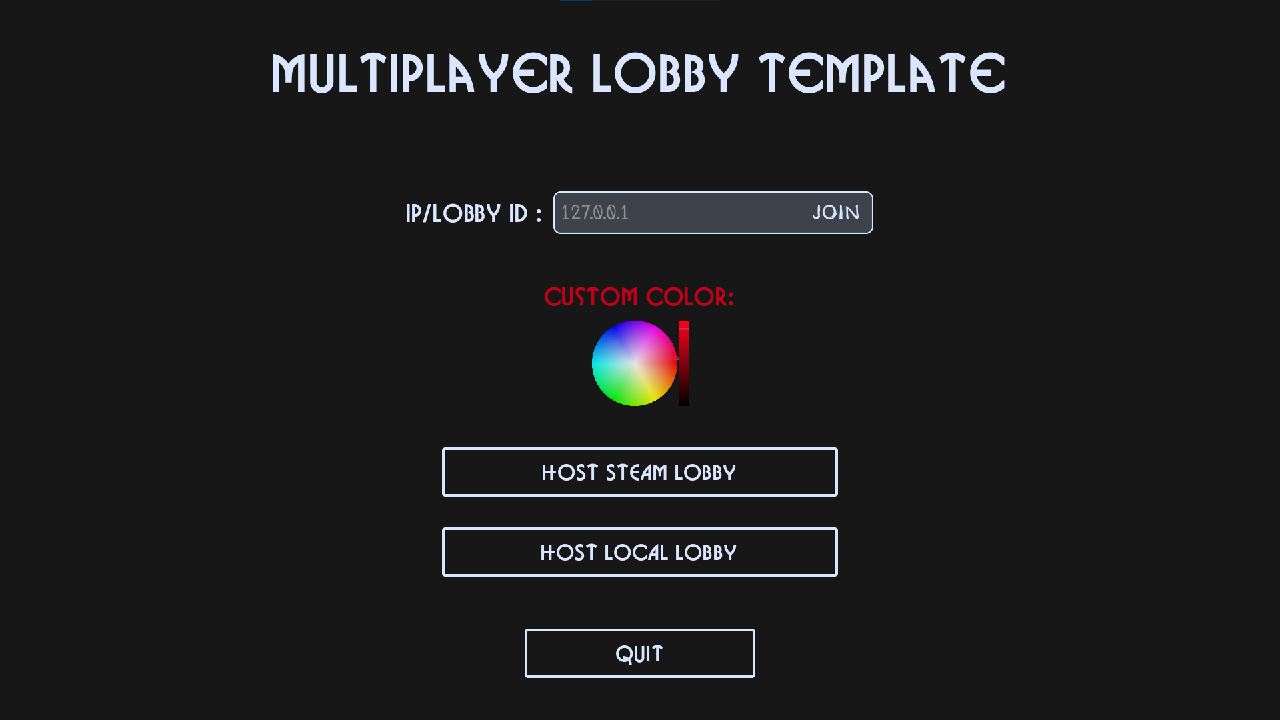
What is it?
This is a project template that lets you joing multiplayer lobbies via peer-to-peer connection using Steam or IP address.
Usage
Steam (Make sure you have the Steam app open!)
- Hosting: To Host a Steam lobby simply press "Host Online", you can then invite friends using the Steam app or inside the game by pressing "Esc" (where you can also see the lobby ID)
- Joining: To join you can either accept a Steam invite from the host or type the lobby ID in the menu and pressing "Join"
Local Network
The default local IP is 127.0.0.1 and the default port is 8080 (You can change those at Online.gd file if needed)
- Hosting: Simply press "Host Local" in the menu.
- Joining: Type the IP address in the menu and then press "Join". If none is provided, it tries to connect to the default local IP.
Networking Logic & Data Structure
GodotSteam Integration
This entire project is built upon the robust tool ecosystem of GodotSteam.
Throughout the codebase, you will frequently encounter the Steam singleton, while you don't need a deep, comprehensive understanding of the entire GodotSteam API to use this project, paying attention to how and where this singleton is used will help you understand the logic behind the architecture.
Online.gd (Autoload)
The Online.gd global script handles the connection logic for both direct IP and Steam.
- Data Management: Maintains an active registry of
PlayerDataresources for each player in the lobby, ensuring peer information is safely stored and instantly accessible when needed. - State Synchronization: Broadcasts useful backend signals to keep the UI and game server perfectly in sync.
PlayerData Resource
A custom Resource responsible for storing essential peer information, including multiplayer ID, display name, character color, and Steam ID.
RPC (Remote Procedure Calls) configuration:To safely transmit custom resources over the network via RPC, the data must first be serialized.
- Call the
to_dict()method on your resource to serialize its properties into a standard Dictionary.- Transmit the resulting dictionary via your RPC function.
- On the receiving peer, call the static
PlayerData.from_dict(dict: Dictionary)method to completely reconstruct thePlayerDataresource from the incoming payload.It also dynamically tracks its own data so you can safely add custom player variables without worrying about the underlying serialization process.
P2P Data Payload System
The DataPayload class is a lightweight, extensible packet-based system engineered for peer-to-peer data transfers. Both the class itself and its processing logic are housed entirely within the Online.gd script.
- Current Implementation: Actively triggers in-game lobby invite warnings and routes direct message invites via the Steam app.
- Extensibility: Designed for modularity. You can easily implement custom data packets by referencing the existing
STEAM_LOBBY_INVITEpayload type as a structural template.
Changelog for version v1.1.1
2026-06-19 05:21:37
No changelog provided for this version.
Reviews
 Recommended
by mbzy - 03 July 2026
Recommended
by mbzy - 03 July 2026
Absolutely Masterpiece, It saves me a tons of time and make my own undone template project a joke LOL. However, I've not developped a project based on it. I would come back if I've found any bugs or issues.
Recommended
by Tyler Febonio - 21 June 2026
Login to write a review.