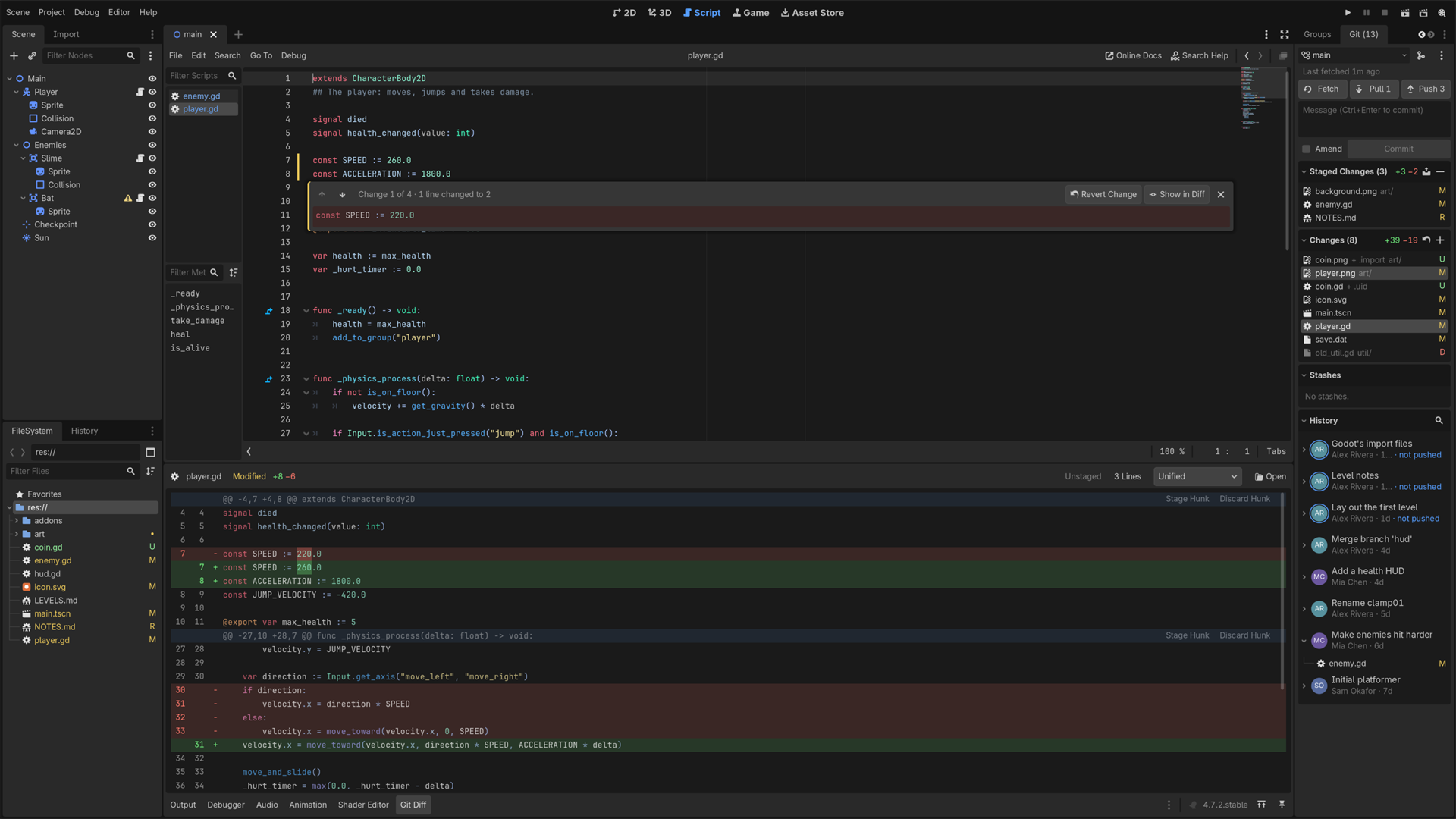
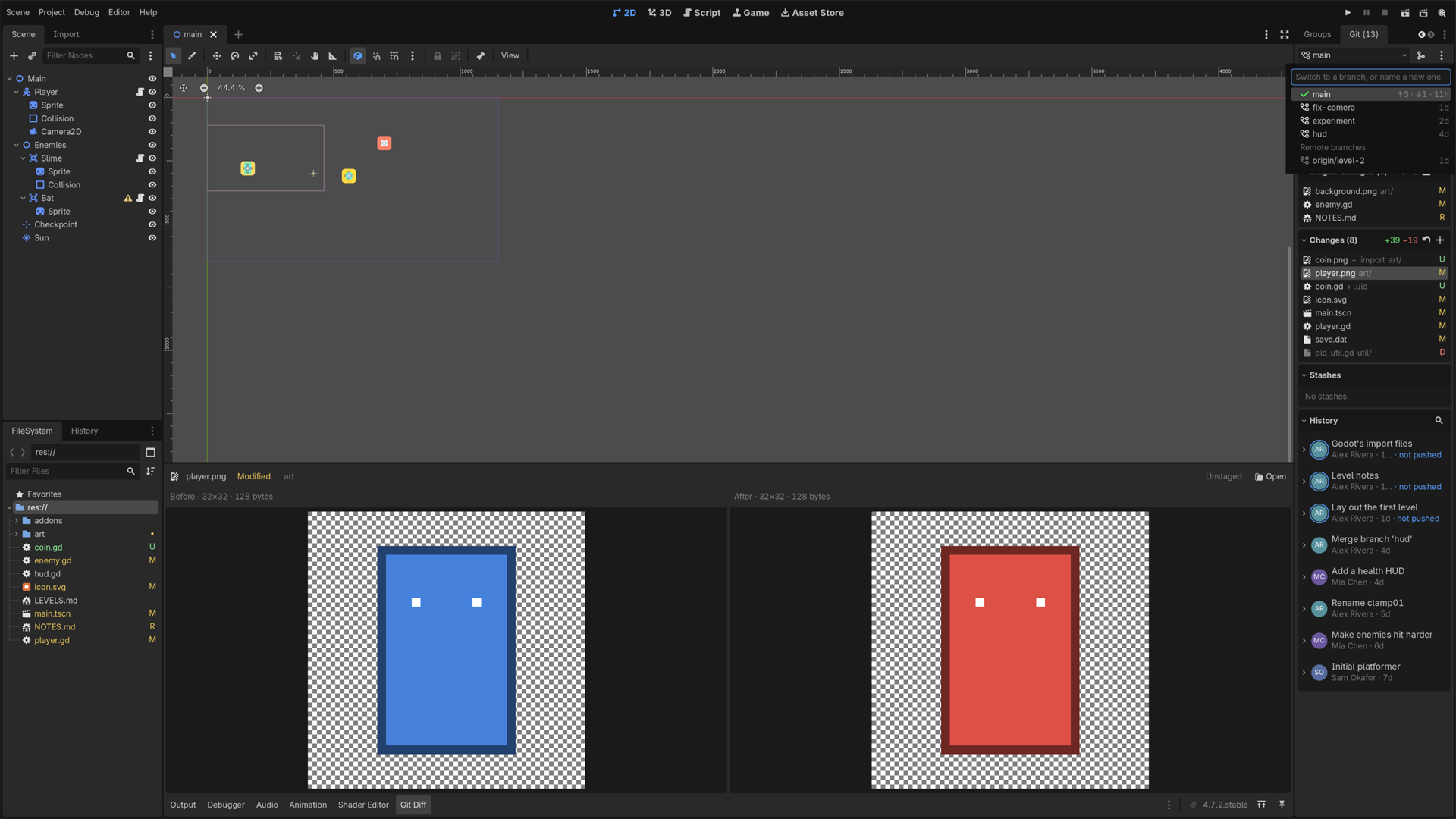
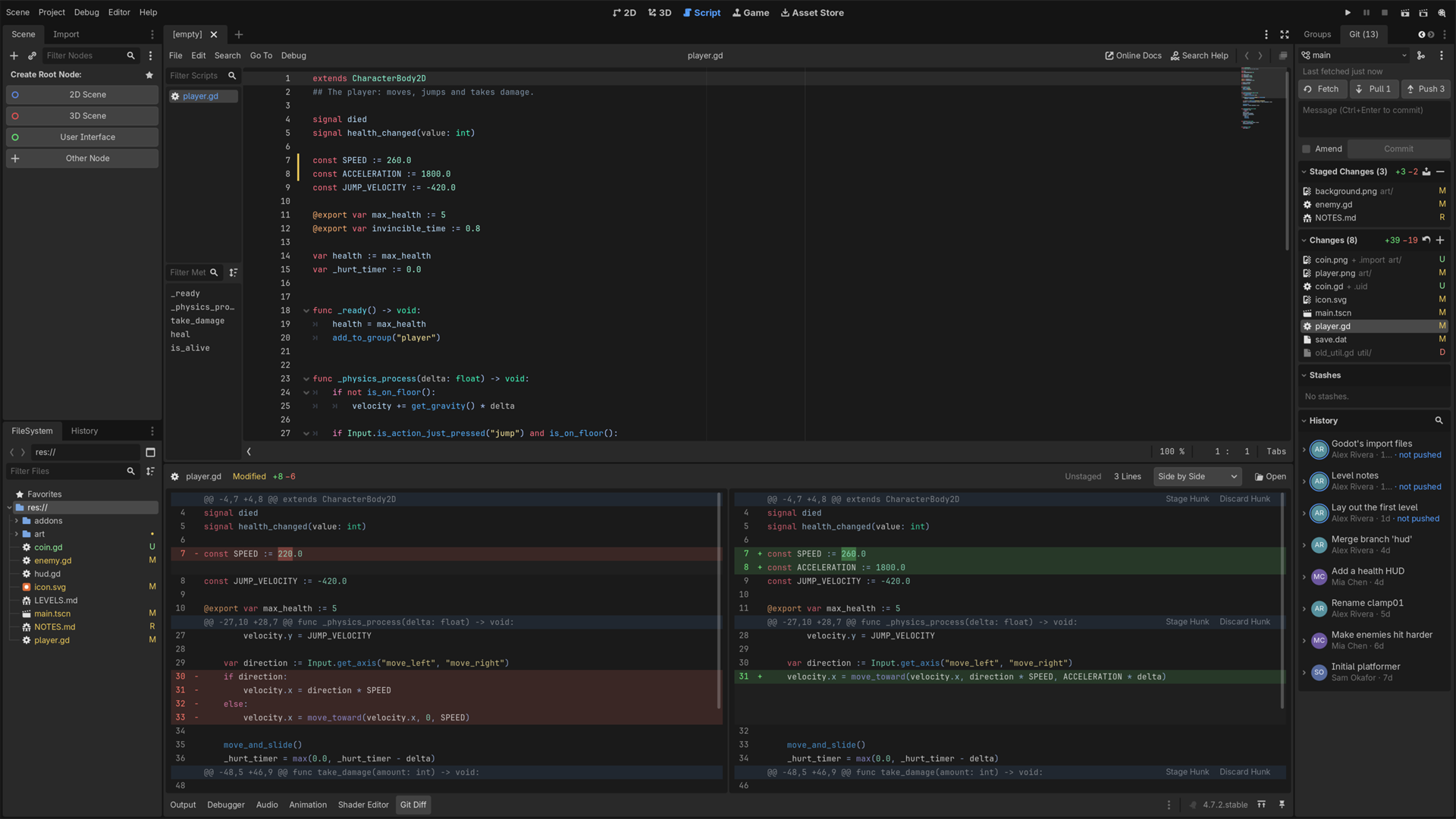
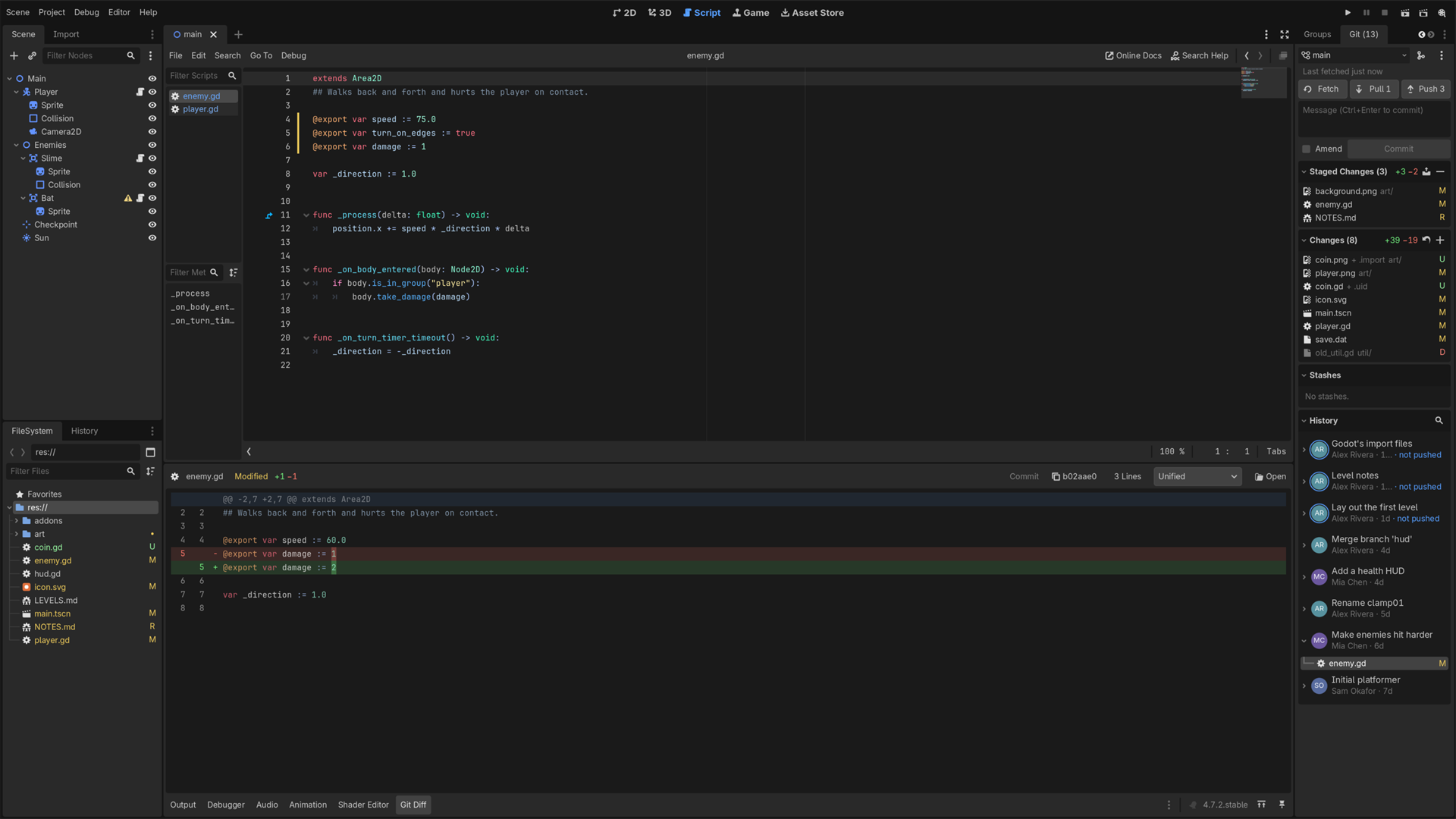
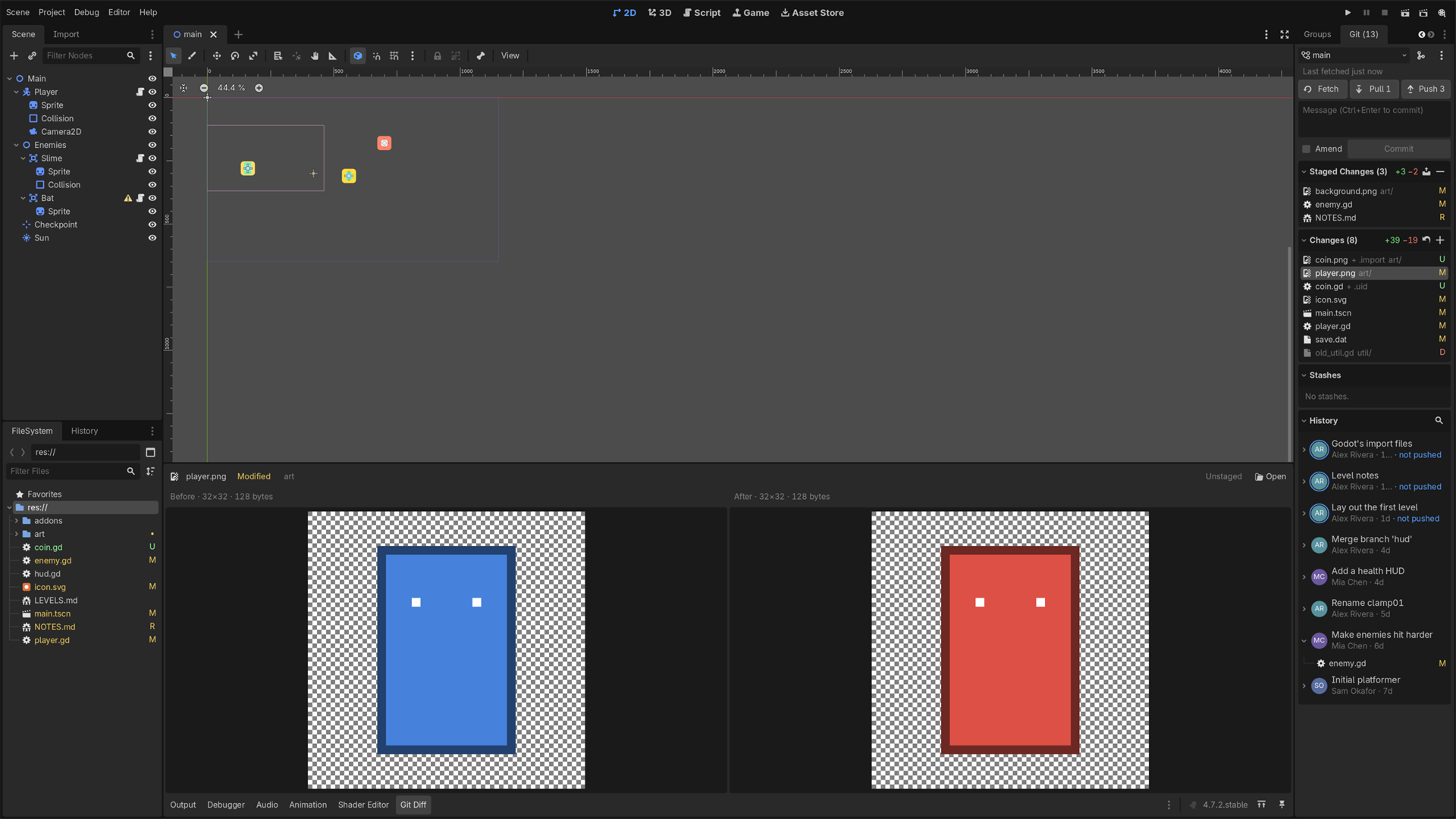
Git that understands Godot. A native Git panel for the editor: a Git dock next to the Inspector, a Git Diff panel at the bottom, and your changes marked right where you work.
What it brings
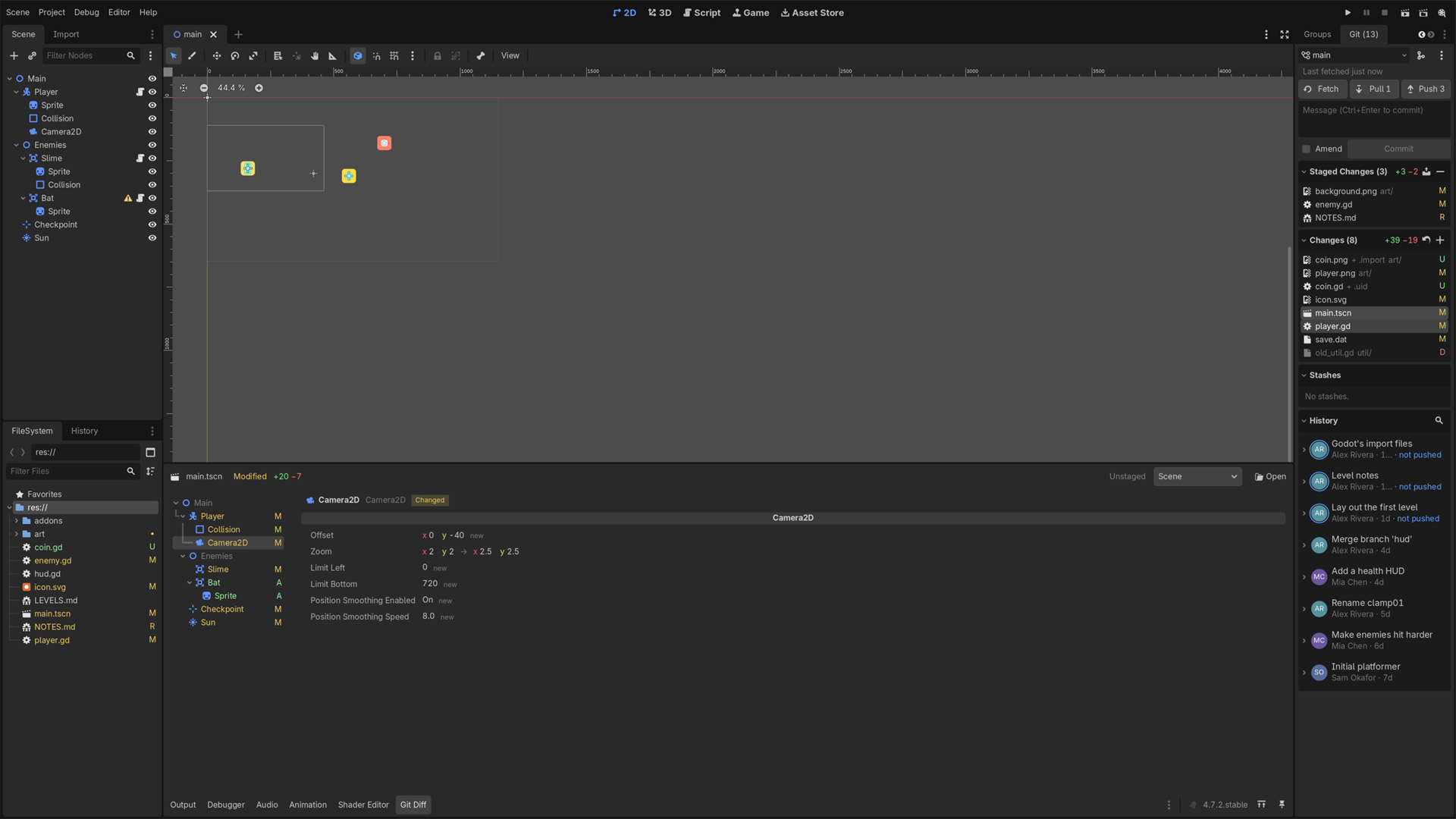
- Scenes as scenes. A changed
.tscnor.tresshows node by node, laid out like the Scene dock and Inspector ("Zoom x 2 y 2 → x 2.5 y 2.5"), not as a wall of text. When you and a teammate changed different nodes of the same scene, pulls and merges combine them on their own instead of handing you a conflict. - Pulls that can't wreck your work. Your uncommitted edits survive a pull, merged into your teammate's version. When they clash, the pull asks first, then lets you resolve them, and Abort puts every byte back. No surprise stashes, no half-switched branches.
- Conflicts resolved in the editor. Both sides next to each other, one click for yours, theirs or both, and the result editable before you save. Import settings merge setting by setting; images and sounds show both versions.
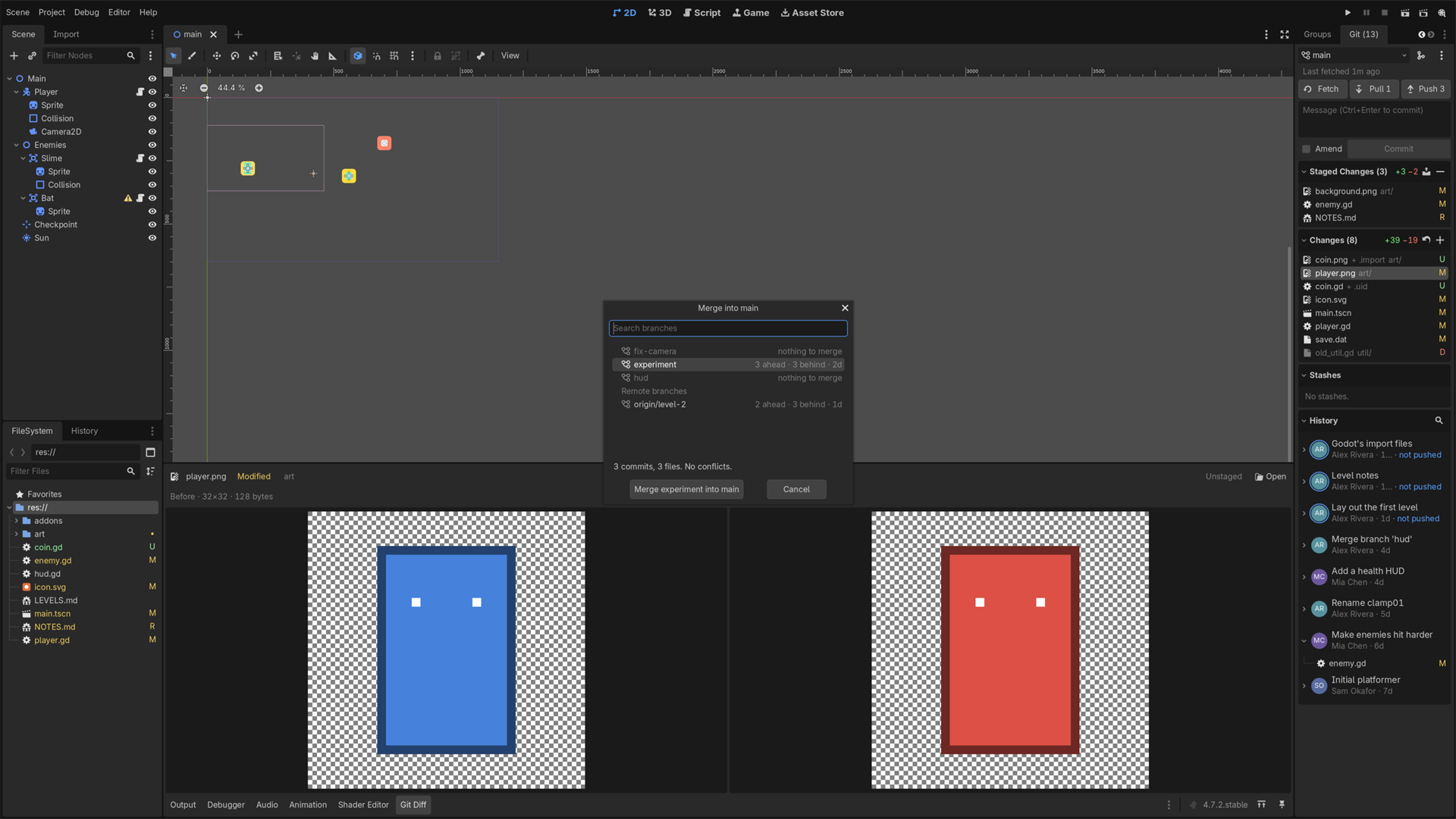
- Look first, undo after. Merging a branch shows its commits, its files and what would conflict before anything happens. Undo takes back your last commit, pull, merge or branch switch, even one made in a terminal.
- Made for Godot projects.
.uidand.importfiles ride along with their file instead of doubling your change list. Open scenes reload after a pull, so saving can't undo it. Import settings andproject.godotshow as settings ("Input › Jump Space, Joypad Button 0"). New repositories get Godot's own.gitignore, and binary assets can go in Git LFS from the start. A 50 MB texture gets caught before you commit it, not after GitHub refuses the push. - Changes where you work. Changed lines are marked in the script editor as you type, with a click to see or revert them. Changed files are colored in the FileSystem dock. A commit made in a terminal shows up at once.
- Always says what it's doing. Every pull, push and fetch shows progress, can be canceled, and leaves a result that stays until you've read it.
- Sign in without a terminal. Private repositories open a browser sign-in once (Git Credential Manager). SSH, hooks, commit signing and Git LFS, file locks included, work as they do in a terminal.
- Native and fast. C++ on libgit2: no git process per click, no polling, and a refresh with 2,000 changed files takes 53 ms.
- Provably built from its source. Every release is built by GitHub's CI from a tagged commit and signed, so you can check that your zip came from the public code.
Plus the everyday things: stage, commit, amend, fetch, pull, push; stage or discard a single hunk or chosen lines; branches with search and ahead/behind; stash; ignore files; diffs with changed words highlighted; history with your teammates' avatars, search, one file's history, revert and restore.
Not a backend for Godot's built-in version control dock, like the official Godot Git Plugin, but a panel of its own: that's what makes scene diffs, the resolver, progress and Undo possible.
Requirements
- Godot 4.7 or newer, on Windows, Linux or macOS.
- No git install needed for the basics: staging, committing, branches, history, diffs, stash, and pulling public repositories all work on their own.
- With git installed, it also signs in to private reposiFS, hooks and commit signing, the same way your terminal does.
Exports on Godot 4.7
The plugin is editor-only. The panel offers to add addons/godot_git/* to your export presets' exclude filter in one click; without it, the game logs one harmless error. Automatic from Godot 4.8.
Links
Changelog for version v2.0.0
2026-10-24 20:12:23
No changelog provided for this version.
Reviews
 Recommended
by Robert Weber - 26 October 2026
Very nice, the best git addon for Godot I have seen so far.
Recommended
by Niclas Petersen - 29 September 2026
Very nice
Recommended
by Gregory Blazek - 14 November 2026
This works really well! Easy to set up, and even easier to use. Very good :)
Recommended
by Rei - 15 October 2026
Good git addon
Recommended
by Needless - 01 October 2026
Login to write a review.