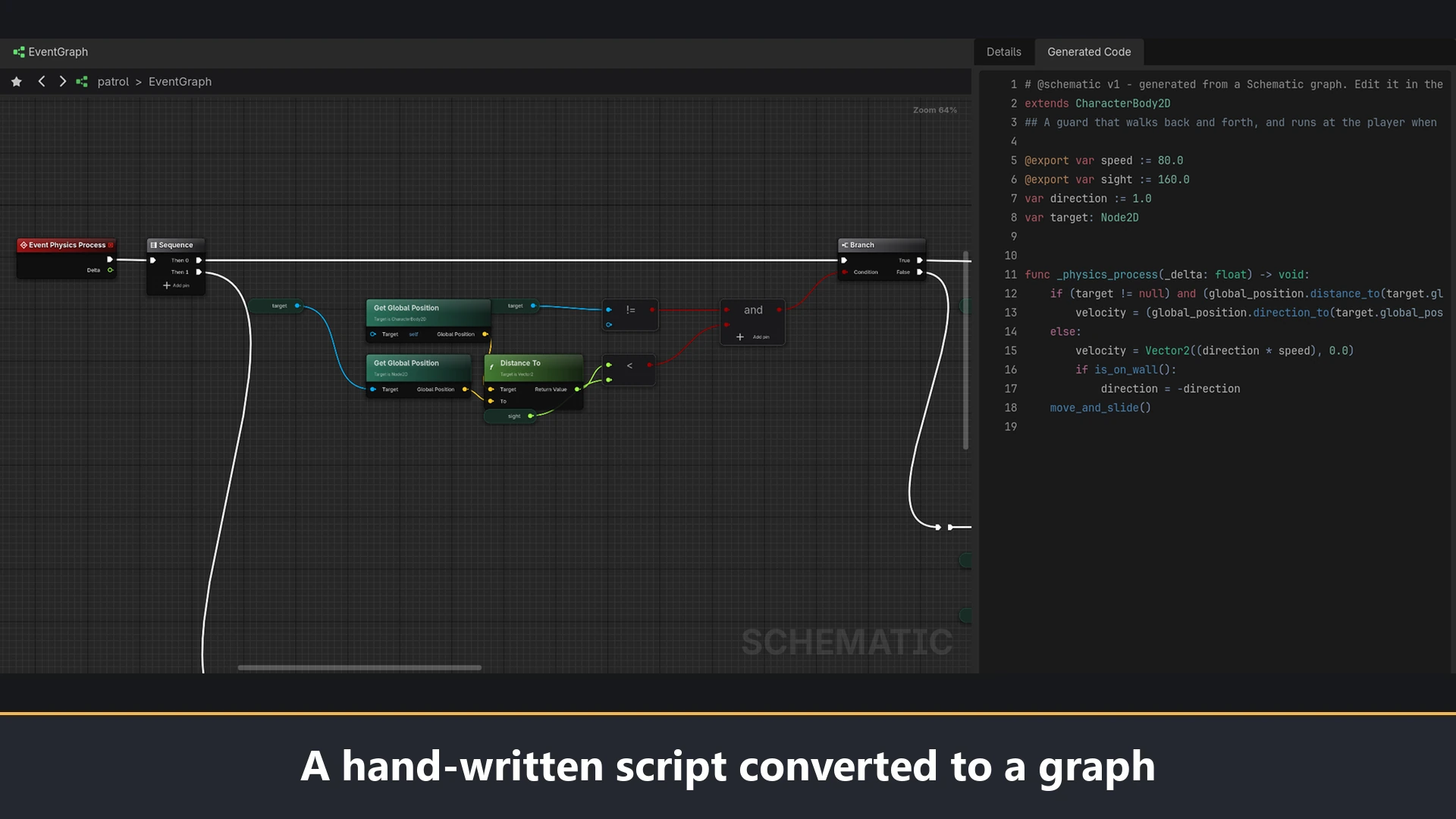
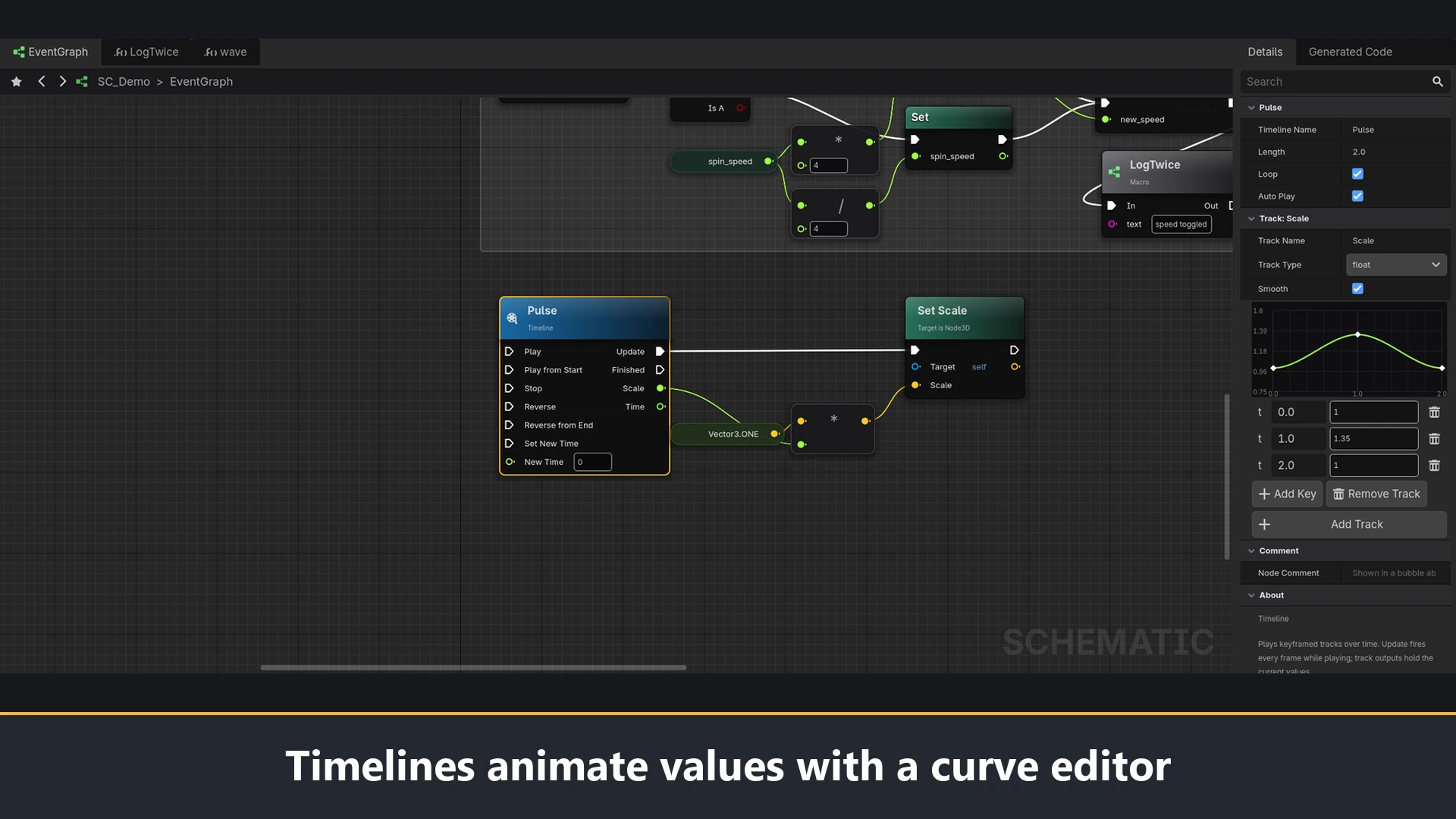
Schematic is an editor plugin for building game logic as graphs of nodes and wires. You wire nodes; it writes the GDScript you would have written.
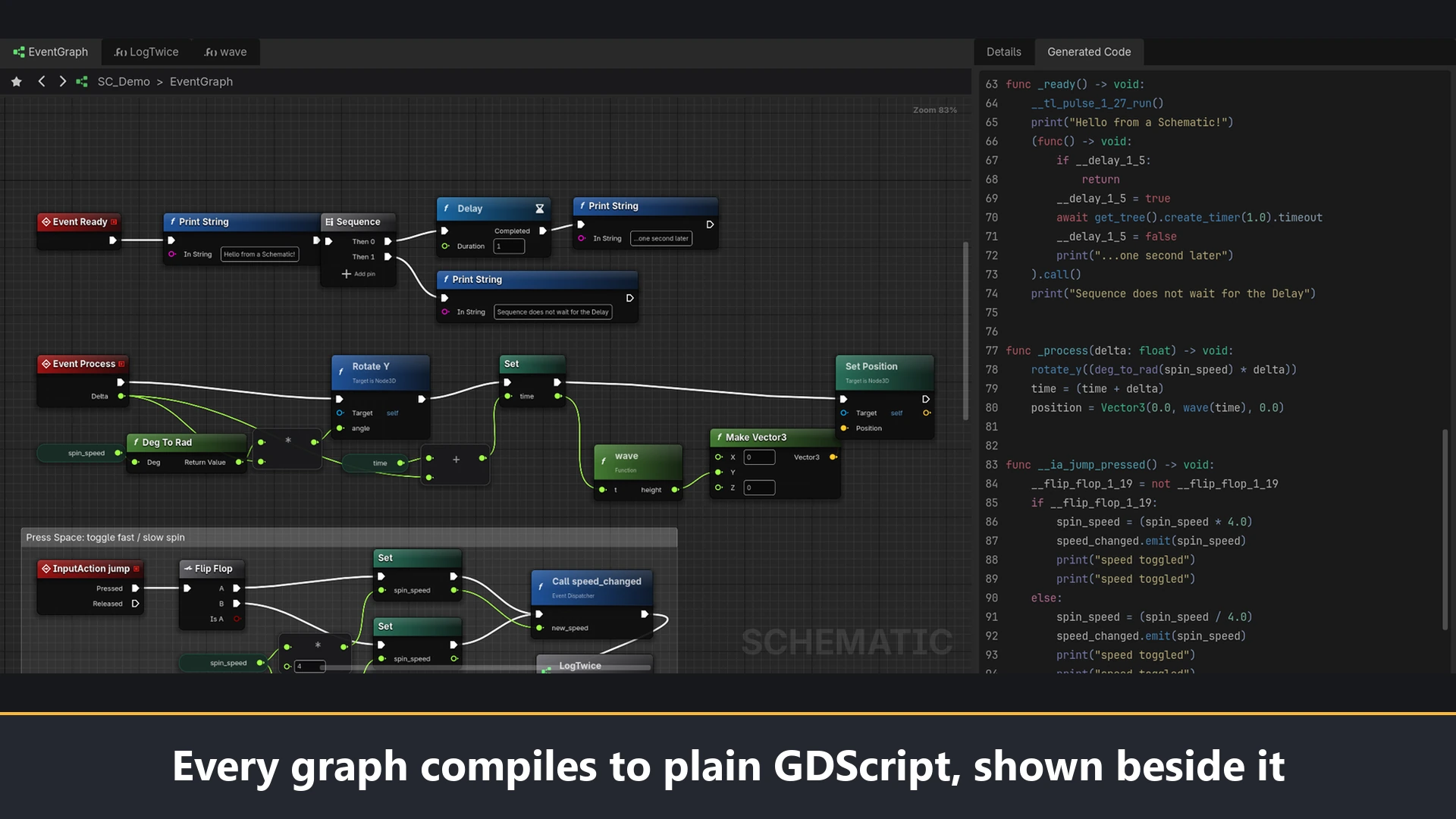
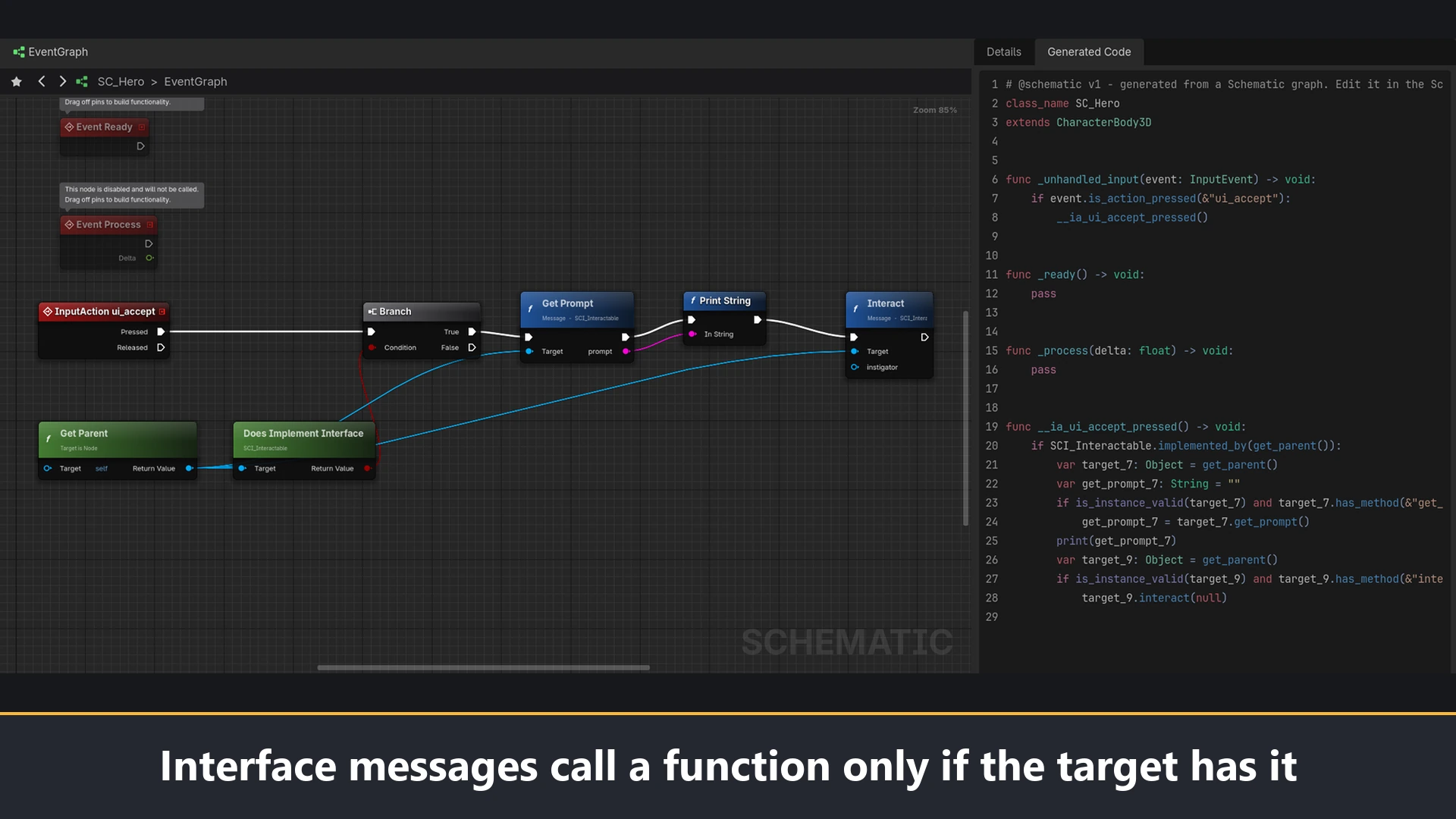
A Schematic is an ordinary .gd script. The graph compiles to plain, readable GDScript, and the graph itself is stored in the same file as a comment block. That means a Schematic attaches to nodes, exports variables to the Inspector, registers a class_name, and can be called from hand-written code like any other script. There is no runtime library and no custom engine build. If you turn the plugin off, your Schematics still run.
Features
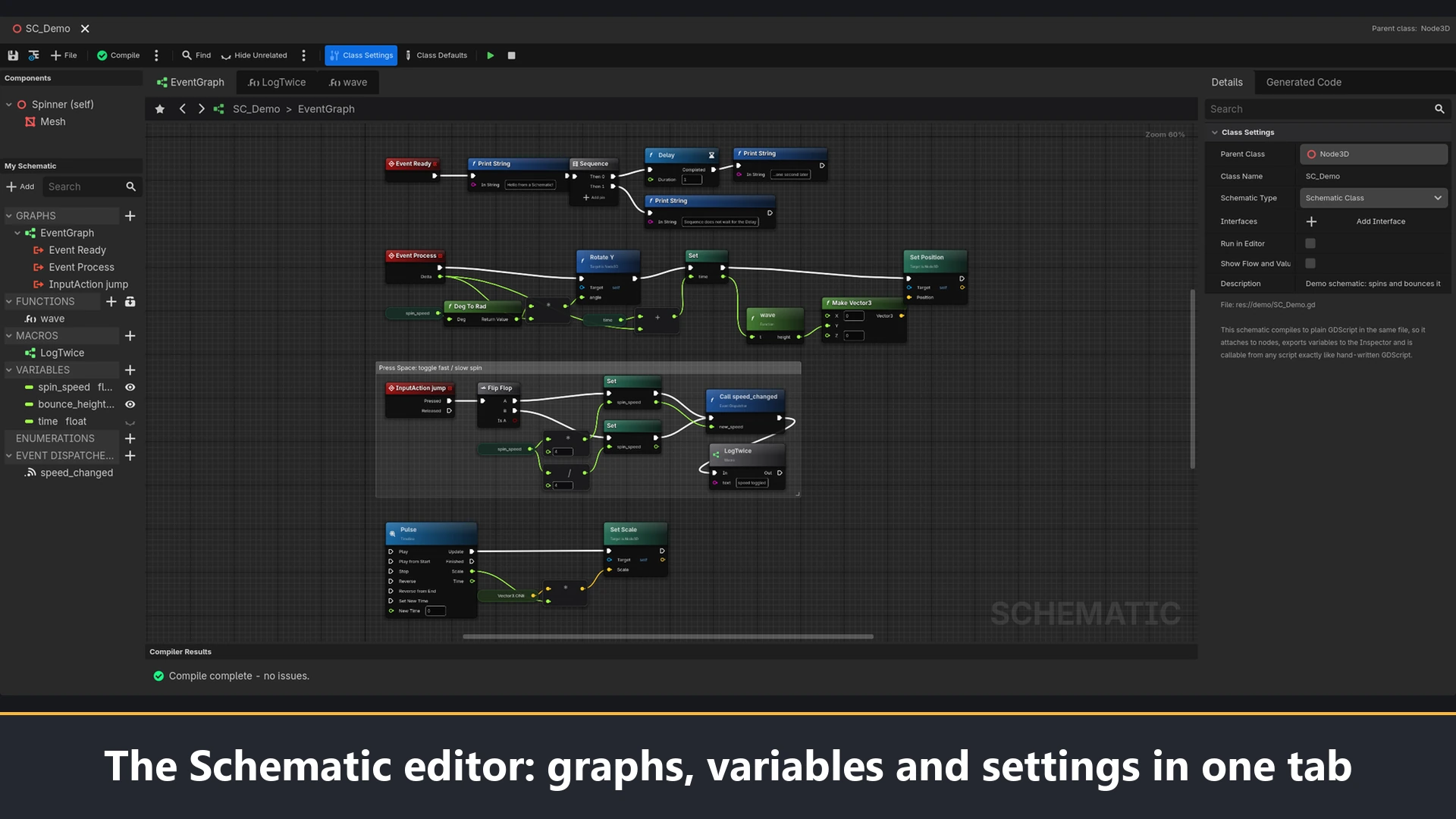
- A graph editor in its own main-screen tab, with events, functions, macros, variables, event dispatchers, enums, timelines, and comment boxes.
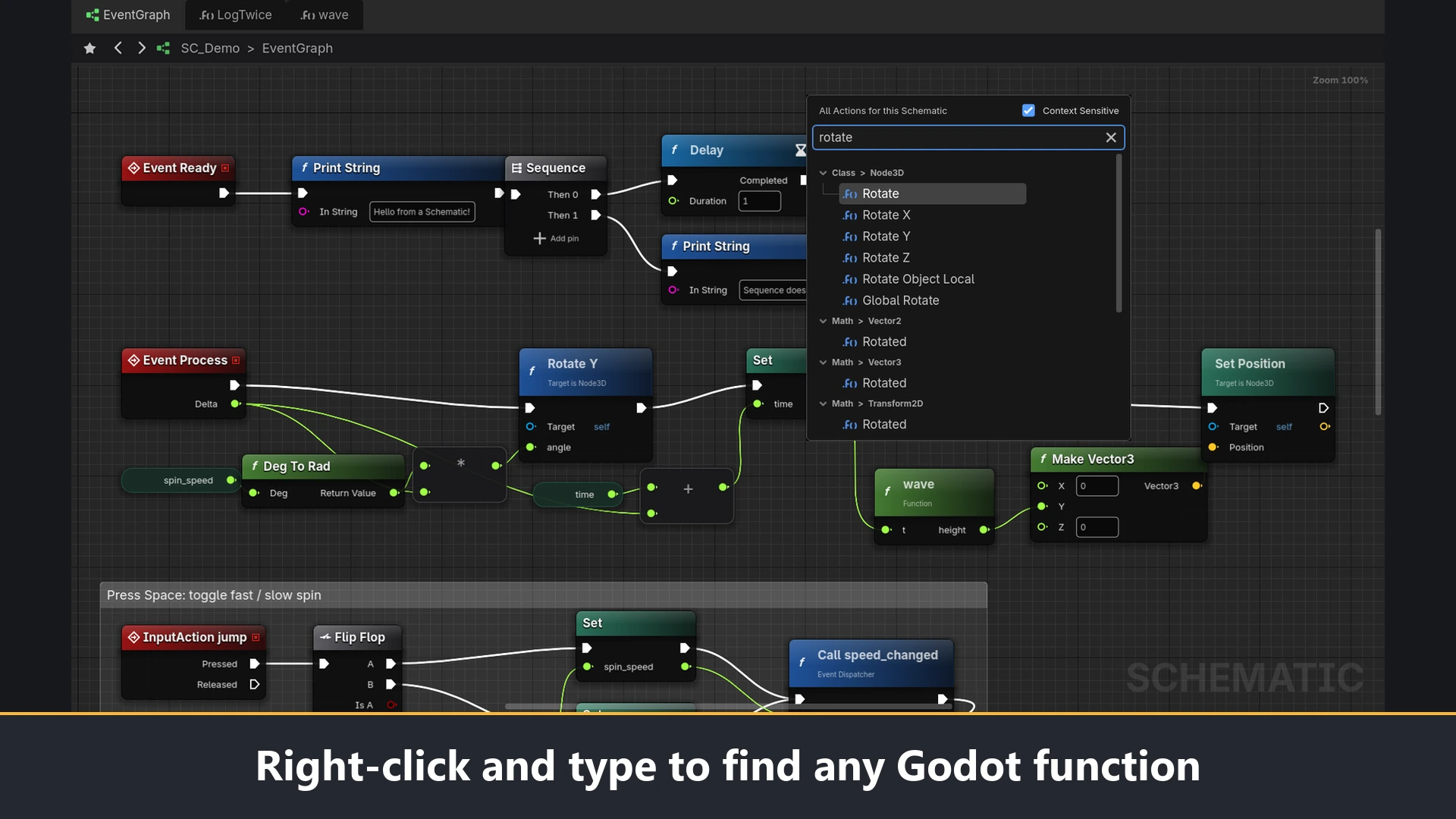
- An action menu that finds any node by typing. It lists every function of every Godot class along with your own functions, variables, macros, and libraries, filtered to what fits the pin you dragged from.
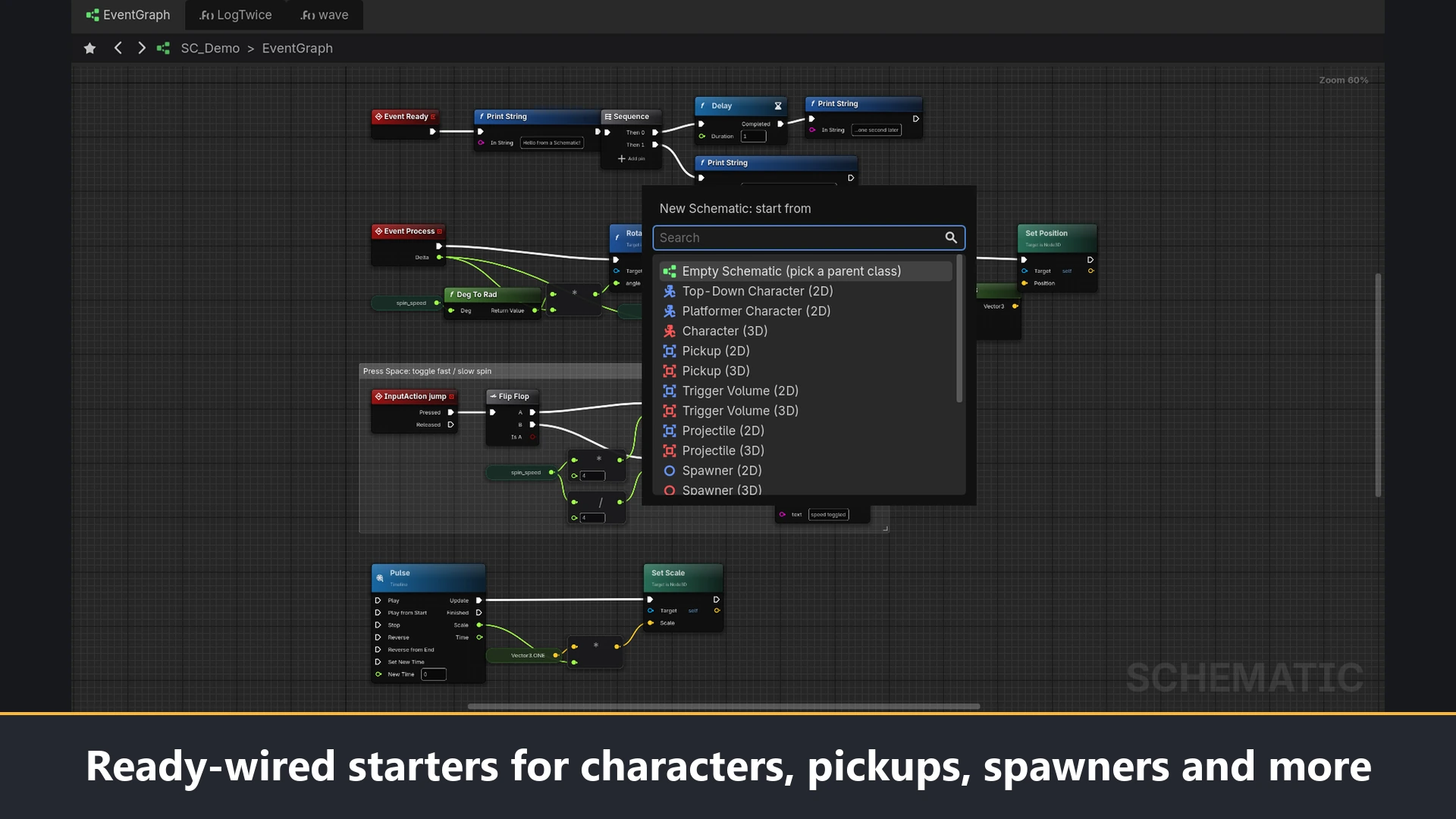
- Ready-wired starters: 2D and 3D characters, pickups, trigger volumes, projectiles, spawners, a health component, a game state, and a score HUD, plus function libraries, macro libraries, data assets, and interfaces.
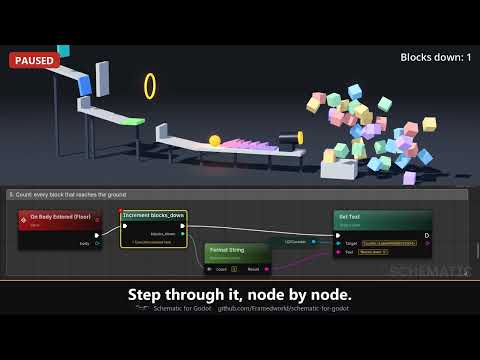
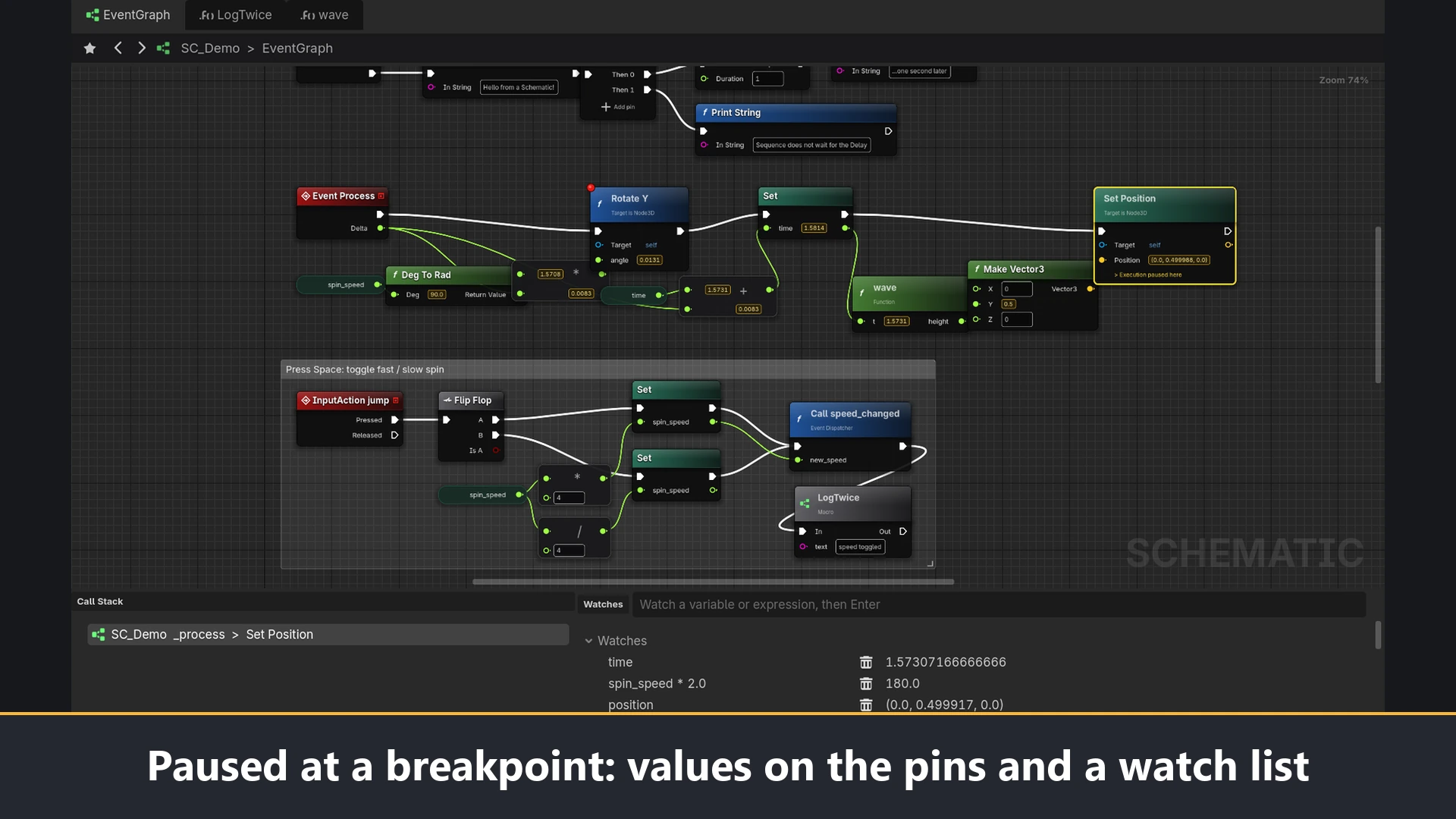
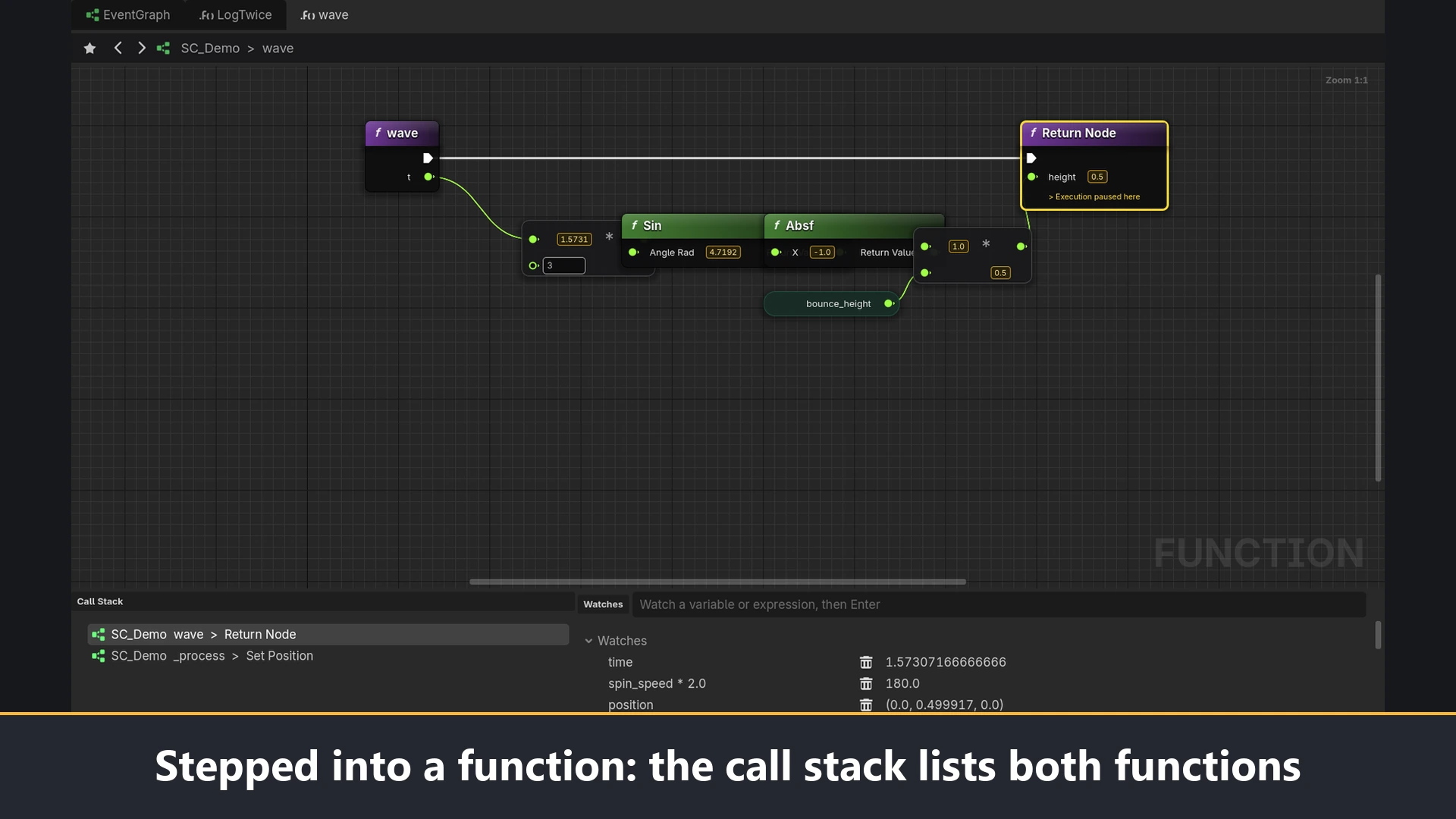
- Debugging on the graph. Put a breakpoint on a node with F9. When the game stops there, every wired pin of that function shows its value, and Step Into, Step Over, and Step Out move one node at a time. A call stack and a watch list sit under the graph.
- Live flow. With Show Flow and Values turned on, the wires the game follows light up while it runs and each pin shows the last value it received.
- Interfaces. A Schematic Interface is a list of functions that different Schematics agree to have. Message nodes call them on any object and do nothing if the object does not have them.
- Data assets and data tables, with CSV import and export.
- A converter for existing scripts. Right-click a
.gdfile and choose Convert to Schematic, or convert a whole project from the command line. The original file is kept beside the converted one.
Requirements
Schematic needs Godot 4.6 or later. It has been tested on Godot 4.6 and 4.7.1 and on a 4.8 development build.
Installing
- Copy the
addons/schematicfolder into your project. - Open Project > Project Settings > Plugins and enable Schematic.
- A Schematic tab appears next to 2D, 3D, and Script.
Known limits
- While debugging, each stop adds one line to the Evaluator tab of Godot's Debugger panel. The tab is cleared at the next run.
- The step buttons in Godot's own Debugger panel still step generated lines; use the buttons in the Schematic toolbar, or F10, F11, and Alt+F11, to step by node.
- There is no interface type for pins or variables, because GDScript has no interfaces. Implementing an interface means having its functions.
Licence
Schematic is free to use, including in commercial games. It is not under an open-source licence. The full terms are in the LICENSE.md file included in the download; in short:
- You may use it for any purpose, in any number of projects.
- Everything it generates for you (scripts, graph data, data tables) is yours, with no restrictions.
- You may change the plugin for your own use and ship it inside your game.
- You may not distribute modified versions of the plugin or sell the plugin itself.
Links
Source, documentation, a demo video, and a small demo game are on GitHub: https://github.com/Framedworld/schematic-for-godot
Changelog for version v1.2
2026-11-16 15:48:05
No changelog provided for this version.
