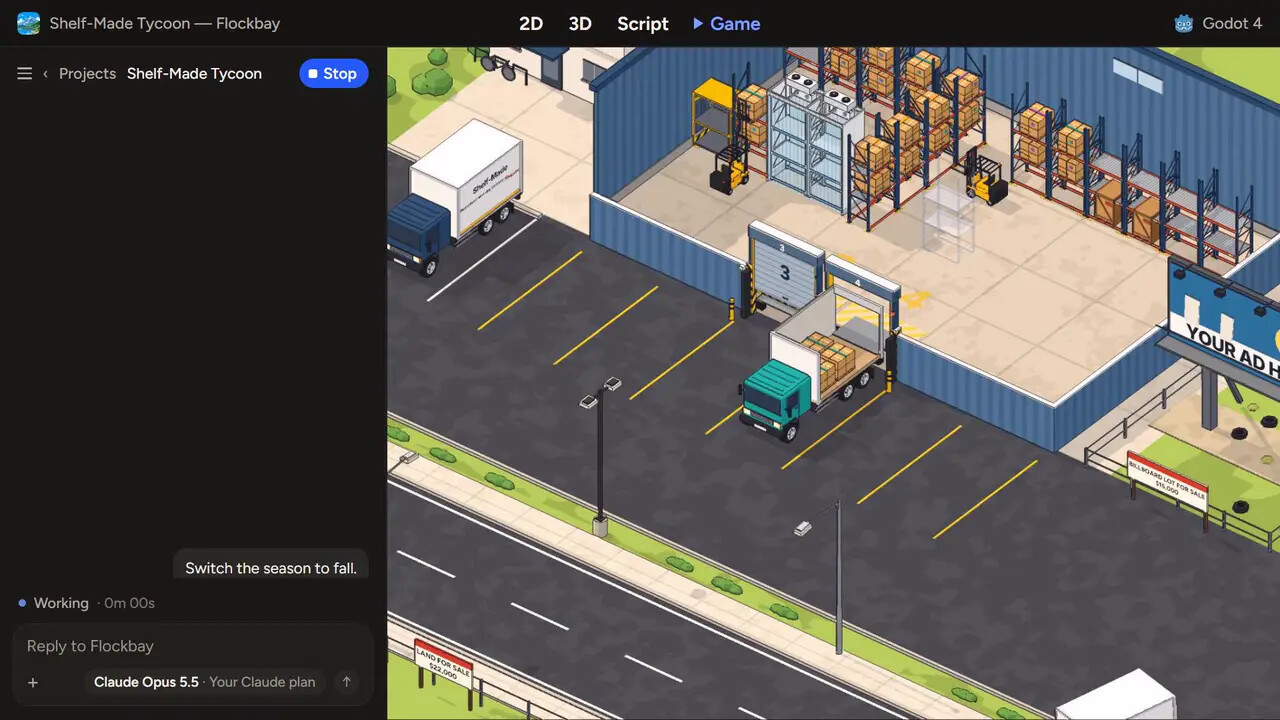
Adds Project > Tools > Open this project in Flockbay. It opens the Godot project you have open in Flockbay, the free AI game maker built on the official Godot engine, where Flockbay's AI or your own agent over MCP builds and play-tests the same project: it writes the GDScript and scenes, runs the game, sends it input events, reads the debugger and captures the viewport. Flockbay runs on free AI to start, or on your own Claude or ChatGPT. The project stays an ordinary Godot project on your disk.
Use Flockbay's free AI, or connect your own Claude Code, Codex or Cursor over MCP. Website: flockbay.com
If Flockbay is not installed, the menu item offers the free download (Windows, macOS and Linux). If it is installed somewhere unusual, set Editor Settings > Flockbay > App Path.
Use
- Enable it in Project > Project Settings > Plugins.
- Choose Project > Tools > Open this project in Flockbay.
Flockbay adds the project and opens it. It asks once before it adds anything of its own to the project, and lists what it added.
Godot 4.2 or later. MIT licensed. Source: https://github.com/flockbay/open-in-flockbay
Changelog for version 1.0.1
2026-10-22 15:38:00
No changelog provided for this version.