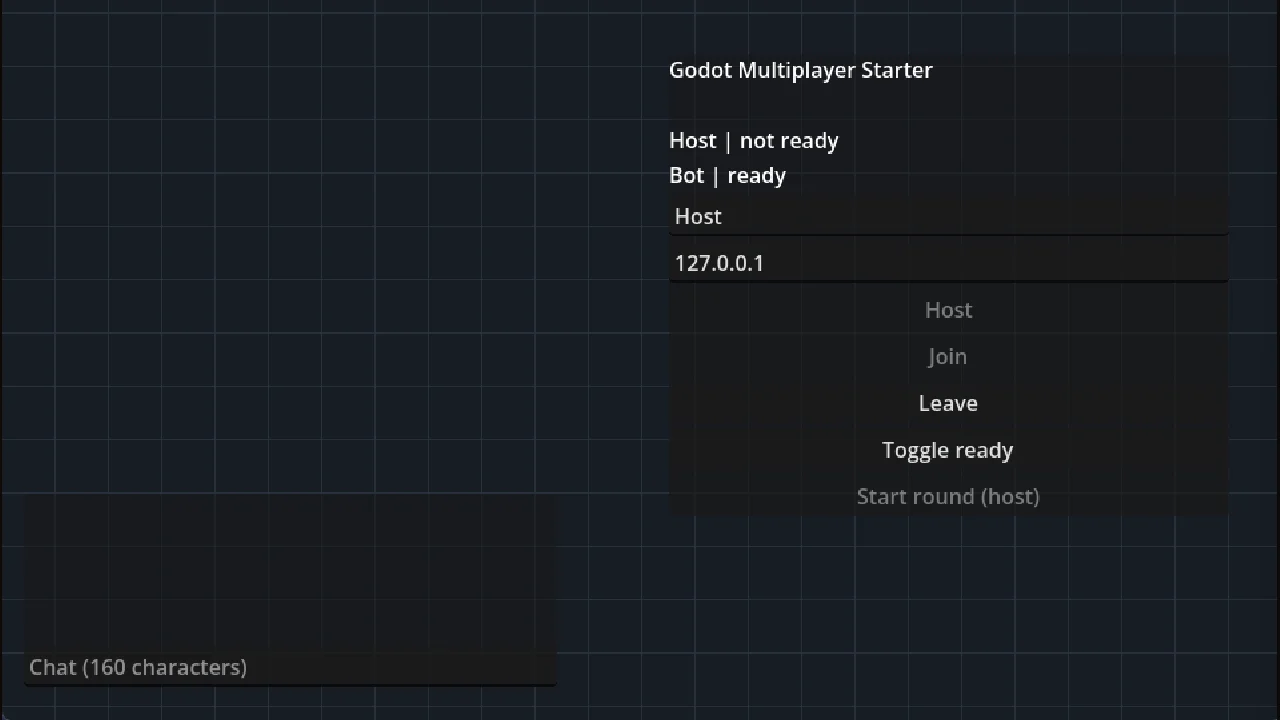
Most multiplayer tutorials stop once two windows can see each other. This starter carries on to the parts that break in a real game. The server decides where everyone is, your own player still moves the moment you press a key, and bad input gets rejected.
This is a full Godot project, not an addon. Installing it from the Project Manager creates a new project with the demo ready to run. To use the system in your own game, copy its folder across; the README explains which files you need.
Features
- Host, join or run a headless dedicated server, for up to 4 players over Godot's built-in ENet.
- A ready-up lobby, timed rounds, and chat with emotes.
- The server owns every player. Clients send their input, never their position.
- Client-side prediction and reconciliation, so your own player responds instantly even with lag.
- Other players are drawn 100 ms in the past, so they move smoothly between updates.
- Every RPC (a function call sent over the network) checks who sent it before it runs.
- Testing tools: a network inspector on F3, a lag dial on F4, and a bot that joins and walks around.
Try it
- In Godot, open Debug > Customize Run Instances, turn on Enable Multiple Instances and set the count to 2.
- Give instance 1 the arguments --host --name=Host and instance 2 --join=127.0.0.1 --name=Alex.
- Press F5. Two windows open, already connected.
- Click Toggle ready in both windows, then Start round in the host window.
- Move with WASD, sprint with Shift, and click the chat box to talk.
Compatibility
- Made for Godot 4.7, standard build. GDScript only, no .NET needed.
- Tested on Godot 4.7.2 stable, on Windows, with two local windows and a headless dedicated server. Earlier versions of Godot 4 are untested.
- Renderer: Compatibility.
Known limitations
- A starter, not anti-cheat. Traffic is not encrypted and chat has no rate limit.
- Players join by IP address. There is no lobby browser, relay or NAT punch-through.
- There is no host migration. If the host leaves, the session ends.
- 2D and desktop only. There is no Steam, WebSocket or browser transport.
License
The code is MIT licensed (LICENSE in the project folder). There are no third-party assets: everything is drawn in code or uses Godot's built-in theme.
Learn how it works
CodingQuests has a quest that builds this system step by step, in your browser:
- Two Windows Talking: Starts from zero: host a game, join it, and send your first RPC. Free, 9 lessons.
- RPCs: Who Is Allowed To Say What: Who is allowed to call what: RPC authority and the different RPC modes. Free, 8 lessons.
- Never Trust the Client: Builds this project's validation, so the server checks every request. First 3 lessons free.
- Prediction and Reconciliation: Builds this project's prediction, reconciliation and interpolation. First 3 lessons free.
Source code and issues: https://github.com/CodingQuests/godot-multiplayer-starter
Changelog for version 1.0.0
2026-10-10 02:03:21
No changelog provided for this version.