Description
Changelog
Reviews (0)
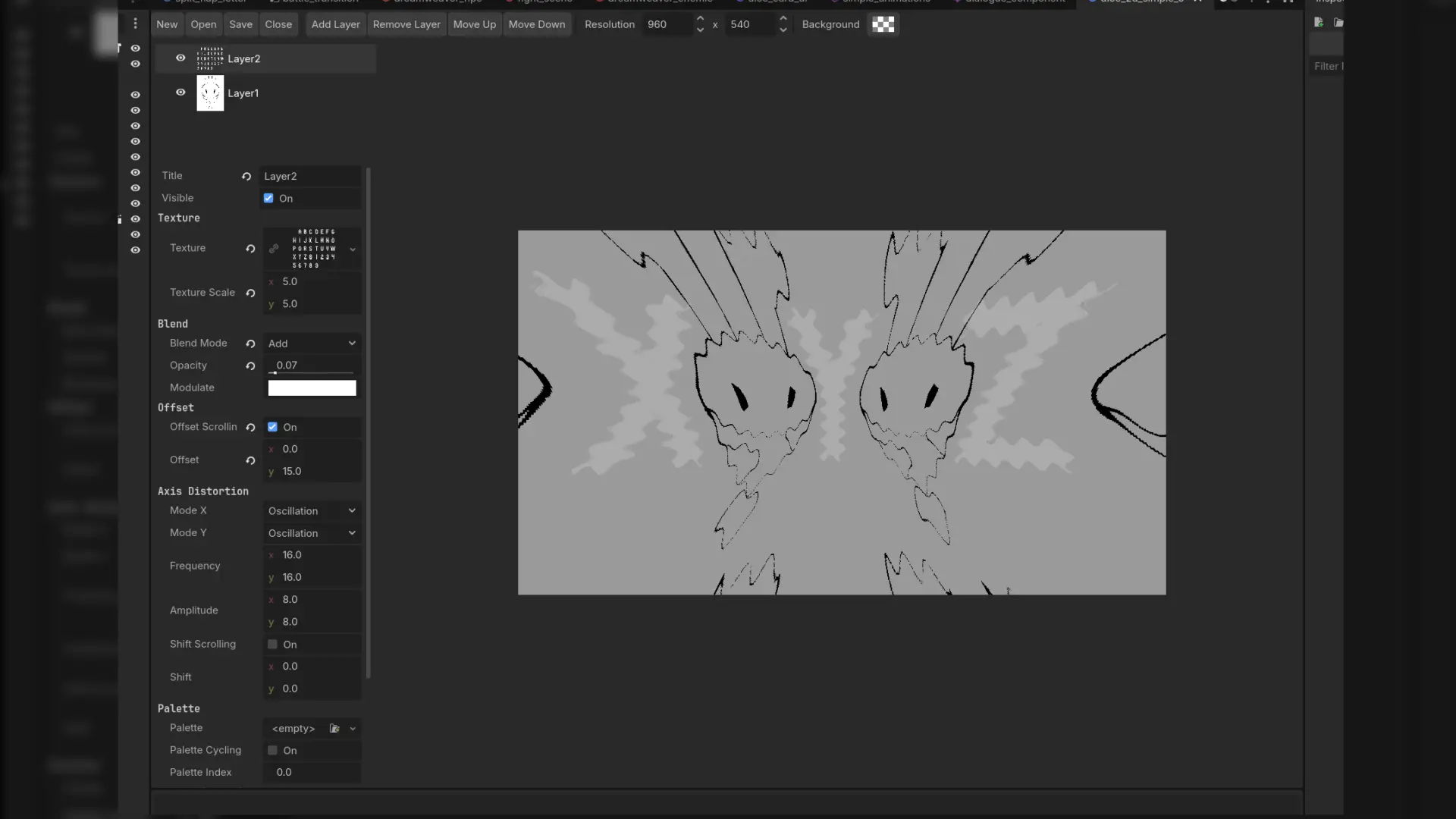
VenuDie is a Godot 4 addon for making animated, distorted battle backgrounds, the wavy, scrolling, palette-cycling kind you see in classic RPG battle scenes. You build backgrounds in a dedicated VenuDie tab at the top of the editor, save them as .dieback files, and drop them into your game with a single node.
It is a port of Dieback by Okanoa. This is not the original Dieback.
Prominently used in Colorblind
Features
- Main-screen editor tab with a layer list, live preview, and a full property inspector
- Stackable layers with per-layer visibility toggles
- Blend modes: Alpha, Add, Subtract
- Axis distortion, set independently for X and Y: Oscillation, Interlaced, Compression, Linear Scaling
- Scrolling for texture offset and for the distortion wave itself
- Palette swapping and cycling driven by a palette texture
- Plane distortion: fisheye and anti-fisheye
- Opacity and tint per layer
- Custom resolution and background color per background
- Loop mode so animations repeat cleanly every N seconds
- Nodes for 2D, 3D and UI:
BattleBackground2D,BattleBackground3DandBattleBackground
Getting started
- Enable the plugin in Project Settings > Plugins.
- Open the VenuDie tab, click New, then add layers and assign textures.
- Save the file as a
.dieback. - Add a
BattleBackground2D(or 3D / Control) node to your scene and assign the file to its Data property.
Layer textures should tile cleanly, because they wrap in both directions.
Credits and license
Made by Anteger. Based on Dieback by Okanoa, which is licensed under the zlib/libpng license. That license is included with the addon in LICENSE-Dieback. The Godot port is released under the MIT license.
Changelog for version v0.3.0 Stable
2026-10-10 13:38:57
No changelog provided for this version.