Licenses
Uses AI
Order
Advanced Search

Search will generally match any assets that contains all words from the search query. The words can be anywhere in the asset name, description or tags. All search queries are case independent.

To narrow down search results, you can use the following operators:

  • godot | engine
    will match if either "godot" or "engine" are found
  • godot MAYBE engine
    will match if "godot" is found, while ranking items higher that also match "engine"
  • godot -engine (alternative syntax: godot !engine)
    will only match if "godot" is found in an item that does not contain "engine"
  • @name godot @description engine
    will match if "godot" is found in the asset name, and "engine" is found in the asset description
  • =godot
    will match "godot" as a separated word, so it would not match "godotengine" while it will match "godot engine"
  • "godot engine"
    will match the exact string "godot engine" (so it won't match "engine godot")

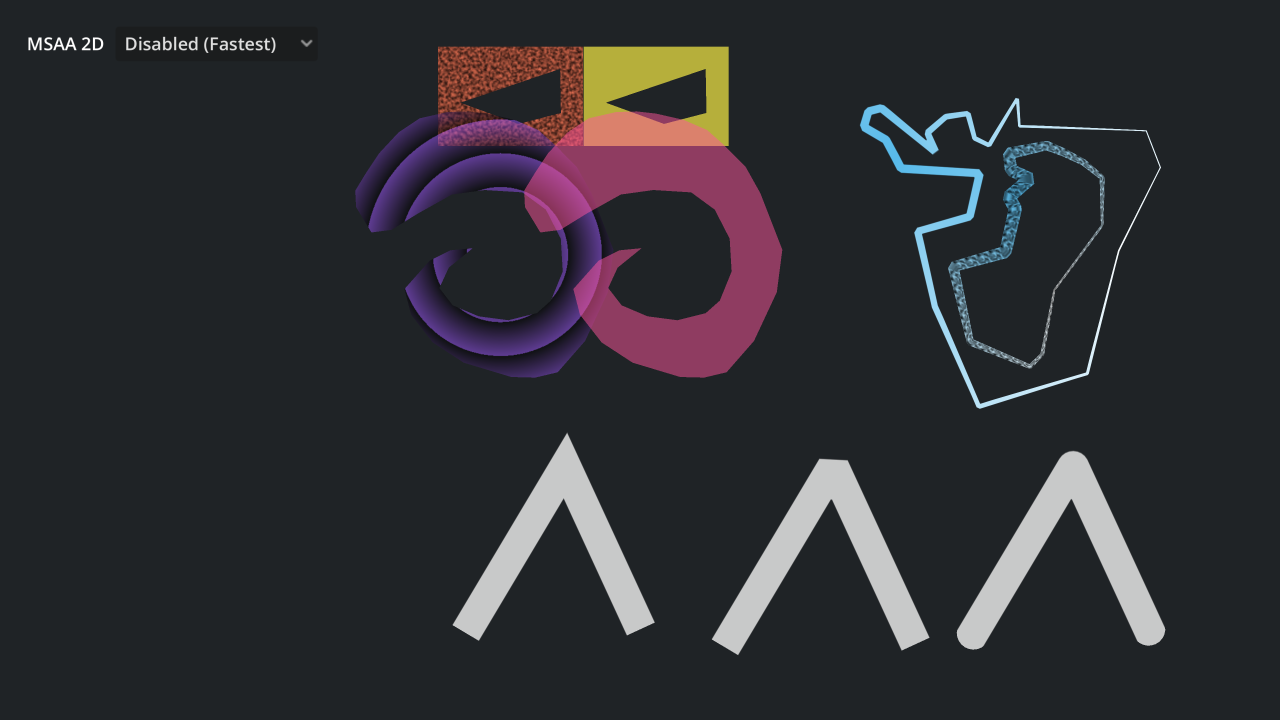
Polygons and Lines 2D Demo 0

by Godot Foundation | MIT

A demo of solid and textured 2D polygons and lines using Polygon2D and Line2D

A demo of solid and textured 2D polygons and lines using Polygon2D and Line2D. In this project, solid Line2Ds are antialiased by using a specially crafted texture. By using a texture that is solid white on all its pixels except the top and bottom edges (

loading more results...