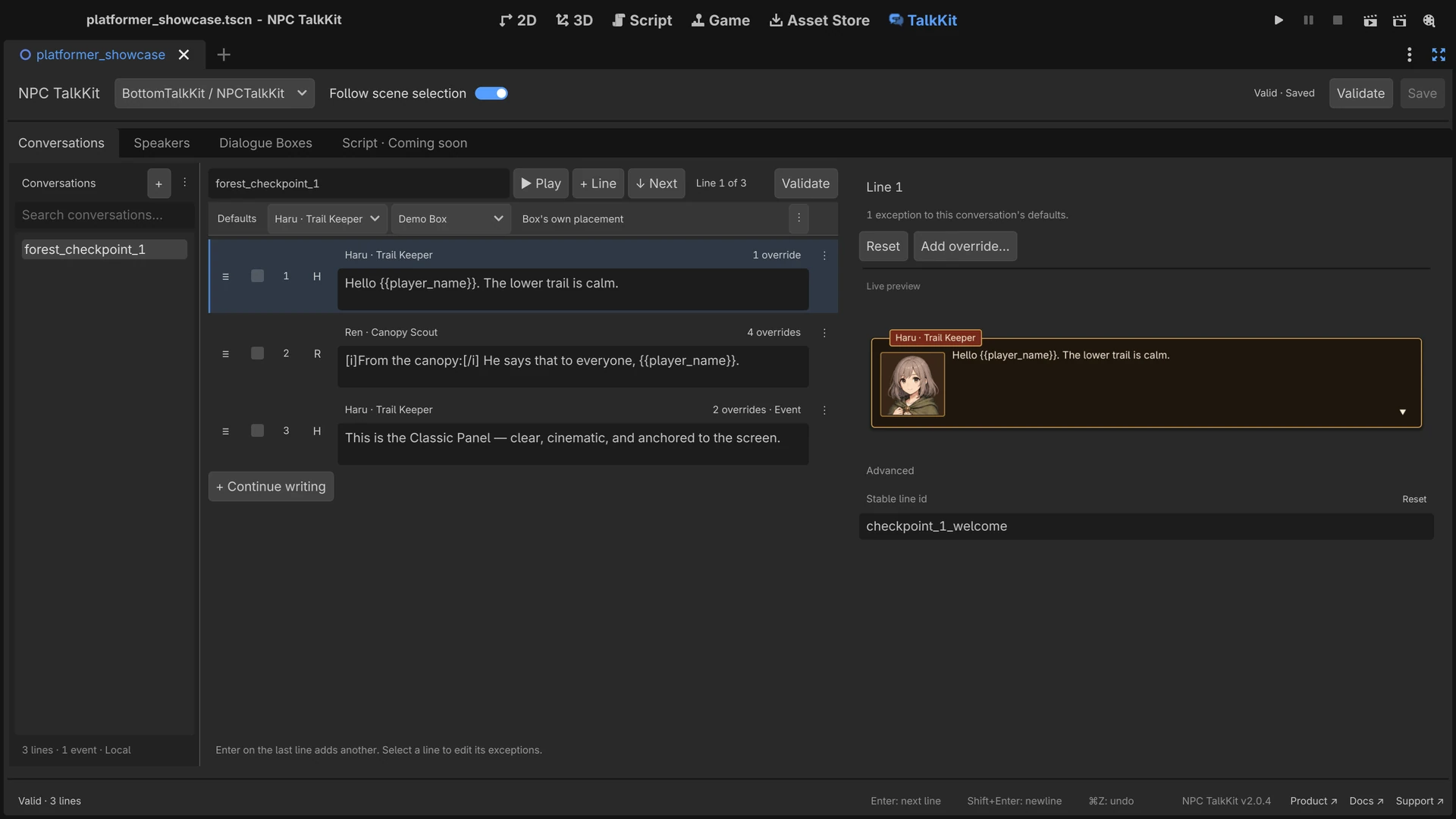
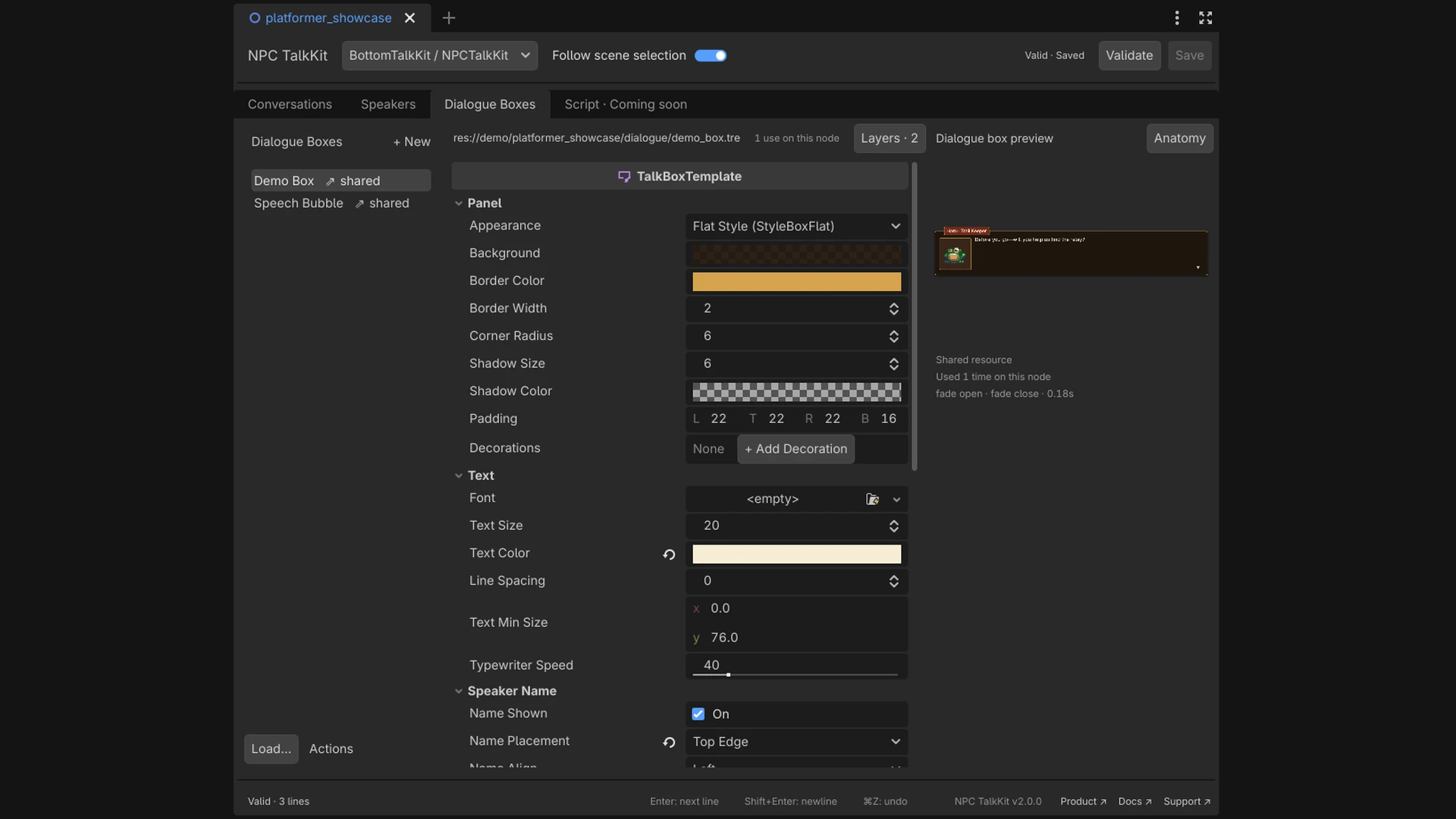
You probably already have NPCs, quests, saves and your own game logic. TalkKit only handles the conversation part. Add an NPCTalkKit node to a character, write its lines in the TalkKit tab inside the editor, and call play(). Your game logic stays where it is.
What you get:
- A conversation editor inside Godot, with speakers, portraits, voice blips and events.
- One-off lines with say(), for barks and narrator lines that need nothing written first.
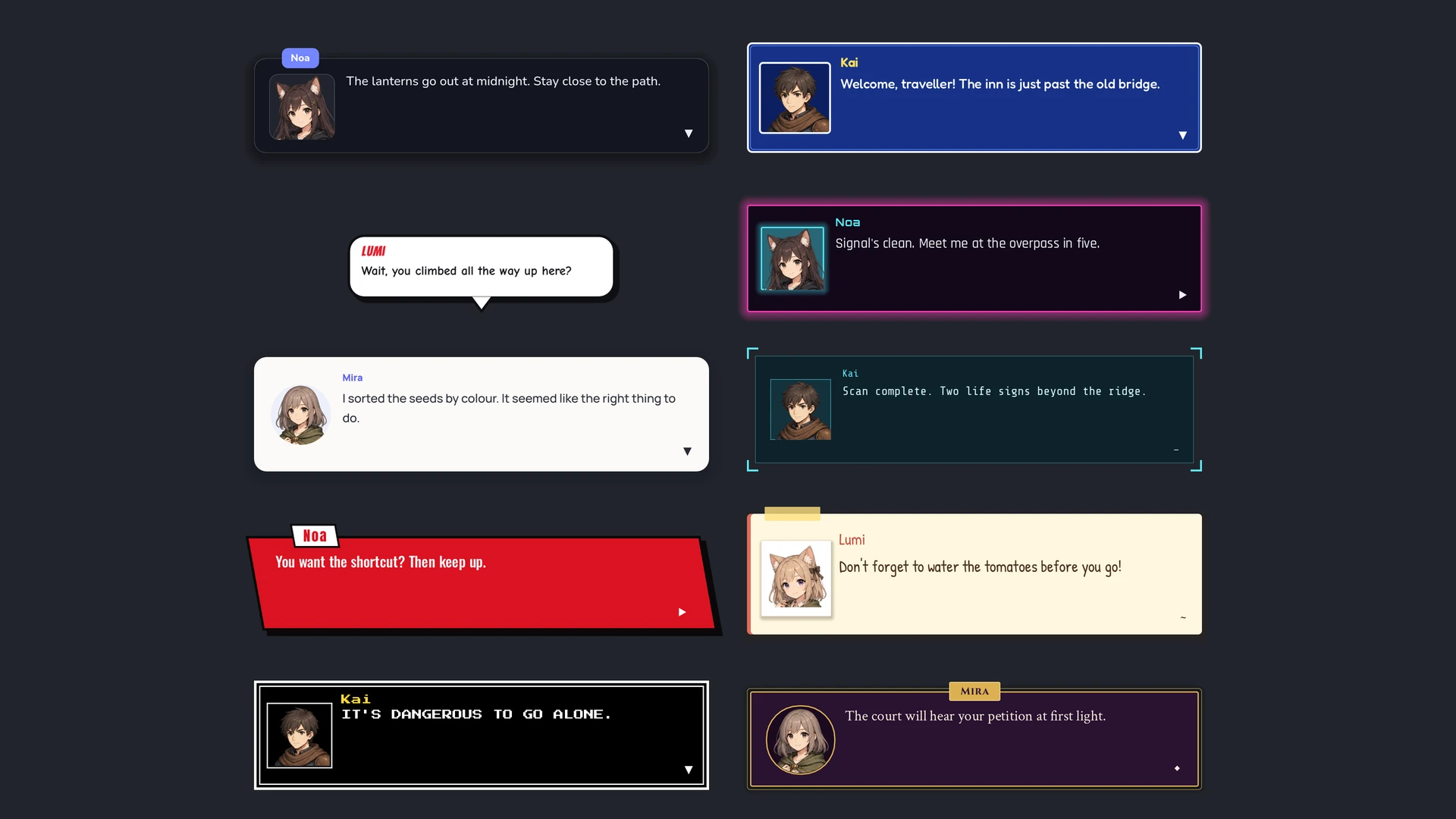
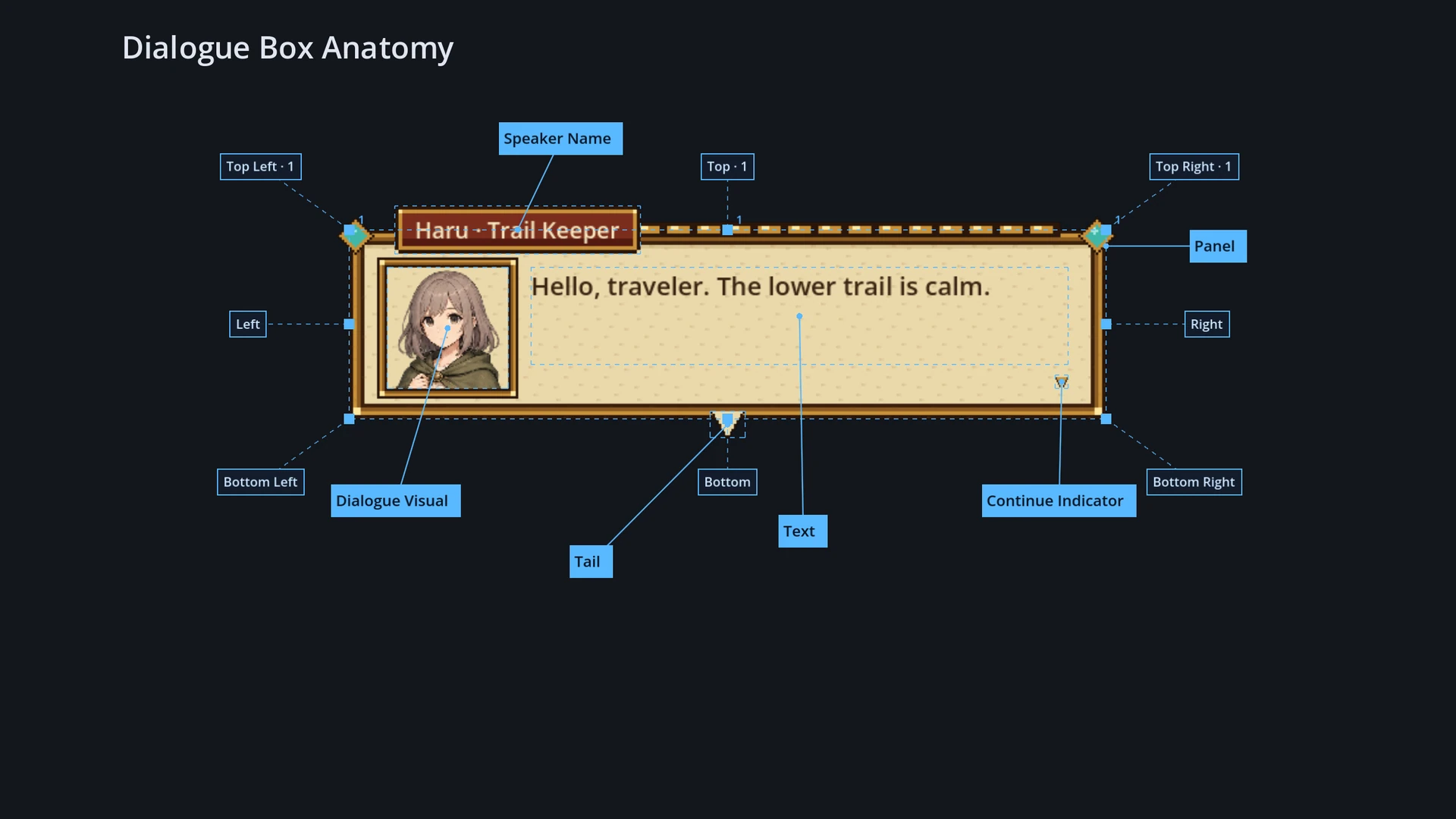
- A dialogue box designer with live preview: flat style, nine-slice texture or any StyleBox, plus a name box, portrait frame and decorations. Three boxes are built in, and ten more box templates are free to download from the docs.
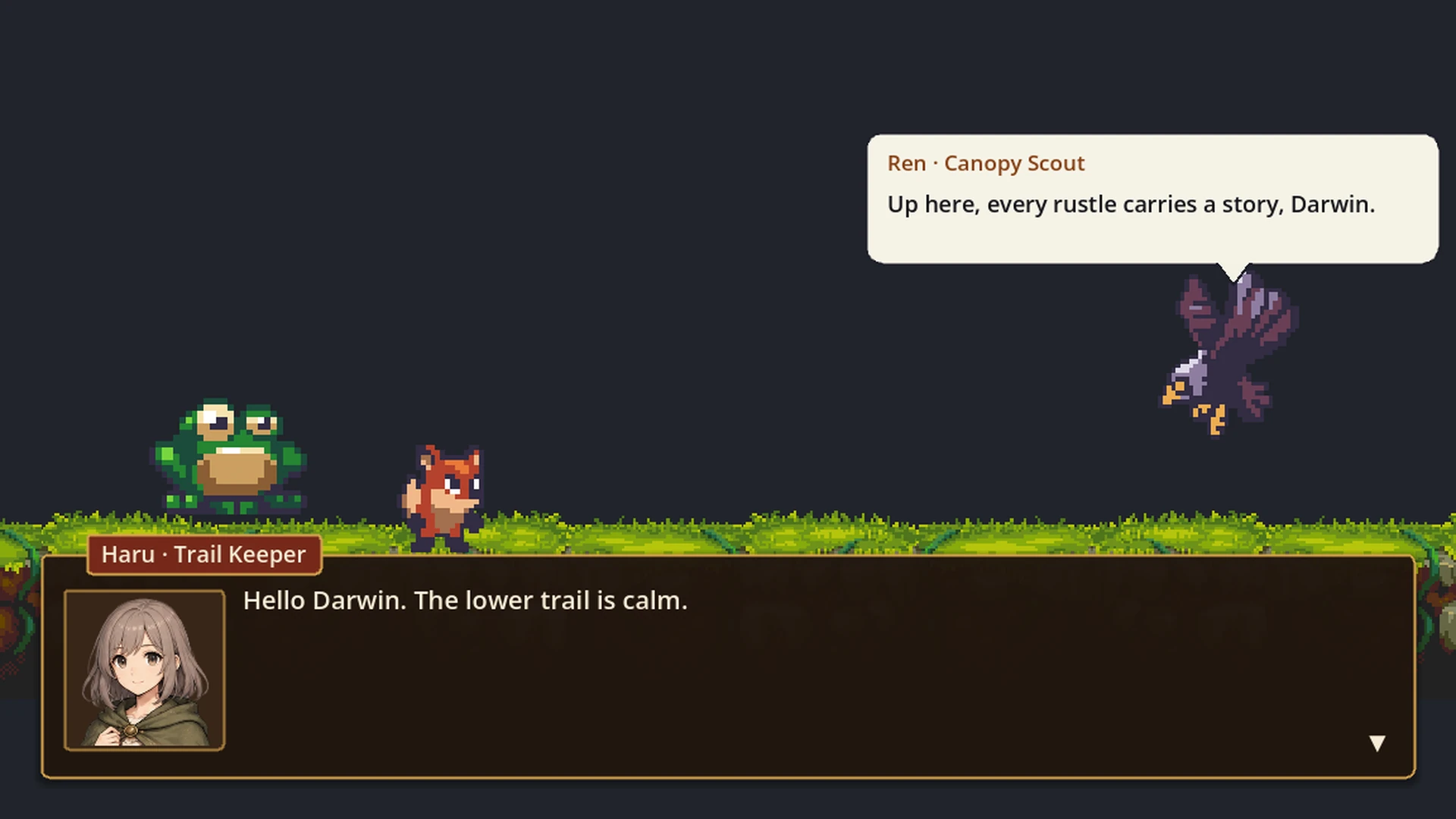
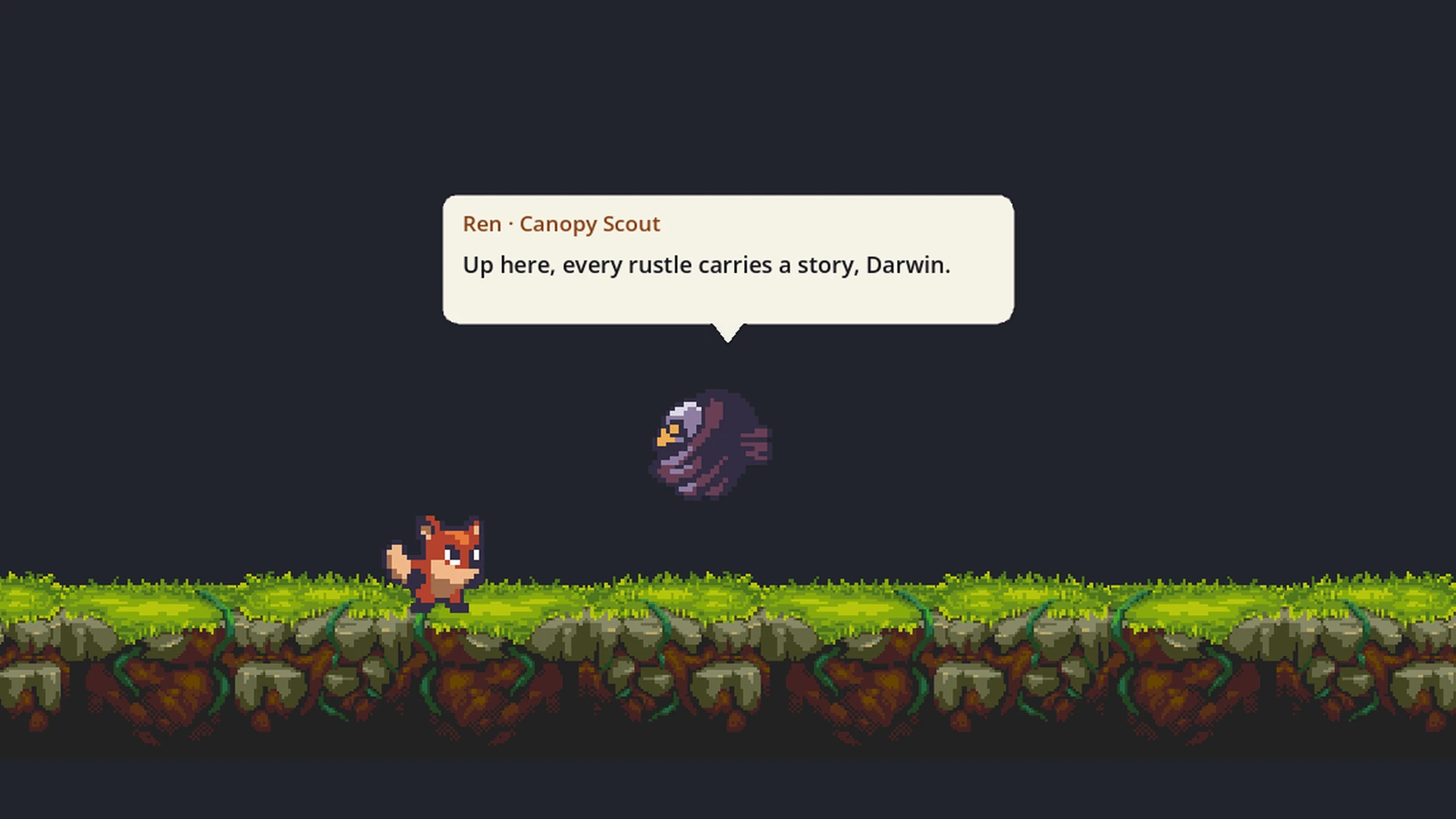
- Screen or world placement: a panel on the screen, or a bubble that follows a 2D or 3D character, with the tail pointing at whoever is talking.
- Translated lines: each line goes through Godot's translation system, so a CSV or PO file is enough to localize them, placeholders included.
- C# support through a wrapper for .NET projects.
What it leaves to you: there is no branching script language. Conditions, flags and choices stay in your own GDScript. A line can fire an event that pauses the conversation until your code decides what plays next. If you need a full visual dialogue graph, Dialogic or Dialogue Manager will suit you better.
The download is the addon alone, about 220 KB. The demos are separate: "NPC TalkKit Quest Demo" on this store is a ready-to-run project, and all three demo scenes are on https://vanquyt.itch.io/npc-talkkit.
No telemetry, no network requests, no API keys.
Documentation (English and Vietnamese): https://talkkit.vanquyt.com Source and issues: https://github.com/vanquyt-games/npc-talkkit
Changelog for version 2.2.0
2026-10-29 23:13:00
No changelog provided for this version.