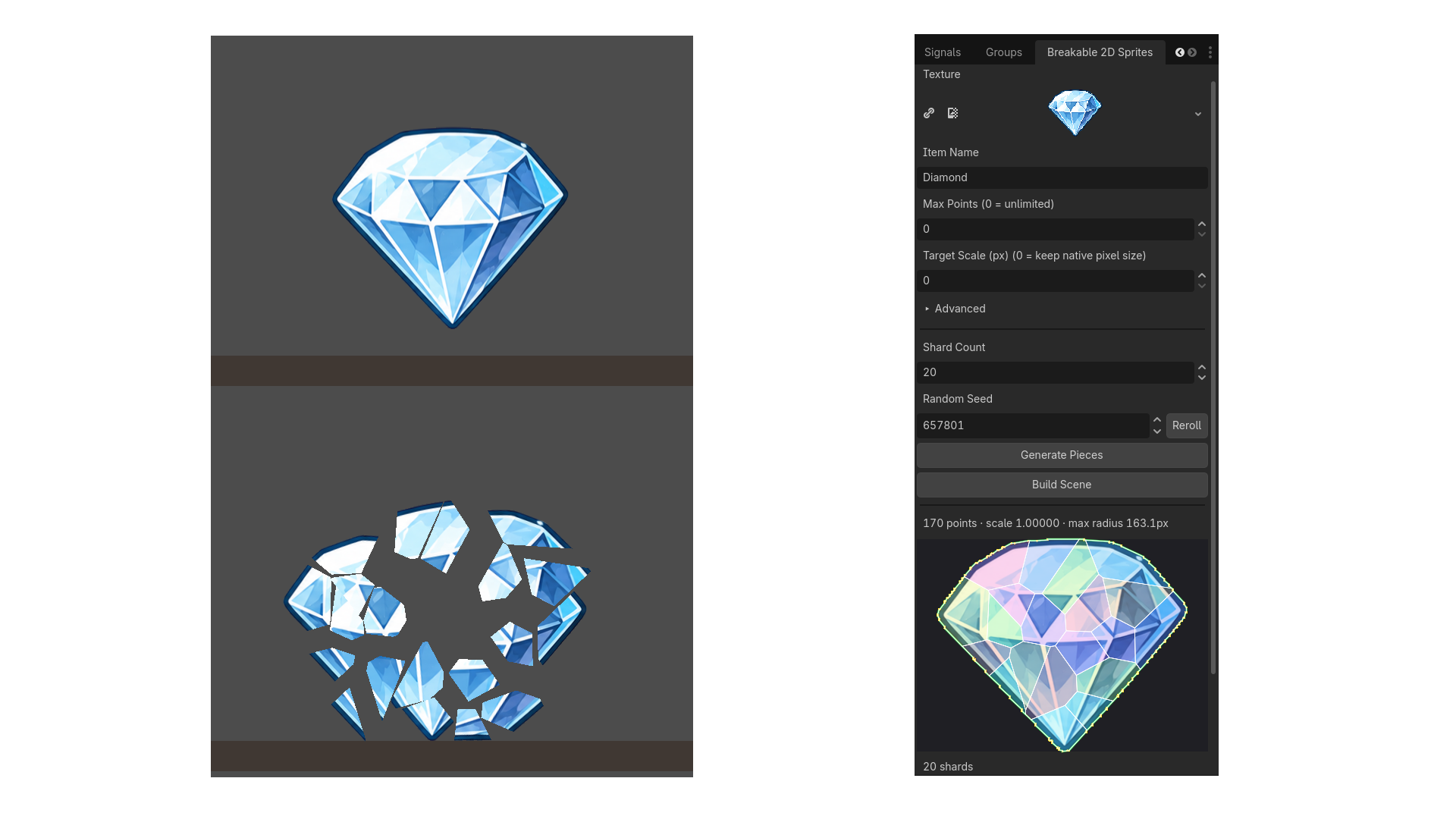
Turn any sprite with a transparent background into a solid, hittable, breakable 2D object — no manual collision authoring, no hand-placed cracks.
What it does
- Traces a sprite's alpha channel into a polygon using Godot's own BitMap.opaque_to_polygons — the traced shape hugs the actual art, not a bounding box.
- Shatters that silhouette into irregular Voronoi shards (verified to cover the full source area with no gaps or overlaps), each with correct UVs into the original texture.
- Builds a self-contained, ready-to-place scene in one click: solid collision, correct rendering, and hit detection are all pre-built and visible in the editor immediately — not an empty placeholder that only appears once the game runs.
Workflow
- Pick a texture, name it, and set Shard Count / Random Seed to taste.
- Click Generate Pieces — traces and shatters in one step, with a live preview.
- Click Build Scene.
- Drag the resulting .tscn into any level. It's solid on placement.
Breaking it
Two ways, your choice:
- Call take_hit(global_position) directly from any weapon or bullet script — works no matter how your projectiles are built.
- Or set a physics layer mask on the item and let it detect hits automatically.
Once broken, the intact body swaps to one physics-driven piece per shard, correctly textured, flung outward from the impact point, with tunable impulse, spin, gravity, and lifetime. Resizing or rotating the placed item beforehand works too — the whole break (piece size, position, and launch direction) scales and rotates with it.
A ready-to-run test scene and sample sprites are bundled with the addon, so you can try the whole workflow in under a minute without any of your own art.
Requirements
Godot 4.6 or newer (tested on 4.6 and 4.7.1). No external dependencies.
Changelog for version v1.0.0
2026-07-24 06:05:00
No changelog provided for this version.
