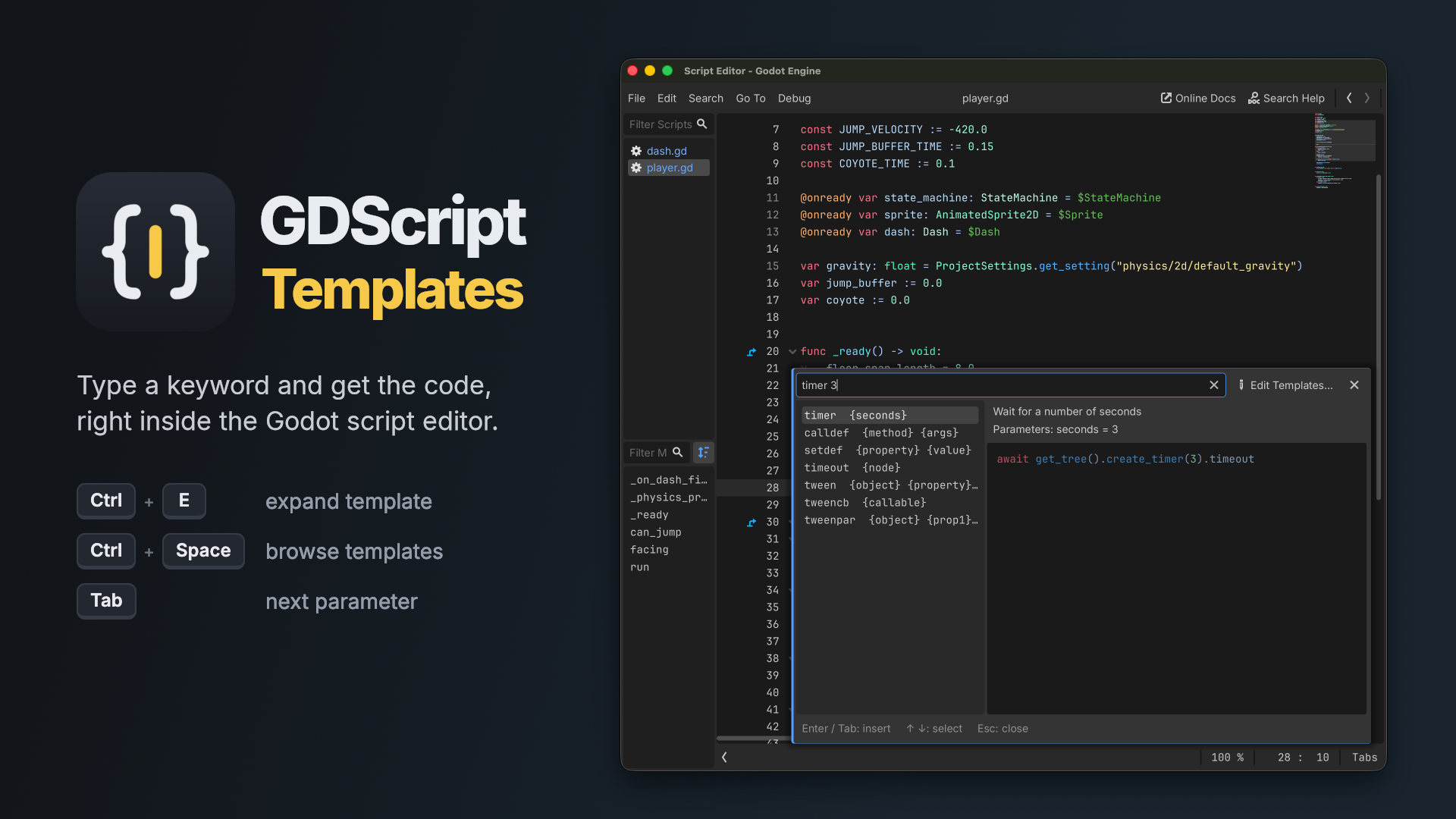
Code snippets for the Godot 4 script editor. Type a keyword, press Ctrl+E and it expands into code.
printd health     print("health: ", health)
vec 10 20         Vector2(10, 20)
fori 5            for i in range(5):
How it works
Type a template keyword and press Ctrl+E. Any words you type after the keyword fill in the template parameters in order:
timer 3
expands to
await get_tree().create_timer(3).timeout
Parameters you didn't fill in are left as placeholders, and the first one is selected. Type its value, press Tab to go to the next one, and after the last one the cursor jumps to the right place in the template. A parameter used more than once, like {name} in the prop template, only needs to be typed once and is copied everywhere.
The expanded code follows your current indentation and your tabs / spaces setting.
Template browser
Press Ctrl+Space to open a list of all templates with a code preview. Type to filter the list. The search is fuzzy, so twn finds tween. Press Enter or Tab to insert the selected template. The word before the cursor is used as the initial filter.
Built-in templates
About 100 templates for common GDScript code, for example:
- Lifecycle:
ready,process,physics,input,enter,exit - Functions:
func,fv,static - Variables:
export,exprange,onready,const,prop,array,enum - Control flow:
ife,for,fori,while,match,guard - Signals:
signal,sigcon,sigem - Nodes and scenes:
addch,getnode,inst,load,preload - Tweens and timers:
tween,tweencb,timer - Input:
ia,iaj,iar - Math:
vec,vec3,lerp,clamp,randf - Comments:
todo,fixme,region
Your own templates
Open Project → Tools → GDScript Templates... or click Edit Templates... in the template browser. You can:
- add, duplicate, rename and delete your own templates
- change a built-in template and revert it to the original later
- add a short description that shows up in the template browser
Your templates are saved to gdscript_templates.json in the Godot editor config folder, so all your projects use the same templates. Template syntax:
{
  "myloop": "for {item} in {collection}:\n\tif {item}.{property}:\n\t\t|CURSOR|"
}
{name}is a parameter|CURSOR|is where the cursor ends up after expanding\tis one indent level
Settings
Go to Editor → Editor Settings → Plugins → GDScript Templates. Godot only shows plugin settings when Advanced Settings (top right) is turned on.
- Use Default Templates: turn off to use only your own templates
- Popup Size: size of the template browser
- Show Templates Shortcut, Expand Template Shortcut: change Ctrl+Space and Ctrl+E
Requirements
Godot 4.2 or newer, tested with 4.7. Works in the docked and the floating script editor.
Changelog for version v1.7.1
2026-10-02 06:22:22
No changelog provided for this version.
Reviews
 Recommended
by Joshua Hanson - 24 September 2026
Recommended
by Joshua Hanson - 24 September 2026
This addon is great and makes scripting so much easier! There are so many builtin templates and you can add your own for all the common code you write. It's as simple as pressing ctrl+space, and fuzzy searching for the template. Additionally, you can tab between parameters of the filled block, which is super nice. Despite the AI thumbnail, this is a really helpful addon and is super easy to get used to!
Recommended
by Aquarius Via Rainbow - 25 September 2026
Good autocomplete extension
Login to write a review.