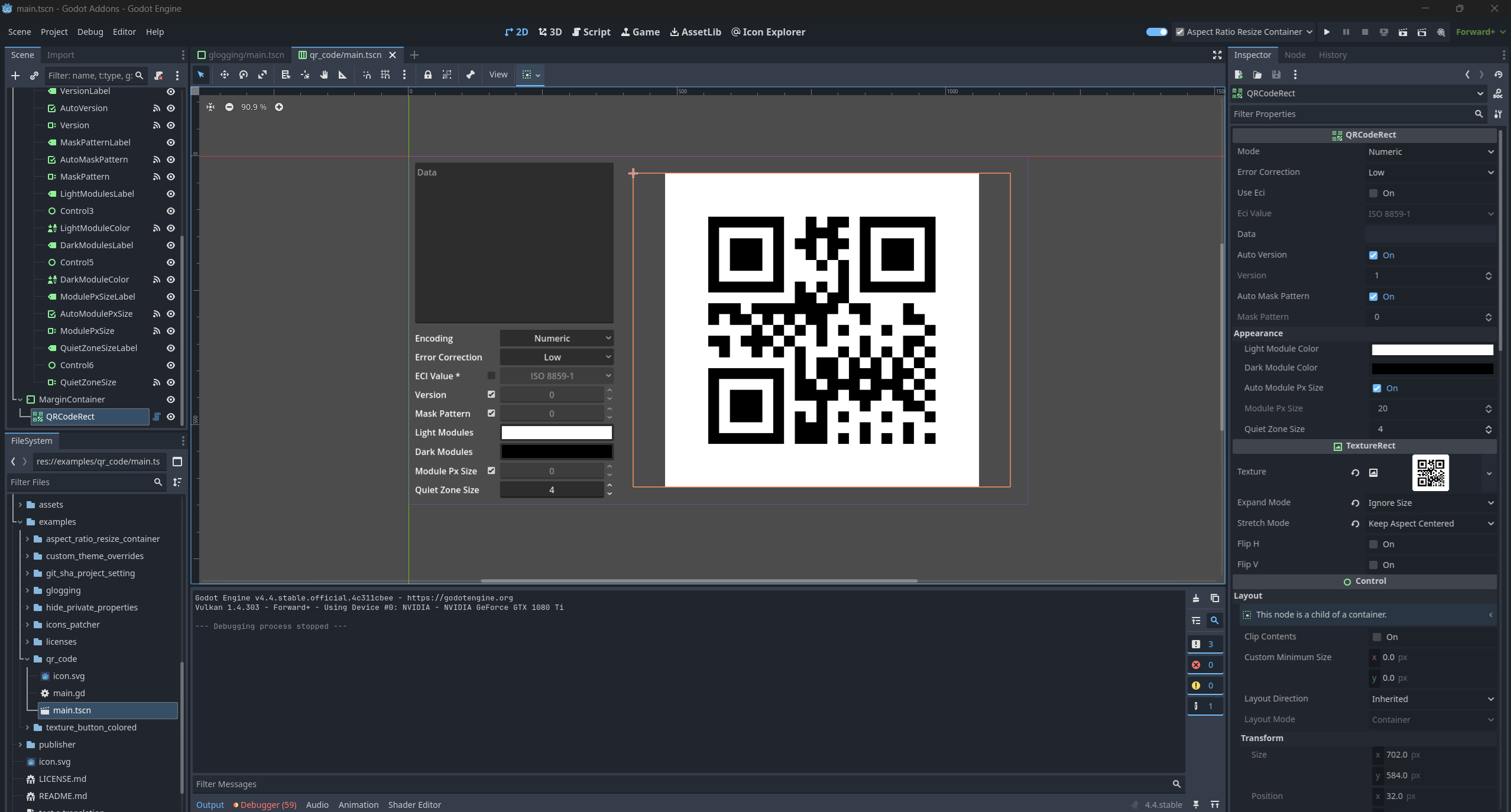
Description
Changelog
Reviews (1)
QR Code Generator for Godot
Generate QR Codes directly in Godot with ease. Includes a ready-to-use UI node and a flexible backend class for full control.
Features
QRCodeRectdrop-in node that auto-updates and renders the QR CodeQRCodegenerate QR codes via code with full customization- Supports all encoding modes: Numeric, Alphanumeric, Byte, Kanji
- ECI (Extended Channel Interpretation) support: Shift JIS, UTF-8, ISO 8859-1, and more
- Customizable colors, sizes, and quiet zone settings
- Optimized performance for dynamic updates
Usage
Using QRCodeRect (UI Node)
- Add a
QRCodeRectnode to your scene. - Set the
dataproperty to your content.
$QRCodeRect.data = "https://godotengine.org"
It will update the texture automatically based on the data.
Using QRCode (Code-based)
For more control or manual usage:
var qr = QRCode.new()
qr.put_byte("Hello from Godot!".to_utf8_buffer())
var image = qr.generate_image(4)
You can control the version, error correction level, mask pattern, ECI mode, and more.
Documentation & Examples
Full API documentation is available here.
Changelog for version 2.0.0
2026-02-09 17:58:08
No changelog provided for this version.
Reviews
 Recommended
by Creterz Labs - 28 July 2026
Recommended
by Creterz Labs - 28 July 2026
Quick to set up and easy to use. Can be a little confusing sometimes. If you want to use the Alpha channel in your colors, you have to go into qr_code.gd and edit line 911 to use Image.FORMAT_RGBA8 instead of Image.FORMAT_RGB8. Hopefully this becomes the default.
Login to write a review.