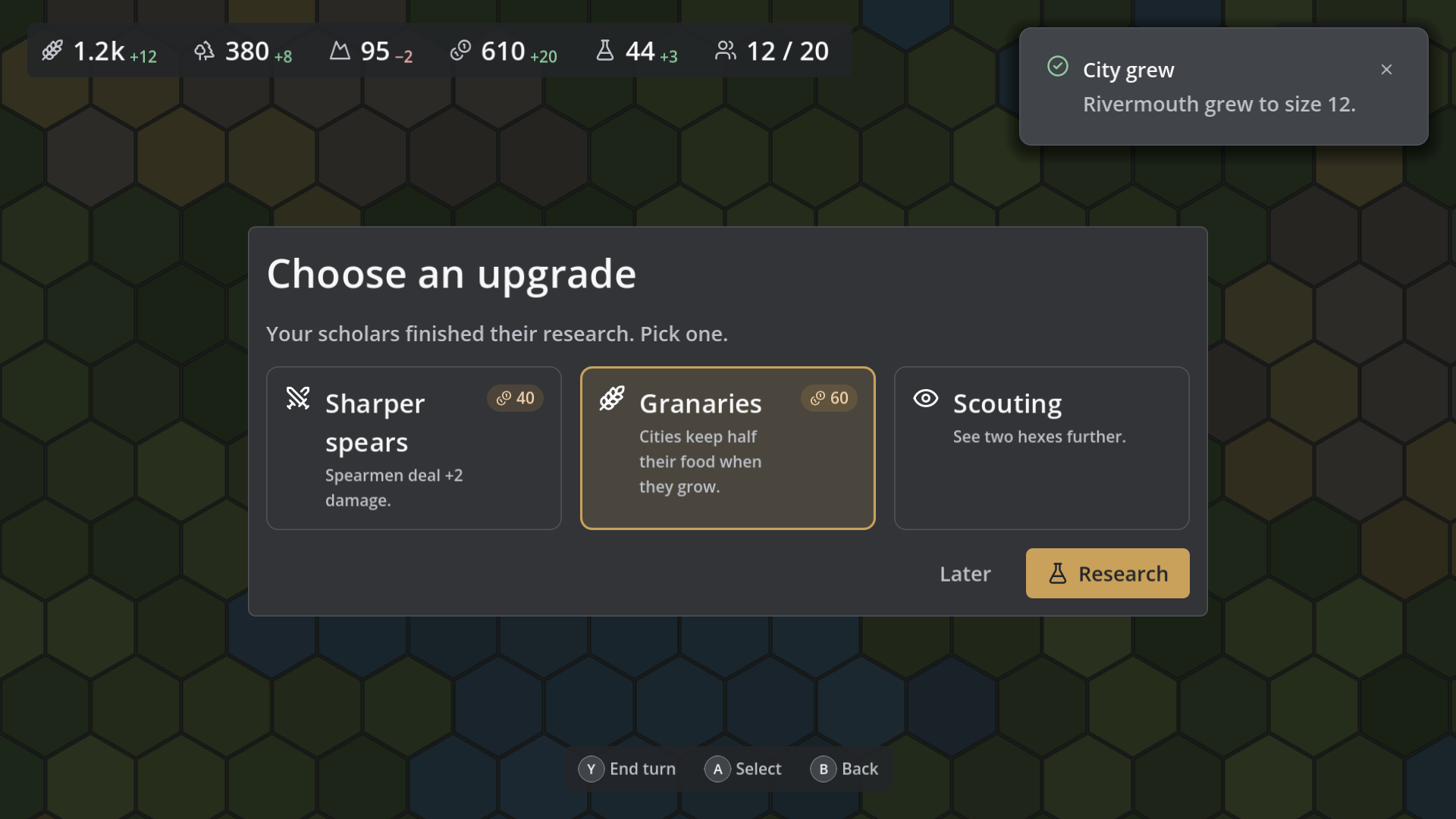
WoldUI turns one tokens file into a complete, consistent UI for your game. Change a colour, a font, or a spacing value in the Inspector, and every control in the project restyles with it. No hand-built theme, no 9-slice art, no style overrides scattered through your scenes.
Requires Godot 4.7 or later.
Tokens
- A seed colour per tone (neutral, accent, success, warning, danger) becomes an 11-step ramp; the colour you pick is exactly the colour you get.
- Semantic roles (text, surfaces, borders, focus) are derived for dark or light mode, and each can be overridden.
- Fonts, a type scale, spacing, radius, borders, shadows, motion timing, icon sizes, and UI sounds, all in one Resource.
- Every text/background pair is tested for WCAG AA contrast.
Styles
80+ named styles you pick in the Inspector (Theme Type Variation): buttons as shape × size, text by role (Display, Heading, Caption…), panels, meters, fields, and spacing containers (StackMd, RowSm, InsetLg…). Godot's built-in controls (checkboxes, tabs, sliders, scrollbars, popup menus, tooltips) are styled too.
Components
Each one is its own scene, drawn live in the editor, and extendable with inherited scenes, slots, and hooks.
- WoldButton: icons at the start and end, shapes, sizes; still a real Button.
- WoldStat: icon, value and label; numbers count up and flash when they change.
- WoldBadge: status pills, counts ("99+"), pulsing dots, pinned to a corner.
- WoldDialog: modal dialogs, plus
await WoldDialog.ask(...)in one line. - WoldToast: corner notifications that stack and close up smoothly.
- WoldTooltip: rich tooltips with a title, BBCode body, stat rows and hint; they also show for keyboard and gamepad focus.
- WoldListRow: selectable rows for save slots, lobbies and settings.
- WoldTabs: tabs with a sliding underline, icons, badges and LB/RB switching.
- WoldButtonPrompt: "[A] Confirm" glyphs from your real InputMap bindings, switching live between keyboard, Xbox, PlayStation, Nintendo and mouse.
- WoldMeter / WoldSlider: textured fills that tile or reveal instead of squashing.
- WoldScope: token overrides for one part of the screen (a faction's own accent).
- WoldScreen: full screens with push/pop, transitions, back on Esc/B, and focus returned on close.
Motion and feedback
WoldMotionpresets (appear, disappear, stagger, press, shake, pulse, count-up), stored as editable resources.- Animations never move your layout: they use the visual offset transform, so containers never fight them.
- A "reduce motion" setting jumps straight to the end state.
- Drop a
WoldFeedbacknode into a scene and every button gets hover, press and sound feedback. Built-in synthesised sounds fill any slot you leave empty. - The input device (mouse, keyboard or pad) is tracked, so focus rings, focus sounds, and prompts only appear when they matter.
Icons
All 1,800+ Lucide icons are bundled (ISC licence included), rendered crisp at any size and tinted like text. Add your own icons by name and they sit on top of the library.
Editor tools
- A WoldUI dock: pick your tokens file, rebuild the theme on every edit, view colour ramps with contrast ratios, browse and search icons, and preview motion presets and sounds.
- A gallery scene showing every style and component under any tokens file.
Getting started
- Install into
addons/woldui/and enable WoldUI under Project Settings → Plugins. - Copy
addons/woldui/tokens/default_dark.tresinto your project. - In the WoldUI dock, choose that file and press Use as project theme.
- Edit the tokens in the Inspector; the theme rebuilds as you go.
Full documentation is in the README.
Changelog for version v1.2.0
2026-10-14 07:11:21
No changelog provided for this version.