Real Controller
A third-person character controller for Godot 4.6 with smooth locomotion, camera controls, and animation blending.
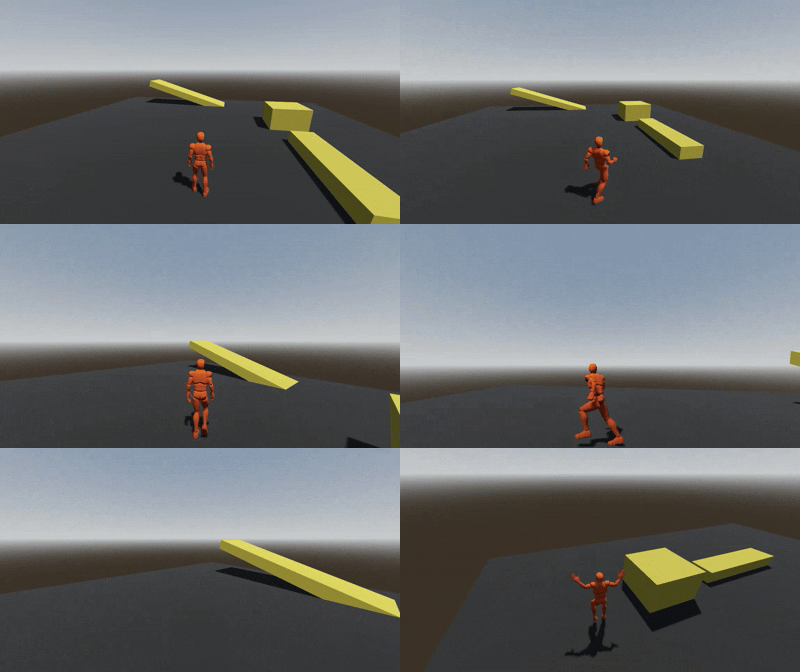
Features
- Camera Mode: First-person and third-person camera modes
- Locomotion System: Walk, run, and sprint with 8-directional movement blending
- Jump Mechanics: Ground-based jumping with gravity handling
- Camera Controls: Third-person camera with configurable tilt limits and mouse sensitivity
- Controller Support: Full gamepad support with analog stick movement
- Animation System: Smooth animation blending using AnimationTree
- Smooth Rotation: Character mesh rotates smoothly to face movement direction
Requirements
- Godot 4.6 or later
Installation
- Copy the
addons/real-controllerfolder into your project'saddonsdirectory - Enable the addon in Project Settings > Plugins
- Add the character scene (
addons/real-controller/character.tscn) to your scene or use the example scene
Setup
How to change the character model? - Real Controller | Godot 4.6 - Youtube Video
Input Map Configuration
The controller requires the following input actions to be configured in your project:
- Go to Project > Project Settings > Input Map
- Add the following actions with their corresponding _recommended_ inputs:
| Action | Keyboard | Controller(Optional) |
|---|---|---|
forward |
W | Left Stick Up |
backward |
S | Left Stick Down |
left |
A | Left Stick Left |
right |
D | Left Stick Right |
jump |
Space | A Button |
sprint |
Left Shift | Right Trigger |
walk |
Left Alt | - |
camera_mode_switch |
V | - |
look_up |
- | Right Stick Up |
look_down |
- | Right Stick Down |
look_left |
- | Right Stick Left |
look_right |
- | Right Stick Right |
Note: These input mappings are required for the controller to function properly. Make sure all actions are configured before running the scene. Controller support can be toggled via the
controller_supportexport variable.
Configuration
The controller exposes several export variables for customization:
- Movement: Speed, sprint speed, jump velocity
- Camera: Mouse sensitivity, controller sensitivity, tilt limit, rotation speed, controller support toggle
If you think camera is too high or too low, you can change Y axis of the CameraPivot node. It will help you to adjust the camera height.
Credits
Animations and the Mesh are from the Basic Motions Free.
Todo
- [ ] Adding new animations from mixamo guide
- [x] Change mesh guide
- [x] Walk
- [ ] Crouch
License
MIT License - See LICENCE file for details.
Changelog for version v1.3.0
2025-11-27 16:38:44
No changelog provided for this version.
Reviews
 Recommended
by Alex Kiefer - 28 June 2026
Recommended
by Alex Kiefer - 28 June 2026
Really easy to follow, trying to figure everything out as I am a new user but kind of figured out how to move the camera. Right now messing with the camera angles to get to what I think is right. Right now 1PP seems to be above the head and 3P seems to be too far back and centered, trying to figure out how to move that so it looks right.
Login to write a review.