



About
I was a bit disappointed by Godot's lack of multiple channels when it comes to controller vibration. Any change to vibration would override the last setting, so I decided to make a plugin to fix that!
Features
- Multiple independent rumble channels
- Curve-based haptic presets
- Bus-based intensity control
- Global rumble scaling
- Easy integration with existing projects
|
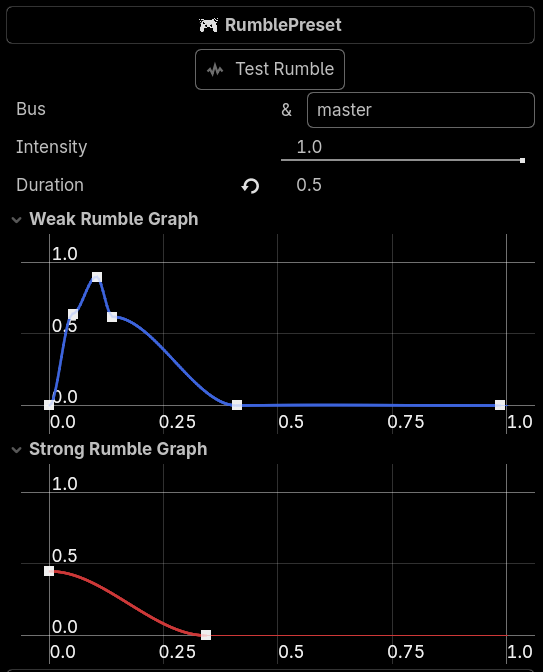
RumblePresetWith RumblePresets, you can easily create controller haptic profiles for any event needed in your game through Godot's curve editor. Changing the bus name allows you to manually control the intensity of all haptic events running on it by setting the global intensity of that bus in code. |
How to use
Simply create a RumblePreset resource, configure it, and attach it to a node.
Then, in your script, just run
RumblePak.add_rumble(rumble_preset)

RumblePak.set_bus_strength(0.5, &"explosion")
To change the strength of a specific bus, call
func set_bus_strength(0.5, &"explosion")

func set_bus_strength(0.7, &"master")
Changing "master" will affect the global rumble intensity.
Installation
- Download the zip file for the addon.
- Extract the
addonsfolder into the root of your Godot project. - Enable the plugin in your Godot project settings.
Tested with Godot 4.6
Changelog for version V1.1
2026-06-15 19:47:07
No changelog provided for this version.
