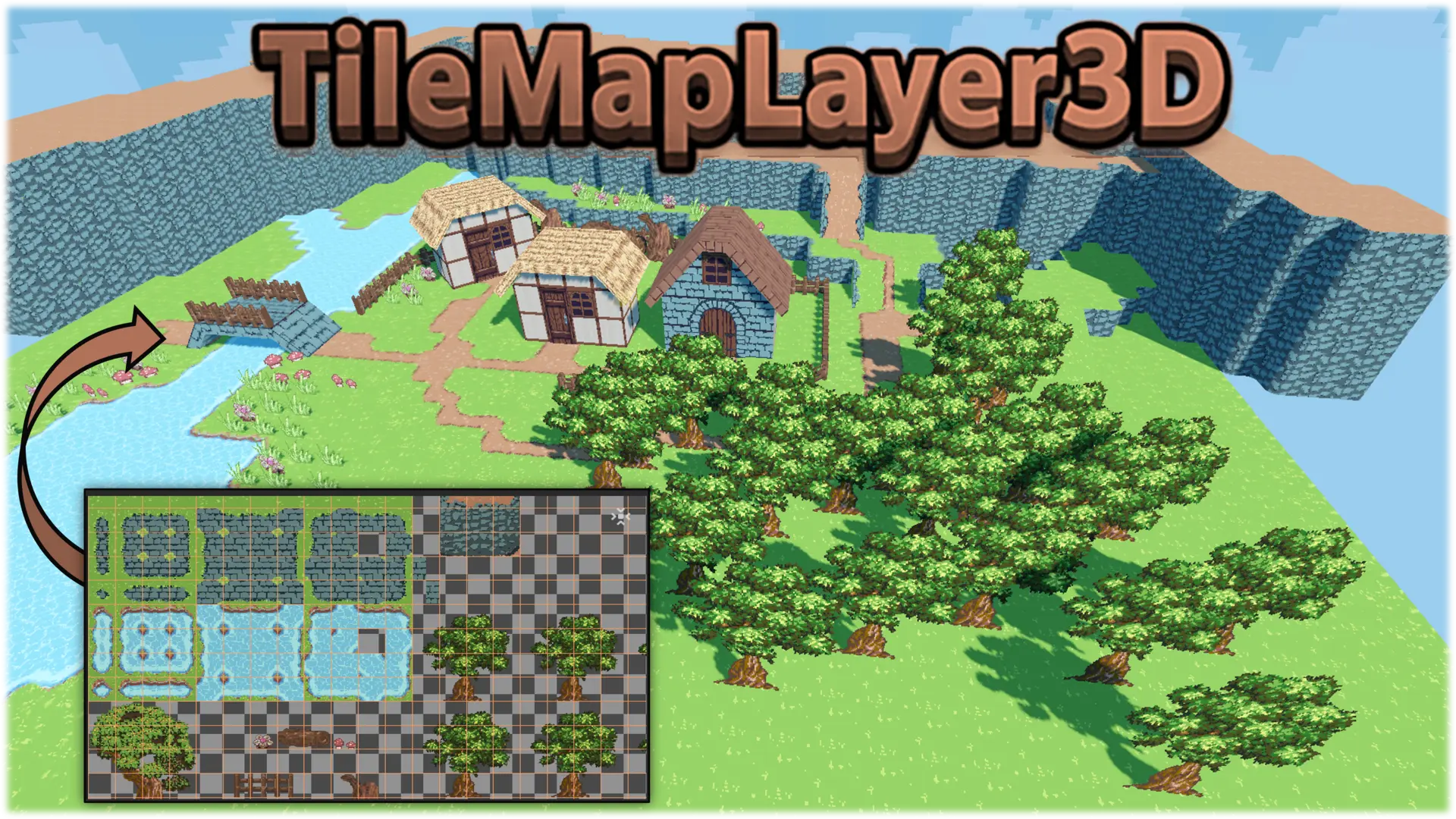
TileMapLayer3D is inspired by the built-in TileMapLayer (2D) but works directly in the Godot 3D editor and lets you place tiles on all three 3D axes.
Use it to create entire levels, or to block out rooms, floors, walls, slopes, ramps, stairs, platforms, terrain, pixel-art 3D environments, or runtime-interactive tile worlds without leaving Godot. It fully supports auto-tiling.
Version 2.x is a native C++ GDExtension. It replaces the original GDScript plugin (1.x), which is no longer supported, and uses a new node: TileMapLayer3d_Cpp. Requires Godot 4.5 or newer, with prebuilt libraries for Windows, Linux, macOS and Web. Coming from 1.x? Read the Migration Guide and back up your project first.
Paint textured tiles directly onto floor, wall, and ceiling planes in the 3D viewport, snap them to a grid, and assemble entire scenes without leaving the editor. It's built on top of Godot's own unified TileSet resource, so your atlases, terrains, and custom data work exactly the way you already expect, but in 3D.
Check the full guide here: Documentation
Paint in 3D, on any plane
Place tiles on floors, walls, ceilings and tilted ramps. Rotate, tilt, mirror and turn the texture on the fly with shortcuts or UI buttons (Q / E rotate, R tilt, F mirror, G texture rotation, T reset). Select several tiles in the texture preview to paint them as one multi-tile stamp, or Shift-drag to fill a whole area; a multi-tile selection repeats across it.
This plugin is a level editor: painting and editing go through Godot's undo/redo history. Tiles aren't limited to flat quads: use flat squares and triangles, solid box and prism volumes with adjustable depth (with default or repeating textures), AutoShape meshes extruded from the tile's own pixel silhouette, and experimental arch pieces. Pixel-art friendly texture filters, including Smooth Pixel, keep tiles crisp without shimmering.
Autotile that shares your TileSet
Autotile runs on Godot's native TileSet terrains and peering bits. Configure your terrains once in Godot's built-in TileSet terrain editor, then paint them in 3D on floors, walls and ceilings, and watch edges, corners, and transitions resolve automatically using a standard 8-bit bitmask. Because manual placement and autotiling share the very same TileSet resource, you can move fluidly between hand-placing tiles and letting the terrain system fill in the details.
Smart tools for faster level design
Smart Select grabs single tiles, connected regions sharing the same texture or mesh type, connected neighbours on the same plane, or a horizontal loop around a room. You can then replace their texture or mesh type, or delete them in bulk.
Smart Fill builds ramps and complete staircases (treads, risers and side panels) between two existing tiles.
Patterns save any group of tiles, including ramps, stairs and vertex-edited tiles, and stamp copies anywhere. Turn a pattern in 90° steps with Q / E before stamping it.
Sculpt Mode turns tile placement into brushwork: draw a footprint with a brush, then drag to extrude it to any height, on the floor, the ceiling or any wall. Great for quick buildings, hills, pits and platforms.
Bring your tiles to life: animation, vertex editing and scatter
Animated tiles are shader-driven: select a region of frames, set rows, columns, frame count and speed, then paint it on flat, box, prism or AutoShape tiles. At runtime you can pause, resume, change the speed or jump to a frame (not available with the Compatibility renderer).
Vertex editing converts flat tiles into free-form quads so you can drag their corners for roofs, slopes and custom contours.
Scatter paints meshes such as grass, rocks and props onto the tile grid or any collision surface, with weighted random mixes, spacing and scale variation.
Collision and baking
Generate collision per region, with an alpha-aware option for cut-out textures, and optionally save the shapes as external .res files. Tiles can opt out of collision through TileSet custom data. Your level runs as it is in the game, with no conversion step, or you can bake a whole layer into a single static mesh.
Runtime API, for GDScript and C
Gameplay scripts can place, erase and query tiles, raycast for the tile under the mouse, highlight cells, swap textures (doors, switches, destructibles) using TileSet custom data, rebuild collision for a single region, and control animated tiles. C# projects get a thin typed wrapper (TileMapLayer3D.cs and PlacedTileInfo.cs).
Built to scale
It's a native C++ GDExtension. Tile data lives in a compact sparse columnar storage format that serializes cleanly into your scene (or into external resource files) and rebuilds its GPU chunks on load. Tiles render directly through Godot's RenderingServer in MultiMesh chunks split into spatial regions, so edits, culling and collision rebuilds stay local, even on large maps.
Changelog for version V2.0.0-stable
2026-10-14 09:17:29
No changelog provided for this version.
Reviews
 Recommended
by Elitium - 10 July 2026
Recommended
by Elitium - 10 July 2026
The plugin is well-made, so I would recommend it.
Recommended
by Dedbill - 15 October 2026
I love this plugin, the workflow feels similar to crocotile3D's. It might not have as many features as crocotile3D but it makes up for it by being integrated within the editor and of course by being completely free. The project also gets updated regularly and its developer is active on Discord, listening to feedback and helping with issues. Highly recommended!
Recommended
by JAEL-G - 14 August 2026
Genuinely an amazing plugin. This with 3D sprites work great for creating first person retro-looking games.
Login to write a review.