Godot  Health,
  HitBoxes,
  HurtBoxes, and
  HitScans





Composable 2D/3D components for health, damage, and healing in Godot 4.5+.
[!CAUTION] v5 renamed the simple nodes to
Basic*and added advanced variants with typed actions and modifiers. Upgrade to v4.4.0 first if migrating from older versions, then to v5.
Documentation
See the Wiki for tutorials and deeper detail.
Overview
flowchart LR
  Hit["HitBox / HitScan"] -->|"HealthAction[]"| Hurt[HurtBox]
  Hurt -->|"HealthModifiedAction[]"| Health
  Health --> Apply["damage / heal"]
| Role | Basic (simple) | Advanced |
|---|---|---|
| Attack (area) | BasicHitBox2D / 3D — affect + amount |
HitBox2D / 3D — actions: Array[HealthAction] |
| Attack (ray) | BasicHitScan2D / 3D — affect + amount |
HitScan2D / 3D — actions; call fire() |
| Defense | BasicHurtBox2D / 3D — damage/heal multipliers |
HurtBox2D / 3D — modifiers by action type |
| State | Health — current/max, conditions, optional modifiers |
same |
Pipeline: HitBox/HitScan send HealthAction values → HurtBox wraps them with its modifiers → Health merges its own modifiers and applies damage or heal.
Core resources: HealthAction (affect, type, amount), HealthModifier (incrementer, multiplier, convert fields), HealthActionType (KINETIC, MEDICINE, …).
Health
Tracks an entity’s health and emits signals for damage, healing, death, revival, and related edge cases (damageable, healable, killable, revivable).
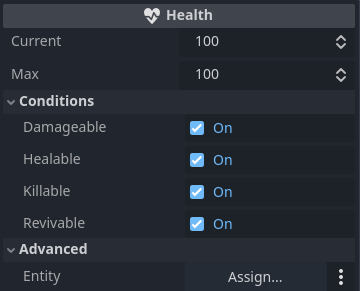
HurtBox
HurtBox2D / HurtBox3D need a collision shape and a linked Health. Prefer BasicHurtBox* when you only need damage/heal multipliers (or invert damage↔heal). Use the base HurtBox when you need per-type modifiers.
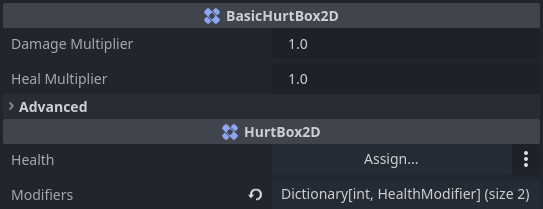
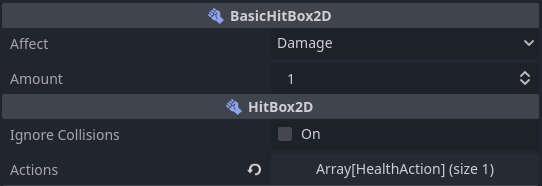
HitBox
HitBox2D / HitBox3D detect HurtBoxes on collision. Prefer BasicHitBox* for a single damage/heal amount. Use the base HitBox to send multiple typed HealthActions. Set ignore_collisions to stop further hits (e.g. before queue_free()).
HitScan
HitScan2D / HitScan3D extend RayCast2D / RayCast3D. Prefer BasicHitScan* for a single affect/amount. Call fire() to apply the hit. Enable colliding with areas (forced in the editor).
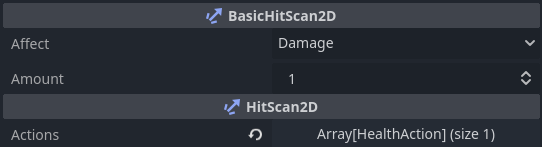
Live example
itch.io — godot-health-hitbox-hurtbox-hitscan
Installation
- Open the AssetLib tab in the Godot Editor.
- Search for
Health,HitBox, orHurtBox. - Download Health, HitBoxes, HurtBoxes, and HitScans.
- Enable it under Project → Project Settings → Plugins.
Usage

- Add a
Healthnode to the entity (CharacterBody2D,CharacterBody3D, etc.). - Add a
BasicHurtBox2D(or3D) with a collision shape; assignHealthand set its collision layer. - For melee/projectiles: add
BasicHitBox2D(or3D), setaffect/amount, and match the HurtBox mask to that layer. Collisions apply automatically. - For hitscan weapons: add
BasicHitScan2D(or3D), set the mask the same way, and callfire()when shooting.
For multiple damage types or custom resists, use the non-Basic HitBox/HitScan/HurtBox nodes and configure actions / modifiers.
Issues
Submit issues on the GitHub Issues page.
Changelog for version 5.0.4
2026-07-21 22:49:28
No changelog provided for this version.
