×
×
Description
Changelog
Reviews (0)
Highlights
- Safe & Non-Destructive: All scene modifications (creating nodes, changing properties, reparenting, attaching scripts) hook directly into Godot's
EditorUndoRedoManager. HitCtrl+Zat any time to undo AI actions. - Zero External Dependencies: In-engine chat uses 100% native Godot networking (
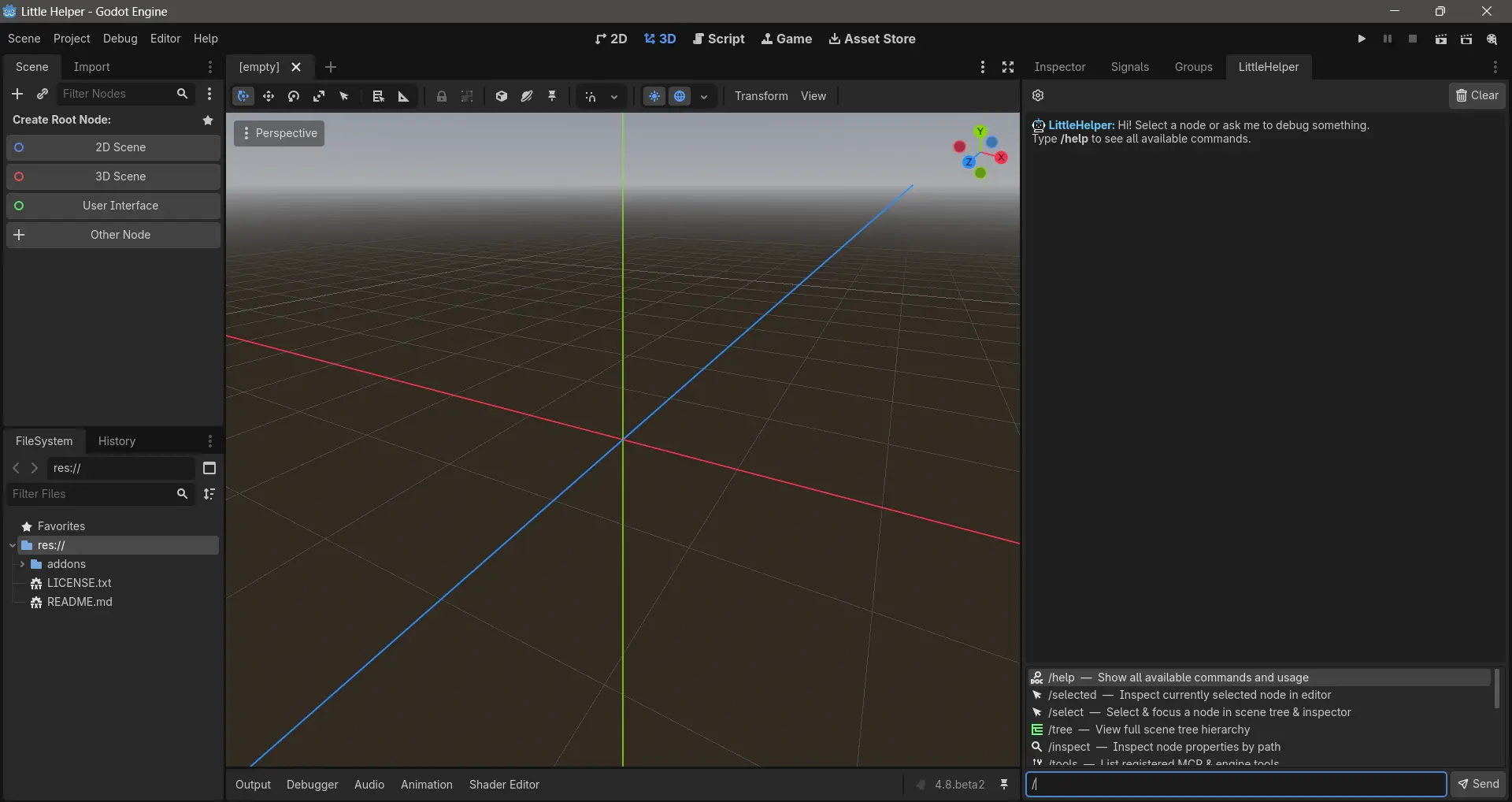
HTTPRequest). Nopip install, nonpm install, and no third-party libraries needed. - Fast Slash Commands: Interactive autocompleting editor shortcuts (
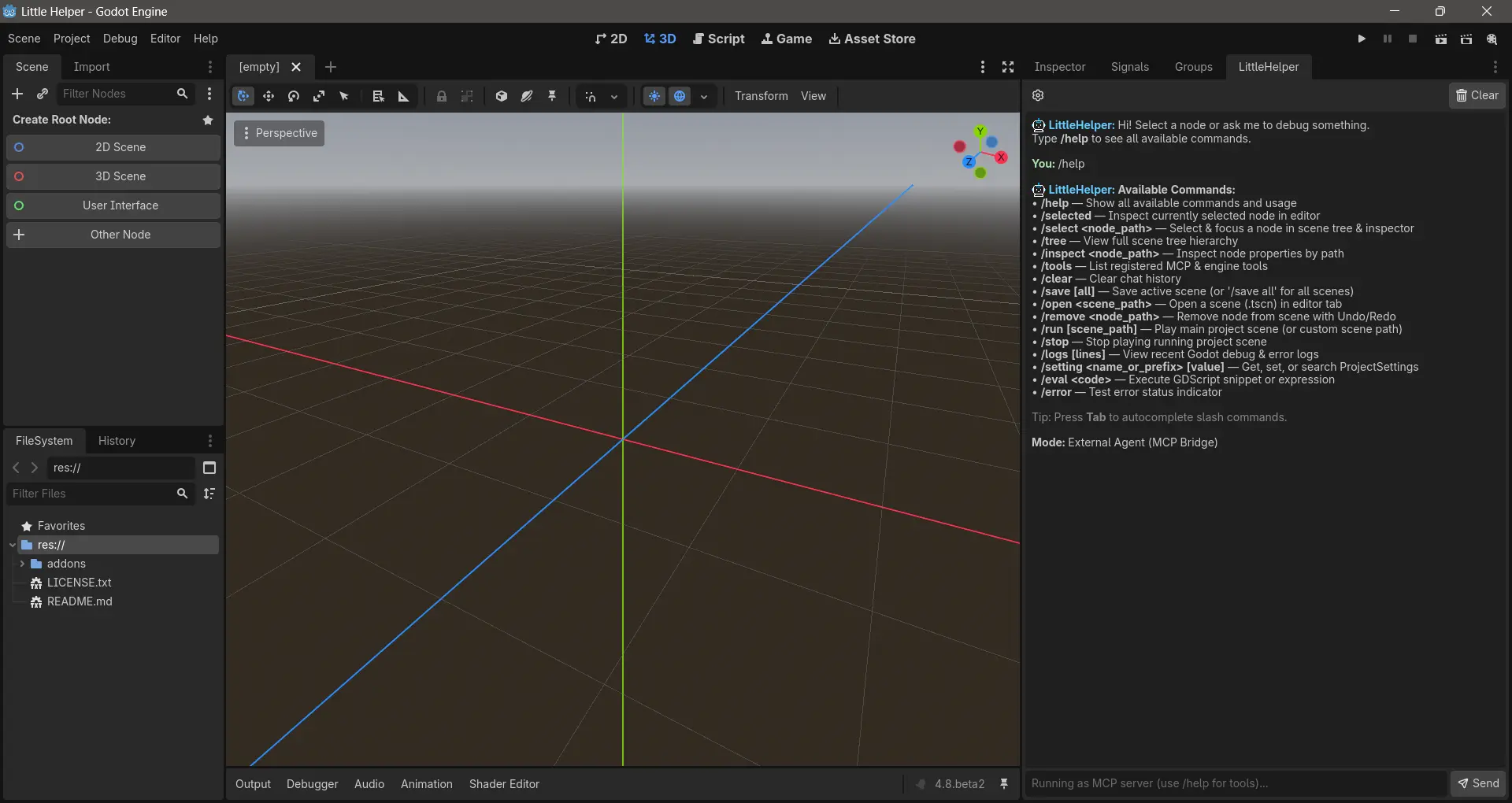
/tree,/selected,/inspect,/tools,/eval,/save,/run,/logs). - Secure Credential Handling: API keys are stored exclusively in
user://little_helper_settings.cfgon your local machine and are never written tores://or committed to version control.
Operating Modes
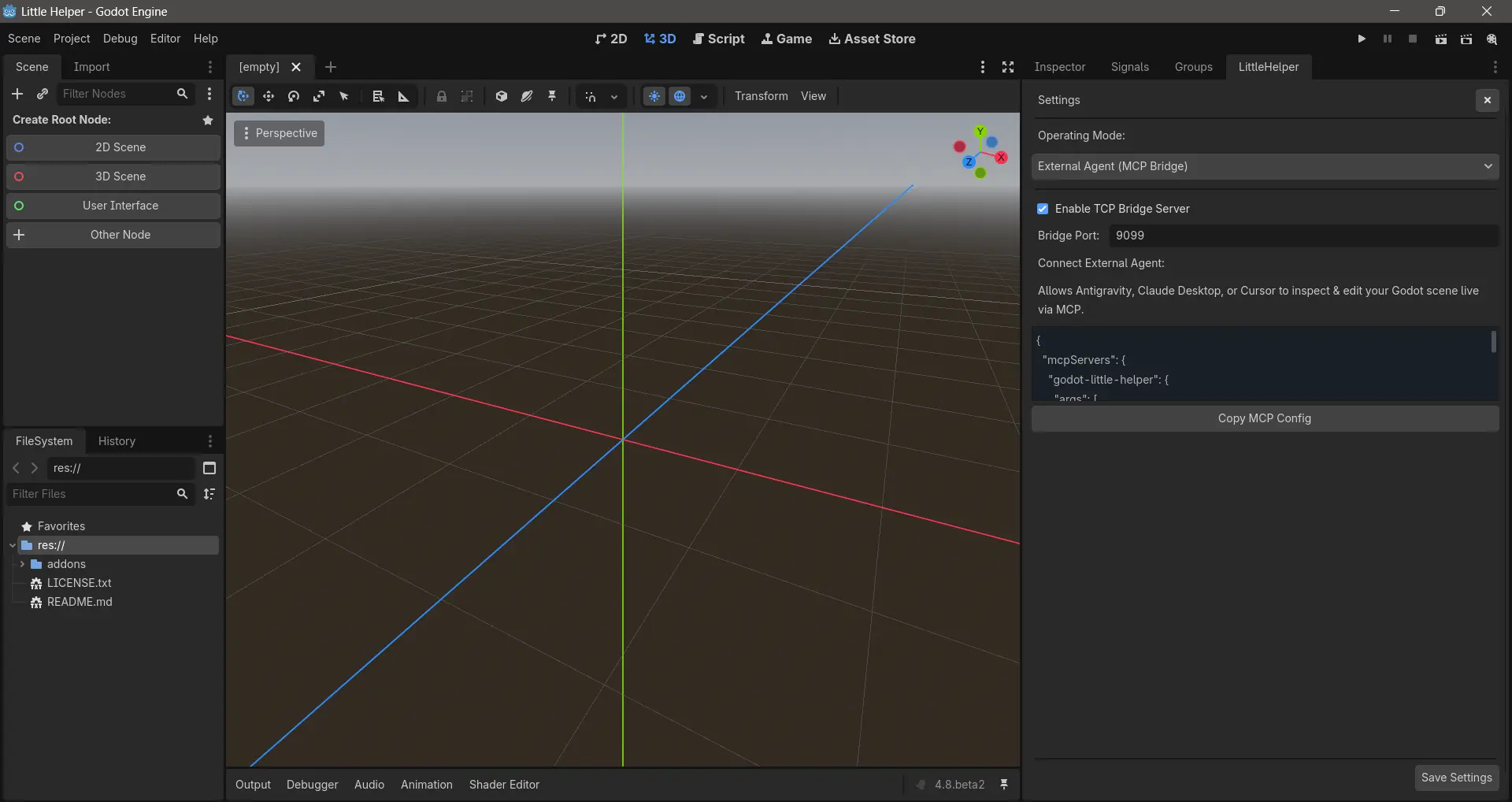
Open the settings drawer inside the LittleHelper dock to choose your workflow:
- In-Engine AI Chat: Chat directly with an assistant docked beside your Scene Tree or Inspector.
- External MCP Bridge: Expose your running Godot editor to external AI coding agents (such as Cursor, Claude Desktop, or Antigravity) over standard stdio MCP.
- Dual Mode: Run both simultaneously—chat inside the engine while external agents inspect and update your game in real-time.
Supported Providers & Models
- Google Gemini:
gemini-1.5-flash,gemini-1.5-pro - Anthropic Claude:
claude-3-5-sonnet,claude-3-opus,claude-3-haiku - OpenAI:
gpt-4o,gpt-4o-mini,o1 - DeepSeek:
deepseek-chat,deepseek-coder - Local & Offline (Ollama):
llama3,mistral,qwen2.5-coder,deepseek-r1 - Custom Endpoints: Compatible with any OpenAI-spec API (LM Studio, LocalAI, vLLM, OpenRouter).
Native Engine & MCP Tools
LittleHelper provides 20 real-time tools for scene inspection, manipulation, and debugging:
Scene & Node Hierarchy
get_selected_nodes– Inspect currently selected nodes in the editor.get_scene_tree– Traverse and visualize the active scene hierarchy with depth filtering.inspect_node– Read properties, transform values, signals, and script variables.select_node– Programmatically focus nodes in the scene tree and Inspector.add_node– Instantiate and attach child nodes with full Undo/Redo support.remove_node– Safely delete nodes with Undo/Redo history.instantiate_scene– Instance.tscnpacked scenes into the active hierarchy.reparent_node– Move nodes between parents without breaking transforms.set_node_property– Mutate node properties with type validation and Undo/Redo.connect_signal– Wire signals between nodes with Undo/Redo.attach_script– Attach GDScript files to existing nodes.
Project & Scene Lifecycle
save_scene– Save the active scene or all open scenes.open_scene– Open scenes into the editor tab.run_project– Launch the main scene or a specific.tscnin debug mode.stop_project– Stop the running debug instance.get_debug_logs– Read and tail engine debug logs (godot.log).project_setting– Query, search, or update settings inproject.godot.
GDScript Reflection & Execution
get_class_info– Query Godot's internalClassDBfor methods, properties, and signals.read_script– Inspect script source code with optional line slicing.execute_code– Dynamically evaluate GDScript expressions or snippets inside the editor.
In-Dock Slash Commands
Type / in the dock input to access instant editor shortcuts:
| Command | Description |
|---|---|
/selected |
Inspect currently selected node(s) |
/select <path> |
Focus a node in the scene tree & inspector |
/tree |
View full hierarchy of the open scene |
/inspect <path> |
Display properties, script, and transform |
/tools |
List all 20 registered engine tools |
/eval <code> |
Evaluate GDScript snippet or expression |
/save [all] |
Save current scene (or all open scenes) |
/open <path> |
Open a .tscn scene file |
/run [path] |
Run main scene or custom scene in debug |
/stop |
Kill running debug instance |
/logs [n] |
View recent lines from godot.log |
/setting <key> |
Get or set ProjectSettings |
/clear |
Clear dock chat history |
Getting Started
- Extract
little_helperinto your project'saddons/directory:res://addons/little_helper/ - In the Godot editor, navigate to Project → Project Settings → Plugins and enable LittleHelper.
- The LittleHelper dock will appear in your editor docks (next to the Inspector or FileSystem).
- Click the gear icon to open Settings, select your provider (or local Ollama), paste your API key, and begin.
Requirements & Compatibility
- Godot Version: 4.2+ (Tested on Godot 4.3 & 4.4).
- In-Engine AI Chat: Zero external dependencies. Uses Godot's built-in
HTTPRequest. - MCP Bridge (Optional): Requires Node.js (v18+) installed on your system only if you want to connect external coding agents (Cursor, Claude Desktop, Antigravity) via stdio MCP.
License
Released under the MIT License. Free for personal and commercial game development.
Changelog for version v1.1.0
2026-11-16 13:23:24
No changelog provided for this version.