×
Description
Changelog
Reviews (0)
Copy Full Stack Trace — Godot Editor Plugin
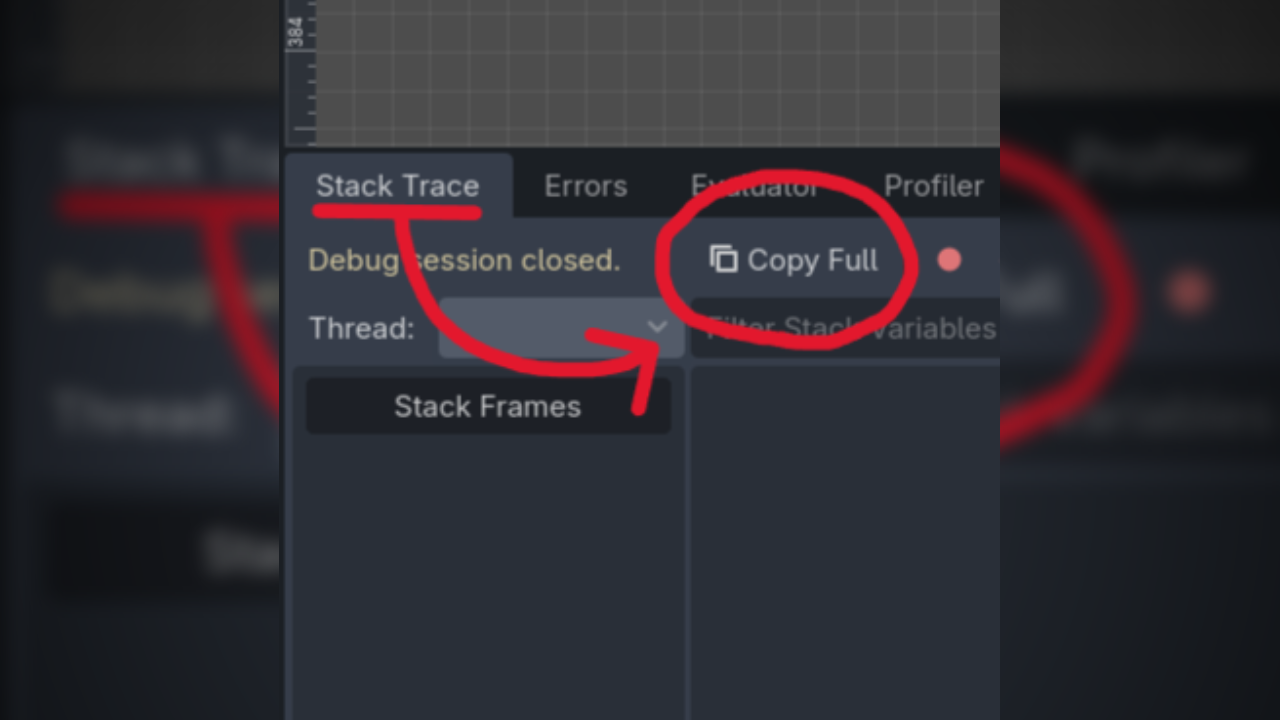
A lightweight editor plugin for Godot that adds a Copy Full button to the Debugger's Stack Trace panel. It collects the active error, selected thread, and every stack frame into one clipboard-ready block of text.

Features
- Adds a Copy Full action directly to the Stack Trace panel
- Includes the active error or break reason
- Includes the currently selected thread
- Copies every frame in the displayed stack trace
- Formats frame numbers, file paths, line numbers, and function names
Installation
- Place
copy-full-stack-trace/folder into your project'saddons/directory. - Open Project → Project Settings → Plugins.
- Enable Copy Full Stack Trace.
Your project should contain:
res://addons/copy-full-stack-trace/
├── LICENSE
├── plugin.cfg
└── plugin.gd
Usage
- Run or debug your project until execution stops on an error or breakpoint.
- Open the Debugger → Stack Trace panel.
- Select the thread whose trace you want to copy.
- Click Copy Full.
- Paste the result into an issue, chat, document, or debugging tool.
Example output
Invalid call. Nonexistent function 'attack' in base 'Nil'.
Thread: Main Thread

Stack Trace:
0 - res://player/player.gd:42 - at function: attack_target
1 - res://player/player.gd:18 - at function: _physics_process
Compatibility
- Godot 4.2 or later
- Runs only in the editor; it is not included in exported games
The plugin integrates with Godot's built-in Stack Trace interface. A future Godot editor UI change may require an update to the plugin.
License
Copy Full Stack Trace is available under the MIT License.
Changelog for version 1.0.0
2026-07-23 19:27:00
No changelog provided for this version.