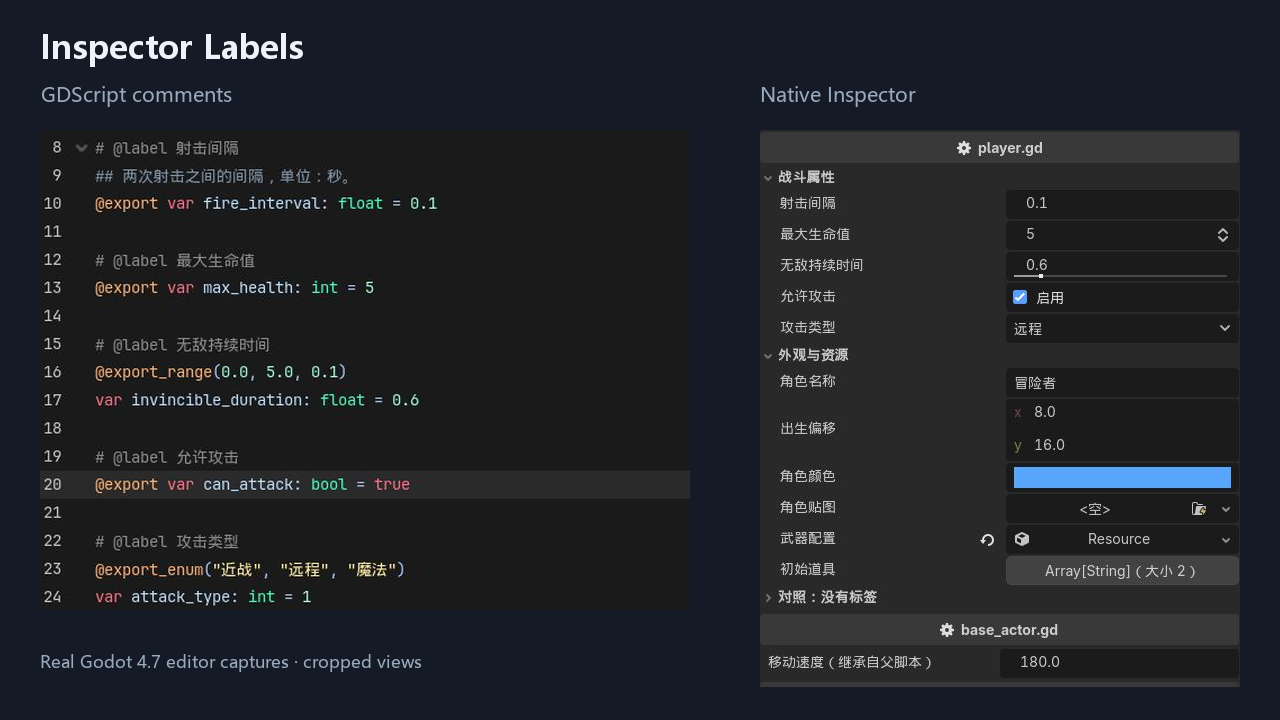
Inspector Labels lets you customize how GDScript export names appear in the Godot Inspector using a comment above the variable.
# @label 射击间隔
@export var fire_interval: float = 0.1
The Inspector displays 射击间隔 while code and saved scenes continue to use fire_interval.
Features
- Custom labels, including Chinese text, with one comment.
- Native Inspector controls for numbers, ranges, booleans, enums, vectors, colors, resources and arrays.
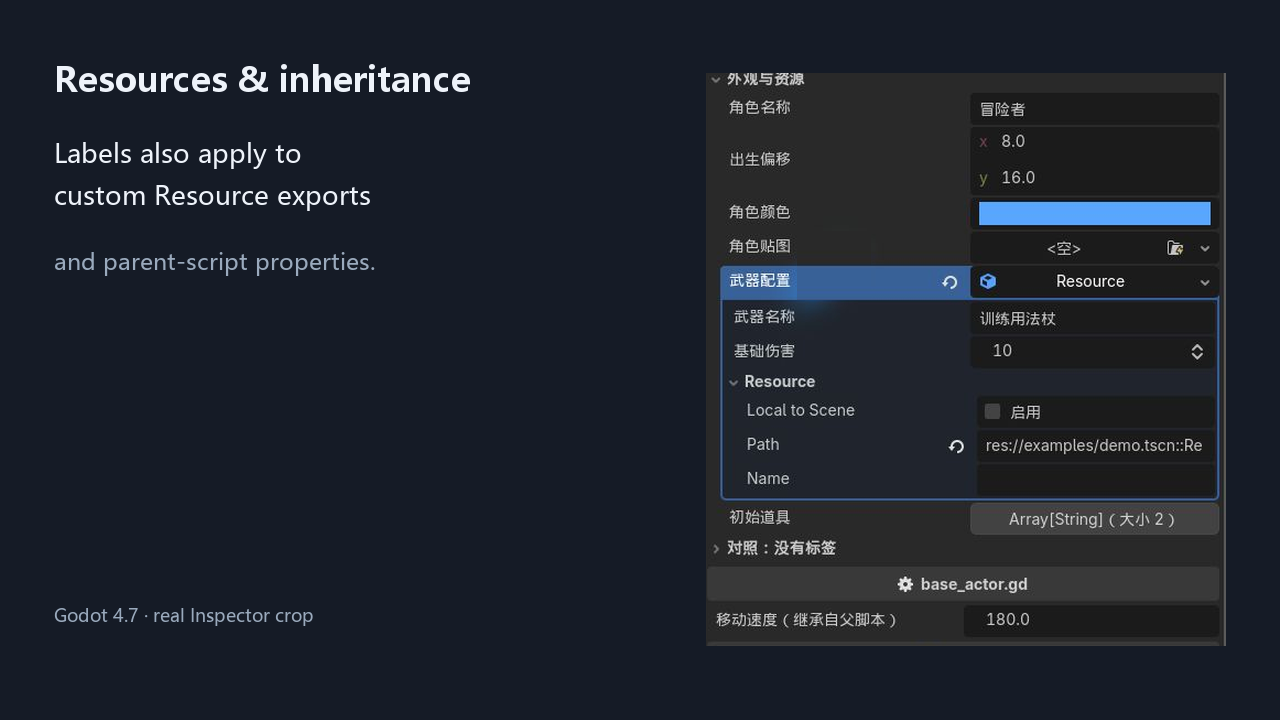
- Parent-script labels and custom Resource exports.
- No @tool annotation required on game scripts.
- Save/reload refresh plus a manual refresh command.
- Disabling the plugin restores original labels without changing stored values.
Installation
Copy addons/inspector_labels into your project and enable Inspector Labels in Project > Project Settings > Plugins. Add a # @label comment above a top-level exported variable, save, and select the node.
Compatibility
Tested on Windows with Godot 4.7. Pure GDScript; no .NET or compiled dependency. Other operating systems are unverified.
This is literal label replacement, not automatic translation. C#, nested inner-class variables, built-in Godot property names and enum/array item labels are not supported. Other Inspector plugins overriding the same property may affect display.
MIT license. Author: Soybean-milk.
Changelog for version 1.0.0
2026-11-01 17:38:32
No changelog provided for this version.