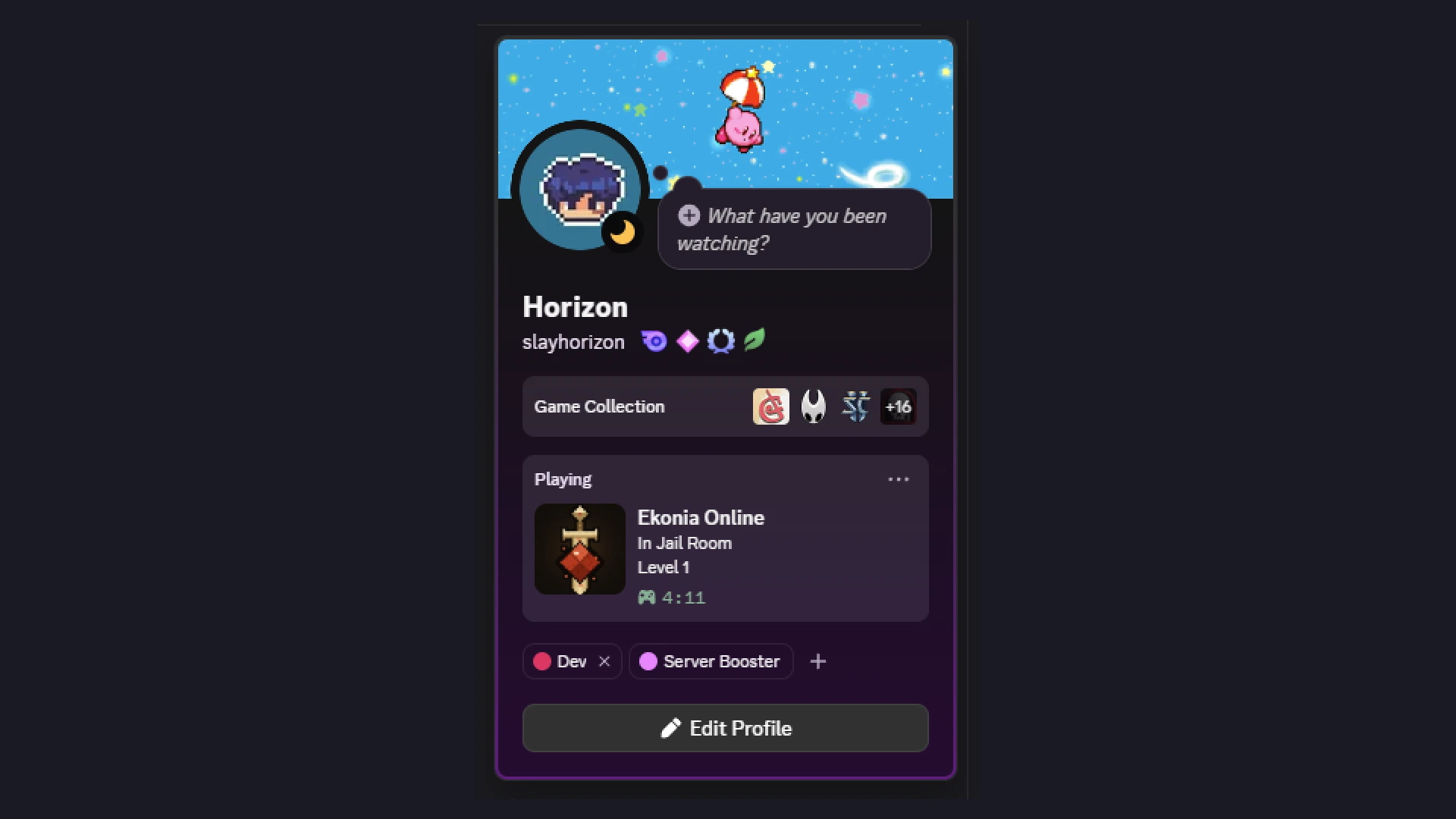
Discord Rich Presence for Godot
Discord Rich Presence for Godot 4.4+ in pure GDScript. No GDExtension, no DLLs, no Game SDK. One script. (v1.0 runs on 4.3, Windows only.)
I made this for my game Ekonia Online because I ship a single binary file, and every existing Godot addon for Rich Presence wraps the Discord Game SDK: several MB of native libraries to put next to your game executable, for a feature that is in fact some JSON on a local pipe. Also, Discord deprecated most of the Game SDK.
Quick start
- Copy
addons/discord_rich_presence/into your project. Nothing to enable, it is a plain script class. - Create an application on the Discord Developer Portal and copy its Application ID.
- Use it:
var presence := DiscordRichPresence.new()
presence.app_id = "1234567890123456789"
add_child(presence)
presence.set_activity({
"details": "In the Fungus Cave",
"state": "Level 12",
"timestamps": {"start": int(Time.get_unix_time_from_system())},
"assets": {"large_image": "your_art_asset_key"},
})
Image keys come from your application page, under Rich Presence > Art Assets. The key is the uploaded file name and cannot be renamed after.
How it works
The Discord desktop client listens on a local IPC channel: a named pipe on Windows, a unix socket on macOS and Linux. The protocol is simple:
- one frame =
[opcode u32 LE][length u32 LE][JSON body] - op 0: handshake
{"v": 1, "client_id": "<app id>"}, Discord answers READY - op 1:
SET_ACTIVITYwhen your presence changes - op 3/4: ping/pong, op 2: close
On Windows, Godot opens the pipe directly with FileAccess. GDScript
cannot open unix sockets, so on macOS and Linux the addon spawns the
system netcat (nc -U) with OS.execute_with_pipe() and talks to the
socket through it. Still no shipped binary: netcat is part of the OS.
The client connects when it can, retries every 20s while Discord is closed, and sends the last activity again after a reconnect. Discord being absent is never an error.
Godot pitfalls to know
I hit all of these while writing this. They are handled by the addon, but if you write your own client they will save you a day:
- Godot only opens Windows named pipes with the
\\?\pipe\namepath form. The usual\\.\pipe\nameform fails withERR_FILE_NOT_FOUND. FileAccessreads are buffered. The firstget_32()reads everything the pipe holds into an internal buffer, andget_length()only sees the OS pipe. So read a frame's header and body in the same pass: a secondget_length()check after the header will report 0 while your bytes are in the buffer.OS.execute_with_pipe()gives blocking pipes by default: the first read with no data freezes your game. Passblocking = false, which exists since Godot 4.4. This is why the addon needs 4.4 outside Windows.FileAccess.file_exists()returns false for a unix socket. To find one, list its directory withDirAccess.get_files_at()instead.
Platform support
| Platform | Presence |
|---|---|
| Windows | Yes |
| macOS | Yes, bridged through the system nc |
| Linux | Same bridge, should work, but I could not test it yet. Reports welcome |
| Web / Android / iOS / headless | does nothing, by design |
You do not need any platform check on your side.
API
app_id: String: your Discord application id. Set it before add_child, or callconnect_now()after changing it.set_activity(activity: Dictionary): the SET_ACTIVITY activity object (details, state, timestamps, assets, party, ...). Remembered across reconnects, safe to call while Discord is closed.clear_activity(): remove the presence, keep the connection.- signal
presence_connected(user: Dictionary): handshake done,useris the Discord user object. - signal
presence_disconnected: connection dropped, the client retries alone.
License
Source code under the MIT License. The Godot logo in the icon is by Andrea Calabró, CC-BY 4.0.
Changelog for version 1.1
No changelog provided for this version.
