Description
Changelog
Reviews (2)
Godit
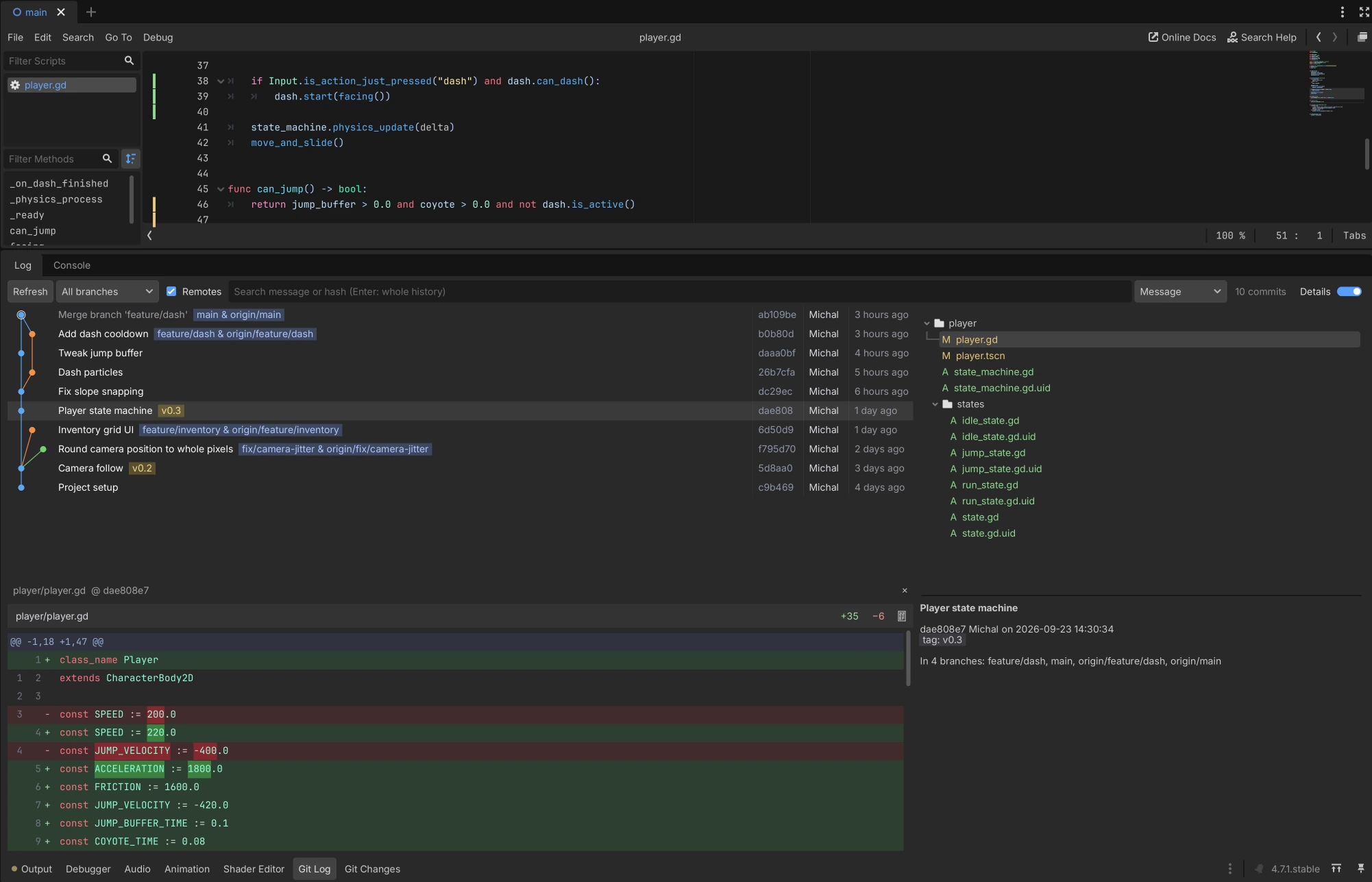
A git client inside the Godot editor. Stage, commit, switch branches and browse history without leaving the editor.
Features
- Changes panel: stage files, folders or single lines with a checkbox, then commit or push.
- Changelists: group changes and commit or shelve them separately.
- Diff view: side-by-side or unified, with syntax colors and image previews.
- Branches: switch, merge and rebase. Fetch, pull and push run in the background.
- Git Log: commit graph with search, cherry-pick and history editing.
- Conflict resolver: pick Ours, Theirs or both, side by side.
- Script editor: changed lines in the gutter with one-click rollback, plus optional blame.
Install
- Install Godit from the Asset Library, or copy
addons/godit/into your project'saddons/folder. - Enable Godit in Project Settings > Plugins.
You need Godot 4.4+, git on your PATH, and a project inside a git repository.
For push and pull, git has to log in without asking: use a credential helper for HTTPS or ssh-agent for SSH. If git push works in a terminal without a prompt, it works in Godit.
Usage
- Commit: tick files in the Git dock, type a message and press
Ctrl/Cmd+Enter. AddShiftto also push. - Stage part of a file: open its diff and stage a hunk or selected lines.
- Changelists: double-click one to make it active and drag files between them.
- Branches: switch, merge and pull in the Branches tab.
- History: open Git Log in the bottom panel.
- Everything else: right-click a file, branch or commit.
Settings
Project > Tools > Godit: auto-reload changed files, auto-save scripts, dock position, background fetch, blame column, and whether to confirm keyboard commits.
The ⋮ menu in the Changes panel controls auto-staging, auto-adding new files and the masks for files to skip (for example *.import).
Changelog for version v1.1.1
2026-10-02 06:23:47
No changelog provided for this version.
