Description
Changelog
Reviews (0)
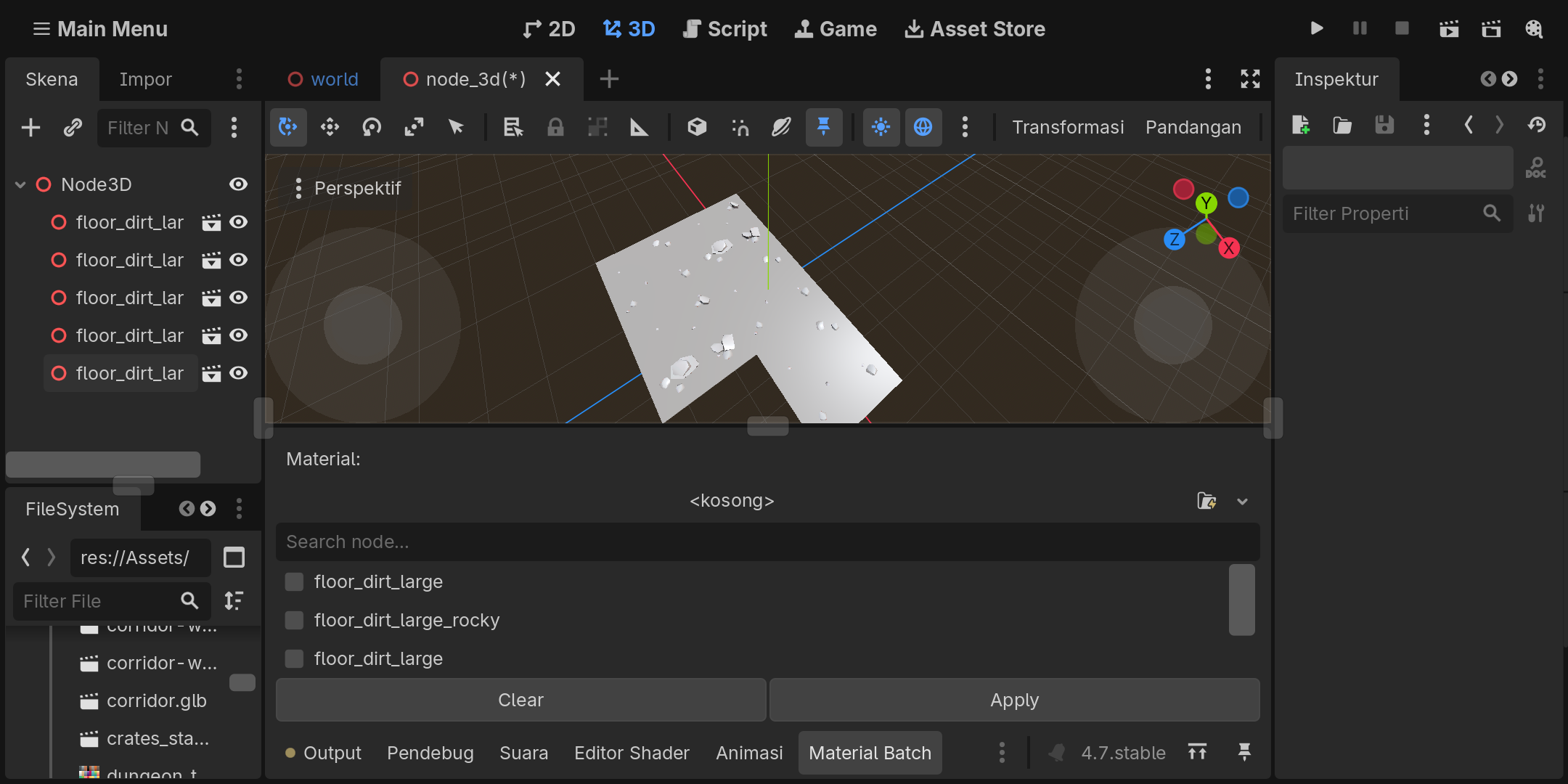
Material Batch Apply
Apply materials to multiple MeshInstance3D nodes at once.
Material Batch Apply is a lightweight Godot 4 editor plugin designed to simplify repetitive material assignment in 3D scenes.
Select multiple MeshInstance3D nodes, choose a compatible Material resource, and apply it to all selected nodes in a single action.
Features
- Batch apply materials to multiple
MeshInstance3Dnodes - Search mesh nodes by name
- Select specific nodes to modify
- Undo / Redo support
- Uses
material_override - Simple workflow for desktop and mobile users
Supported Materials
Supports compatible Godot Material resources, including .tres, .res, and other compatible Material resources.
Standalone image and texture files such as .png, .jpg, .jpeg, and .webp cannot be applied directly as materials.
Workflow
- Select a Material resource.
- Search for or select the
MeshInstance3Dnodes you want to modify. - Click Apply.
- Use Godot's Undo/Redo system when needed.
Requirements
- Godot 4.7.0
MeshInstance3Dnodes- Compatible Godot Material resources
The current version was developed and tested with Godot 4.7.0.
Material Batch Apply — Less repetition. More time for development.
Changelog for version v1.1
2026-09-17 17:41:26
No changelog provided for this version.