Description
Changelog
Reviews (0)
Vision2D

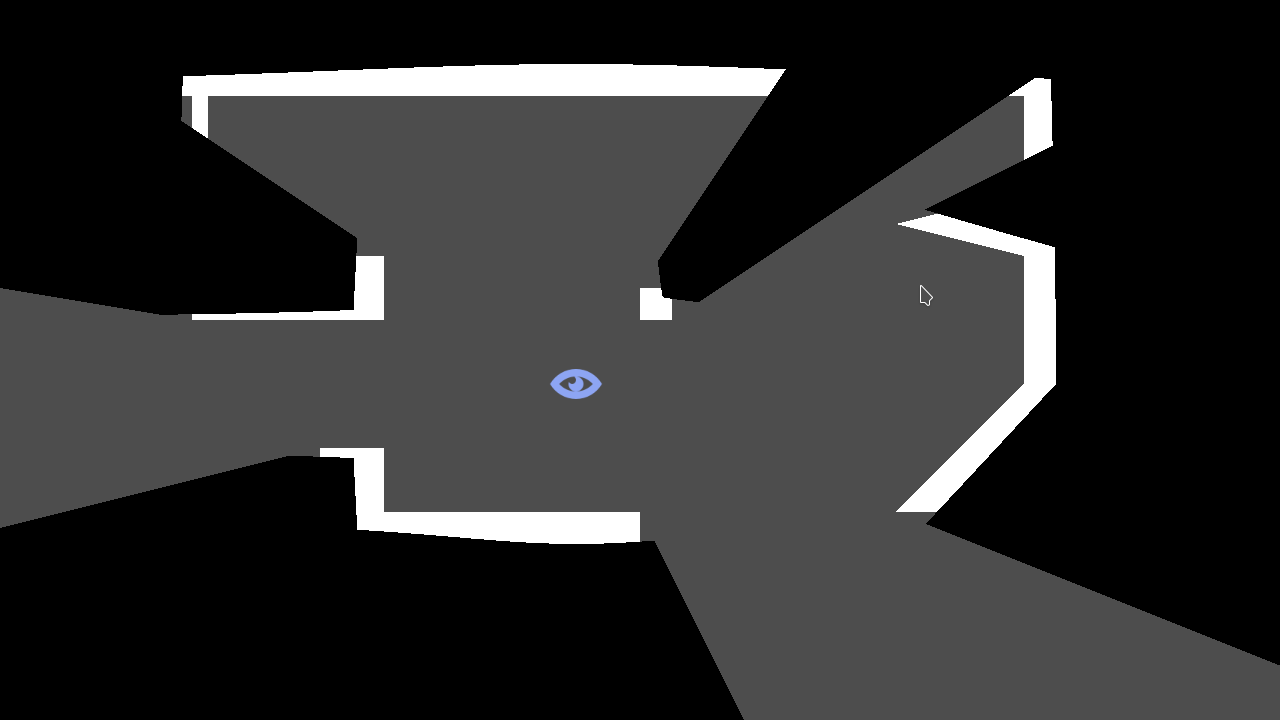
A Godot plugin (version 4.x) for rendering 2D fields of vision, inspired by Teleglitch.

The plugin renders a number of polygons covering up parts of the screen that are outside the observer's field of vision.

The field of vision can be blocked with a VisionOccluderLine node or a VisionOccluderPolygon node:

VisionOccluderLine- Represents a line that blocks the field of vision. Extends Line2D.
VisionOccluderPolygon- Represents a polygon that blocks the field of vision. Extends Polygon2D.
Both nodes have the following properties:
observer: Node2D- ANode2Drepresenting the position of the observer.shadow_color: Color- Color of the shadow that covers up the screen.size: float- Size of the shade that covers up the screen.penetration: float- Determines how deep the vision can penetrate this occluder.max_segment_size: float- Max. size of the segment that casts the shadow (smaller segments -> more detail).
Installation
- Create an
addonsdirectory inside your project directory. - Get the plugin from the AssetLib or from GitHub
- From the Asset Store: Open the Asset Store from the Godot editor and search for "Vision2D". Click download to install the plugin.
- From GitHub: Run
git clone https://github.com/peter-kish/vision2d.gitand copy the contents of theaddonsdirectory to your projectsaddonsdirectory.
- Enable the plugin in
Project Settings > Plugins.
Changelog for version 0.0.2
2026-06-22 19:42:46
No changelog provided for this version.