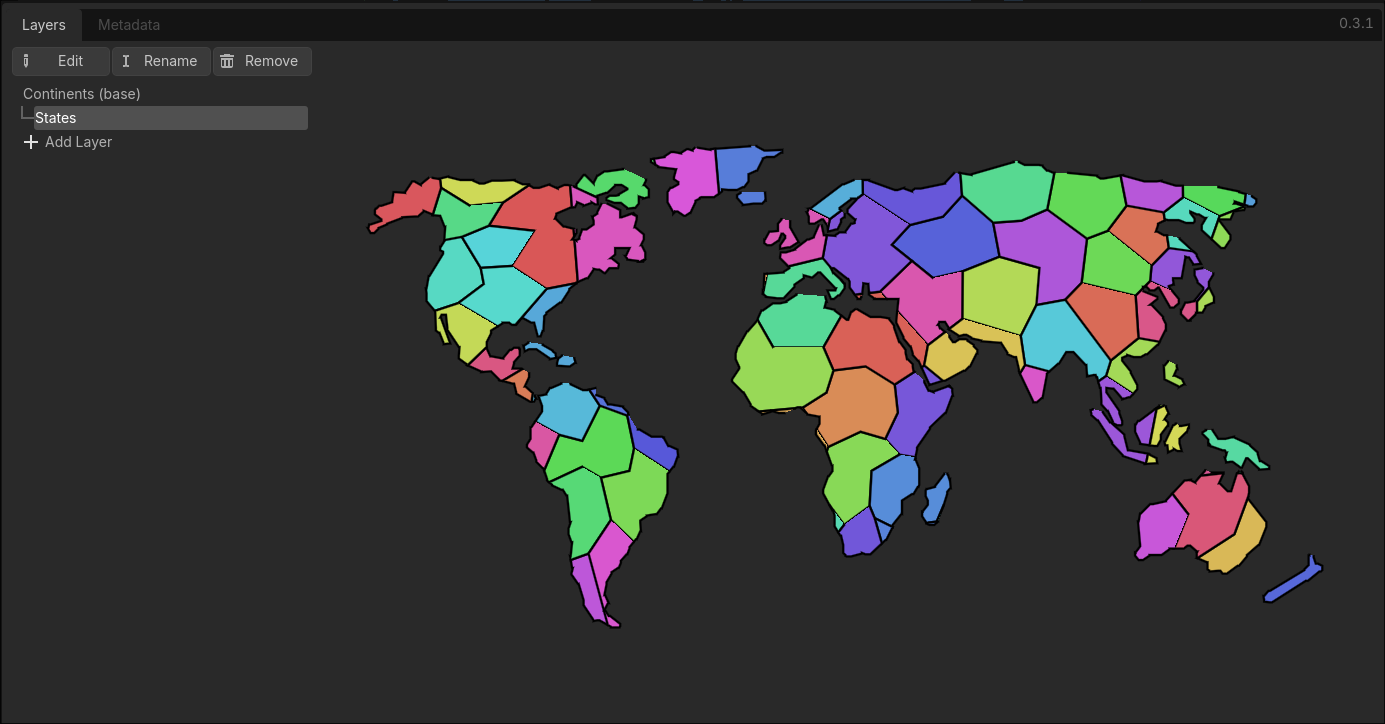
Description
Changelog
Reviews (0)
Features
- Map outline import — select an image in the Layers tab to extract the landmass outline as an editable polygon
- Divide-down layer hierarchy — define as many layers as you need (e.g. Continents → Countries → Provinces), each layer subdivides the one above it
- Voronoi auto-subdivision — generate child regions automatically using Voronoi cells, with Lloyd relaxation for more natural-looking results
- Typed region data — write a GDScript class to define per-region properties (strings, numbers, booleans, colors); the editor generates a typed form for each region
- Paint & inspect modes — click regions on the map to paint property values or inspect and edit all fields at once
- Runtime node (
ProvinceMap2D) — add to any scene to render the map, receive hover/click signals, query and mutate region data, and run pathfinding between regions
Quick Start
- Add a
ProvinceMap2Dnode to your scene and create a newProvinceMapresource on it in the Inspector — the Province Map dock opens at the bottom of the editor - In the Layers tab, select an image to define the map outline (opaque pixels = landmass, transparent = sea); the outline is extracted as an editable polygon
- Drag vertices to reshape the outline, click an edge to insert a new vertex, or right-click a vertex to delete it
- Add child layers and click Subdivide to split them into Voronoi regions; adjust point count, relaxation, and seed until the result looks right
- In the Metadata tab, assign a custom schema script to the layer — it defines the typed properties each region holds (e.g. terrain, owner) and the rules for how those properties are rendered as colors; then use Paint mode to fill in values or Inspect mode to edit a region's full data
- Configure the
ProvinceMap2Dnode in the Inspector: select which layer and render mode to display, and set border style and color - At runtime, connect to
ProvinceMap2Dsignals to detect which region was hovered or clicked, callfind_pathto run pathfinding between regions, or use the mutation API to update region data and trigger a redraw
See the full documentation for a detailed walkthrough and runtime API reference.
Changelog for version 0.3.1
2026-05-25 20:15:52
No changelog provided for this version.