John
A simple and minimal system for showing dialogue
After downloading, enable the plugin in Project > Project settings > Plugins OR add john.tscn as a singleton manually (adding john.gd as the singleton won't work, you need to use the scene file!)
Enabling the plugin adds the singleton for you. It doesn't do anything else.
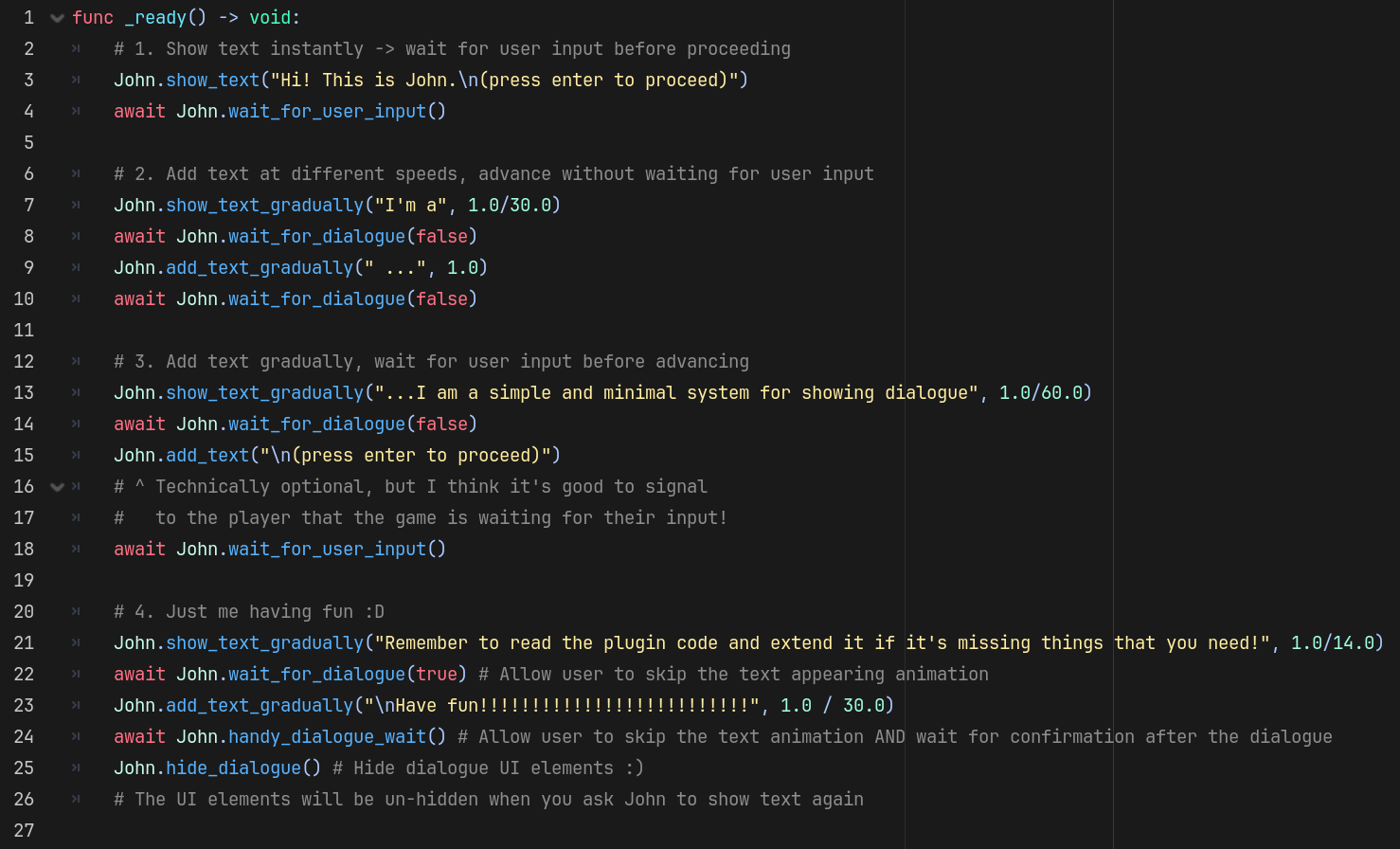
Read example.gd and plugin.gd to get an idea for how John works (both are located in addons/john)
I tried to write something that's easy enough to understand and extend yourself, even if you are relatively new to programming. This is NOT meant to be a complete package that handles all of your dialogue needs out of the box: extend the system yourself!
You don't have to understand John's code to start using John, but if you want to add features, the first step is understanding the code, at least on some level. If you need help with understanding or extending this, ask for help!
Here are some snippets of the code to give you an idea of what it's like:
func show_text(text: String):
    canvas_layer.visible = true
    assert(dialogue_in_progress == false)
    if dialogue_in_progress:
        printerr("Trying to show dialogue while previous dialogue in progress, bad things are happening!")
    dialogue.text = text

func show_text_gradually(text: String, wait_time_between_characters: float, start_from: int = 0):
    canvas_layer.visible = true
    assert(dialogue_in_progress == false)
    if dialogue_in_progress:
        printerr("Trying to show dialogue while previous dialogue in progress, bad things are happening!")
    dialogue.text = text
    dialogue.visible_characters = start_from
    dialogue_in_progress = true
    while true:
        dialogue.visible_characters += 1
        await get_tree().create_timer(wait_time_between_characters).timeout
        if dialogue.visible_ratio == 1.0:
            dialogue.visible_characters = -1
            break
    dialogue_in_progress = false
func wait_for_dialogue(allow_skip : bool):
    while true:
        await get_tree().physics_frame
        if dialogue_in_progress == false:
            break
        if allow_skip and Input.is_action_just_pressed("ui_accept"):
            show_all_text_now()

func wait_for_user_input():
    while true:
        await get_tree().physics_frame
        if Input.is_action_just_pressed("ui_accept"):
            break

func handy_dialogue_wait():
    await wait_for_dialogue(true)
    await wait_for_user_input()
Changelog for version 0.1
2026-09-13 03:19:33
No changelog provided for this version.