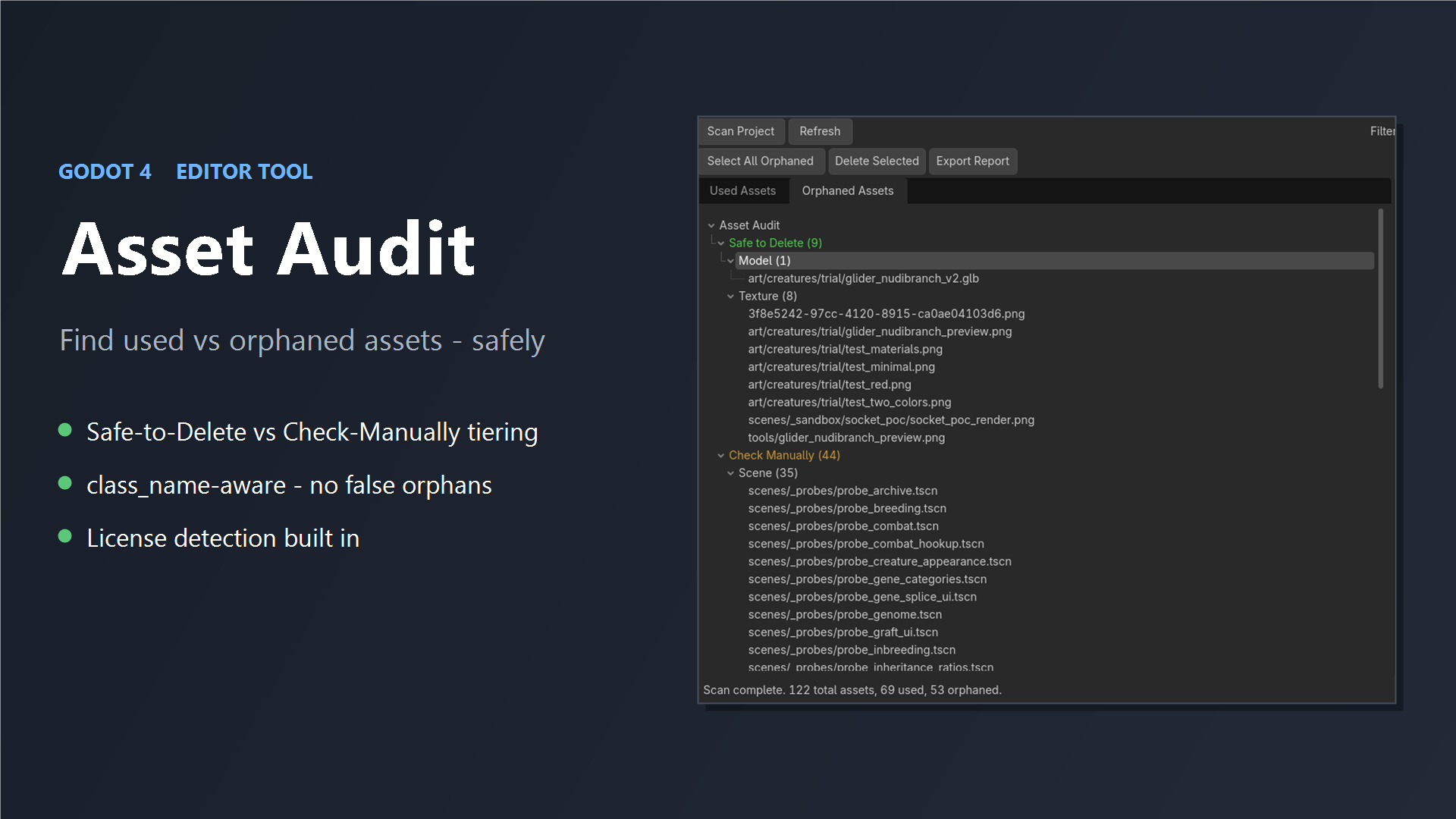
Asset Audit
Find the dead weight in your Godot project — safely.
Every project collects unused files: old art, test scenes, leftovers from features you cut. Asset Audit scans your whole project and shows you at a glance which assets your game actually uses, and which are just clutter taking up space and bloating your exports.
Open the dock, hit Scan Project. That's it.
What you get
- Used vs Orphaned — every asset sorted, grouped by type, and searchable
- Safe to Delete vs Check Manually — a clear confidence split, not a blind "select all"
- License detection — CC0 / MIT / CC-BY / GPL shown inline, so you know what you're shipping
- Dead-folder detection — spot whole folders of nothing-but-orphans
- One-click report — export the full audit to CSV or TXT
Built to be accurate, not reckless
- class_name-aware — it follows scripts used by their global class name
(
Player.new(),var g: Genome), so your code-only classes are never wrongly flagged as unused. - Errs toward keeping — anything that might be an entry point or loaded at runtime goes to Check Manually, never Safe to Delete.
- Engine-metadata aware —
.import/.uidcompanion files aren't mistaken for deletable assets. - Works headless for CI and self-tests.
Please read before deleting
Asset Audit assesses what it can from static analysis and deliberately errs on the side of caution. You stay in full control of what gets removed — but visually check each item before deleting it. Assets loaded via dynamically-built paths can't be detected by any static tool, so review first.
Drop into addons/, enable the plugin, and scan. MIT licensed.
Changelog for version v1.0.0
2026-06-29 00:09:00
No changelog provided for this version.