FMOD Godot
Fmod is a commercial library. This is an Unofficial integration with the godot engine. Check Licensing for more info. For official downloads of the library files check Downloads
About
Fmod-Godot is a GDExtension library that integrates the Fmod API with the Godot Engine. Adding several features explained below and enables use of the Official FMOD C# Wrapper.
Features
Event tags
Add a FmodEvent tag to strings or Vector4Is to choose an FMOD_Event from the inspector to be passed to FMOD API Functions *Converts Vector4i to an FMOD::GUID with an implicit cast and vice versa
[Export(PropertyHint.None,"FmodEvent")]
public string soundFX1;
[Export(PropertyHint.None,"FmodEvent")]
public Vector4I soundFX2;
@export_custom(PROPERTY_HINT_NONE, "FmodEvent")
var soundfx1 : String
@export_custom(PROPERTY_HINT_NONE, "FmodEvent")
var soundfx2 : Vector4I

Event Browser
The editor will load all of the banks in the banks folder. and cache them at startup. to be referenced by inspectors. You can drag and drop events from the browser

Fmod Console
The FMOD console allows you to interact with FMOD Studio's javascript api.

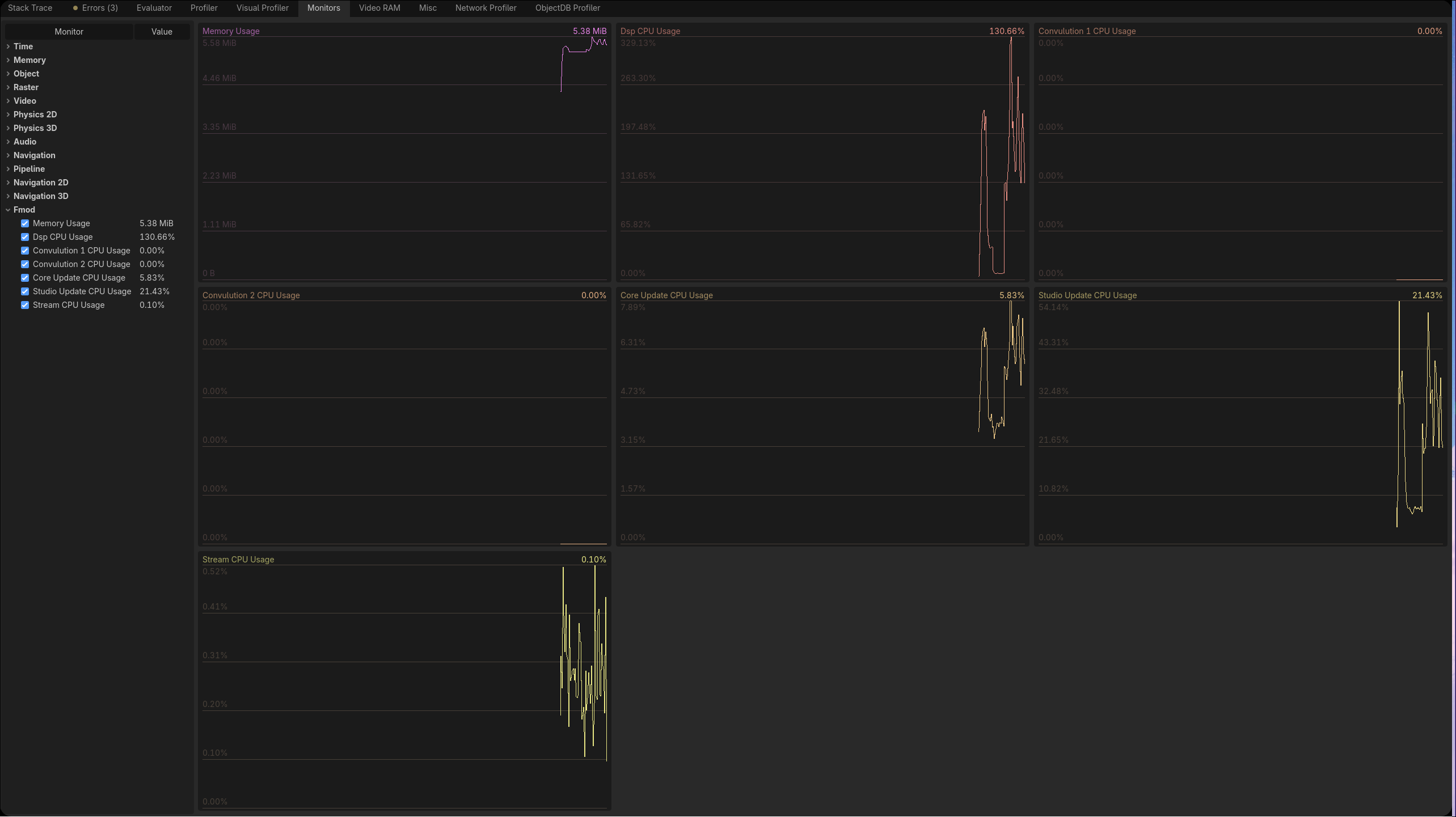
Performance Monitors
Open Godot's debugger panel and you can track FMOD's cpu and memory usage

Class Overview
 FmodAudioServer:
API to play events. and attach events to objects for specialization, updating
positions and velocity.
FmodAudioServer:
API to play events. and attach events to objects for specialization, updating
positions and velocity. FmodBankLoader: This node
loads the banks in its bank list when it enters the scene tree. and unload
them if no other bank loader node is loading the bank. Banks loaded this way
are reference counted.
FmodBankLoader: This node
loads the banks in its bank list when it enters the scene tree. and unload
them if no other bank loader node is loading the bank. Banks loaded this way
are reference counted. FmodBank: Fmod Bank files are imported
into Godot and exported automatically. Banks can be opened in the inspector to view
what events they contain and their GUID.
FmodBank: Fmod Bank files are imported
into Godot and exported automatically. Banks can be opened in the inspector to view
what events they contain and their GUID.

 FmodEventEmitter2D/3D:
Plays a selected sound effect. Edit parameters, spatialize the audio, and more
FmodEventEmitter2D/3D:
Plays a selected sound effect. Edit parameters, spatialize the audio, and more FmodListener2D/3D: place
listeners into the scene that automatically update their position.
FmodListener2D/3D: place
listeners into the scene that automatically update their position.
C#
The FmodAudioServer api is exposed C#. This allows C# to gain direct access to the FMOD System Handles. Allowing you to access the underlying FMOD API exposed through the official C# wrapper. With full access to the rest of the Node/Resource library planned.
Set-Up
To run the install go to Project > Tools > Finish FMOD Godot setup


Enter your fmod account info and the installer will close once complete
GDScript
A large subset of the FMOD Studio API is exposed to GDScript. The bindings closely mirrors FMOD's C API.
Also Checkout FMOD GDExtension if you want a higher layer of abstraction over the FMOD API and aren't using C#.
Supported Platforms
| Platform | Support | Notes |
|---|---|---|
| Linux | ✅ | Manually Tested |
| Windows | ✅ | Manually Tested |
| Android | 🟨 | Builds are untested so there might be unfound bugs or additional setup |
| Other | ❌ | Untested/Unsupported |
Changelog for version v1.1.3
2026-10-12 07:22:27
No changelog provided for this version.