Description
Changelog
Reviews (1)
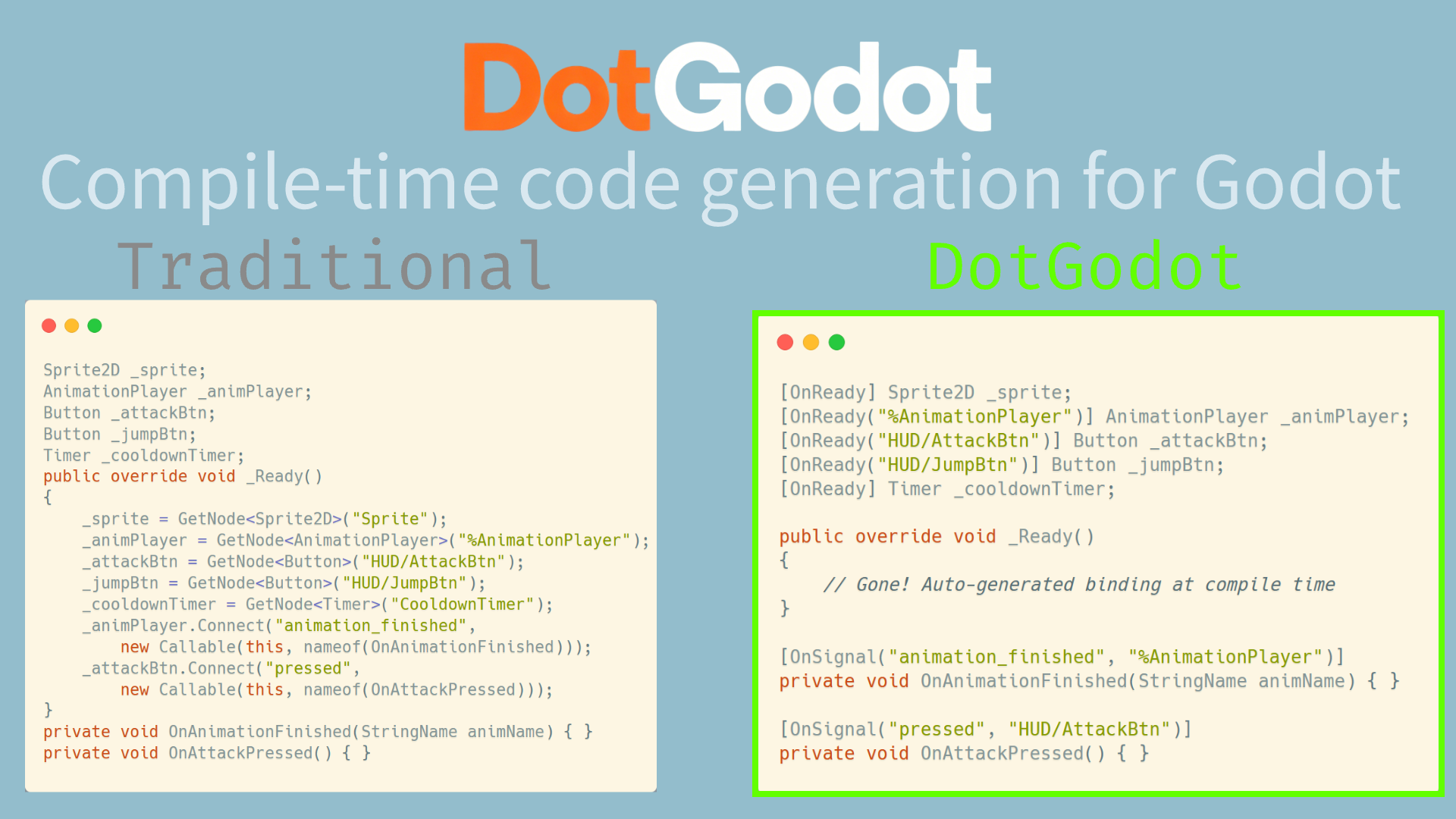
DotGodot is a C# Source Generator plugin for Godot 4 that provides zero-cost, compile-time code generation to eliminate boilerplate in C# game scripts.
💡 Features
- [OnReady] Auto Node Binding: Mark fields/properties with
[OnReady]andGetNode<T>()is injected at compile time. No manual_Ready()wiring. - [OnSignal] Auto Signal Connection: Annotate methods with
[OnSignal("signal_name", "NodePath")]and the connection code is generated at compile time. No manualConnect()calls. - Zero Runtime Overhead: All code is generated at compile time via Roslyn Source Generators. No reflection, no runtime cost.
- Clean Code: Reduces boilerplate code in the
_Ready()method.
📝 Quick Start / Usage
Here is an example demonstrating [OnReady] and [OnSignal] in a C# script:
using Godot;
using DotGodot; // Importing the namespace

public partial class Player : Node2D
{
    // ---- [OnReady] Demo ----
    [OnReady] private Sprite2D _sprite = null!; // Automatically binds the node named 'Sprite'

    [OnReady("%AnimationPlayer")] // Also supports '%' (Scene Unique Node) binding
    public AnimationPlayer AnimPlayer { get; private set; } = null!; // Supports properties

    // ---- [OnSignal] Demo ----
    [OnSignal("animation_finished", "%AnimationPlayer")]
    private void OnAnimationFinished(StringName animName)
    {
        GD.Print($"Animation finished: {animName}");
    }

    [OnSignal("pressed", "%SubmitButton")]
    private void OnSubmitPressed()
    {
        GD.Print("Submit clicked via Connect fallback!");
    }
    // ----

    public override void _Ready()
    {
        GD.Print("Sprite bound successfully: ", _sprite != null);
        GD.Print("AnimationPlayer bound successfully: ", AnimPlayer != null);
    }

    public partial class MoveState : Node // Supports nested classes
    {
        [OnReady("../AnimationPlayer")] // Uses relative path
        private AnimationPlayer _anim = null!;
    }
}
🔨 Installation
- Download the asset or clone the repository.
- Copy the
addons/dotgodotfolder into your project'saddons/directory. - Add the following lines to your project's .csproj file to reference the required generator targets and configure additional files:
<!-- Add this inside the <Project> tag of your GameProject.csproj -->
<Import Project="addons\dotgodot\data\dotgodot.targets" />
- Rebuild your C# project in Godot.
- Go to Project -> Project Settings -> Plugins and enable DotGodot.
📋 Editor Integration
This package includes a Cursor rules file at addons/dotgodot/data/.cursor/rules/dotgodot.mdc. It provides context-aware documentation so that tools like Cursor can generate DotGodot-compatible code more accurately.
To enable it, copy the file to your project's .cursor/rules/ directory, or run:
# Windows (cmd)
mkdir .cursor\rules\ 2>nul & copy addons\dotgodot\data\.cursor\rules\dotgodot.mdc .cursor\rules\
# Linux / macOS
mkdir -p .cursor/rules/ && cp addons/dotgodot/data/.cursor/rules/dotgodot.mdc .cursor/rules/
💪 Future Plans
More C# quality-of-life utilities are planned for future updates. Feedback and contributions are highly welcome!
Changelog for version v0.2.1
2026-07-18 14:08:02
No changelog provided for this version.
