Description
Changelog
Reviews (0)
A fork of BetterTerrain by Portponky, with extra terrain modes and editor tools.
What's added
- Patch terrains
- Multi-tile objects and forest painting
- Scatter painting
- Single-tile and tile-group brushes
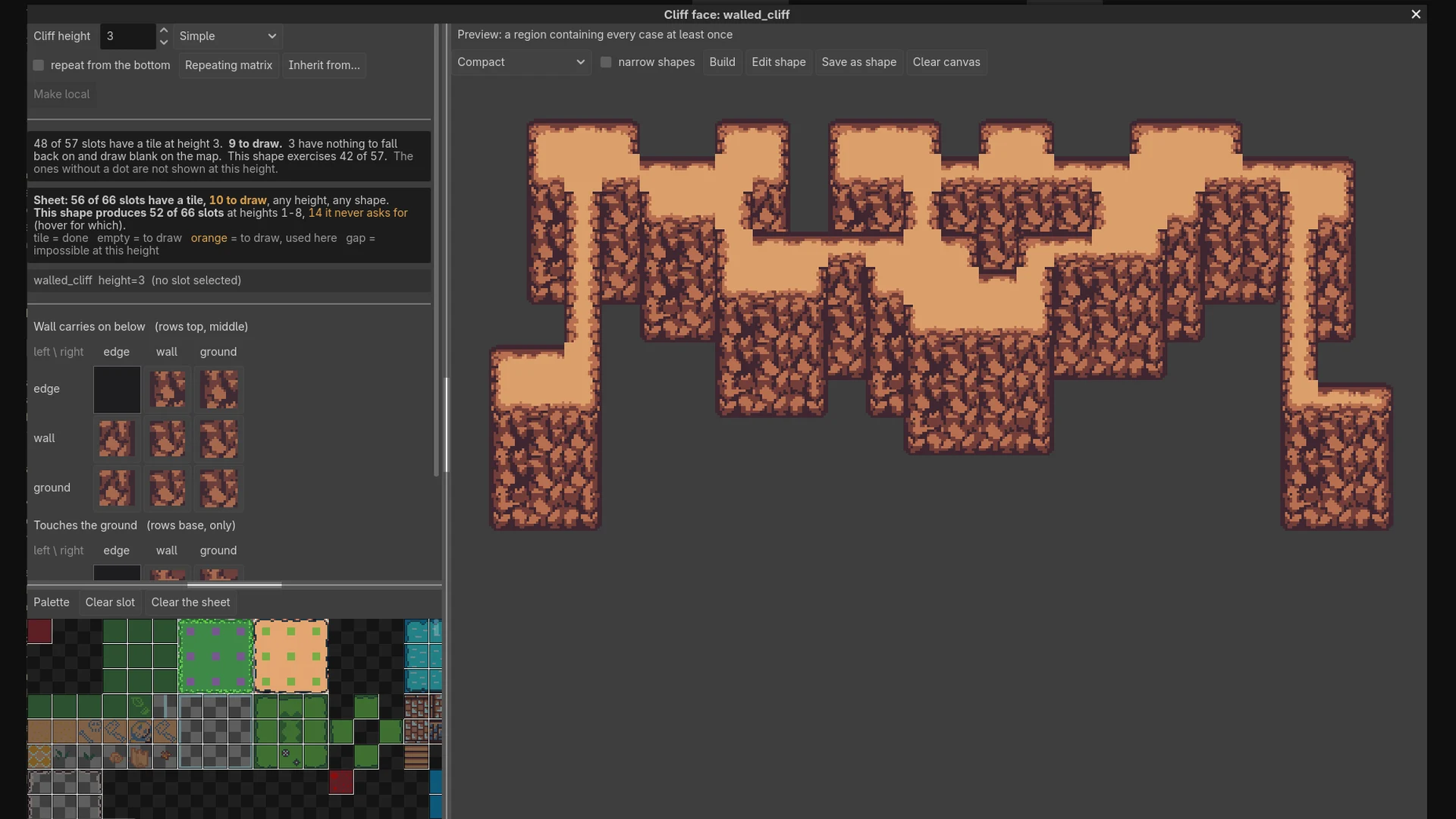
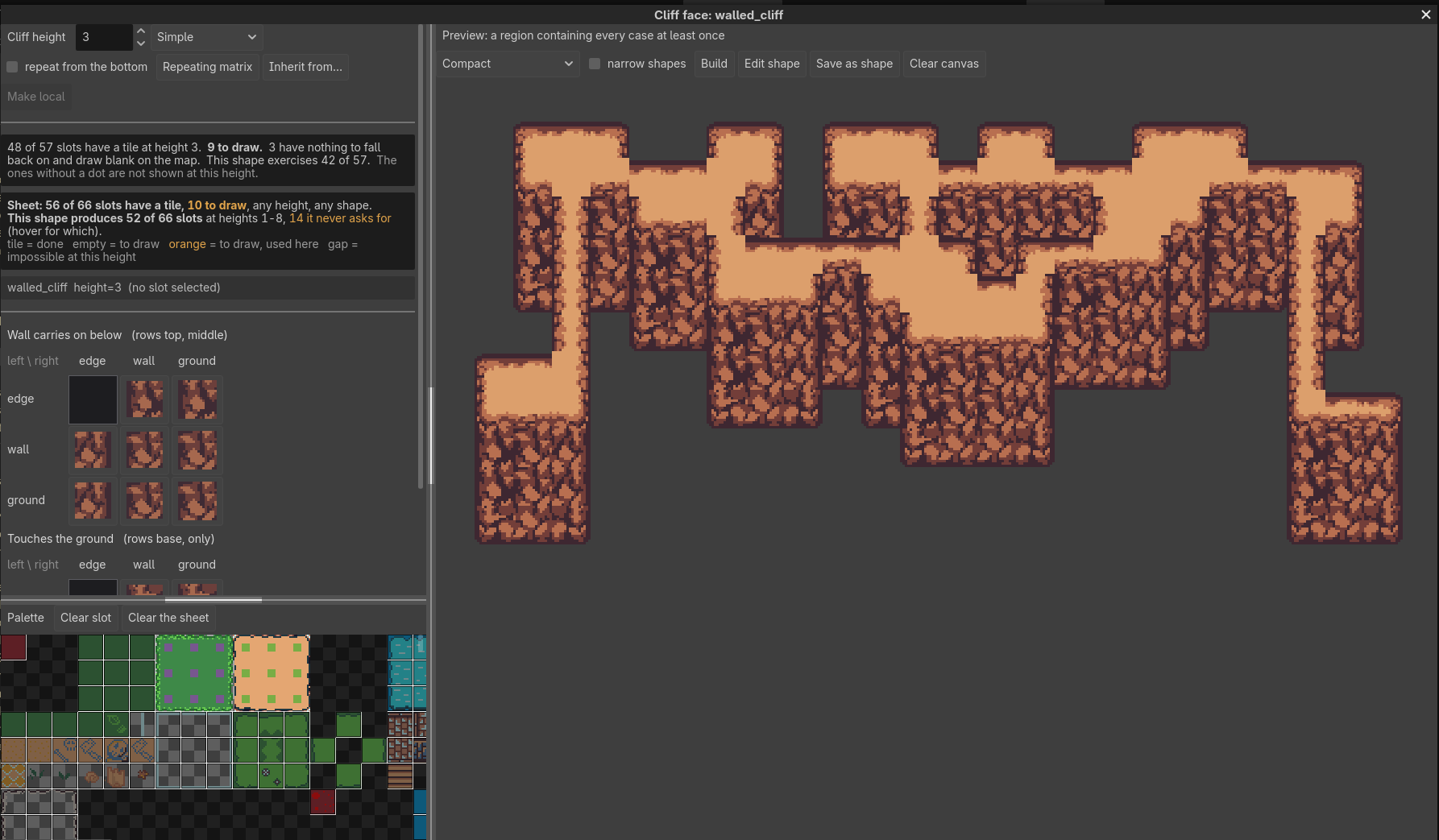
- Automatic cliff faces
- Terrain groups, search and favourites
- Terrain thumbnails and previews
- Brush sizes from 1×1 to 8×8
- Map selection by rectangle or magic wand, copy, paste and stamping; one click selects the tiles buried under walls and cliff faces
- Fill by visible area or current layer
- Live terrain updates
- Floating editor dock
- Must-not-match peering, from BetterTerrain PR #144
- A slope tool for 2×1 and 1×1 slopes
- Quick tile animations from a selection of frames
- A Collisions tool: click tiles, in the atlas or on the map, to make them solid
- Complete terrain: builds the pieces a Match terrain is missing from quarters of the ones you drew
- A collision shape editor: detect shapes from the sprite or draw them by hand
- A Custom data tool to paint, inspect and pick tile custom data, with presets
- Tiles you haven't set up in the TileSet show dimmed in the Tiles view and become tiles the moment you use them, no Atlas setup needed (hide them in Options)
- Seams: mark cells where a terrain stops joining, to break it on purpose
Highlights
- Patch: paint a region from a sample, keeping its borders and end pieces.
- Multi-tile objects: paint whole trees and other multi-tile objects. They stay together, even when they touch.
- Forest painting: fill an area with overlapping trees, clearings included.
- Cliff faces: paint the plateau and the rock faces follow its edges. Stack layers for terraced hills.
- Must-not rules: a tile side can say which terrain must not touch it. Click a peering bit twice to get the red crossed-out dot.
- Slopes: set up steep (1×1) and gentle (2×1) slopes from a terrain's right-click menu, Set up slopes…, then drag to draw the ground's surface.
- Seams: pick Seams at the top of the terrain list and click cells where the terrain must stop joining. They work at runtime too (
BetterTileEditor.set_seams).
Install
- Disable and remove the original BetterTerrain, if installed.
- Install Better Tile Editor from the Asset Store. You should end up with
addons/better-tile-editor/next toproject.godot. - Enable Better Tile Editor in Project → Project Settings → Plugins.
- Select a
TileMapLayerwith aTileSetand open the Terrain tab.
Compatibility
- Godot 4.6+, tested on 4.6 and 4.7
- GDScript and C#
- No autoload: the API is the global class
BetterTileEditor, same functions as BetterTerrain's - Coming from the
BetterTerrainautoload? It keeps working, and Options → Migrate off the BetterTerrain autoload… rewrites your scripts to the new class
More
- Full documentation and technical notes
- Report a bug, with a small reproduction project if you can.
- Copyright (C) 2026 cidwel, released under the Mozilla Public License 2.0. Based on BetterTerrain by Portponky, released under The Unlicense.
- Godot logo by Andrea Calabró, CC BY 4.0
Changelog for version v0.3.1
2026-10-14 20:59:16
No changelog provided for this version.