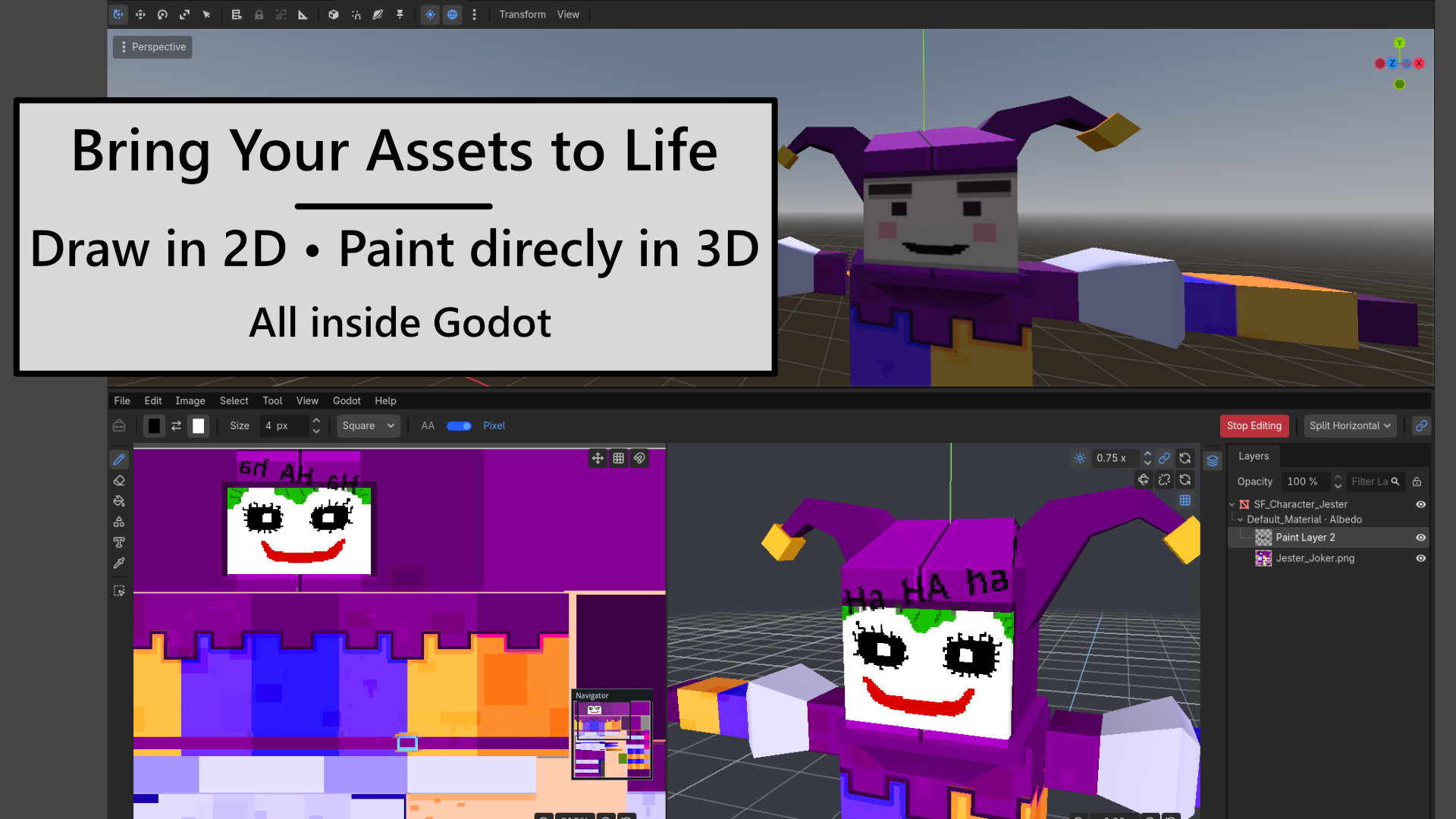
Create and Paint Without Leaving Godot
GDDraw is a Godot editor plugin for creating 2D artwork and painting albedo textures directly on supported 3D models. Sketch sprites, add text and gradients, adjust textures, and bring assets into your scenes without switching applications.
Version 0.4.0 introduces palettes, editable Gradient and Text layers, and flexible panel layouts, with improved layer selection, grouping, and everyday drawing workflows.
2D Drawing
- Brush, eraser, eyedropper, line, rectangle, and ellipse tools.
- Solid, Dither, Pattern, and Custom Image fills.
- Linear and radial gradients with adjustable handles, color stops, and per-stop opacity.
- Editable Text layers with font controls, rotation, and optional background fill.
- Revisit Gradient and Text layers to adjust their settings, or choose raster output in tool preferences.
- Create and edit palettes, import GPL/HEX/TXT files, save RGBA HEX palettes, and export RGB or RGBA copies.
- Assign foreground and background colors from swatches, with adjustable palette views and separate palette undo/redo.
- Rectangular and lasso selections with copy, cut, paste, and transforms.
- Crop, scale, rotate, and mirror artwork.
- Paint layers and nested groups with opacity, visibility, locking, and reordering.
- Shift-click and Ctrl-click to select multiple layers, apply bulk actions, and move layers into groups.
- Grids, snapping, tile previews, and a Navigator overview.
- Godot-style color picker and artwork undo/redo.
- Editable
.gddrawprojects, PNG output, and directSprite2Dcreation.
3D Texture Painting
- Paint albedo textures directly on supported meshes and CSG surfaces.
- Import individual surfaces, multiple objects, or entire 3D hierarchies.
- Organize texture artwork with layers and groups.
- Edit shared textures with live updates across their imported objects.
- Use brush, eraser, and shape tools on compatible surfaces.
- Use palettes to keep colors consistent across your texture artwork.
- Work in 2D, 3D, horizontal split, or vertical split layouts.
- Preview UV overlays with linked 2D and 3D feedback.
- Use Target Lock to keep painting on the active texture.
- Follow source-scene transforms and visibility with optional Scene Sync.
- Adjust preview lighting and navigate with Godot-style camera controls.
- Create textured CSG boxes, spheres, and cylinders.
Built Into the Editor
Toggle panels independently, reorder their tabs, and keep your preferred arrangement across editor restarts. Configure Brush, Gradient, and Text defaults together in Preferences.
Load palettes from a configurable folder, browse bundled palettes with author credits, and save customized copies without changing the originals.
Access offline documentation, shortcuts, and release highlights through Help. Built-in updates require your confirmation and back up the installed plugin before replacement.
Requirements and Feedback
Supports Godot 4.4–4.7 on desktop editor builds. 3D painting requires supported StandardMaterial3D albedo textures and usable triangle UVs. Shader materials, additional texture channels, and multi-material CSG results are not currently supported.
GDDraw is under active development on the road to 1.0. Found a bug or have a feature request? Report it on GitHub. For bugs, include your Godot version, steps to reproduce, and screenshots or error messages where helpful.
Generative AI tools assisted with implementation, refactoring, documentation, and code review. All work was directed, reviewed, and tested by the maintainer.
Synty Studios is not affiliated with or an endorser of GDDraw. Synty assets appear in promotional media with permission and are not included with the plugin.
The promotional ship is a CC0 model from Poly Haven and is not included with the plugin.
Changelog for version v0.4.0
2026-09-29 04:45:14
No changelog provided for this version.
