Antz's Debug Menu
Overview
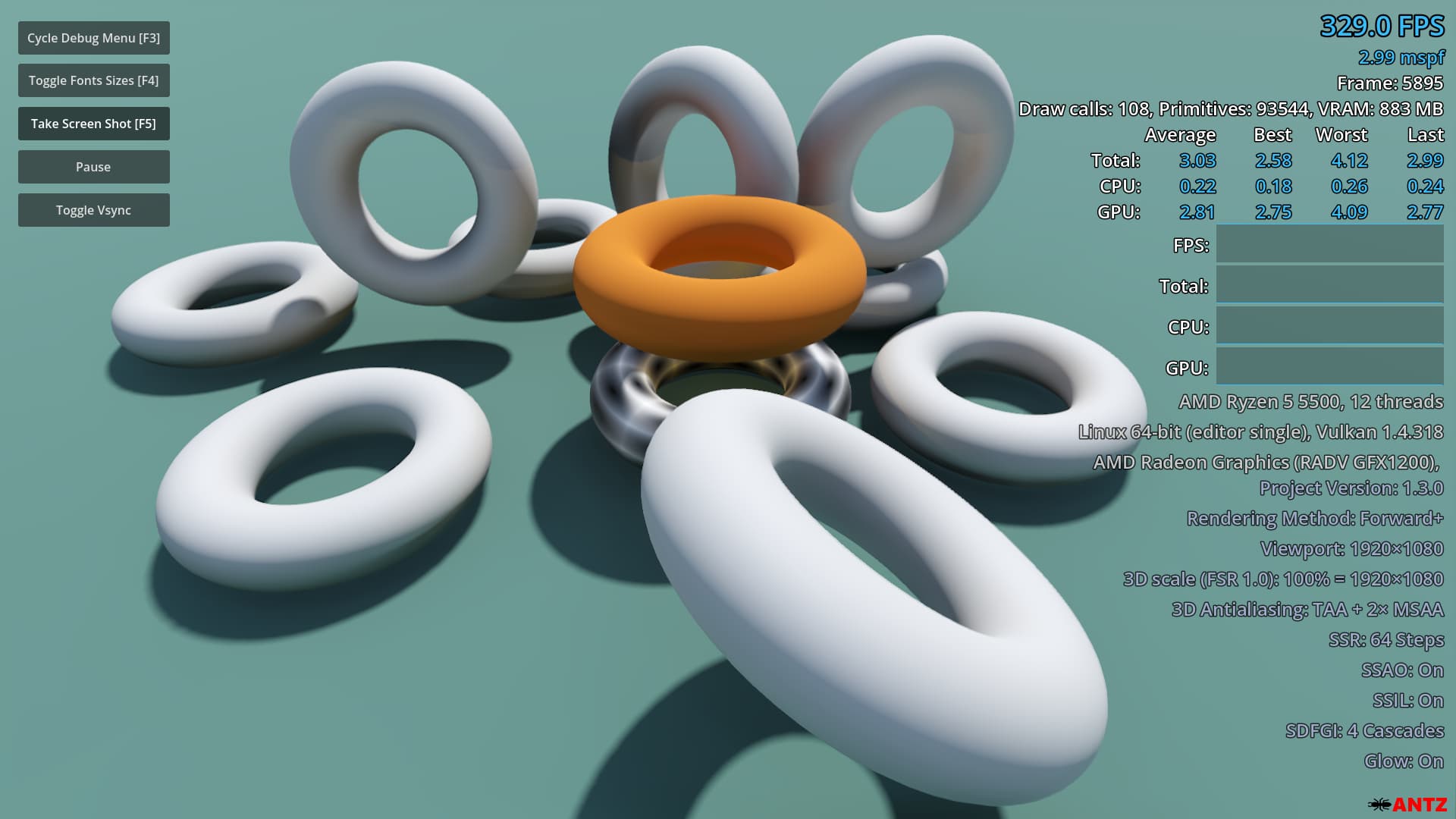
Displays performance information in a Godot project during gameplay. Can be used when running from the editor and in exported projects.
This is an updated and maintained version of Calinou's original plugin.
Includes an updated demo - no more separate repositories for the plugin and demo.
New Features
- F5 key will take a screenshot saved to
user://screenshots. (v1.3.0) - Added
Draw Calls,Primitives, and totalVRAMstats for the current frame. - Supports font sizes from
3-72. - A font size can now be set via a Project Setting OR by calling
DebugMenu.set_font_size()in code. F4key cycles through predefined font sizes, including the user's set font size in the Project Settings.- You can now set the startup visibility (
hidden, visible_compact, visible_detailed) in the Project Settings. Default ishidden.
Original features
- Features compact and full display modes, with the compact mode only displaying FPS, frametime and framerate cap.
- Displays FPS, frametime, CPU time and GPU time graphs with a summary of the best/worst/average frametimes over recently drawn frames.
- Displays hardware information, including graphics driver version.
- Displays software information, including project version (if specified in the application/config/version custom project setting) and graphics settings.
- Works with the Forward+, Mobile and Compatibility rendering methods.
- Works with 2D and 3D projects.
- Works when running the project from the editor, but also in exported projects (debug and release).
Installation
- Copy the
addons/debug-menu/folder into your Godot project. - Enable the plugin in
Project Settings -> Plugins -> Antz's Debug Menu. - Optional: Set the default font size and overlay visibility in the
Project Settings > General > Debug Menu. - Optional: A test scene is included in the
demofolder. Right clicktest.tscn, then select:Set as Main Sceneand run.
What happened to Calinou's Debug Menu?
I submitted several Pull Requests to the original project. After waiting 6 months on the last PR with no feedback, I decided to continue development on my own fork.
Calinou is doing great work on the Godot Engine itself, which is fantastic for the community. My goal was to keep this useful debugging tool alive and improved for everyone.
More Information
Visit the plugin's GitHub repository: https://github.com/antzGames/Antz-Debug-Menu
Changelog for version v1.3.0
2026-06-29 12:31:00
No changelog provided for this version.
Reviews
 Recommended
by HORRDEV - 22 August 2026
Recommended
by HORRDEV - 22 August 2026
So glad to see this gets maintained and thus remains available. Thank you so much! Insanely useful.
Recommended
by seeker - 22 August 2026
just a straight up improved version from the umaintained one
Recommended
by Avery - 27 July 2026
Recommended
by Davide Cristini - 22 June 2026
Recommended
by freesnipergang#7134 - 14 June 2026
Recommended
by Moki Grom - 26 May 2026
Login to write a review.