Description
Changelog
Reviews (0)
Krita Wizard
Import Krita .kra files directly into Godot 4 like Aseprite Wizard, but for Krita. No export step, no Krita install needed: the addon parses .kra in pure GDScript and imports exactly what you want.
Features
- Zero-dependency
.kraparsing — reads Krita's tile format natively, matching Krita's pixels, opacity, and blending - Layer-accurate output — 18 blend modes, transparency/selection masks, nested groups, per-layer opacity
- Per-layer
@tags— put@scale=0.5,@trim,@exclude,@merge,@speed=0.3,@repeatxright in layer names to control each layer's export - Wizard dock — pick a source file, preview layers, set options, and export without touching the Import panel
- GPU-friendly textures — Lossless or VRAM compression (S3TC, BPTC, ETC2, ASTC) with optional mipmaps
Importers
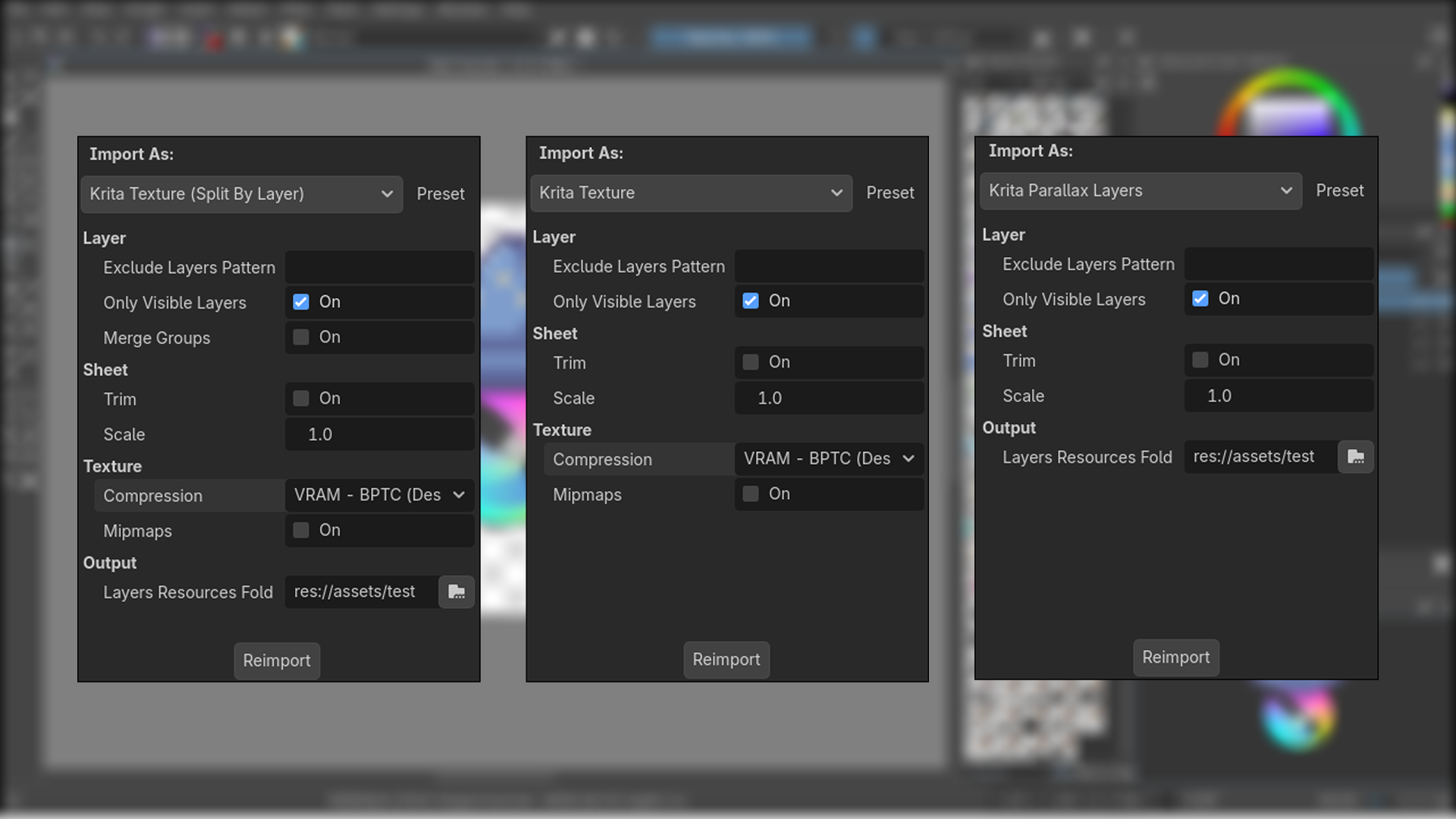
| Importer | Result |
|---|---|
| Krita Texture | One merged texture of the document |
| Krita Texture (Split By Layer) | One texture per paint layer (+ manifest) |
| Krita Parallax Layers | A Node2D scene: one Parallax2D + Sprite2D per layer, scroll speeds and tiling from @speed / @repeat tags |
| Krita (No Import) | Track the file without importing |
Layer tags
@scale=, @trim / @notrim, @exclude, @merge / @nomerge, @speed= / @speedx= / @speedy=, @repeat= / @repeatx= / @repeaty= (a bare @repeatx auto-tiles at the texture's width). Example: a layer named Clouds @speed=0.3 @repeatx scrolls slowly and tiles horizontally forever.
How to use
- Install the addon and enable Krita Wizard in Project Settings → Plugins.
- Drop a
.krafile into your project, select it, and pick an importer in the Import dock — or open Project -> Tools -> Krita Wizard for the guided dock. - Tag layers in Krita with
@tagsfor per-layer control.
Notes & limitations
- Requires Godot 4.3+ (uses
Parallax2D). - Static pixels only — Krita animation (timeline/keyframes) is not imported.
- Tile-grid slicing for the Tileset importer is not implemented yet.
Changelog for version v1.0.0-beta
2026-09-13 03:04:03
No changelog provided for this version.