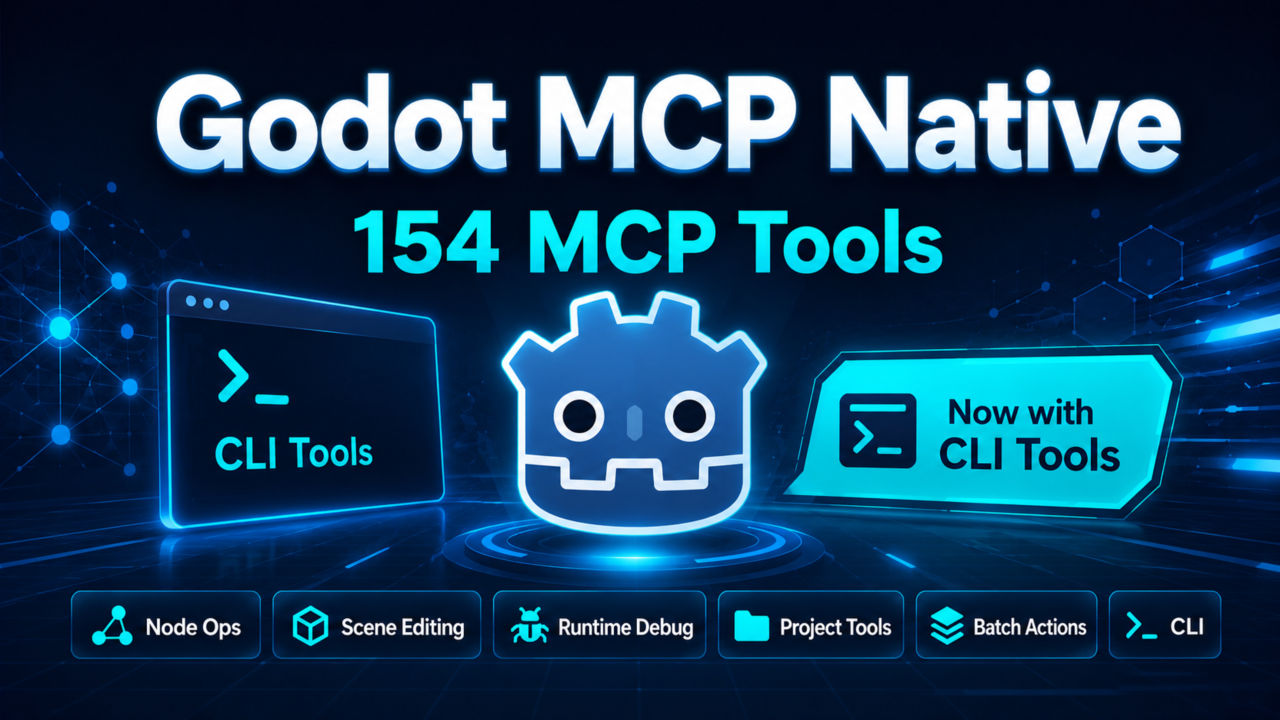
Godot MCP Native (Model Context Protocol)

A powerful Godot Engine plugin that integrates AI assistants (Claude, etc.) via the Model Context Protocol (MCP). Enable AI to directly read and modify your Godot projects - scenes, scripts, nodes, and resources - all through natural language.
🚀 Features
- Full Project Access: AI assistants can read and modify scripts, scenes, nodes, and resources
- Native Implementation: No Node.js dependency required - runs entirely within Godot
- Real-time Editing: Apply AI suggestions directly in the editor
- Comprehensive Tool Set (155 tools — 30 core + 125 supplementary):
- Node Tools (9 core + 11 advanced): Create, modify, manage scene nodes, duplicate, move, rename, signal connections, anchor presets, group management, batch operations, scene auditing
- Script Tools (7 core + 8 advanced): Edit, analyze, create, attach, validate GDScript and C# files, execute scripts, search in files, symbol indexing, definition & reference lookup
- Scene Tools (4 core + 4 advanced): Manipulate scene structure, save scenes, list/open/close scene tabs, project scene listing
- Editor Tools (4 core + 12 advanced): Control editor functionality, screenshot, signal inspection, filesystem reload, node/file selection, export management, property inspector
- Debug Tools (3 core + 68 advanced): Logging, debugger sessions, breakpoints, stack/variable inspection, profilers, runtime probe, animation/audio/shader/tilemap runtime control, debug execution control, await_scene_ready
- Project Tools (3 core + 23 advanced): Access project settings, list resources, create resources, run tests, manage input mappings, inspect autoloads/global classes, resource diagnostics & health audit
🖥️ gdmcp CLI (Agent-First Interface)
For coding agents (Codex, Claude Code, Cursor) that have shell access, the gdmcp CLI is the recommended way to interact with Godot MCP. Instead of loading all 155 tool schemas into model context, the CLI uses progressive discovery — ~33 domain commands for common operations, and on-demand schema retrieval for supplementary tools.
# Quick start
gdmcp --json doctor
gdmcp --json scenes tree --depth 4
gdmcp --json scripts read res://player.gd --lines 1:200
gdmcp --json nodes properties set /root/Player --property speed --value 300
Installation: Open the Godot editor → MCP dock → CLI Tools tab, or download from GitHub Releases. See the CLI README and CLI Reference for full documentation.
Skill: Install the companion Codex skill from skills/gdmcp/ to teach your
agent the CLI workflow. Copy skills/gdmcp/ to ~/.codex/skills/gdmcp/.
📦 Installation
Method 1: Asset Library (Recommended)
- Open your Godot project
- Go to AssetLib tab in the editor
- Search for "Godot MCP Native"
- Click Download and then Install
Method 2: Manual Installation
- Download or clone this repository
- Copy the
addons/godot_mcpfolder to your project'saddons/directory - Open your project in Godot
- Go to Project > Project Settings > Plugins
- Enable "Godot MCP Native" plugin
🔧 Usage
Enabling the Plugin
- Open Project > Project Settings > Plugins
- Locate "Godot MCP Native" in the list
- Set the status to Enable
Configuring MCP Server
The plugin provides two transport modes:
HTTP Mode (for remote access)- Best for: Network-based AI integration
- Configuration: Set
transport_mode = "http"and configurehttp_port(default: 9080) - Optional: Enable
auth_enabledand setauth_tokenfor security
Launch the editor in headless MCP-server mode:
godot --editor --path /path/to/project -- --mcp-server
Settings changed in the panel persist to user://mcp_settings.cfg. Headless
--mcp-server mode honors this file, so the http_port / transport_mode
/ auth options configured via the editor UI are respected when running headlessly.
To run multiple instances in parallel (several projects, or isolated test instances), override the port per launch with command-line flags — the command line takes precedence over the persisted config:
godot --editor --path /path/to/projectA -- --mcp-server --mcp-port=9080
godot --editor --path /path/to/projectB -- --mcp-server --mcp-port=19081
| Flag | Value | Effect |
|---|---|---|
--mcp-port=N |
1024–65535 |
Override http_port (out-of-range values ignored) |
--mcp-transport=MODE |
http | stdio |
Override transport_mode (unknown values ignored) |
Connecting with Claude Desktop
First, install the mcp-remote package:
npm install mcp-remote
{
  "mcpServers": {
    "godot-mcp": {
      "command": "npx",
      "args": [
        "mcp-remote",
        "http://localhost:9080/mcp"
      ]
    }
  }
}
Connecting with Cursor / Trae
HTTP Mode Configuration{
"mcpServers": {
"godot-mcp": {
"url": "http://localhost:9080/mcp"
}
}
}
With authentication:
{
  "mcpServers": {
    "godot-mcp": {
      "url": "http://localhost:9080/mcp",
      "headers": {
        "Authorization": "Bearer your-secret-token-here"
      }
    }
  }
}
Connecting with Cline
HTTP Mode Configuration{
"mcpServers": {
"godot-mcp": {
"url": "http://localhost:9080/mcp",
"type": "streamableHttp",
"disabled": false,
"autoApprove": []
}
}
}
Connecting with OpenCode
HTTP Mode ConfigurationRemarks: If OpenCode is running in Windows Subsystem for Linux (WSL), you might need to configure the url to "http://:9080/mcp". WSL guide: https://learn.microsoft.com/en-us/windows/wsl/networking#accessing-windows-networking-apps-from-linux-host-ip
{
  "mcp": {
    "godot-mcp": {
      "type": "remote",
      "url": "http://localhost:9080/mcp"
    }
  }
}
Connecting with Codex
HTTP Mode Configuration[mcp_servers]
[mcp_servers.godot-mcp]
type = "streamableHttp"
url = "http://localhost:9080/mcp"
💬 Example Prompts
Once connected, you can interact with your Godot project through Claude:
@mcp godot-mcp read godot://script/current

I need help optimizing my player movement code. Can you suggest improvements?
@mcp godot-mcp get-scene-tree

Add a cube in the middle of the scene and create a camera that looks at it.
Create a main menu with Play, Options, and Quit buttons
Implement a day/night cycle system with dynamic lighting
📚 Available Commands
Node-Write (6)
create-node- Create a new nodedelete-node- Delete a nodeupdate-node-property- Update node propertiesduplicate-node- Duplicate a node and its childrenmove-node- Move a node to a new parentrename-node- Rename a node in the scene
Node-Read (3)
get-scene-tree- Get scene tree structureget-node-properties- Get properties of a specific nodelist-nodes- List nodes under a parent
Node-Write-Advanced (5)
set-anchor-preset- Set anchor preset for Control nodesconnect-signal- Connect a signal between nodesdisconnect-signal- Disconnect a signal connectionset-node-groups- Set group memberships for a nodeadd-resource- Add a resource child node (collision shape, mesh, etc.)
Node-Advanced (6)
get-node-groups- Get groups a node belongs tofind-nodes-in-group- Find all nodes in a specific groupbatch-update-node-properties- Batch update multiple node properties in one UndoRedo actionbatch-scene-node-edits- Apply batch scene node create/delete/move edits in one UndoRedo actionaudit-scene-node-persistence- Audit node owner and persistence state for the sceneaudit-scene-inheritance- Audit inherited/instanced scene structure
Script (7)
list-project-scripts- List all scriptsread-script- Read a specific scriptmodify-script- Update script contentcreate-script- Create a new scriptget-current-script- Get currently editing scriptattach-script- Attach an existing script to a nodeexecute-script- Execute GDScript expression
Script-Advanced (8)
analyze-script- Analyze script structurevalidate-script- Validate GDScript syntaxsearch-in-files- Search project fileslist-project-script-symbols- Index script symbols across GDScript and C# filesfind-script-symbol-definition- Find definition locations for a script symbolfind-script-symbol-references- Find textual references to a script symbolrename-script-symbol- Rename a script symbol across project filesopen-script-at-line- Open a script at a specific line in the editor
Scene (4)
create-scene- Create a new scenesave-scene- Save current sceneopen-scene- Open a sceneget-current-scene- Get current scene info
Scene-Advanced (4)
list-project-scenes- List all scenesget-scene-structure- Get scene structure detailslist-open-scenes- List currently open scene tabsclose-scene-tab- Close a scene tab
Editor (4)
get-editor-state- Get current editor staterun-project- Run the projectstop-project- Stop the running projectexecute-editor-script- Execute GDScript script
Editor-Advanced (12)
get-selected-nodes- Get selected nodesset-editor-setting- Modify editor settingsget-editor-screenshot- Capture an editor viewport screenshotget-signals- Inspect node signals and connectionsreload-project- Rescan the project filesystemselect-node- Select a node in the scene and focus in Inspectorselect-file- Select a file in the FileSystem dockget-inspector-properties- Inspect node/resource properties like the Inspectorlist-export-presets- List export presetsinspect-export-templates- Inspect installed export templatesvalidate-export-preset- Validate an export presetrun-export- Run a Godot CLI export
Debug (3 core + 68 advanced)
get-editor-logs- Get editor/runtime logsdebug-print- Print debug infoclear-output- Clear MCP/editor output buffersget-performance-metrics- Get performance dataget-debugger-sessions- List editor debugger sessions and active/break stateset-debugger-breakpoint- Enable or disable debugger breakpointssend-debugger-message- Send custom messages to the running game debuggertoggle-debugger-profiler- Toggle EngineProfiler channels in active sessionsget-debugger-messages- Read custom runtime messages captured by the bridgeadd-debugger-capture-prefix- Capture additional EngineDebugger message prefixesget-debug-stack-frames- Read captured script stack frames from a breaked sessionget-debug-stack-variables- Read locals, members, and globals for a captured stack frameinstall-runtime-probe- Add the MCP runtime probe node to the current sceneremove-runtime-probe- Remove the MCP runtime probe node from the current scenerequest-debug-break- Ask the runtime probe to enter Godot's debug break loopsend-debug-command- Send step/next/out/continue/stack debugger commands to breaked sessionsget-runtime-info- Query runtime metrics (FPS, node count, etc.) through the probeawait-scene-ready- Wait until a specific scene is loaded through the probeget-runtime-scene-tree- Read the live runtime scene tree from the running gameinspect-runtime-node- Inspect a live runtime node and its serializable propertiesupdate-runtime-node-property- Modify a property on a live runtime nodecall-runtime-node-method- Call a method on a live runtime nodeevaluate-runtime-expression- Evaluate a GDScript expression in the running gameawait-runtime-condition- Poll a runtime expression until truthy or timeoutassert-runtime-condition- Assert a runtime expression becomes truthy within timeoutget-debug-threads- Return DAP-style debugger threadsget-debug-state-events- Read recorded debugger state transitionsget-debug-output- Read categorized runtime debugger outputget-debug-scopes- Group stack variables into DAP-like scopesget-debug-variables- Resolve DAP-style variable referencesexpand-debug-variable- Expand a debug variable by scope and pathevaluate-debug-expression- Evaluate an expression in debugger contextdebug-step-into/debug-step-over/debug-step-out/debug-continue- Debug execution controldebug-step-into-and-wait/debug-step-over-and-wait/debug-step-out-and-wait/debug-continue-and-wait- Debug execution with state waitawait-debugger-state- Check debugger session execution stateget-runtime-performance-snapshot- Capture runtime performance snapshotget-runtime-memory-trend- Capture runtime memory trendcreate-runtime-node- Create a node in the running gamedelete-runtime-node- Delete a node from the running gamesimulate-runtime-input-event- Inject structured InputEventsimulate-runtime-input-action- Inject InputEventActionlist-runtime-input-actions- List runtime InputMap actionsupsert-runtime-input-action- Create/update a runtime InputMap actionremove-runtime-input-action- Remove a runtime InputMap actionlist-runtime-animations- List animations on a runtime AnimationPlayerplay-runtime-animation- Play a runtime animationstop-runtime-animation- Stop a runtime animationget-runtime-animation-state- Get runtime animation playback stateget-runtime-animation-tree-state- Get runtime AnimationTree stateset-runtime-animation-tree-active- Enable/disable runtime AnimationTreetravel-runtime-animation-tree- Travel runtime animation state machineget-runtime-material-state- Resolve runtime node material bindingget-runtime-theme-item- Resolve runtime Control theme itemset-runtime-theme-override- Apply runtime theme overrideclear-runtime-theme-override- Remove runtime theme overrideget-runtime-shader-parameters- List runtime shader parametersset-runtime-shader-parameter- Update runtime shader uniformlist-runtime-tilemap-layers- List runtime TileMap layersget-runtime-tilemap-cell- Get runtime TileMap cell dataset-runtime-tilemap-cell- Write/erase runtime TileMap celllist-runtime-audio-buses- List runtime audio busesget-runtime-audio-bus- Get runtime audio bus stateupdate-runtime-audio-bus- Update runtime audio busget-runtime-screenshot- Capture runtime viewport screenshot
Project (3 core + 23 advanced)
get-project-info- Get project informationget-project-settings- Get project settingslist-project-resources- List project resourcescreate-resource- Create a new resourceget-project-structure- Get project directory structurelist-project-tests- Discover and list runnable project testsrun-project-test- Run a single project testrun-project-tests- Run multiple project testslist-project-input-actions- List project InputMap actionsupsert-project-input-action- Create or update a project InputMap actionremove-project-input-action- Remove a project InputMap actionlist-project-autoloads- List project autoload entrieslist-project-global-classes- List project global script classesget-class-api-metadata- Get ClassDB or global class API metadatainspect-csharp-project-support- Inspect C# project support filescompare-render-screenshots- Compare two screenshots for pixel differencesinspect-tileset-resource- Inspect a TileSet resourcereimport-resources- Reimport resources through the import pipelineget-import-metadata- Get resource import metadataget-resource-uid-info- Inspect ResourceUID mappingsfix-resource-uid- Ensure a resource has a persisted UIDget-resource-dependencies- List resource dependenciesscan-missing-resource-dependencies- Find broken dependency referencesscan-cyclic-resource-dependencies- Find cyclic dependency chainsdetect-broken-scripts- Scan scripts for syntax errorsaudit-project-health- Run a project health audit
🔒 Security Recommendations
- ✅ Production: Always enable authentication (
auth_enabled = true) - ✅ Token: Use a strong token (≥16 characters with letters, numbers, special characters)
- ✅ Storage: Don't commit tokens to version control
- ⚠️ Remote Access: Use HTTPS (TLS/SSL) for network access
📋 Requirements
- Godot Engine 4.x (recommended 4.5 or higher)
- No additional dependencies (native implementation)
📖 Documentation
For detailed documentation, see the docs/current/ folder:
🤝 Contributing
Contributions are welcome! Please feel free to submit a Pull Request.
📄 License
This project is licensed under the MIT License - see the LICENSE file for details.
👤 Author
yurineko73
🙏 Acknowledgments
- Godot Engine team for the amazing game engine
- Model Context Protocol (MCP) specification
- Claude AI by Anthropic for inspiring this integration
Note: This is a community plugin and is not officially affiliated with Godot Engine or Anthropic.
Changelog for version v1.0.8
2026-07-27 06:17:16
No changelog provided for this version.
Reviews
 Recommended
by Xylvier - 24 June 2026
Recommended
by Xylvier - 24 June 2026
I now used the addon for a while and can say that together with "Codex" it really improved my work-flow. The agent can base it's feedback to my ideas and details directly on the current code base. While I started with the agent only able to read, I found that compared to me copy pasting and explaining some involved classes, the agent did get a much clearer picture and had no reason at all to assume/hallucinate. It's less complicated to get my ideas implemented, while I do still always confirm all changes. Also imho worth mentioning, if you set up codex to only have access to certain features/tools, then you need to make sure to name them in the "enabled_tools" with exactly the same names as they are shown in the Godot addon page. Without that list, codex did not want to find the tools, afterwards everything went fine. The only issue I ran into, was that the addon is for Godot 4.6, while I use a custom 4.7 double precision build. This version difference caused but one error, "TileMap" got deprecated, thus I decided to manually remove the "TileMap" related features from the addon. Much appreciated.
Login to write a review.