Theme Assist
Skip the UI grind. Theme Assist is a Godot 4 UI component kit. Open the Playground, design how the UI looks, press Save, and every kit component in your project wears that theme. No styling work, no code.
Windows, panels, buttons, an inventory grid, bars, toasts, dialogs, a pause menu, a HUD: 54 Ta* components, every stock Control themed too, and hover, press, focus, gamepad, and sounds already wired. Subclass any of them and the wiring stays.
Four presets, one kit
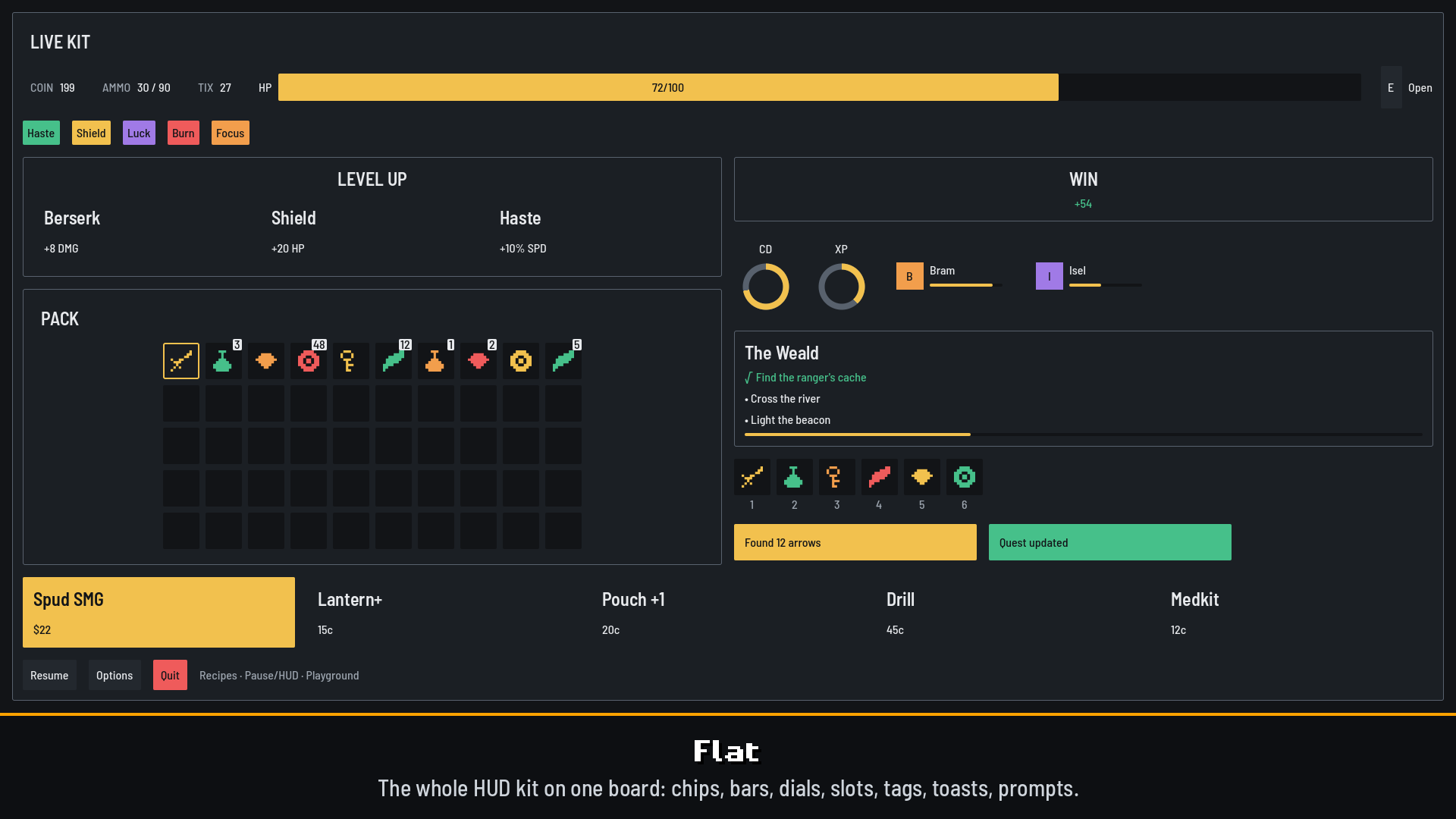
- Flat: the clean default. One border on panels, plain fills, no decoration: a game panel before anyone styled it.
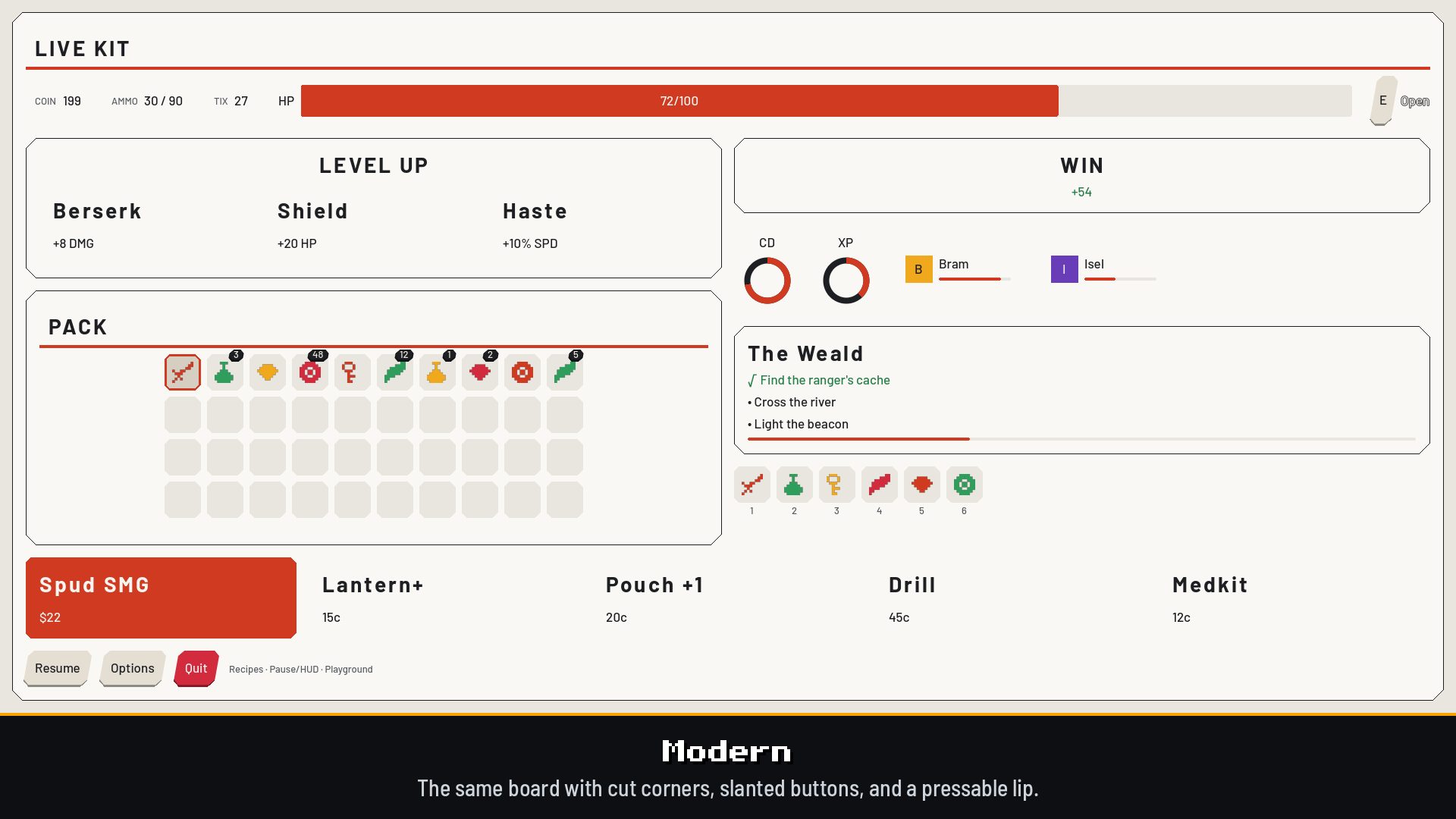
- Modern: Flat with a committed style. Cut corners, slanted buttons and badges, a press lip, an accent rule under titles, louder fanfare. Light, for prototyping over a 3D scene.
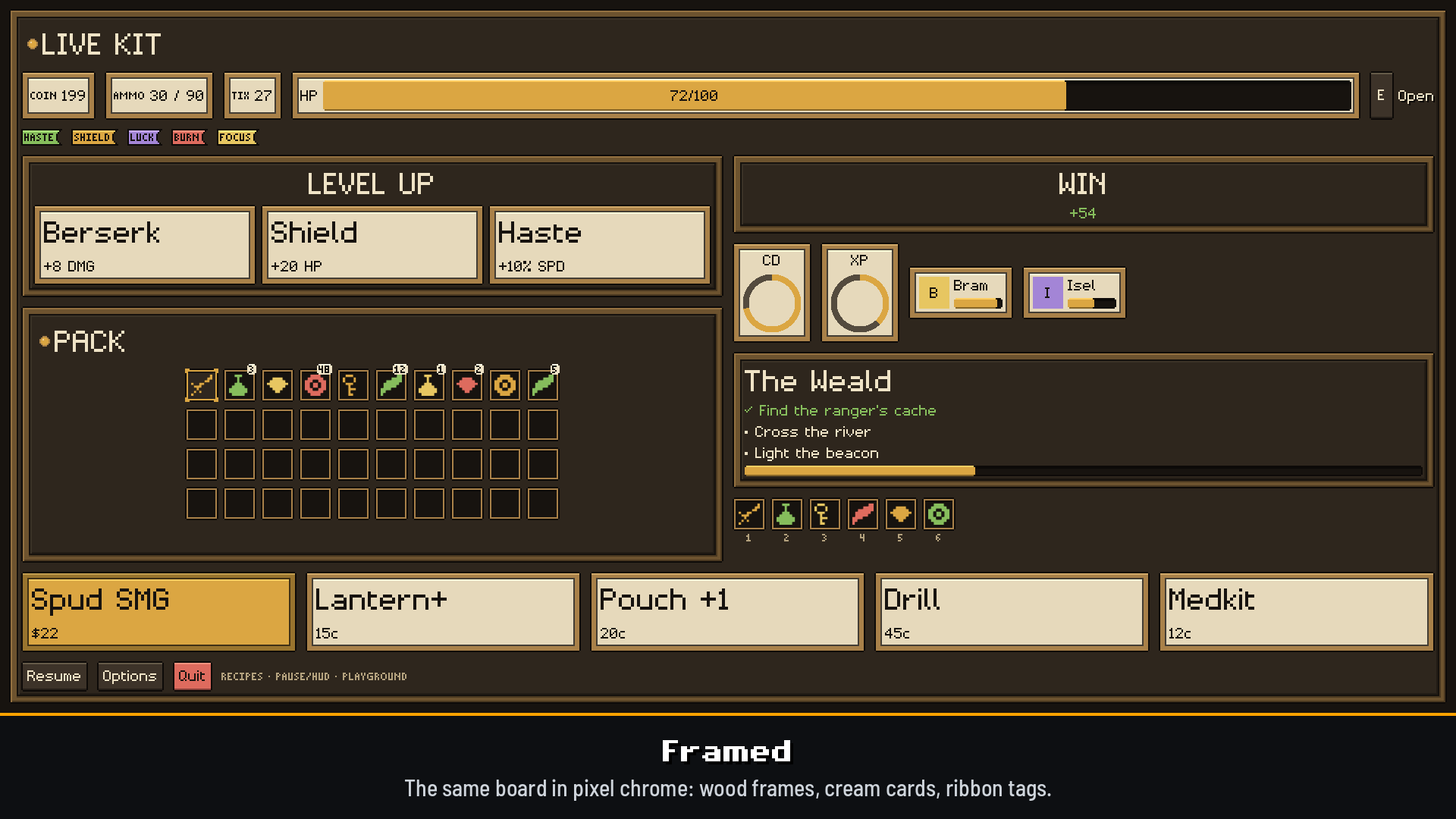
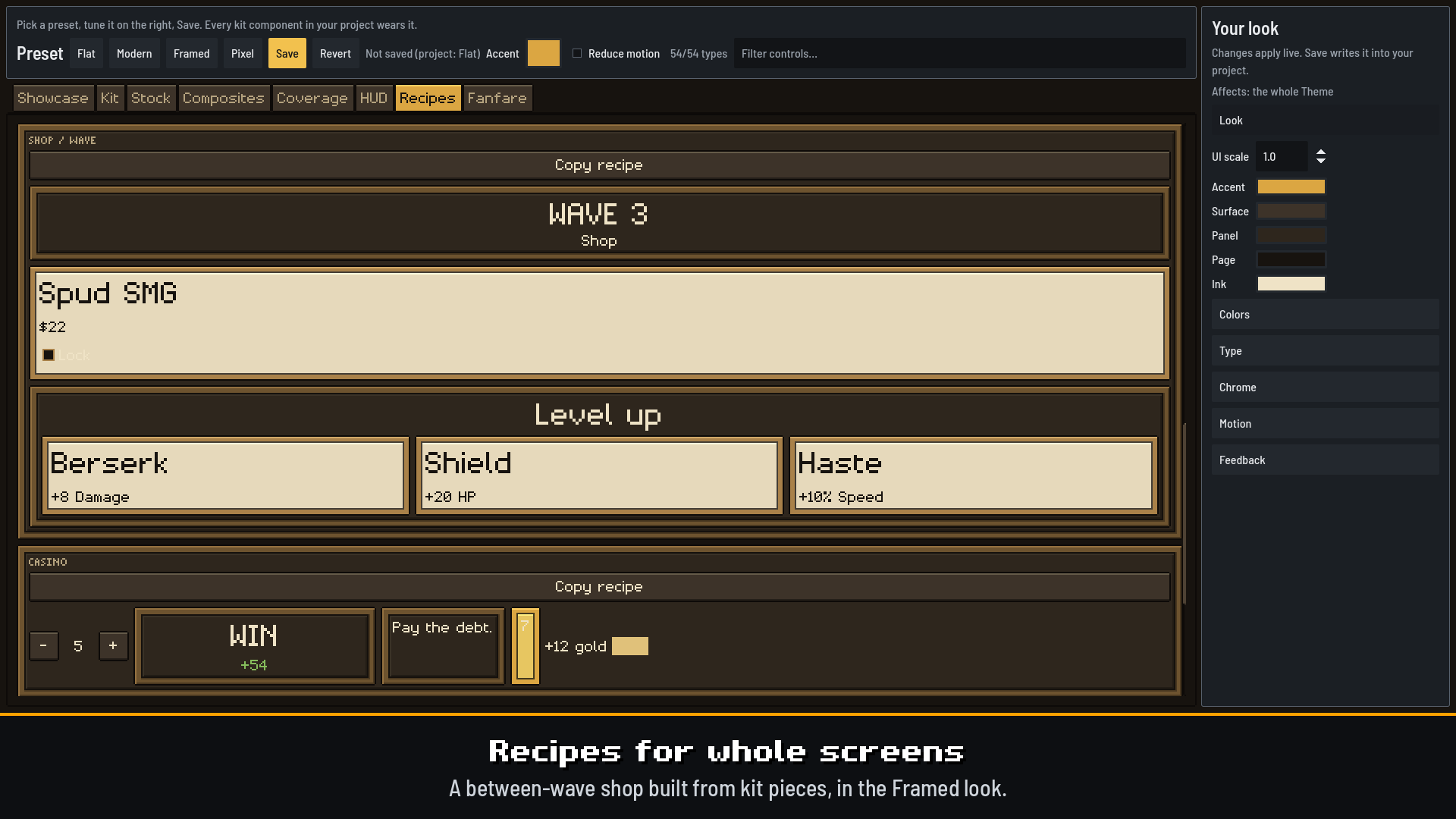
- Framed: the hybrid. Brass pixel frames, cream cards, ribbon tags, corner-bracket selection, a mixed-case pixel face.
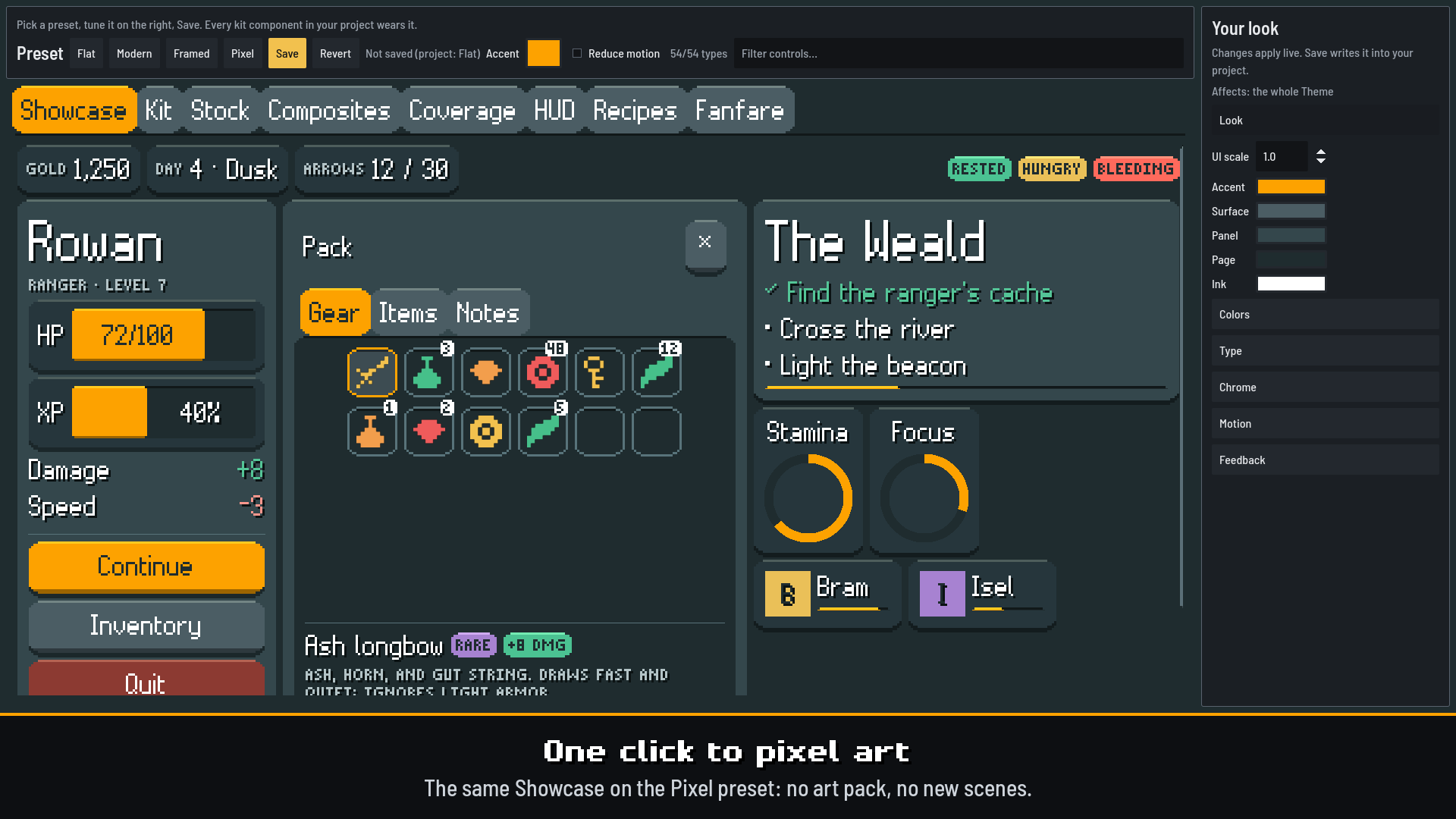
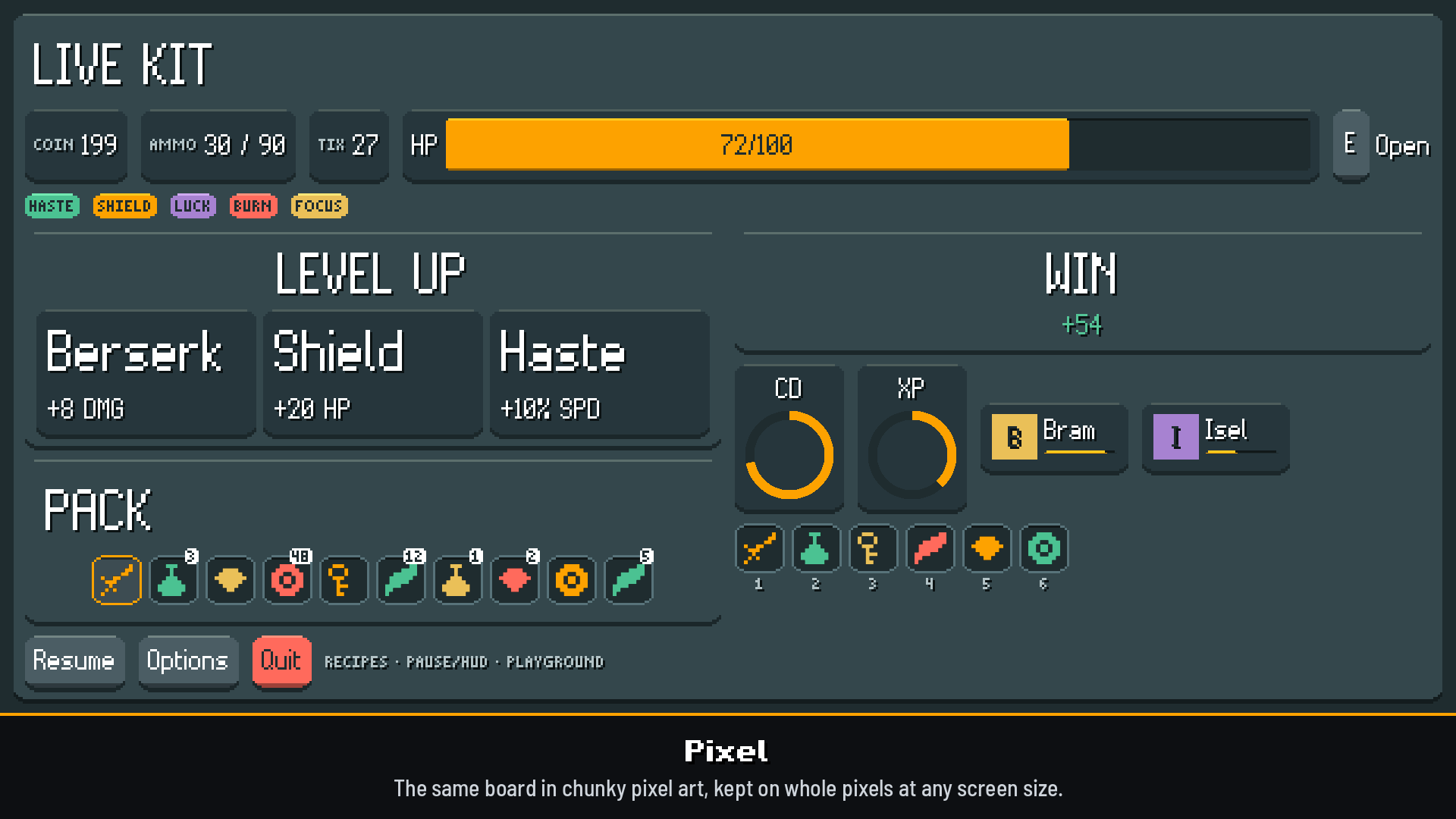
- Pixel: chunky game UI. Filled slabs with drop shadows, a tall pixel face, tilt and juice.
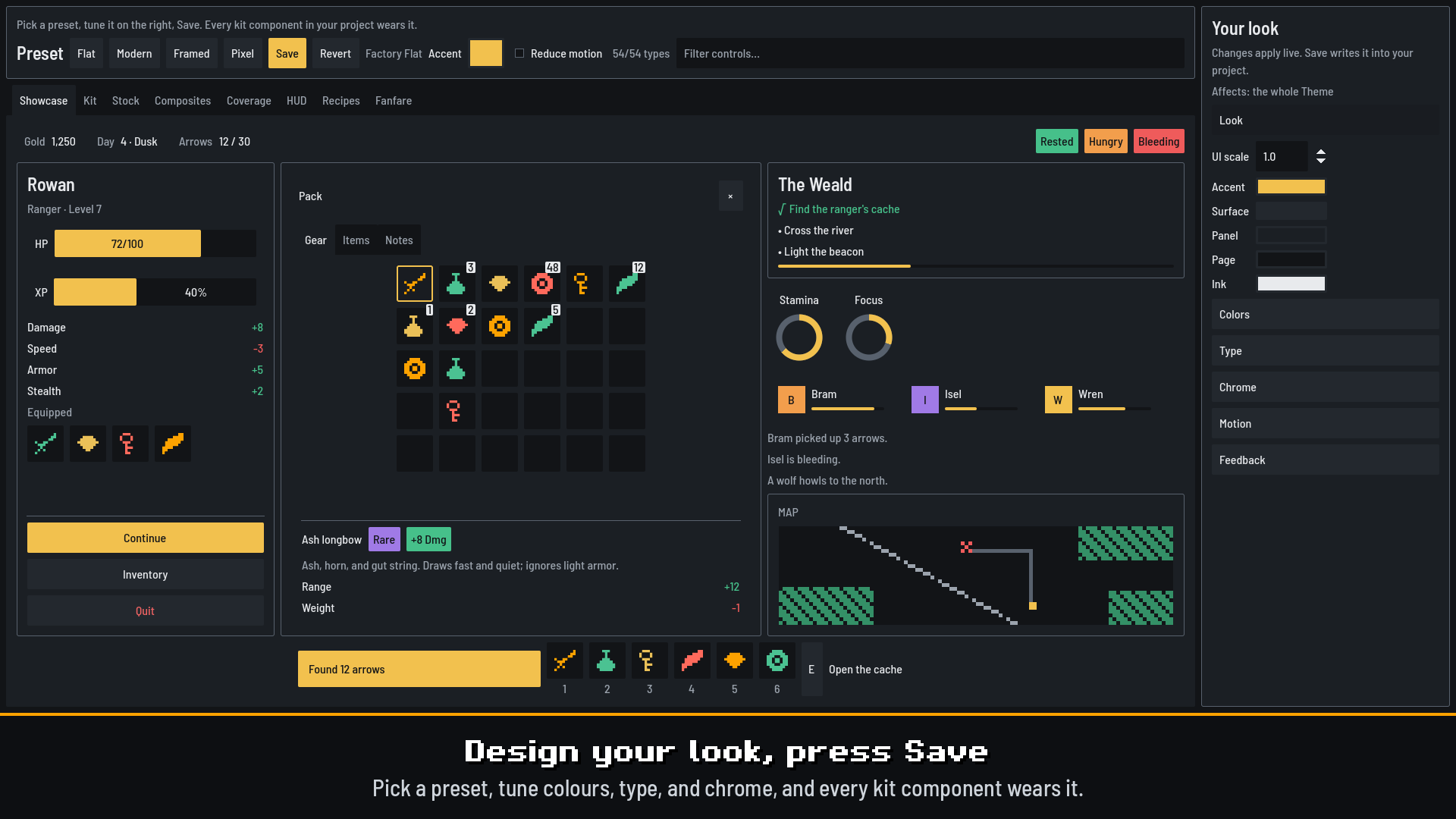
Switching preset never swaps a widget. Start from one, change colors, type, borders, and motion in the Playground, and Save your own.
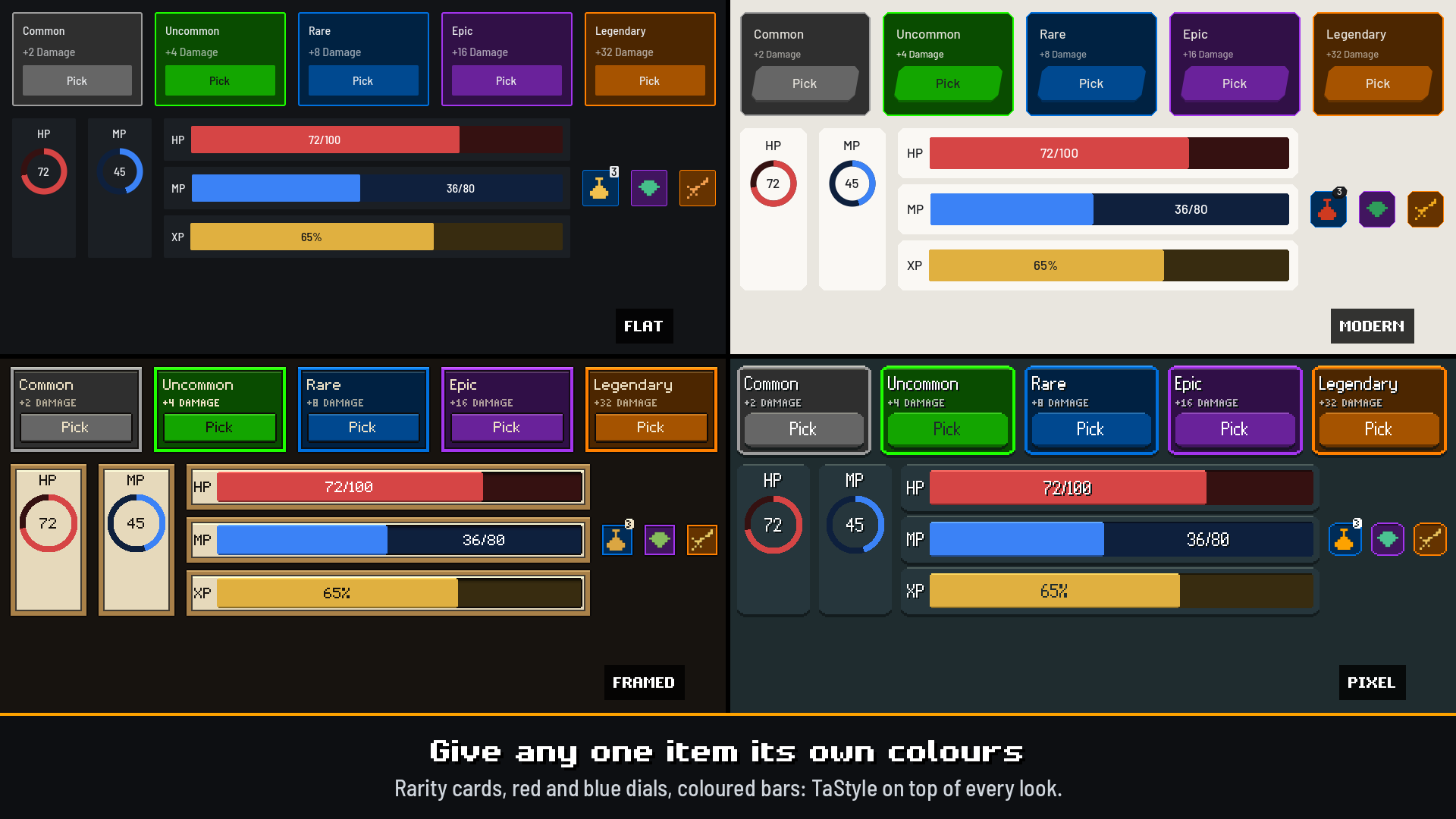
One item, its own colours
Rarity tiers on level-up cards and slots, a red HP dial beside a blue MP dial, a bar with its own value text, a crit number in orange: give that one item a TaStyle in code. It keeps the look's shape and frame in every preset, its text is picked to read, and it follows when you switch looks. It reaches panels, cards, buttons, slots, fields, sliders, tabs, lists, bars, dials, and every piece of a row or hotbar.
Every screen
One look fits a Steam Deck, 720p, 1080p, 1440p, and native 4K. Type, spacing, and controls follow the window, the pixel looks stay on whole pixels, and one UI scale knob sets the density. No font sizes to edit.
Install
- Download and copy
addons/theme_assist/into your project - Project → Project Settings → Plugins → enable Theme Assist
- F6
addons/theme_assist/playground/playground.tscn(or dock → Open playground) - Pick a preset, tune it, press Save
What's included
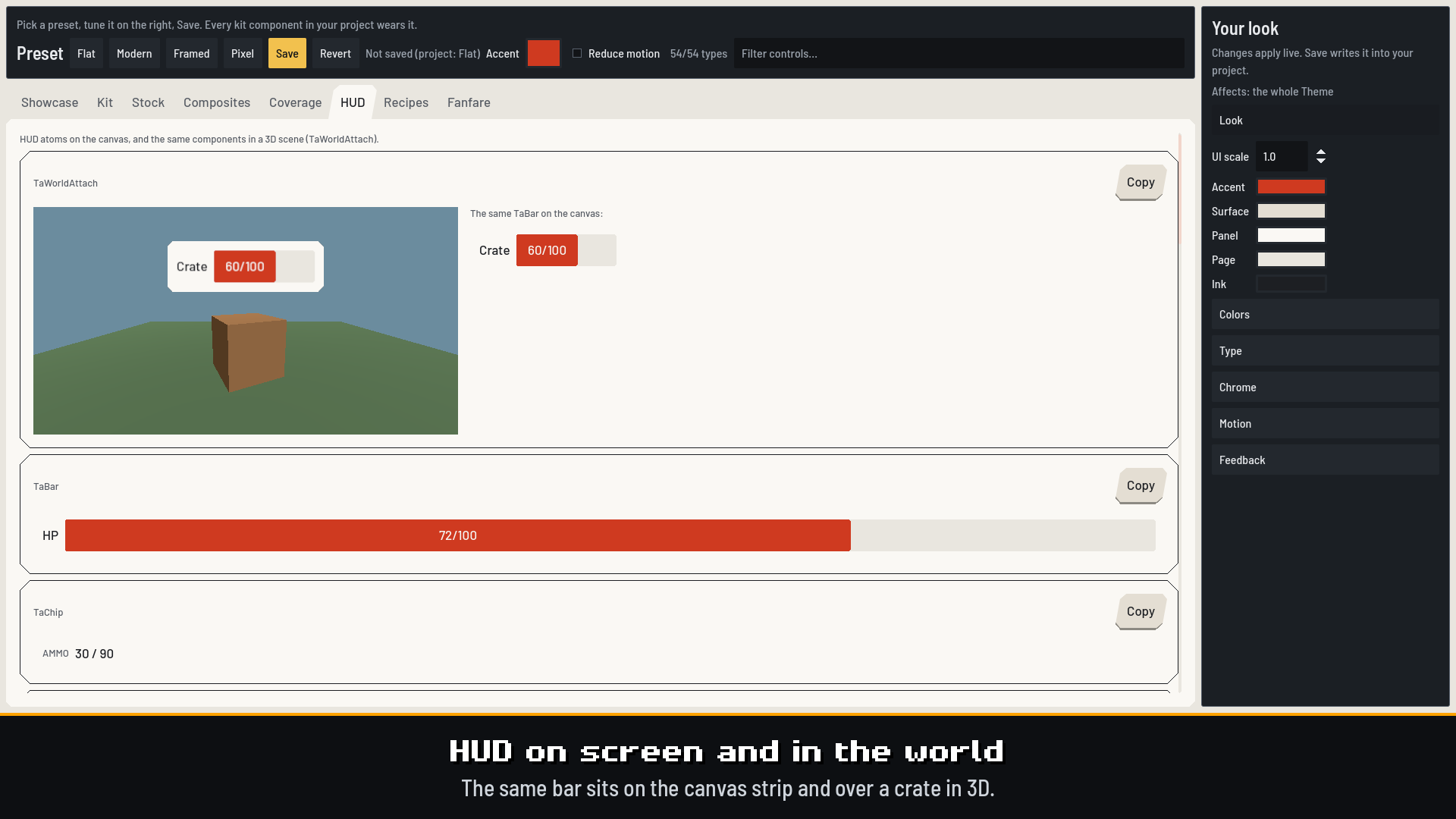
- Playground: Showcase (a finished screen), Kit, Stock, Composites, Coverage, HUD, Recipes, Fanfare, and a live token editor. Save writes your look and its Theme into the project and makes it the project theme
- 54 components: toasts, dialog, modal page, prompt, and confirm card, full-screen overlay and Esc router, anchored popover cards, tooltips, slots and grids, window and tabs, bars, chips, tags, badges, radial, reticle, vignette, killfeed, interact hint, hotbar, minimap frame, party frame, shop card, 3-choice, win splash, quest tracker, and more
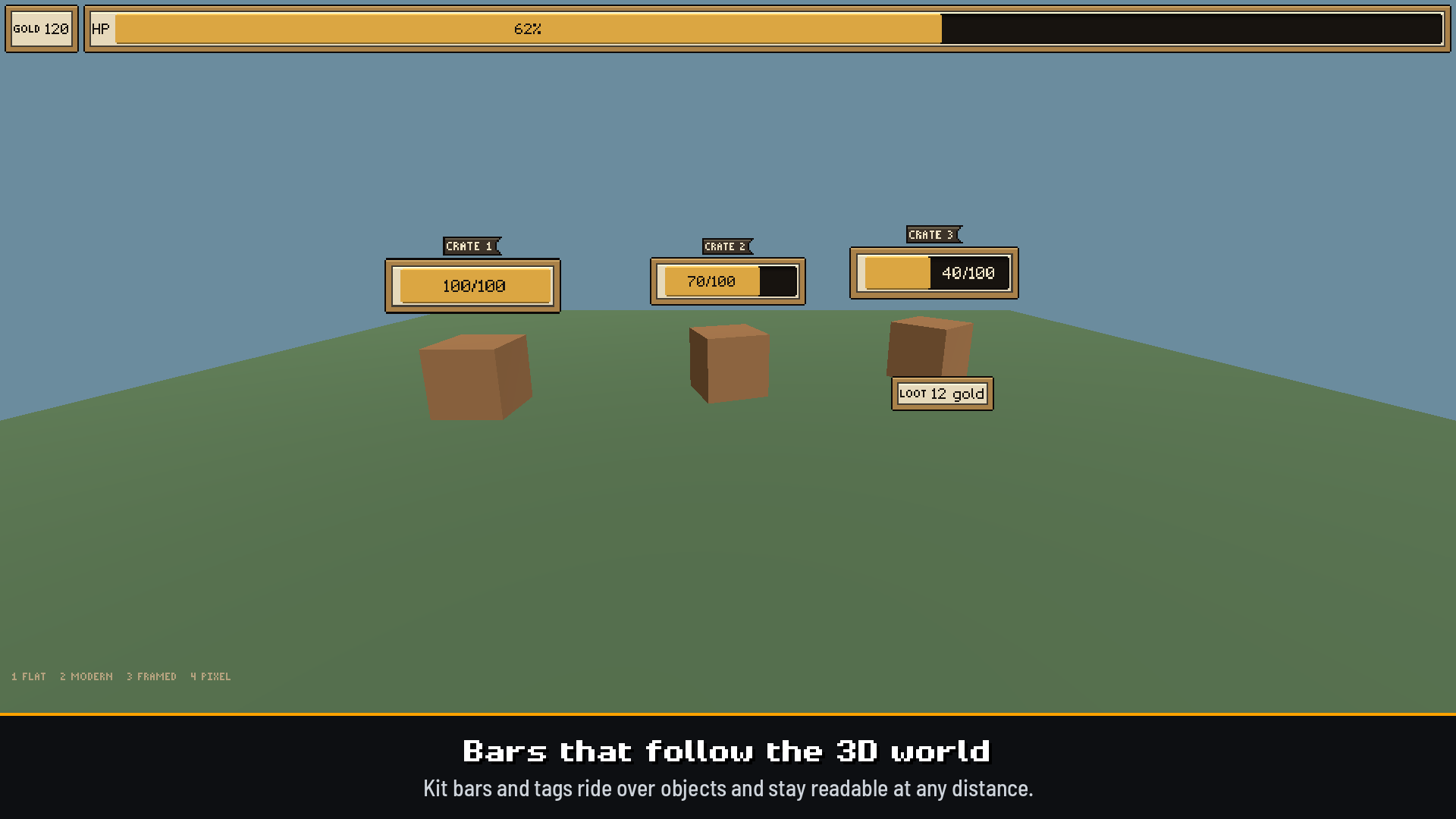
- HUD in the world:
TaWorldAttachputs any component over a 3D object (a nameplate, a health bar), wearing the same look as your canvas HUD - Drop-ins:
scenes/pause.tscn(swap in your own menu),hud.tscn,options.tscn - Feel: hover lift, press squash, the same lift on keyboard and gamepad focus, generated UI sounds, named fanfare (celebrate, deny, level up…). Reduced motion keeps the sounds
- Copy recipe shells: FPS / Dungeon / Shop-wave / Casino / Item styles. Examples:
examples/fps_hud/,examples/world_hud/ - Cookbook:
COOKBOOK.md
Readable by default
Every text colour in every preset is tested against the fill it sits on (WCAG AA, 4.5:1), and focus is always an outline you can see. Change a token and inks and panel fills are recomputed to keep text readable. Give the surfaces alpha for glass over your scene: panels stay as clear as their text allows over any backdrop. TaContrast.check(look) checks your own look the same way.
Requirements
- Godot 4.4+ (developed and tested on 4.7.2)
- GDScript. No autoloads. No GDExtension.
License
MIT — see LICENSE in the zip. The pixel faces, chrome, icons, and sounds are original, drawn or generated in code. Flat and Modern use Barlow and Barlow Semi Condensed under the SIL Open Font License (fonts/OFL.txt), free to ship in your game. Keep the copyright notice in copies of the Software.
Changelog for version v2.5.0-stable
2026-10-20 22:57:31
No changelog provided for this version.