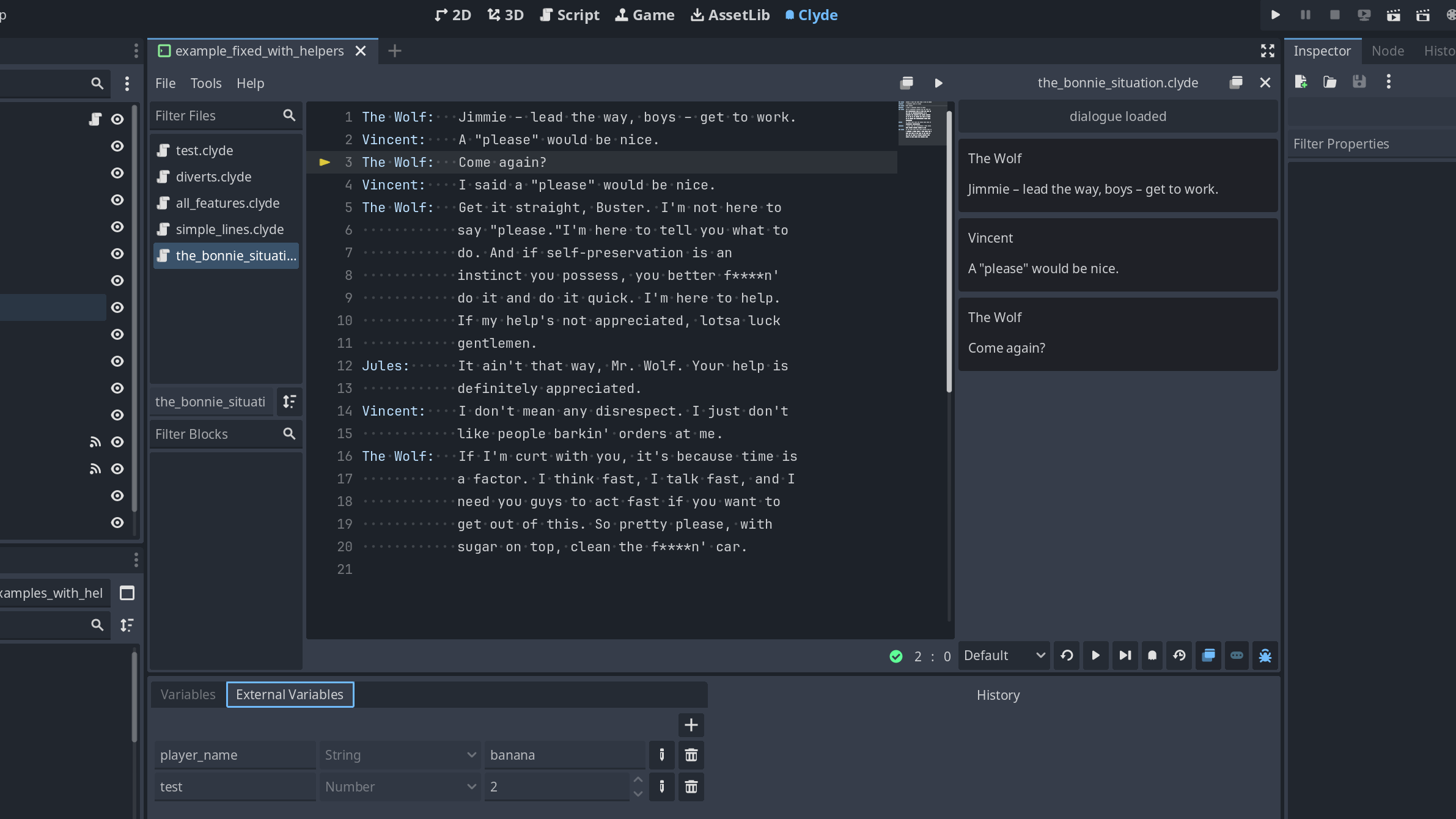
Clyde is a language for writing game dialogues. It supports branching, translations and interfacing with your game through variables and events.
This plugin contains the importer, interpreter and editor for Clyde, completely written in GDScript. No external dependencies.
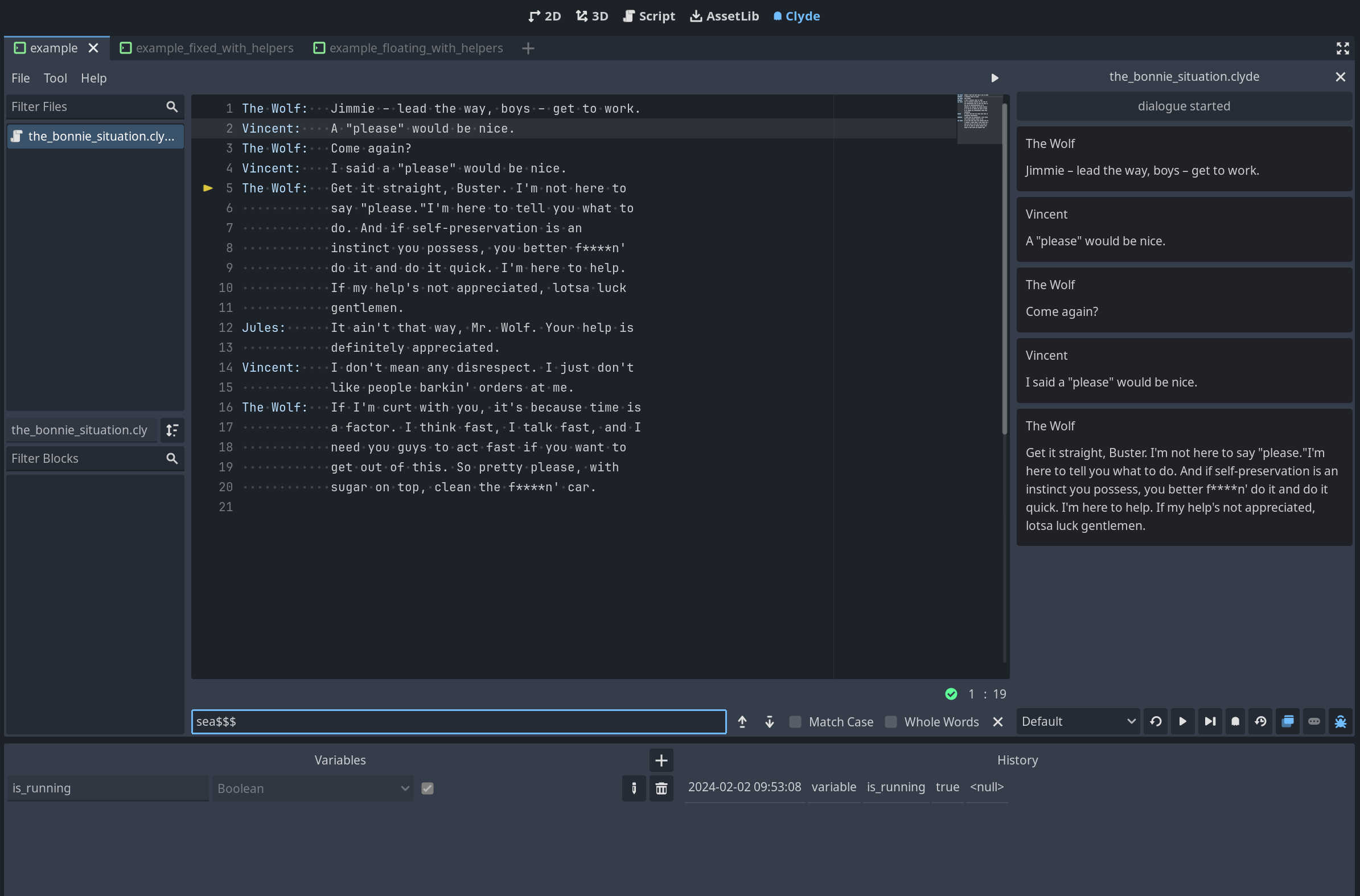
Features
- Editor with syntax highlighting
- Dialogue player with debugger to test dialogues without having to run the game
- Tools to help export dialogue lines for localization
- A few helpers for opinionated, but easier start
- Importer to automatically parse
.clydefiles, improving runtime performance.
Principles
📝 Simple to write; As close to regular writing as possible
Clyde tries to get out of your way as much as possible.
For instance, most "special" symbols are not characters you use very often when writing text, so you don't need to fight the syntax when writing your dialogue.
Also, Clyde is smart about when a symbol is meant to be special. For example, -> is used to define a divert, and *, + are used to define options. They are expected to be the first item in a line, so Clyde knows if it finds them mid sentence, they are just regular text. e.g.
Read the room!! Those -> * + are not special charaters!!
📜 File as the source of truth; No extra databases or random data is created during parsing
This is important for maintainability. You don't need to keep extra files hanging around, or some system behind a login. Your .clyde files is all you need to replicate your dialogue anywhere.
🎛️ Simple API; Dialogue focused
Clyde is not as feature-rich as other dialogue solutions when it comes to interfaces and management. Being simple makes it less opinionated about how to be used, allowing it to fit different scenarios, game structures and genres.
The trade-off is that it requires you to take care of the UI and connecting it to your game code. To mitigate that, the plugin comes with a set of helpers and examples to help you get started.
🌎 Localisation in mind
Localisation is an important step to reach a wider audience, and Clyde has it as a requirement for every new feature.
Documentation
You can find the language and plugin docs here
Changelog for version v7.0.1
2026-07-23 13:25:04
No changelog provided for this version.