Description
Changelog
Reviews (0)
Primary Use Case: Quickly gathering project context to share with LLMs or for documentation.
Key Features
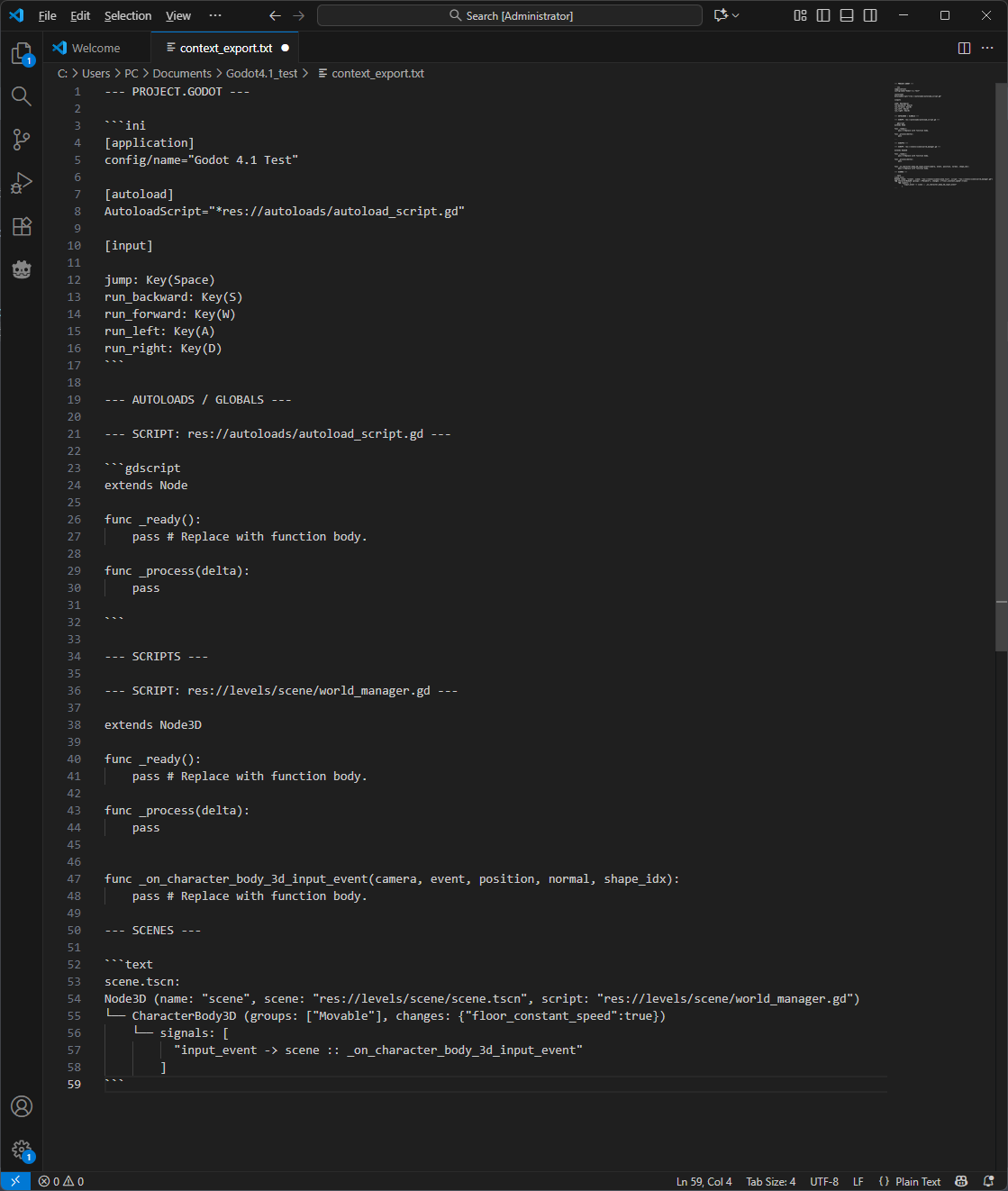
- Scene visualization Instead of copying a text file, it builds a text tree.
Player (CharacterBody2D) ├── CollisionShape2D ├── Sprite2D └── Camera2D └── ... - Include Signals and Groups Include Signals and Groups Captures essential logic connections while stripping away noise like internal resource UIDs intended only for engine.
Player (CharacterBody2D) ... └── Camera2D (groups: ["Movable"]) └── signals: [timeout -> _on_timer_timeout] - Inspector's Analysis Only show properties you've changed in the Inspector. LLM will see: Speed: 500 (modified), but it won't see hundreds of default settings.
└── CharacterBody3D (changes: {"speed":500}) - Merge Similar Nodes If you have 50 Slimes in a level, it will export (x50) saving 49 lines of context.
Level └── CharacterBody2D (x50) (name: "Slime", scene: "res://enemies/Slime.tscn") ├── Sprite2D (name: "BodySprite") └── CollisionShape2D (name: "HitBox") - Collapse by format Imported formats like .blend can includes hundreds child nodes, plugin can collapse it in 1 line.
- You can edit desirable formats in Advanced Settings
- Autoloads (Globals) Plugin automatically detects Singletons defined in your Project Settings. Have protection from duplicate if you accidently choose same autoloaded script in Scripts tab.
- Project Configuration Exports key settings like Input Map (keys/buttons) and Physics Layers.
- Markdown All output is neatly formatted in Markdown blocks.
Output preview
Usage
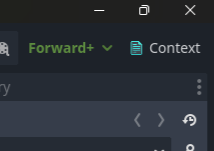
Click on button in top right corner of editor
(you can hide this button in Advanced Settings)
Or
Navigate to Project → Tools → Context Exporter...
Changelog for version v1.3.1
No changelog provided for this version.