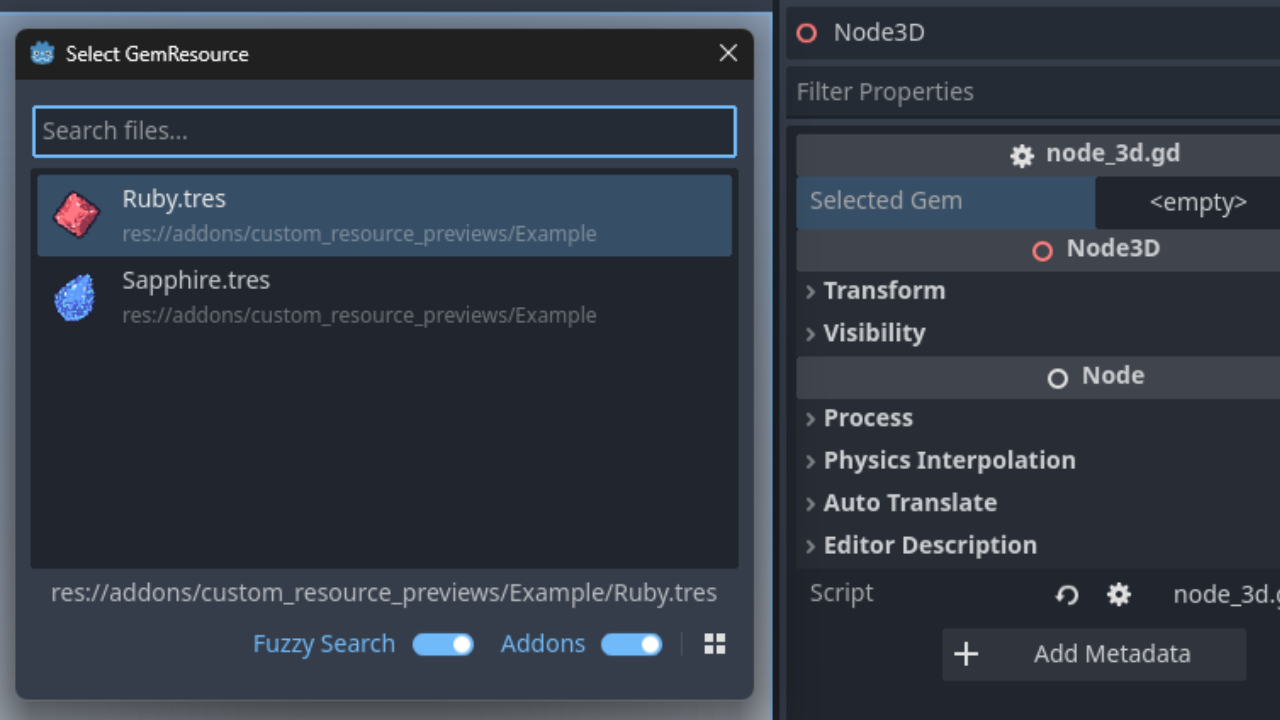
Description
Changelog
Reviews (1)
Features
- Define custom preview textures for your resource instances
- Improve resource browsing and searching in the Godot editor
- Give each resource instance a distinct visual identity
Installation
- Download the plugin to your project's
addons/directory - Enable the plugin in Project Settings → Plugins
- Restart the editor if previews do not appear immediately
Usage
- Add the
@toolannotation to your custom resource script - Implement the
_get_custom_preview_texture()method in your custom resource script:
@tool
extends Resource
class_name MyCustomResource

@export var icon: Texture2D = null

func _get_custom_preview_texture() -> Texture2D:
    return icon
The returned texture will be displayed as the preview icon in:
- FileSystem dock
- Resource picker dialogs
Changelog for version v1.0.0
2026-07-06 17:56:14
No changelog provided for this version.
