gd_libvgm
Native playback of sound chip music in Godot 4.7+, powered by libvgm.
gd_libvgm uses a specialized fork: https://github.com/PurpBatBoi/libvgm/tree/godot_libvgm
Songs are not converted to audio files: libvgm emulates the original sound chips (SN76489, AY-3-8910, HuC6280, NES APU, Game Boy, YM2413 and many more) in real time inside the engine. Files stay tiny, and you can change tempo, mute channels and toggle chip filters while a song plays.
Only chips with a permissively licensed (MIT / BSD) core are supported. See Supported chips.
Installation
Copy the addons/gd_libvgm folder into your Godot project, then restart the editor.
Quick start (no code)
- Put a
.vgz/.vgm/.s98/.dro/.gymfile in your project. - Add an
AudioStreamPlayer(or the 2D / 3D variant). - Drag the song from the FileSystem dock onto its Stream property.
- Tick Autoplay (or Playing to hear it in the editor).
Click the assigned stream in the inspector to see its settings. For music that keeps playing across scenes, put the player in an autoload scene.
Supported chips
Only chips with a permissively licensed (MIT / BSD-3-Clause) emulation core are built in. A song that uses any other chip fails to load, with an error naming the chip.
| Chip | Used in | Cores |
|---|---|---|
| SN76489 / SN76496 | Master System, Game Gear, Genesis PSG, BBC Micro | MAME |
| AY-3-8910 / YM2149 | MSX, ZX Spectrum, Atari ST, Amstrad CPC | MAME |
| YM2413 (OPLL) | Master System FM, MSX-MUSIC, VRC7 | EMU2413 |
| HuC6280 | PC Engine / TurboGrafx-16 | MAME |
| Game Boy DMG | Game Boy | MAME |
| NES APU + FDS | NES / Famicom, Famicom Disk System | apu2a03 |
| RF5C68 / RF5C164 | Sega CD, FM Towns | MAME |
| QSound | Capcom CPS-2 | MAME |
| SAA1099 | SAM Coupé, Creative Music System | MAME |
| Sega PCM | Sega arcade | MAME |
| SCSP (YMF292) | Saturn, Sega arcade | MAME |
| YMW258 (MultiPCM) | Sega Model 1/2 | MAME |
| YMZ280B | Arcade | MAME |
| YMF271 (OPX) | Arcade | superctr |
| YM2414 (OPZ) | Yamaha TX81Z | ymfm |
| C140 / C219 | Namco System 2 / 21 / ND-1 | MAME |
| C352 | Namco System 11/12/22 | superctr |
| K051649 (SCC), K053260, K054539, K005289, K007232 | Konami MSX, Konami arcade | MAME |
| POKEY | Atari 8-bit, Atari arcade | MAME |
| uPD7759 | Sega Genesis (some), arcade | MAME |
| MSM6258 | X68000 | MAME |
| MSM6295 | Arcade | MAME |
| MSM5205 | Arcade | eito |
| X1-010 | Seta arcade | MAME |
| Irem GA20 | Irem arcade | MAME |
| ES5503 | Apple IIGS | MAME |
| ICS2115 | Arcade (PGM) | MAME |
| BSMT2000 | Data East / pinball | MAME |
| Mikey | Atari Lynx | laoo |
Not supported for now: YM2612 / YM3438, YM2151, YM2203 / YM2608 / YM2610, YM3812 / YM3526 / Y8950, YMF262, YMF278B, 32X PWM, Virtual Boy VSU, MSM5232, ES5505 / ES5506, WonderSwan. Their only cores are GPL, LGPL or unlicensed. This rules out GYM files (YM2612) and DRO files (OPL) entirely, and most Genesis, arcade FM and PC-98 VGMs.
Support for more may come in the future.
Settings
All settings live on the song (a VGMStream resource) and apply immediately, even while it plays. Every player using the same song shares them. To give players of the same song different speeds or mutes, use the per-player parameters instead of duplicate().
Per song
| Setting | What it does |
|---|---|
| Speed | Tempo multiplier. Pitch stays the same (use the player's Pitch Scale for pitch). |
| Loop Count | How many times the loop plays before the song ends. 0 = loop forever. |
| Fade Time | Fade-out length after the last loop. |
| Ignore Song Volume | Ignore the volume adjustment stored in the file. |
| Resampler Mode | Quality of the conversion from each chip's native rate to the output rate. |
Per chip
Each chip used by the song gets its own group in the inspector:
- Muted Channels: one checkbox per channel, with the chip's channel names.
- Options: the chip's emulation flags, including its filters (NES nonlinear mixer, ...).
- Panning: a slider per channel, shown when the chip's emulation supports panning.
Per-player parameters
Each AudioStreamPlayer (Godot 4.3+) has a Parameters section for the song it plays. These belong to that player only:
parameters/speed: multiplies the song's Speed.parameters/chip_<index>_muted_channels: channels to mute on top of the song's own muted channels.
Project-wide defaults
Project Settings → Libvgm Settings holds the defaults for loop count, fade time, song volume handling, and resampler quality. Songs follow these until you change that setting on the song itself. Reverting it in the inspector makes it follow the project again.
Filtering
The filters that real hardware had are emulated by libvgm and exposed as chip Options. For general low-pass / high-pass / EQ, use Godot's audio bus effects (AudioEffectLowPassFilter, AudioEffectEQ, ...).
Saving settings
A song loaded straight from a .vgz file can't save settings back into that file. To keep inspector changes, either right-click the player's Stream → Make Unique (stored in the scene), or save the stream as a .tres resource. Both store the song data and its settings.
Scripting
var song: VGMStream = load("res://music/stage1.vgz")
$AudioStreamPlayer.stream = song
$AudioStreamPlayer.play()

song.speed = 1.25                    # Faster tempo, same pitch
song.loop_count = 2                  # Play the loop twice...
song.fade_time = 4.0                 # ...then fade out and emit `finished`

print(song.get_song_tags())          # TITLE, GAME, ARTIST, DATE, ...
for d in song.get_device_count():
    print(song.get_device_name(d), song.get_channel_names(d))

song.set_channel_muted(0, 2, true)   # Mute channel 3 of the first chip
song.set_device_core_options(0, song.get_device_core_options(0) & ~VGMStream.CORE_OPTION_NES_NONLINEAR_MIXER)
if song.has_channel_panning(0):
    song.set_channel_pan(0, 0, -1.0) # Channel 1 hard left
Song info (read-only):
print(song.format, " ", song.format_version)        # "VGM 1.71"
print(song.loop_start, " ", song.loop_length)       # In seconds; 0 without a loop
print(song.get_device_clock(0))                     # Chip clock in Hz
$AudioStreamPlayer.seek(song.get_loop_start())      # Jump to the loop
Loops and fade-out are signals of the playback. finished marks the end of the song:
$AudioStreamPlayer.play()
var playback := $AudioStreamPlayer.get_stream_playback() as VGMStreamPlayback
playback.looped.connect(func(loop): print("loop ", loop))   # 1 = first repeat
playback.fade_started.connect(func(): print("fading out"))
Signals arrive when audio is mixed, ahead of what you hear by about AudioServer.get_output_latency().
Per-player values, without duplicate():
$PlayerA.set("parameters/speed", 2.0)
$PlayerB.set("parameters/chip_0_muted_channels", 0b100)   # Mute channel 3 of the first chip, on B only
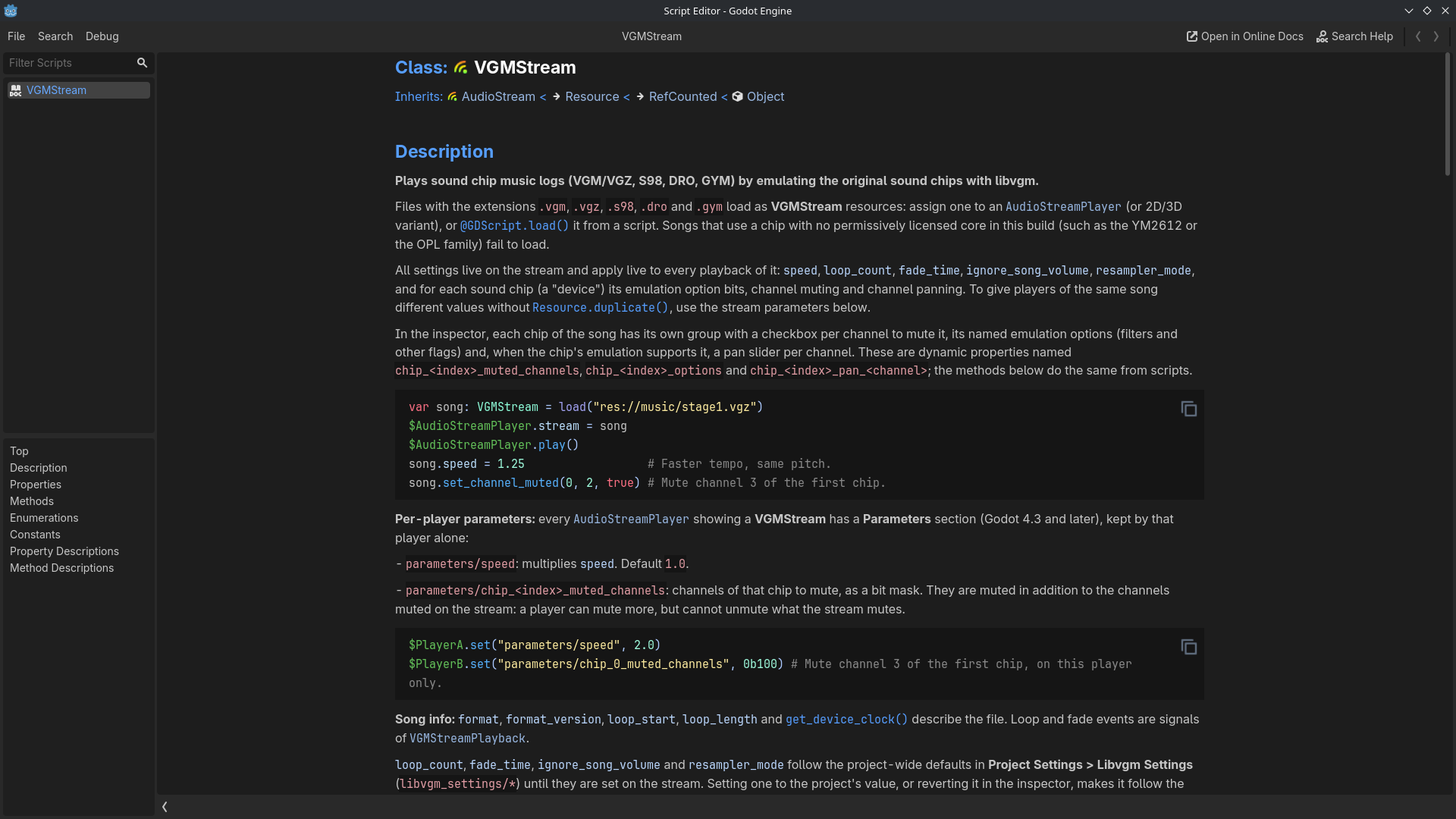
The full API is on the VGMStream page of Godot's built-in help.
test_project/main.gd is a small demo: assign a song to the Main node's song property and use the keys listed at the top of the script.
Notes
- Each playing song runs its chip emulators continuously. The cores are cheap.
- Changing the resampler mode restarts that song's emulation and continues from the same position.
- Songs without a loop point end on their own and emit
finished.
Additional Info
So far the extension has only been built and tested on Linux x86_64; other platforms are first compiled by that workflow.
Credits
Changelog for version v0.1
2026-10-16 09:46:18
No changelog provided for this version.