Description
Changelog
Reviews (0)
What it does
This plugin brings a pixel tree generator workflow into Godot.
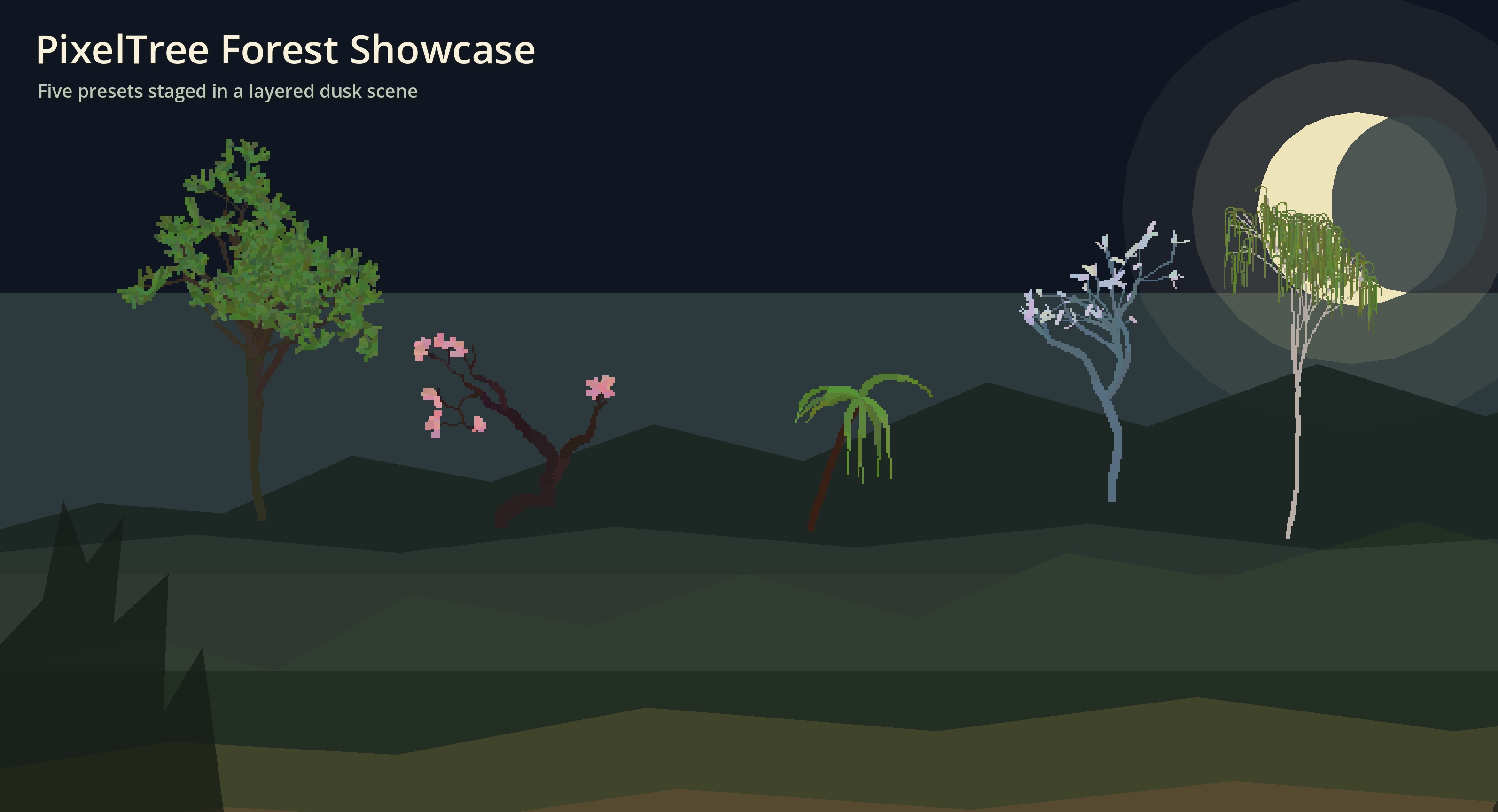
- five presets:
Oak,Sakura,Palm,Oak Winter,Birch - deterministic generation from a seed
- one-click regeneration in the Inspector
- live preview directly in the 2D editor
- pixel-based branch and leaf rendering
Usage
- Enable the
PixelTreeplugin inProject > Project Settings > Plugins. - Add a
PixelTreenode to your scene. - Place the node where you want the tree root to be, then adjust
tree_preset,seed, andpreview_scale. - Toggle
generate_nowin the Inspector whenever you want a fresh tree.
Example
- Open example/example_forest.tscn to see a simple showcase scene built with the addon.
Notes
- The node is implemented as
Node2D, and its transform origin is the tree root. randomize_on_each_regenerateignores the fixed seed and creates a new variation each time.get_tree_image()andget_tree_texture()are available if you want to reuse the generated result in your own tools.
Acknowledgements
This project was inspired by Matouš Marek's Pixelart tree generator.
Thanks to Matouš Marek for the original idea and inspiration.
Changelog for version v1.0.0
2026-05-27 11:39:16
No changelog provided for this version.