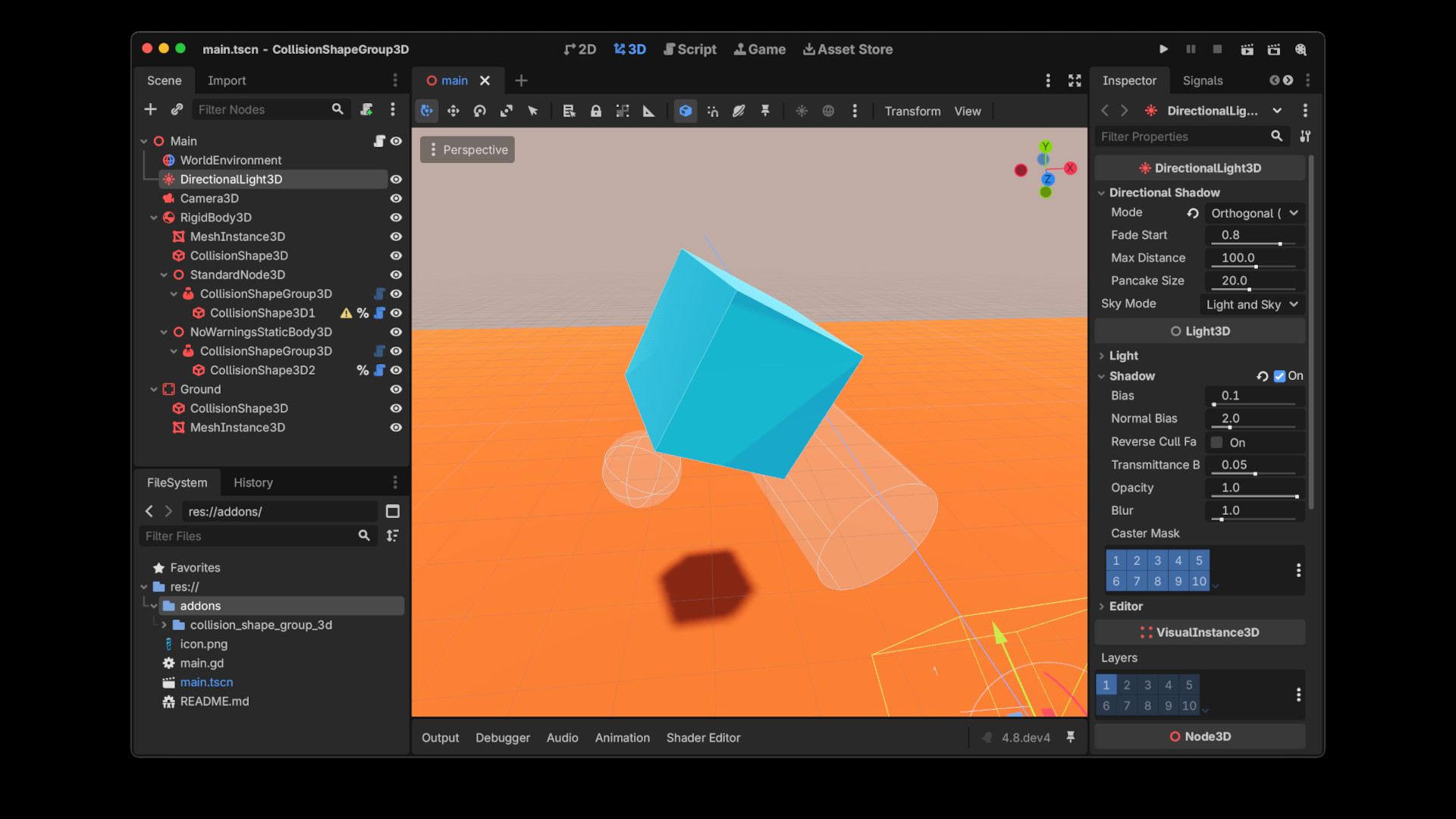
A Godot 4 addon that lets you organize CollisionShape3D nodes into logical groups under a CollisionObject3D (StaticBody3D, RigidBody3D, CharacterBody3D, Area3D, etc) without flattening every shape into a single level of the scene tree.
Godot currently requires CollisionShape3D to be a direct child of a CollisionObject3D for it to register with the physics server. That's fine for a handful of shapes, but it forces a flat hierarchy for anything with many shapes - compound colliders, procedurally clustered shapes, or shapes you want to toggle on/off as a batch. CollisionShapeGroup3D works around that limitation entirely in GDScript, with no changes to your project's collision layers, physics settings, or body types.
Features
- Group any number of CollisionShape3D nodes under one container node.
- Children are plain, native CollisionShape3D nodes, no custom shape classes, no scripts to attach manually.
- Live transform tracking. Move or animate individual shapes, or the whole group, and the physics server stays in sync automatically.
- Enable/disable an entire group of shapes at once via a single disabled property on the group node.
- Fully event-driven. No per-frame polling cost when nothing is moving.
- Optional editor-warning suppression.
Removing Editor Warning
By default, CollisionShapeGroup3D extends Node3D. Because its child CollisionShape3D nodes aren't a direct child of a CollisionObject3D, Godot's native engine code still shows its built-in configuration warning on each one ("CollisionShape3D only serves to provide a collision shape to a CollisionObject3D derived node..."). This warning is purely cosmetic, collision works correctly regardless.
If you'd rather not see it, create a StaticBody3D node instead of a Node3D, and manually attach the addon collision_shape_group_3d.gd to it. This is a deliberate choice, not a "Change Type" conversion - Godot's Change Type editor action doesn't reliably preserve script attachment across a type swap. Once the script is attached, you don't need to configure anything, both modes work identically at runtime; the choice is purely about whether you want to see the cosmetic warning.
When attached to a StaticBody3D the script automatically:
- Removes the StaticBody3D node from the physics simulation, so it has no effect on physics as a body in its own right.
- Hides the StaticBody3D/CollisionObject3D inspector properties that don't apply to a grouping node (collision layer/mask, physics material, etc.), since none of them do anything in this configuration.
Changelog for version 0.2
2026-08-31 08:06:00
No changelog provided for this version.