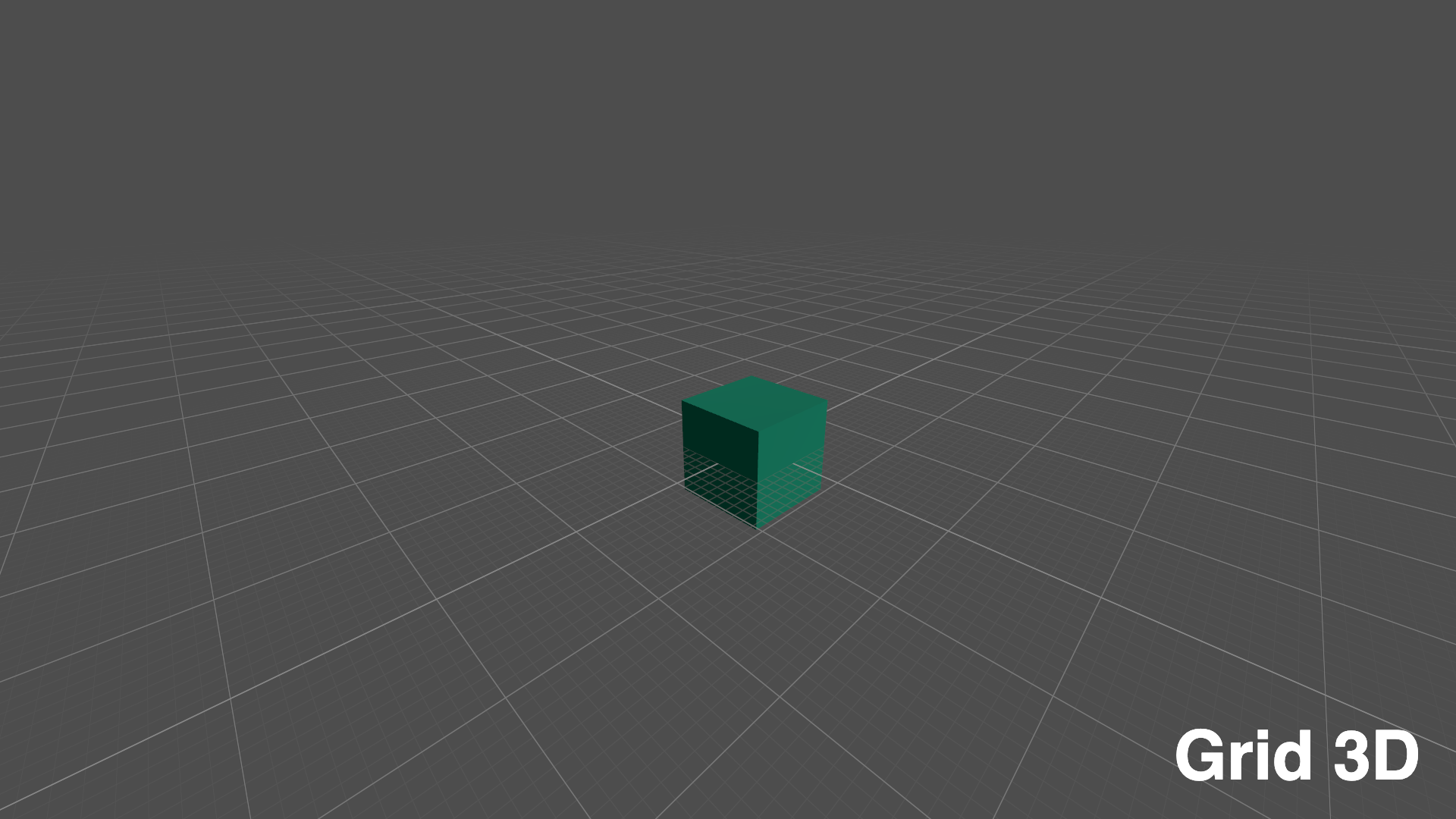
Infinite Grid
Reusable 2D and 3D infinite grid components for Godot 4.x.
The grid is shader-driven, keeps line widths stable in screen space, fades between LOD levels, and follows the active camera so it appears endless without generating large geometry.
Features
InfiniteGrid3D: an XZ ground grid rendered from a small procedural mesh.InfiniteGrid2D: a full-viewportColorRectgrid forCamera2Dscenes.- Smooth LOD transitions for zooming or camera distance changes.
- Screen-space line width and anti-aliasing.
- Configurable cell size, colors, opacity, and debug LOD coloring.
- No external runtime dependencies.
Requirements
- Godot 4.x
Installation
Copy this folder to your project:
res://addons/infinite_grid/
No plugin activation is required. Instance the provided scenes directly.
Quick start
Instance one of the reusable scenes in your project:
res://addons/infinite_grid/infinite_grid_3d.tscnres://addons/infinite_grid/infinite_grid_2d.tscn
Examples
Example scenes are maintained in the repository examples/ folder. View them on GitHub:
- https://github.com/hardalex/godot-infinite-grid/tree/main/examples
InfiniteGrid3D
Usage
Instance the reusable scene:
res://addons/infinite_grid/infinite_grid_3d.tscn
Add it to a 3D scene with a Camera3D. By default, the grid follows the active viewport camera on the XZ plane.
Properties
follow_viewport_camera
Default: true
When enabled, InfiniteGrid3D reads the active viewport Camera3D every frame and moves the grid on XZ so it stays under the camera. Disable it if you want to position the grid manually or drive it from a specific camera.
grid_size
Default: 2000.0
Controls the side length of the finite quad used to render the grid. The shader fades near the mesh bounds, so larger values increase the visible area before the edge fade appears.
cell_size
Default: 1.0
Defines the base world-space grid cell size. LOD levels are built around this value using powers of ten, for example 0.1, 1.0, 10.0, and 100.0 when cell_size is 1.0.
line_width_pixels
Default: 1.0
Sets the target line width in screen pixels. The shader uses derivatives to keep lines visually stable as the camera moves.
lod_finer_levels
Default: 3
Controls how many decimal LOD levels are allowed below the base cell_size. Each level is 10x finer than the previous one.
For example, with cell_size = 1.0:
lod_finer_levels = 0  -> finest cell size is 1.0
lod_finer_levels = 1  -> finest cell size is 0.1
lod_finer_levels = 2  -> finest cell size is 0.01
lod_finer_levels = 3  -> finest cell size is 0.001
Higher values let the grid show smaller fine lines when the camera is close to the floor.
lod_total_levels
Default: 8
Controls the total number of decimal LOD levels, including finer, base, and coarser levels. The final range starts at cell_size * 10^-lod_finer_levels and contains lod_total_levels entries.
For example, with cell_size = 1.0, lod_finer_levels = 3, and lod_total_levels = 8:
0.001, 0.01, 0.1, 1.0, 10.0, 100.0, 1000.0, 10000.0
If lod_finer_levels changes while lod_total_levels stays the same, the whole range shifts. For example, with cell_size = 1.0, lod_finer_levels = 1, and lod_total_levels = 8:
0.1, 1.0, 10.0, 100.0, 1000.0, 10000.0, 100000.0, 1000000.0
Increase lod_total_levels when the grid needs to remain useful across a wider distance range.
enable_grazing_opacity
Default: true
Fades the floor grid at shallow viewing angles. This reduces long transparent trails when the camera looks almost parallel to the grid plane.
enable_lod_center_fade
Default: true
Applies a Blender-style center fade to each LOD layer. Fine lines appear near the view focus first and fade outward, which makes LOD transitions less abrupt.
lod_center_fade_line_count
Default: 151.0
Controls the radius of each per-LOD center fade in grid-line units. The default 151.0 gives roughly 75 cells of fade radius on each side of the view focus. Odd values usually give a better result because they keep the fade region balanced around a center grid line.
thin_line_color
Default: Color(0.42, 0.42, 0.42, 0.45)
Color and alpha for minor grid lines. Lower alpha values make fine LOD levels less prominent.
thick_line_color
Default: Color(0.62, 0.62, 0.62, 0.65)
Color and alpha for major grid lines. This is used for coarser LOD levels and emphasized grid divisions.
debug_lod_colors
Default: false
Shows the active LOD layers with debug colors. Blue is the finer layer, green is the current layer, and red is the coarser layer.
Methods
set_grid_size(value: float) -> void
Updates grid_size, rebuilds the finite grid mesh, and reapplies shader parameters.
$InfiniteGrid3D.set_grid_size(4000.0)
set_cell_size(value: float) -> void
Updates the base world-space cell size and reapplies shader parameters.
$InfiniteGrid3D.set_cell_size(0.5)
follow_camera(camera: Camera3D) -> void
Moves the grid on XZ so it is centered under the given camera.
$InfiniteGrid3D.follow_camera($Camera3D)
InfiniteGrid2D
Usage
Instance the reusable scene:
res://addons/infinite_grid/infinite_grid_2d.tscn
Place it inside a CanvasLayer so it stays screen-aligned. Use a low layer value if the grid should render behind the game UI or world overlays:
CanvasLayer
  InfiniteGrid2D
By default, it reads the active viewport Camera2D.
Properties
follow_viewport_camera
Default: true
When enabled, InfiniteGrid2D reads the active viewport Camera2D every frame. Disable it when you need to pass camera state manually with set_camera_state().
grid_origin
Default: Vector2.ZERO
Offsets the world-space origin used by the grid. Change this when the grid should align to a custom coordinate origin instead of (0, 0).
cell_size
Default: 10.0
Defines the base world-space grid cell size. LOD levels are built around this value using powers of ten.
min_pixels_between_cells
Default: 3.0
Controls when the 2D shader switches to a coarser LOD. Increase it to hide dense fine lines sooner while zooming out.
line_width_pixels
Default: 1.0
Sets the target line width in screen pixels. The shader uses derivatives to keep lines stable while zooming and panning.
lod_finer_levels
Default: 3
Same as InfiniteGrid3D's lod_finer_levels, using this component's cell_size as the base size.
lod_total_levels
Default: 8
Same as InfiniteGrid3D's lod_total_levels, using this component's cell_size and lod_finer_levels.
thin_line_color
Default: Color(0.30, 0.30, 0.30, 0.50)
Color and alpha for minor grid lines. Lower alpha values make fine LOD levels less prominent.
thick_line_color
Default: Color(0.42, 0.42, 0.42, 0.70)
Color and alpha for major grid lines. This is used for coarser LOD levels and emphasized grid divisions.
debug_lod_colors
Default: false
Shows the active LOD layers with debug colors. Blue is the finer layer, green is the current layer, and red is the coarser layer.
Methods
set_camera_state(camera_position: Vector2, camera_zoom: Vector2, camera_rotation := 0.0) -> void
Manually updates the camera state used by the grid shader. Set follow_viewport_camera to false before calling this every frame.
$GridLayer/InfiniteGrid2D.follow_viewport_camera = false
$GridLayer/InfiniteGrid2D.set_camera_state(camera_position, camera_zoom, camera_rotation)
License
MIT License. See LICENSE.
Changelog for version v.1.1.1
2026-08-07 03:55:32
No changelog provided for this version.