Static Mesh Merger
Lightweight static mesh batching and collision tools for Godot 4
Mesh Merger is a lightweight Godot editor plugin that combines multiple static MeshInstance3D nodes into a single optimized mesh while preserving existing collision data. It also provides a batch tool for quickly generating static trimesh collision for multiple selected meshes.
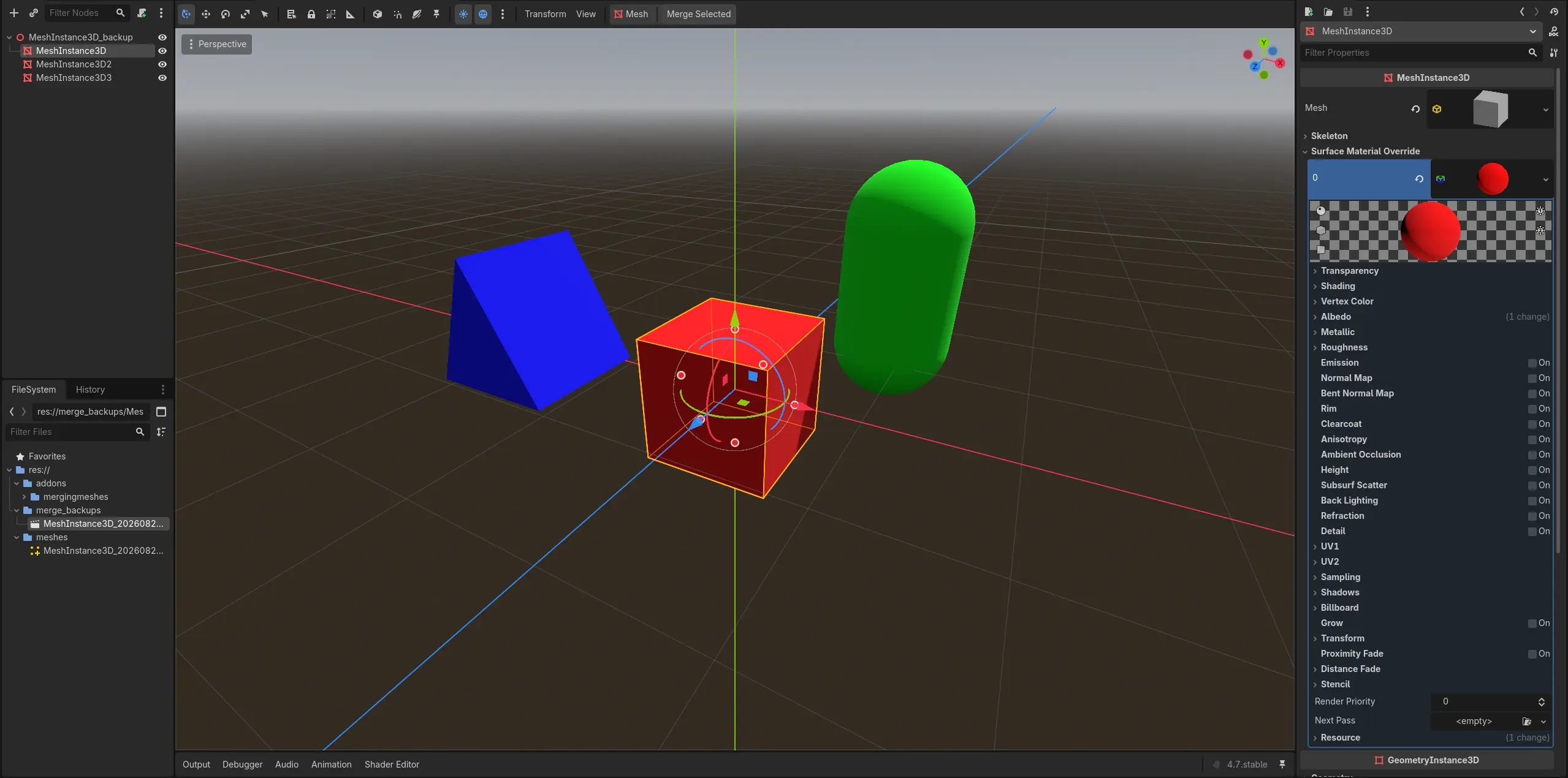
Select the meshes you want to merge, click Merge Selected in the 3D editor, and Mesh Merger handles the rest. Need collision on a bunch of static meshes? Select them all and click Create Collision.
Less clutter. Fewer objects. Same geometry. Collision preserved or created in batches.
Features
- Merge selected meshes into a single
ArrayMesh - Preserve materials and textures from the original meshes
- Preserve existing collision hierarchies without modifying their collision shapes
- Move preserved collision under the newly created merged mesh
- Remove the original mesh hierarchies after a successful merge
- Create a new
MeshInstance3Dcontaining the merged geometry - Save merged meshes as reusable
.resresources - Batch-create collision for multiple selected
MeshInstance3Dnodes at once - Generate trimesh collision using each mesh's geometry for static environment objects
- Reuse collision shape resources when selected meshes share the same mesh resource
- Skip meshes that already have a direct
StaticBody3Dchild to prevent duplicate collision - Undo batch collision creation through Godot's normal editor Undo system
- Automatically back up original nodes before making merge changes
- Keep backup scenes out of exported builds
- Editor-only workflow — no runtime systems or scripts required
Collision Preservation
Mesh Merger does not rebuild existing collision geometry when merging.
If a selected mesh has an existing collision hierarchy such as:
MeshInstance3D
└── StaticBody3D
    └── CollisionShape3D
The collision hierarchy is preserved without modification.
After merging, it becomes part of the new merged mesh hierarchy:
MeshInstance3D_merged
└── Collision
    └── StaticBody3D
        └── CollisionShape3D
The original collision shape remains the same resource and shape type.
This means Mesh Merger can preserve Godot collision shapes such as:
BoxShape3DSphereShape3DCapsuleShape3DCylinderShape3DConvexPolygonShape3DConcavePolygonShape3D- Other existing
CollisionShape3Dconfigurations
Mesh Merger simply preserves collision data that already exists rather than trying to recreate it during a merge.
If your mesh already has collision, Mesh Merger keeps it.
Batch Collision Creation
Mesh Merger can also create collision for many static meshes in one operation.
Select multiple MeshInstance3D nodes and click Create Collision. Each selected mesh receives its own static collision hierarchy:
Grass_Patch_01
└── StaticBody3D
    └── CollisionShape3D

Grass_Patch_02
└── StaticBody3D
    └── CollisionShape3D

Grass_Patch_03
└── StaticBody3D
    └── CollisionShape3D
The collision shape is generated from the mesh using a trimesh/ConcavePolygonShape3D, which is intended for static environment geometry.
The batch tool is useful for situations where many separate environment meshes need collision but you do not want to create each StaticBody3D and CollisionShape3D manually.
The tool also:
- Skips meshes that already have a direct
StaticBody3Dchild - Skips mesh instances without a mesh resource
- Skips meshes that belong to an instanced sub-scene
- Reuses a generated shape resource when multiple meshes use the same mesh resource
- Supports undoing the entire batch operation as one editor action
Select 37 grass patches. Click once. Get 37 collision hierarchies.
Great for Open-World Games
Mesh Merger is particularly useful for large open-world environments where thousands of static objects can make a scene unnecessarily expensive to manage.
Large environments are often built from hundreds or thousands of smaller modular pieces:
Open World
├── House
│   ├── Wall
│   ├── Roof
│   ├── Window
│   └── Door
├── Rocks
├── Trees
├── Ruins
├── Cliffs
└── Decorations
Many of these objects never need to move independently.
Mesh Merger lets you combine appropriate static sections into larger meshes:
Open World
├── Village_merged
├── Forest_merged
├── Ruins_merged
├── Cliffs_merged
└── Decorations_merged
This can reduce the number of individual scene objects Godot needs to manage while keeping the underlying geometry intact.
For open-world projects, you can also merge smaller logical sections rather than turning the entire world into one enormous mesh. This keeps your environment modular while still reducing unnecessary object overhead.
Build your world from modular pieces. Merge the pieces that don't need to stay separate.
How It Works
Before:
Environment
├── Rock_01
├── Rock_02
├── Rock_03
├── Rock_04
├── Rock_05
└── Rock_06
After clicking Merge Selected:
Environment
└── Rock_merged
The individual meshes are combined into one mesh while their materials are preserved.
If collision exists, it is preserved as well:
Before

Environment
├── Rock_01
├── Rock_02
│   └── StaticBody3D
│       └── CollisionShape3D
└── Rock_03
becomes:
After

Environment
└── Rock_merged
    └── Collision
        └── StaticBody3D
            └── CollisionShape3D
The original collision data is not regenerated or converted.
For meshes that do not have collision yet, use Create Collision before or after organizing your static environment:
Before

Environment
├── Grass_Patch_01
├── Grass_Patch_02
├── Grass_Patch_03
└── Grass_Patch_04
Select all four and click Create Collision:
After

Environment
├── Grass_Patch_01
│   └── StaticBody3D
│       └── CollisionShape3D
├── Grass_Patch_02
│   └── StaticBody3D
│       └── CollisionShape3D
├── Grass_Patch_03
│   └── StaticBody3D
│       └── CollisionShape3D
└── Grass_Patch_04
    └── StaticBody3D
        └── CollisionShape3D
Your original nodes are also backed up automatically before merge operations, so you have a way to recover them if needed.
Is This Nanite?
No.
Mesh Merger is nowhere near as sophisticated as Nanite.
It does not provide:
- Virtualized geometry
- Hierarchical cluster culling
- Automatic geometric LOD
- Geometry streaming
- Nanite-style visibility management
Instead, Mesh Merger takes a much simpler approach:
Combine lots of static objects into fewer objects and automate repetitive collision setup.
Think of it as a small, editor-side static mesh batching and collision workflow tool rather than a Nanite replacement.
Best Used For
Mesh Merger is designed primarily for static level geometry, including:
- Open-world environments
- Environment pieces
- Buildings
- Rocks
- Trees and vegetation patches
- Props
- Decorations
- Modular level sections
- Large static structures
- Other geometry that doesn't need to move independently
It's especially useful when a scene contains large numbers of small static meshes that don't need to remain separate at runtime.
Safety First
Mesh Merger creates a backup before modifying the scene through a merge operation.
Backups are stored in:
res://merge_backups/
The plugin also prevents these backup scenes from being included in exported builds.
Merged meshes are stored in:
res://meshes/
So your original scene data isn't simply thrown into the void.
Usage
Merge meshes
- Select the
MeshInstance3Dnodes you want to merge. - Click Merge Selected in the 3D editor.
- Mesh Merger creates a backup.
- The meshes are combined into a single
ArrayMesh. - Existing collision hierarchies are preserved without modification.
- The original mesh hierarchies are removed.
- A new
MeshInstance3Dis created with the merged geometry. - Preserved collision hierarchies are placed under the new merged mesh.
- The merged mesh resource is saved for reuse.
Batch-create collision
- Select one or more
MeshInstance3Dnodes. - Click Create Collision in the 3D editor.
- Mesh Merger creates a
StaticBody3Dunder each eligible mesh. - A
CollisionShape3Dusing generated trimesh collision is added under each body. - Meshes that already have a direct
StaticBody3Dchild are skipped. - The entire batch can be undone with Godot's normal Undo action.
That's it.
Requirements
- Godot 4.x
- Static
MeshInstance3Dgeometry
Limitations
Mesh Merger is intentionally simple.
It does not automatically provide:
- Runtime mesh merging
- Dynamic object support
- LOD generation
- Occlusion culling
- Geometry streaming
- Nanite-style virtualized geometry
- Automatic collision conversion for every possible physics setup
The plugin supports two separate collision workflows:
- Preserve existing collision during a mesh merge
- Generate static trimesh collision in batches with Create Collision
Trimesh collision is intended for static geometry. It is not a replacement for carefully designed primitive or convex collision on objects that need custom physics behavior.
If an object needs to move independently, animate independently, or otherwise remain a separate object, don't merge it.
Why?
Godot can handle a lot of geometry, but a scene containing thousands of individual static objects can create unnecessary overhead.
Mesh Merger provides a simple editor-side solution:
Build your level normally → batch-add collision where needed → merge what doesn't need to stay separate → ship a cleaner scene.
No runtime plugin logic. No complicated setup. Just select, click, and go.
Status
Early release / actively developing
If you find a bug or have an idea for an improvement, feel free to open an issue or contribute.
Changelog for version v1.0.3
2026-08-28 21:17:30
No changelog provided for this version.