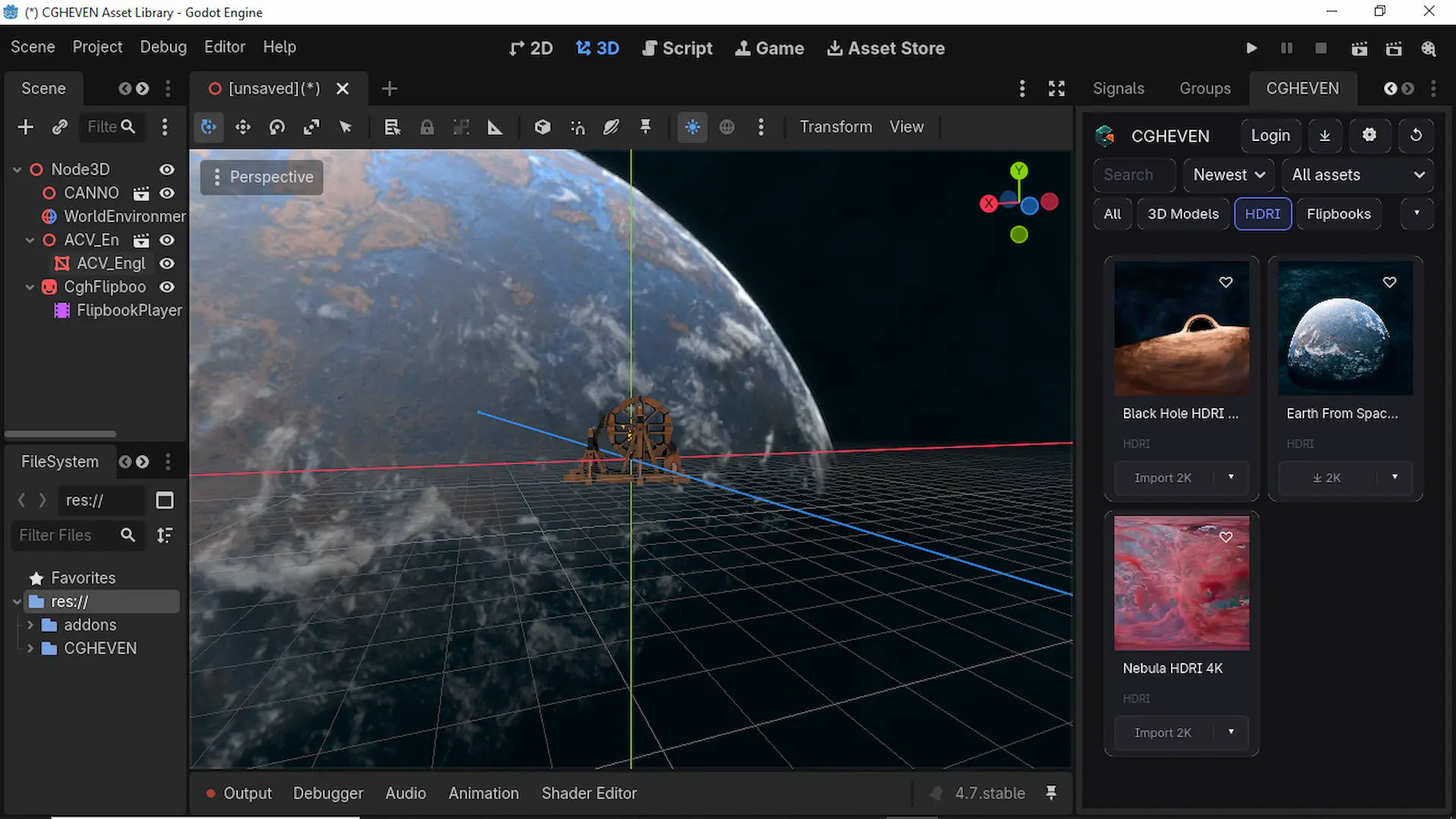
CGHEVEN Asset Library for Godot
Access the complete CGHEVEN CG/VFX asset library directly inside the Godot editor.
Browse, preview, and import professional assets into your project with a single click — no downloads folder and no manual setup required.
The plugin is written entirely in GDScript as a @tool EditorPlugin, allowing a single installation to run on Windows, macOS, and Linux with no native builds.
Features
• Dockable panel with a dark UI matching the CGHEVEN desktop addons • Responsive asset grid with cached thumbnails • Category and subcategory filters • Search and sorting • Categories: 3D Models, HDRI, Flipbooks • Guest browsing without an account • One-click account login (web broker) or license key activation • One-click download and automatic import:
- glTF / FBX → Scene
- HDRI → World Environment
- Flipbook → AnimatedSprite3D (automatically extracts .zip files) • Automatic material and shader setup during import • Asset cards with:
- NEW, Premium, and Resolution badges
- Format and resolution selector
- Download progress indicator • Persistent Favourites • Download history • Live subscription refresh (Free → Pro without logging out) • Built-in self-update with changelog
Requirements
• Godot 4.7 or later • Internet connection (for the asset CDN and api.cgheven.com)
Installation
- Open the Godot Editor.
- Go to the Asset Store tab.
- Search for "CGHEVEN".
- Open the asset.
- Click Download, then Install.
- Open Project → Project Settings → Plugins.
- Enable "CGHEVEN Asset Library".
- The CGHEVEN dock will appear immediately without restarting the editor.
Note
Godot plugins are installed per project, so the addon is placed inside each project's addons/ folder.
Support
Website: https://cgheven.com
Discord: https://discord.gg/cgheven
Security
The addon contains no embedded secrets. All API endpoints are public, and analytics are processed server-side.
Changelog for version v1.0.0
2026-07-09 13:25:40
No changelog provided for this version.